




Shopify Fees Calculator: What You’ll Actually Pay in 2026



Table of Contents
Running a Shopify store comes with more than just the monthly subscription. This guide will act as your Shopify fees calculator - explaining all the fees you’ll encounter including payment processing, transaction charges, and optional add-ons. As a result, you can calculate your real costs and plan your store budget with confidence.
In this blog:
Two of Shopify’s Core Fees Explained
Understanding Shopify’s core fees is crucial to running a profitable store. Shopify charges a variety of fees, including transaction fees, payment processing fees, and more. Below is a breakdown of the two main fees you’ll encounter in this Shopify fees calculator breakdown:
1. Shopify Pricing Plans
Shopify offers four pricing plans, each with different features and costs. Here’s a quick look at what each plan offers and the pricing:

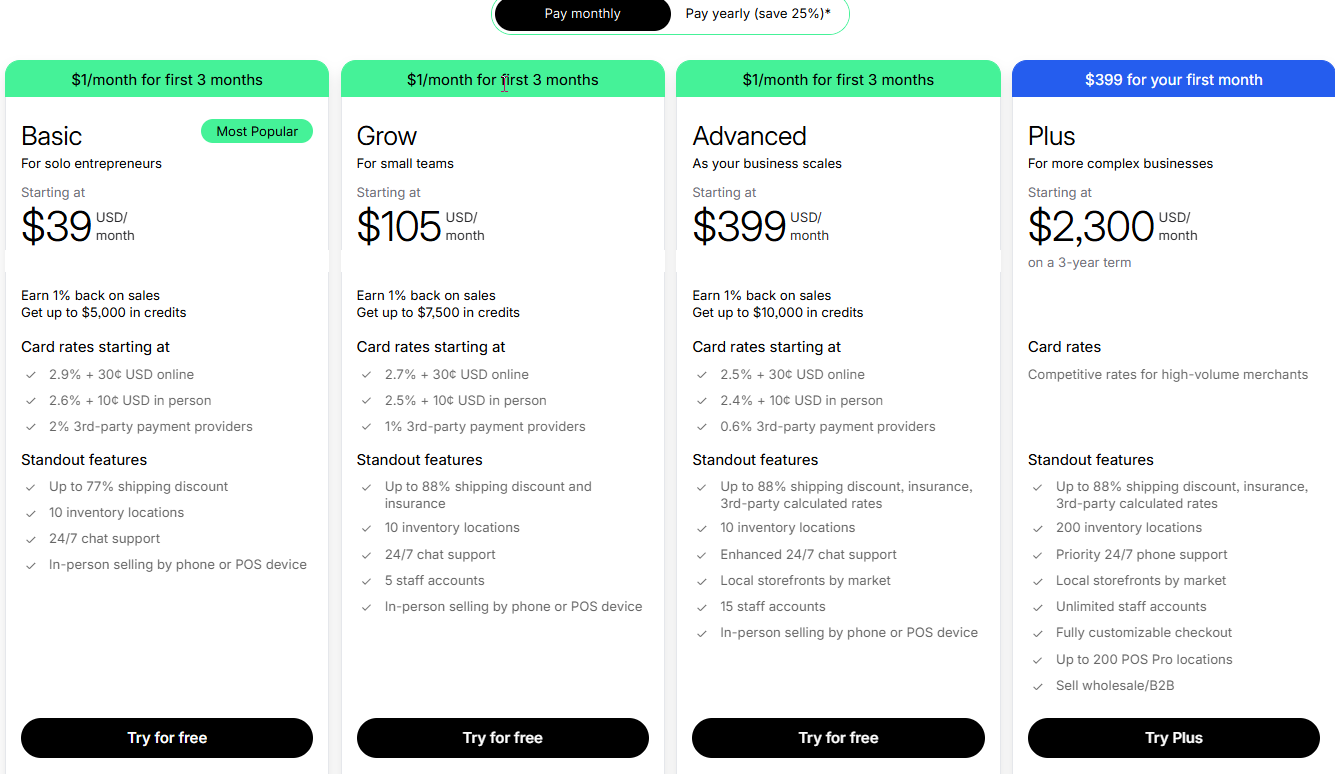
Shopify Pricing Plan for 2026
In certain regions, Shopify still offers the older pricing at $25/month on a monthly billing cycle.
When Should You Consider Using Higher Shopify Plans?
The choice of which Shopify plan to use depends on your store’s revenue and needs. Here’s a rough guide to when it might make sense to upgrade:
- Upgrade to Advanced: If your annual revenue is around $130,000, you’ll benefit from lower transaction fees and additional features like gift cards and better reporting.
- Upgrade to Shopify Plus: If your revenue exceeds $1 million, the Plus plan offers more detailed reports and lower processing fees, making it a more cost-effective option.
2. Shopify Transaction Fees
Shopify charges transaction fees when you use a third-party payment provider like PayPal or Amazon Pay. However, these fees depend on which Shopify plan you’re subscribed to:
Shopify Plan | Transaction Fees |
|---|---|
Basic | 2.0% |
Grow | 1.0% |
Advanced | 0.6% |
Plus | Competitive rate for high-volume merchants |
Shopify Payments Fees
If you use Shopify Payments, you don’t have to pay the additional transaction fees from above. However, Shopify still charges processing fees for each sale:
Shopify Plan | Processing Fees |
|---|---|
Basic | 2.9% + 30¢ |
Grow | 2.7% + 30¢ |
Advanced | 2.5% + 30¢ |
Plus | Competitive rates for high-volume merchants |
These processing fees are lower than the fees from third-party payment providers, making Shopify Payments a cost-effective option for most store owners.
PayPal & Other Payment Gateway Fees
If you choose to use PayPal or another third-party payment provider, you'll pay their standard transaction fees, which are typically 2.9% + 30¢ per transaction. If you don't use Shopify Payments, you'll also incur Shopify’s transaction fees depending on your plan. This can make your overall payment processing more expensive.
For example, if you are using third-party payment gateways like Paypal or Stripe, and:
- Shopify Basic plan
- Product price: $100
- Payment via PayPal
- PayPal fee: 2.9% + $0.30
- Shopify extra transaction fee: +2.0%
You will have to pay:
- PayPal fee: 2.9% of $100 + $0.30 = $3.20
- Shopify transaction fee: 2.0% of $100 = $2.00
- Total fees: $5.20
How much you receive: $100 − $5.20 = $94.80
In summary, understanding these core fees and comparing Shopify’s plans will help you determine which plan is best suited for your business and budget. By choosing the right payment provider and plan, you can optimize your costs and maximize profitability.

Common Hidden Shopify Fees (That Add Up Quietly)
While Shopify’s monthly plans and transaction fees are well-known, there are a few costs that many first-time sellers don’t realize until they’ve already launched. These aren't meant to scare you off - they’re just important to factor into your budget early so you can plan smarter.
1. Theme & Design Fees
Shopify offers several free themes (like Dawn), which are a great starting point. But if you want more customization or a premium design, paid themes can cost a one-time fee of $180–$350. These premium themes may come with extra features that help with conversion, like advanced filtering or dynamic sections.
2. App Subscription Costs
Shopify apps help you add new features to your store, like upsells, reviews, live chat, or email popups. Some are free, but many work on monthly subscriptions ranging from $5 to $50+ per app. It’s easy to go over budget if you install too many at once.
3. Email Marketing & SMS Fees
Email and SMS are powerful tools for bringing customers back, but they’re rarely free beyond the first few emails. Tools like Shopify Email give you 10,000 free emails/month, then charge a small fee per extra 1,000 emails. SMS platforms (like SMSBump or Klaviyo SMS) also charge based on message volume and country.
4. Domain Name & Renewal Charges
If you want your store to look professional, you’ll need a custom domain (like yourstore.com). Shopify domains typically cost $14/year, and renewals happen automatically unless you cancel.
5. Fulfillment & 3PL Expenses
If you scale beyond dropshipping, or use a print-on-demand or fulfillment service, you may incur costs for packing, storage, and shipping. These vary widely based on weight, location, and provider. Even with dropshipping, you’ll want to budget for refunds, reships, and occasional losses.
6. Other Shopify Per-Sale Fees You Should Track
Beyond subscription and standard online payment fees, Shopify charges several additional fees that are often overlooked but directly impact your net profit. These costs vary by payment method, customer location, and sales channel, making them especially important to track as your store scales.
- In-Person Payments (POS): Sales processed through Shopify POS come with their own payment processing fees. While typically lower than online rates, they can still add up quickly for retail stores, pop-ups, and high-volume in-person sales.
- Currency Conversion Fees: When customers pay in a currency different from your payout currency, Shopify applies a conversion fee of 1.5% for U.S. stores or up to 2.0% for international stores, on top of regular transaction fees.
- International Card Fees: Payments made using international credit or debit cards are often charged at higher rates, commonly around 3.9% + $0.30 per transaction, which can significantly reduce margins on global orders.
- Shopify Tax (U.S. only): For U.S. merchants using Shopify Tax, Shopify charges 0.35% per order once your store exceeds $100,000 in annual sales, in applicable states.
- Tap to Pay on iPhone: Shopify allows the first 100 Tap to Pay transactions per month for free, after which a $0.25 per transactionfee applies, a small cost that adds up for high-volume in-person sellers.
Shopify Pricing Calculator based on Store Size
1. Monthly Shopify Fee for Store Making Under $1,000/month
Cost Type | Estimated Cost (Monthly) |
|---|---|
Shopify Basic Plan | $39 |
Shopify Payments Fees | 2.9% + 30¢ → ~$20 for $500 via SP |
PayPal Fees + Transaction | 2.9% + 30¢ + 2% Shopify fee → ~$35 |
Apps (2 free + 1 paid) | $15 |
Email (Shopify Email) | Free for up to 10,000 emails |
Domain Name (Annualized) | ~$1.20 (based on $14/year) |
Total Estimated Monthly | ~$110 |
2. Monthly Shopify Fee for Store Making $5K–$10K/month
Cost Type | Estimated Cost (Monthly) |
|---|---|
Shopify Grow Plan | $65 |
Shopify Payments Fees | 2.6% + 30¢ → ~$130 for $5K SP revenue |
PayPal + Transaction Fees | 2.9% + 30¢ + 1% Shopify fee → ~$160 |
Apps (3–5 essential tools) | $50–$100 |
Email Marketing | ~$20–$50 (Klaviyo or Shopify Email) |
SMS (Optional) | $10–$30 if used |
Domain Name (Annualized) | ~$1.20 |
Total Estimated Monthly | ~$310–$460 |
3. Monthly Shopify Fee for Store Making $50K+/month
Cost Type | Estimated Cost (Monthly) |
|---|---|
Shopify Advanced Plan | $399 |
Shopify Payments Fees | 2.4% + 30¢ → ~$1,300 on $25K via SP |
PayPal + Transaction Fees | 2.9% + 30¢ + 0.5% Shopify fee → ~$1,450 |
Apps & Integrations | $150–$300 (custom reporting, upsells, etc.) |
Email & SMS | $100–$300 (depending on list size) |
Fulfillment/3PL Costs | Varies ~$3,000+ if using warehouse/shipping |
Domain + Theme Costs | $1.20 + optional theme amortization |
Total Estimated Monthly | ~$6,400–$7,500+ |
Track Every Shopify Cost That Impacts Your Profit
Running a Shopify store involves far more than just a monthly subscription fee. From pricing plans and payment processing to transaction fees, apps, themes, taxes, and less obvious costs like currency conversion or POS fees, every charge plays a role in your store’s bottom line. As this guide shows, understanding all Shopify fees and how they scale with your revenue is essential if you want to price confidently, plan growth, and protect your profit margins.
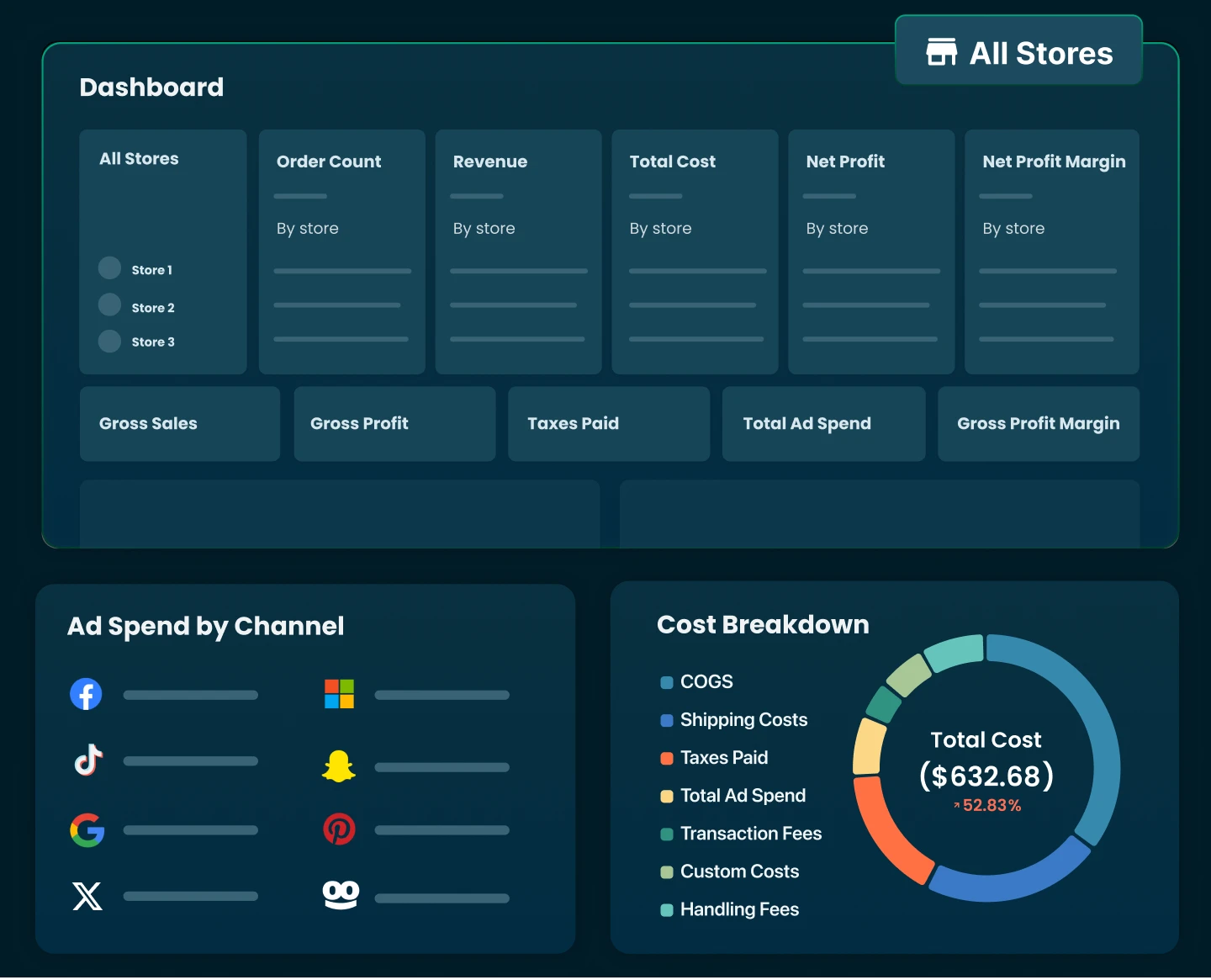
That’s why having a clear view of your real numbers matters. Instead of manually tracking dozens of fees across spreadsheets, tools like TrueProfit help Shopify merchants see the full picture by automatically tracking all the ins and outs of the business from revenue and ad spend to fees, costs, and true net profit in real time.
TrueProfit offers:
- Real-time net profit tracking across your entire store not just revenue or gross sales
- Automatic fee & cost tracking, including Shopify fees, payment processing, ad spend, shipping, and any custom expenses you can imagine
- Profit analytics by product, order, and ad channel so you know exactly what’s worth scaling
- Clear P&L reports that update automatically as your store grows
- Handy mobile app for clear profit view on the go
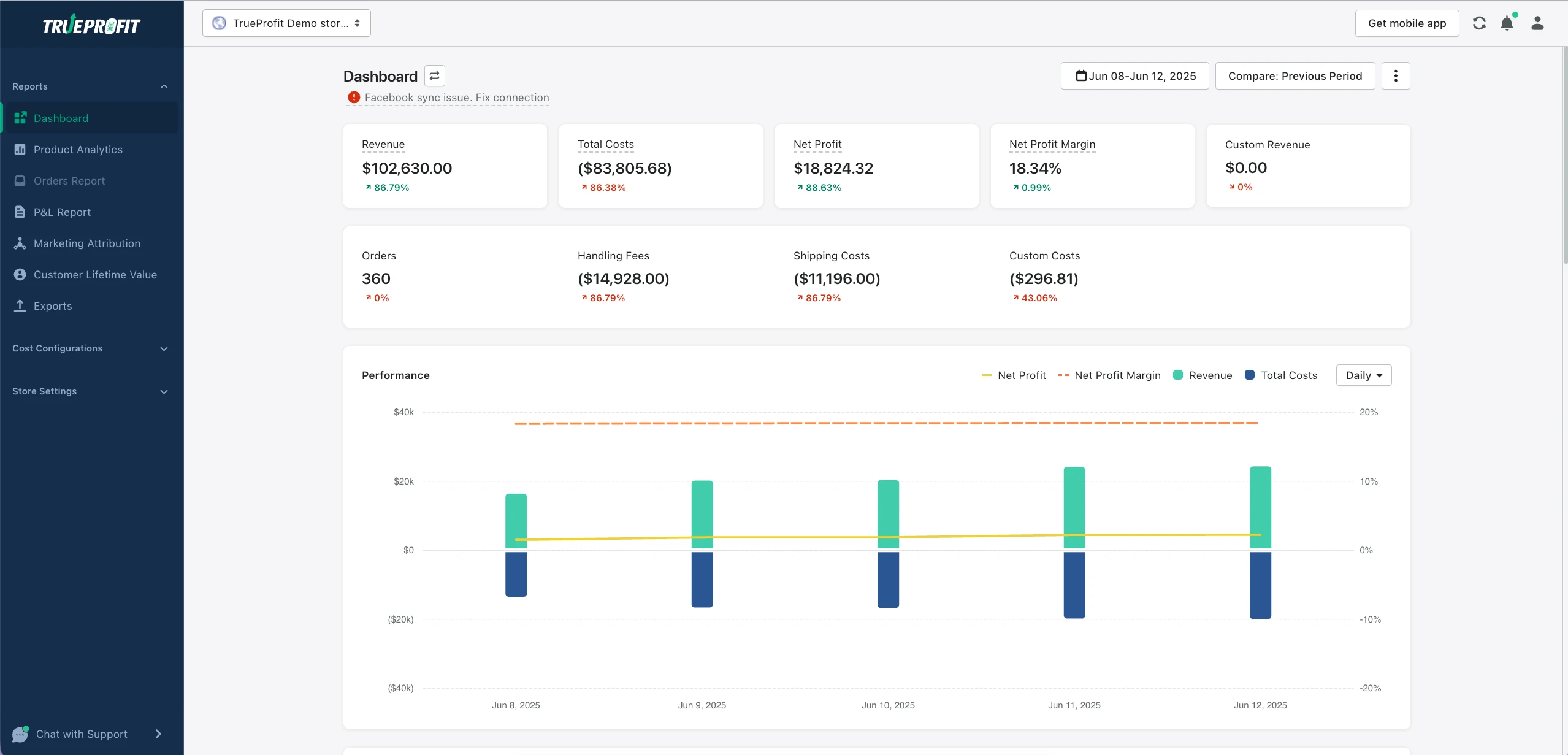
Instead of sifting through endless spreadsheets and metrics, TrueProfit delivers accurate, actionable insights that allow you to make smarter decisions, improve profitability, and grow your Shopify business - without the guesswork.
Start optimizing your store’s financial health today with TrueProfit and ensure every dollar spent is working for your success.

Lila Le is the Marketing Manager at TrueProfit, with a deep understanding of the Shopify ecosystem and a proven track record in dropshipping. She combines hands-on selling experience with marketing expertise to help Shopify merchants scale smarter, through clear positioning, profit-first strategies, and high-converting campaigns.