How to Spy on Shopify Competitors (Legally) In 2026


Shopify competitor analysis is a way to compare rival stores and find customer needs your business could meet. It covers their products, prices, marketing, and shopping experience.
Search tools, ad libraries, traffic platforms, and app detectors can help with that research. They can't show you the full picture of a competitor's business.
This guide explains what to research, which tools fit each task, and how to turn a finding into a test using your own costs and results.
Use these points to guide your research:
- Compare stores that serve the same customer need, including businesses outside Shopify.
- Record products, delivered prices, offers, shopping experience, and customer feedback using consistent criteria.
- Treat traffic estimates and detected apps as research signals rather than proof of sales or profit.
- Test one opportunity against your own costs and a clear profit target before expanding it.
How to Conduct a Shopify Competitor Analysis
Start with a clear business question, such as whether to change a price or improve a product page. Keep that question in mind as you research so you collect information you can act on.
Although Shopify is your platform, customers can choose stores built elsewhere. Include the stores your customers might buy from, whatever platform they use.

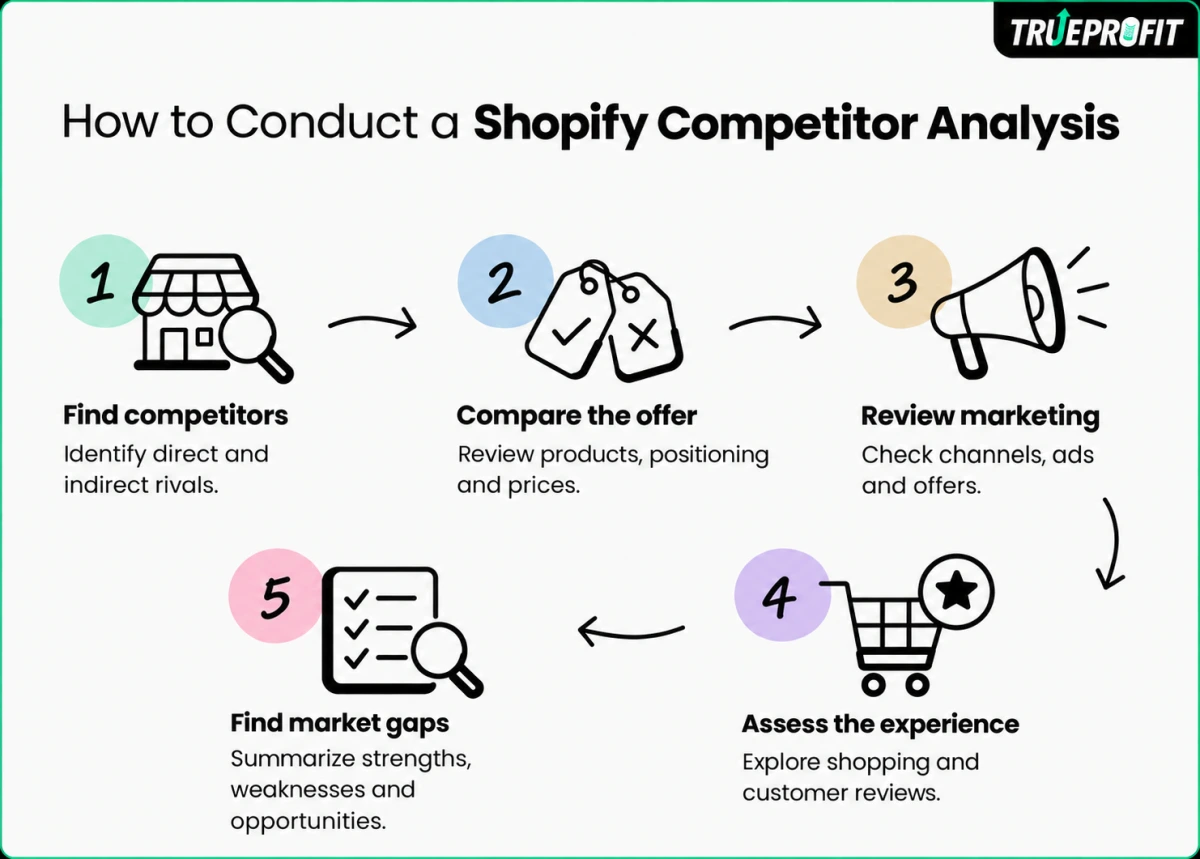
Step 1: Identify Direct and Indirect Competitors
Direct competitors sell similar products to the same audience. Indirect competitors meet the same need through a different offer. For example, a ready-made meal service and a meal-kit store can both serve people seeking an easier dinner.
Use an AI research tool to build an initial shortlist, then check Google, marketplaces, and social platforms for stores shoppers could choose instead of yours. Explore examples of successful stores to compare how they present their products.
Try this prompt: Find direct and indirect competitors for a [product] store serving [region] and shoppers who need [customer need]. Give each store's live URL, public sources, and reason for inclusion; flag uncertainty.
For your first review, choose a few stores that serve similar customers, ship to the same regions, and charge similar prices. Add a larger brand only when it offers a useful comparison, such as clearer product education.
Open each suggested store and confirm its products, customer need, and shipping region from public pages. Record why it belongs on your shortlist; an AI suggestion alone is not evidence.
Step 2: Compare Products, Positioning, and Prices
Review product range, key benefits, bundles, subscriptions, and discounts. Read the homepage and product pages to see whether the store emphasizes price, quality, convenience, or another benefit.
Compare equivalent sizes, materials, quantities, and delivery destinations. A cheaper item can cost more once you add shipping.
Use the same comparison fields for each store:
Browse best-selling product categories for ideas to compare with your own range. A store's bestseller label tells you what it chooses to promote; it doesn't verify how many units sold.
Save the page URL and the date you checked each price so you can distinguish a temporary offer from the regular price.
Before matching a competitor's price, check profit margin benchmarks for your industry. Compare the same margin type, gross or net, and use your own product, shipping, advertising, and other costs to judge whether that price is sustainable.
Step 3: Review Marketing Channels, Ads, and Offers
Compare search results, social posts, ads, and email to trace how shoppers find the product, what each message promises, and what happens after the click. Save dated URLs or screenshots so you compare the same evidence for each store.
In Meta Ad Library, compare active ad creatives, hooks, and offers. Open each destination to check the product, price, and conditions; an ad's presence or age does not show whether it is profitable.
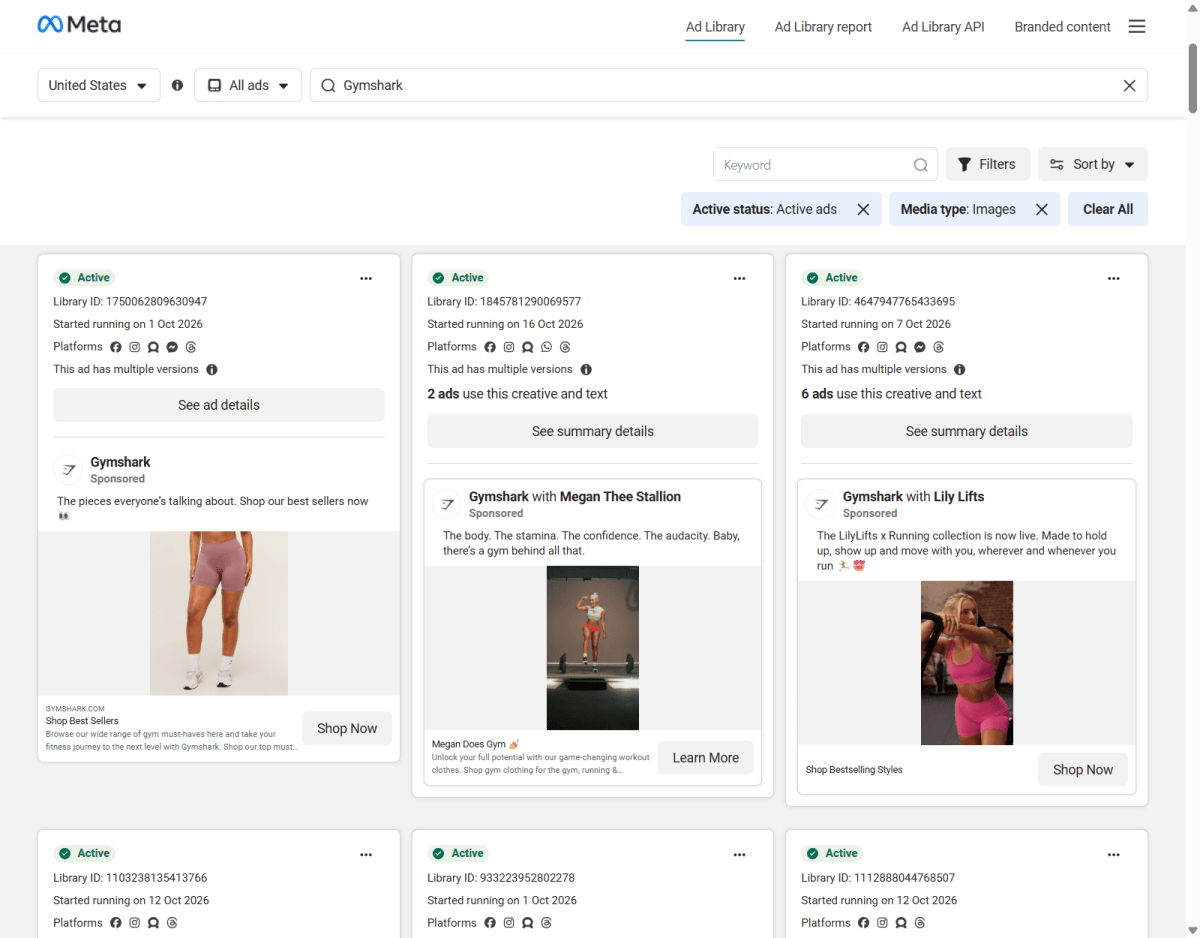
Gymshark's Meta Ad Library results show variations in message, creative, and call to action. Record those details, then check whether each linked page repeats the same offer
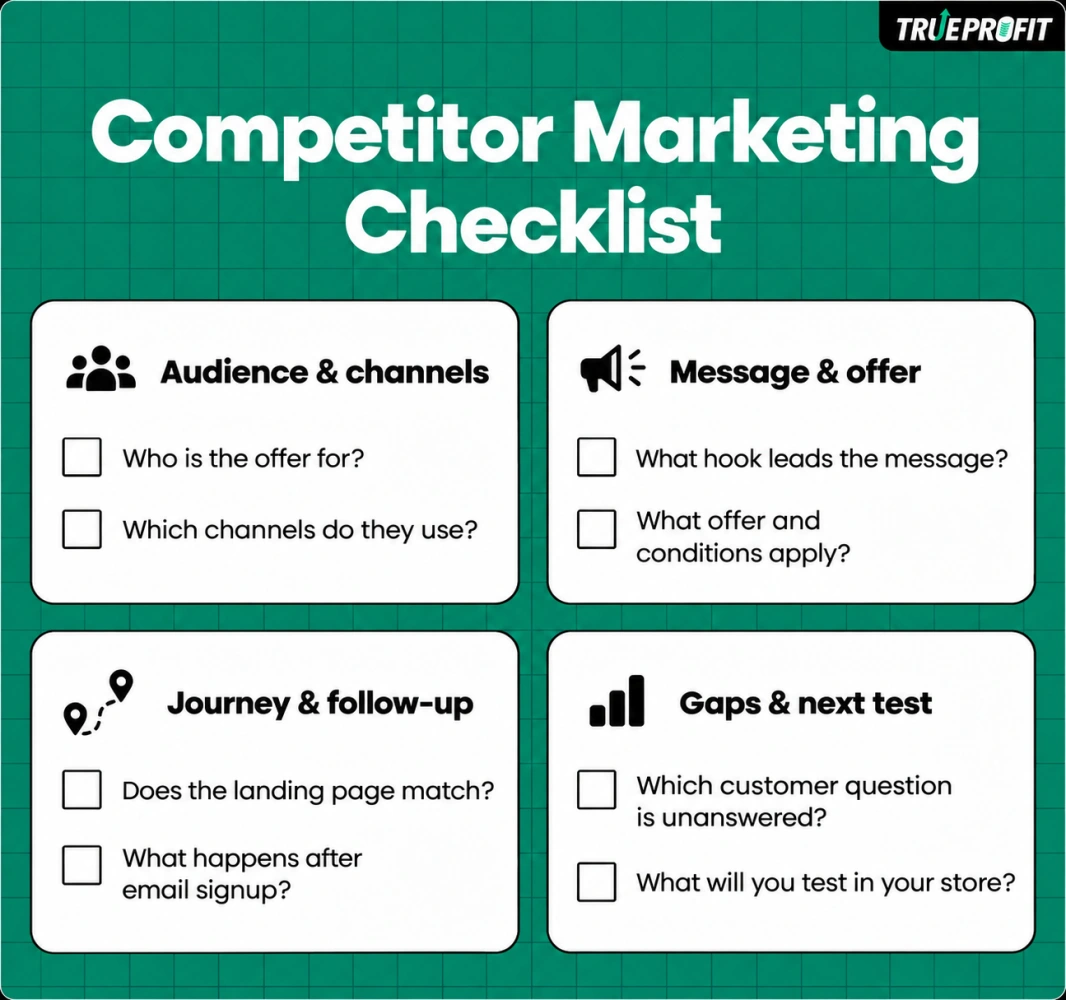
Use these questions for each store:
- Who is the offer for?
- Which channels do they use?
- What hook leads the message?
- What offer and conditions apply?
- Does the landing page match?
- What happens after email signup?
- Which customer question is unanswered?
- What will you test in your store?
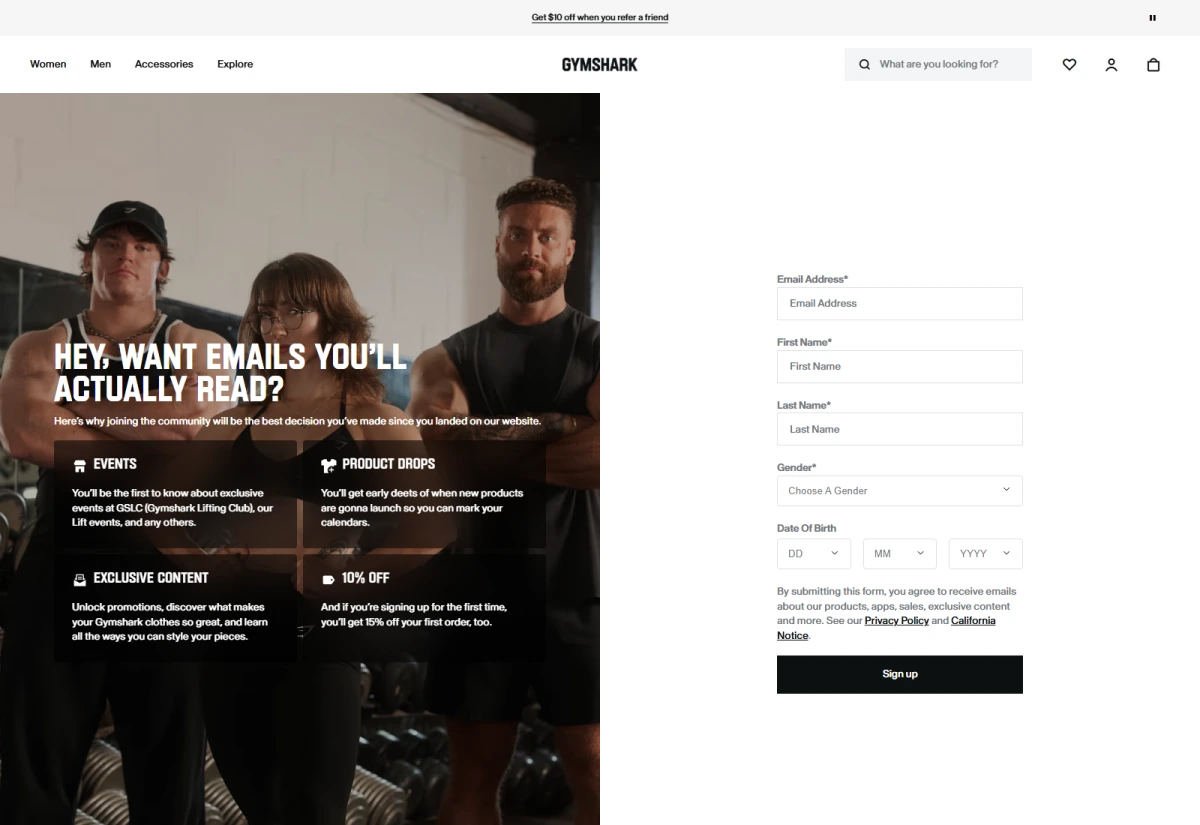
Subscribe to the newsletter and record the signup promise, messages received, and observation period. No email during that window does not establish that the store has no follow-up flow.
Source: Gymshark
Gymshark's signup page combines product-drop and event access with a first-order incentive. Compare the incentive, eligibility, conditions, and required fields when reviewing a competitor's email signup
SEO tools can reveal competing pages and keywords. Use those findings to choose marketing channels worth investigating.
For example: a rival's ad promotes a starter kit for first-time buyers, but its landing page lists products without explaining what beginners need. Test a short kit demonstration and a matching comparison section in your store; measure completed orders and contribution after advertising. The gap is a test idea, not proof the rival's ad underperforms.
Step 4: Evaluate the Shopping Experience and Customer Feedback
Browse the store on a phone and compare navigation, product information, cart behavior, shipping details, and returns. Eulav recommends reviewing mobile usability and checkout friction alongside customer feedback.
Follow one clear task, such as finding a suitable size and checking its delivery cost. Note where you struggle to find information, with enough detail for someone else to repeat the check.
Read customer reviews for recurring complaints and reasons people buy again. Shipping, service, packaging, and product quality can reveal questions worth investigating.
Compare recent positive and negative reviews rather than selecting only comments that support your first impression. Note the product and review date so that an old complaint about one item does not become a claim about the whole store.
For example: recent reviews of Store A praise fabric quality but mention unclear sizing, while Store B's reviews praise fit guidance. Then you should compare their product-page measurements. If your customers ask similar questions, test a size-comparison photo and track size-related returns and support contacts.
Step 5: Summarize Strengths, Weaknesses, and Market Gaps
A SWOT analysis groups strengths, weaknesses, opportunities, and threats. When you compare stores, separate what you observed from what you think it means.
For example, a clearly stated returns policy is an observation, while the belief that it reduces purchase hesitation is an inference. You would need your own test to learn whether clearer returns information changes results for your shoppers.
Finish with a short note on what you found, where you found it, which customer need it relates to, and what you could test. Prioritize a gap you can address within your budget and fulfillment capacity.

Best Tools for Shopify Competitor Analysis
Choose tools according to the question you need to answer. The table compares research tasks rather than claiming one platform is best for every store.
Start with manual checks. Consider a paid tool when collecting the same information repeatedly takes too much time. A small product range may need only a dated comparison sheet, while frequent price changes may justify automated monitoring.
Ahrefs Site Explorer supports research into competing pages, search keywords, and backlinks. Similarweb provides traffic estimates and channel comparisons, while Prisync focuses on competitor price tracking.
Choose based on what you need to know. Are you researching pages that attract search traffic, possible traffic sources, or price changes for a matched product?
What Competitor Research Tools Cannot Tell You
- Public storefront evidence cannot establish a competitor's net profit. That requires sales and cost information unavailable from a normal store inspection.
- A detected app does not prove that it improves conversion. Traffic estimates do not provide verified revenue, and public ads do not reveal the full cost of acquiring customers.
- Some apps and backend features may be invisible to scanners. If a scanner finds no sign of a feature, mark it as not detected. The store may still have it.
- Label estimates with the provider and date. Before spending money based on an important finding, check it on the live storefront.
How to Turn Competitor Insights Into Profitable Growth
Suppose your research finds a rival offering a useful accessory bundle. Use the hypothetical figures below to see how you could test a similar offer against your own costs. You can't assume it would produce the same results as your rival's bundle.
In this scenario, the bundle contributes $5.80 more per order before fixed overhead, taxes, and other unlisted costs. These figures illustrate a calculation, not a merchant benchmark or forecast.
A higher contribution per order is only part of the decision because fewer shoppers might buy the bundle. Set a clear target: higher total contribution after test costs for comparable traffic. Returns and delivery performance should also stay within acceptable limits.
Test the bundle while keeping the audience and other major offers as consistent as possible. Compare completed results after allowing for refunds, and record setup or app costs separately.
Review your store's sales and traffic reports to see whether the bundle attracts buyers. Then check what those orders leave after costs.
That gets harder when orders sit in Shopify, ad spend in Meta, and other expenses in spreadsheets.
A net profit analytics tool like TrueProfit connects your Shopify orders with product costs, ad spend, shipping, fees, and refunds. Its product profitability reports help you decide whether to keep testing the bundle or change the offer.
Final Thoughts
Start your Shopify competitor analysis with one decision you need to make. Record when you collect the evidence, then test the finding most relevant to that decision. Continue only when your own results support the extra cost and work.


Harry Chu is the Founder of TrueProfit, a net profit tracking solution designed to help Shopify merchants gain real-time insights into their actual profits. With 11+ years of experience in eCommerce and technology, his expertise in profit analytics, cost tracking, and data-driven decision-making has made him a trusted voice for thousands of Shopify merchants.