How to Improve Shopify Product Title SEO and Get More Qualified Clicks


Everyday Softness might sound good to your brand team, but a new shopper can't tell it's a bath towel. That's the first job of Shopify product title SEO: making the product obvious at a glance.
Your storefront name and your search title do different jobs. On top of that, AI shopping assistants such as ChatGPT and Copilot now read your product data too. All of them work better with a title built from the product's real attributes and the words buyers actually use, not a pile of keywords.
In this guide, I'll walk you through which title field does what, how to write each one and how to tell whether your changes worked. My advice is to test on a few products first, measure the result, then roll the approach out to the rest of your catalog.
Product Title vs. SEO Title: Which Shopify Field Should You Edit?
In most cases, the product Title is the field to fix first. It’s the name shoppers see in your store, and it also feeds Google Shopping and AI shopping assistants by default.
The SEO title only shapes how your page appears in Google search, so it’s worth editing when the page shows up there but doesn’t earn the click.
What Each Title Is and Where It Shows Up
Every Shopify product has two title fields. Here’s how they compare:
If you leave the SEO title blank, the theme fills it with the product Title plus your store name. A store that never touches this field effectively has one title doing both jobs.
Which Field to Edit and When
The right field depends on where the problem shows up:
One rule applies to every case: the two titles can be worded differently, but they should always describe the same product.

How to Write Product Titles That Work for Shoppers and Search
You write for the shopper first, then make sure the words match what people search for. A buyer should recognize the item right away, so the title needs to come from real product facts, not a string of keywords.
Step 1: Gather the Product Facts Before You Write
Good titles start from facts, not adjectives. Before you write anything, it's worth listing what you know for sure about the product: its type, material, size, model and any limits, like which laptops a sleeve actually fits. If you can't confirm a detail, it stays out of the title. The same list also makes bulk edits much easier for your team later.
The other half of your prep is finding the words buyers use. Search Console queries, your store's search terms, customer questions and the pages that rank today all show how shoppers describe this kind of item. Our Shopify SEO guide covers keyword research in more detail.
Step 2: Build the Product Title in the Right Order
A strong product Title comes together in three parts:
1. Product type: the name a shopper would use, such as linen shirt, cotton bath towel or laptop sleeve. In most cases, this goes first.
2. Key differentiator: the one detail that sets this item apart from similar ones. The right choice depends on what the buyer decides on next: fabric and sleeve length for a shirt, capacity for a bottle, supported laptop size for a sleeve. For two similar bottles, 32 oz says more than premium or versatile.
3. Extra details, only if needed: a model number or fit can help someone pick the right item. Care instructions and full specs belong in the description.
Fit claims deserve extra care. If a sleeve fits 13-inch laptops, calling it a universal laptop case is a promise you can't keep. The supported models belong in the description instead.
Word order matters too. Product type plus a key detail is a good default, but if buyers search by model number, that should lead. Here's how the formula works for an insulated 32 oz steel bottle:
The improved title leads with what the product is, adds the 32 oz size and swaps hot and cold for insulated. Without gym and travel, it's also much easier to scan.
Step 3: Turn It Into an SEO Title
Your SEO title starts from the product Title and adapts it for Google. Usually, that takes only a few small changes:
- Product term up front: the words shoppers search for should open the title, since Google cuts long titles to fit the screen.
- Brand after the product: if your store name isn't well known yet, it works best after the product term. If you resell known brands, the manufacturer's name belongs in the title.
- About 50 to 60 characters: Shopify's editor allows up to 70, but shorter titles are less likely to get cut off.
- No doubled store name: if your theme already adds your store name, there's no need to type it again.
Here's how that plays out for three made-up brands:
In each case, the storefront title tells shoppers what the item is, and the SEO title adds the brand for search. Fit and compatibility details stay in the description, because the title only needs enough to identify the product.
How to Change Product and SEO Titles in Shopify
Before you touch either field, I'd record your baseline numbers first (covered in the next section). Once the edit is live, there's no clean way to get them back.
Both titles live on the same product page in your admin. In Products, you open the product and edit the Title field for the storefront name. The SEO title sits further down, under Search engine listing: after you click the pencil icon, Page title is the field to edit. Once you save, a quick preview shows how the page looks.
After saving, it's worth checking that the new wording shows up where it should:
- Product page and collection card: the new name should still be easy to read in both places.
- Page source: the HTML title tag should show your new SEO title.
- Google Shopping: if the product is synced, Merchant Center should show the right title.
- Your notes: the edit date goes next to the old titles you saved with your baseline, so you can measure the change later.
Your URL handle can stay the same, since a new title doesn't need a new URL. If you do change the handle, the redirect has to work and your key internal links need updating.
If the live page doesn't match what you saved, a theme or app may be overriding it. That's worth ruling out before you rewrite the field again. The screenshot below shows where the SEO title field is, though your admin may look slightly different.

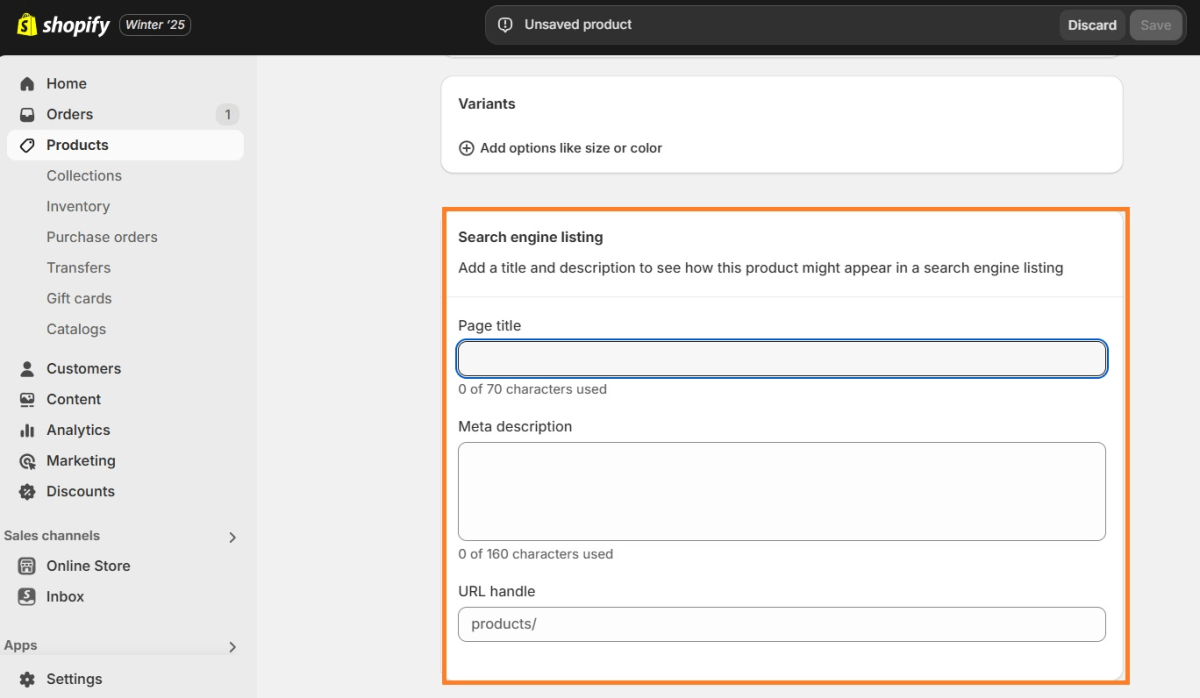
The Page title field in Shopify's Search engine listing section sets the SEO title. Source: TinySEO.
How to Check Whether Your Title Changes Helped
A title change has worked when it brings more qualified clicks and those clicks turn into profitable orders. These four checks cover both sides.
1. Establish a Baseline Before Making Changes
Before any edit, you need a record of where the product stands today:
- Search data: impressions, clicks, CTR and top queries for the product URL in Google Search Console, along with the date range.
- Business data: the product's conversion rate, orders, revenue and profit, so you have a business baseline to compare against.
- Old titles: both current titles, saved before you change anything.
2. Monitor Search Performance After the Change
The fairest test compares equal periods before and after the edit:
- Same filters: impressions, clicks and CTR should be compared using the same page, query, device and country filters.
- Query mix: organic traffic and the queries the page now shows up for matter too. A new mix of queries can explain a change better than the title itself.
- Enough time: Google needs time to recrawl the page and collect enough data. A few days of numbers is usually too little to judge.
For example, going from 20 to 30 clicks on 1,000 impressions lifts click-through rate from 2% to 3%. That's a good sign, but not proof. A promotion, a ranking change or different search queries could also explain it.
3. Check Whether Business Performance Changed
More clicks only matter if they turn into profitable sales:
- Conversions: the real question is whether more traffic came with a better conversion rate, more orders or more revenue. Clicks that don't turn into sales won't help much.
- Profit, not just revenue: the product's net profit and profit margin tell you more than revenue does. More sales at a deeper discount or with higher ad spend can leave you with less.
- Other changes: price, promotions, ad spend, stock levels and seasonality all need ruling out before the title gets the credit.
4. Use the Right Tools for Each Question
Each tool answers a different part of the question:
- Google Search Console: impressions, clicks, CTR and the queries that bring people to the product page.
- Shopify Analytics: organic sessions, conversion rate, orders and revenue for the product.
- TrueProfit: whether the extra orders actually made you money.
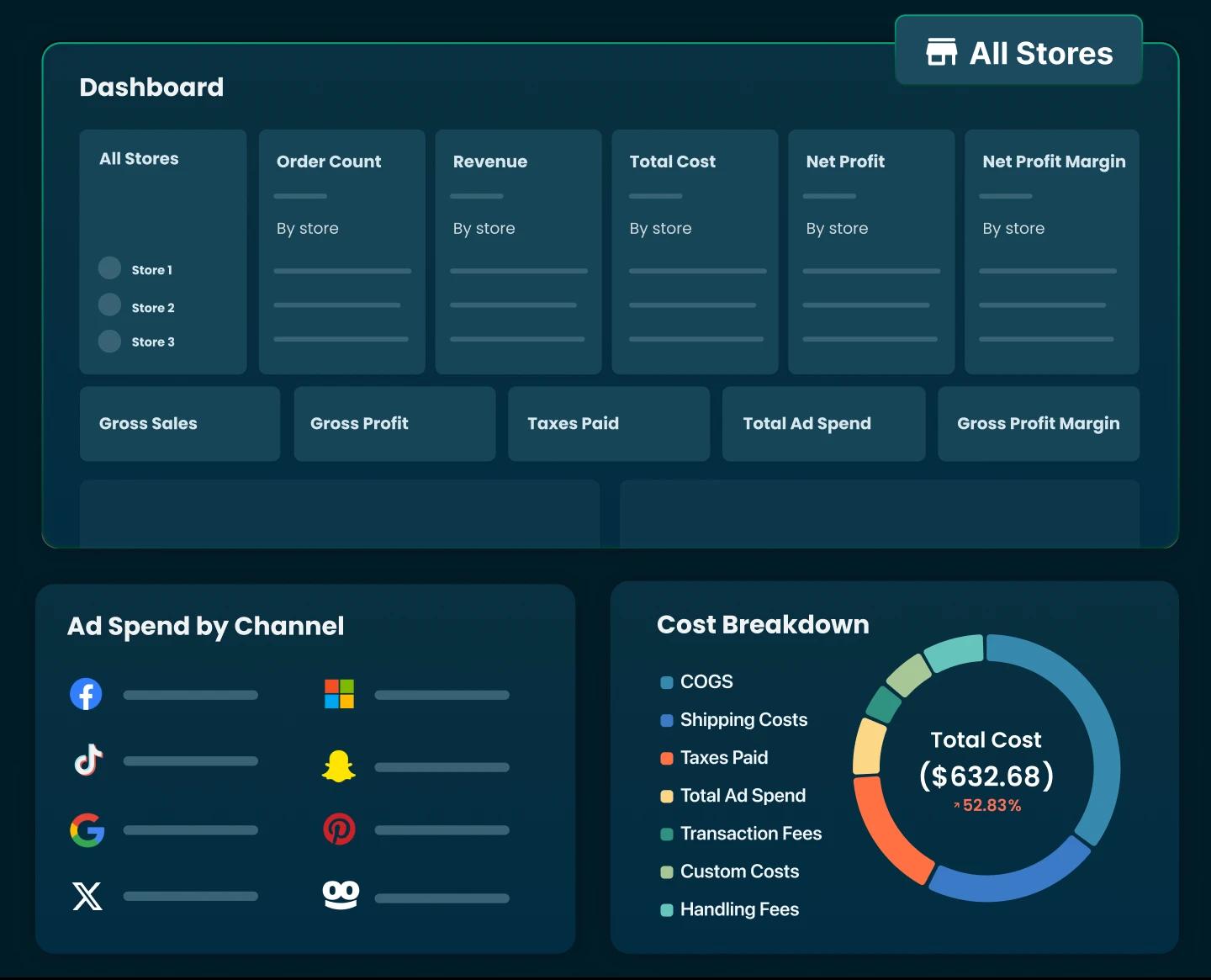
The profit question is the hardest one to answer by hand. Revenue sits in Shopify, ad spend sits in Meta, Google and TikTok, and costs like COGS and shipping often live in a spreadsheet. TrueProfit pulls all of it into one real-time dashboard, combining your Shopify revenue with COGS, shipping, transaction fees, refunds and synced ad spend, so you can see each product's net profit and margin after every cost.
It won't tell you whether the new title caused a lift. What it does show is whether the product earned more after the change, and that's the number that decides if the rewrite is worth repeating across your catalog.

Final Thoughts
Good Shopify product title SEO starts with one product whose name leaves shoppers guessing. A creative name might suit your brand, but buyers, Google and AI shopping tools all need to know what the item is.
From there, both title fields get rewritten from real product facts: the product type first, then the one detail that sets it apart. A quick look at the storefront, page source and Merchant Center confirms the new wording landed where it should.
After that, the numbers decide. Compared against your baseline, clicks, conversions and net profit show whether the change paid off. A clearer title is worth keeping even before the sales data is in, but profit is what tells you it's worth rolling out.
Once the approach works, it can spread to similar products one group at a time, instead of one keyword template forced on your whole catalog. Clear titles bring the right clicks, and the right clicks are the ones that pay.

Rosie Doan is a Senior Content Specialist at TrueProfit with over 4 years of experience creating content for the ecommerce and SaaS industry. Having worked closely with Shopify merchants and ecommerce businesses, she has developed a deep understanding of the challenges store owners face, from growing revenue and acquiring customers to tracking performance, managing costs, and improving profitability.