Step 2. Set your campaign budget
Choose a daily or lifetime budget based on your advertising capacity and expected customer acquisition cost (CPA).
TikTok's minimum budget requirements are:
- Campaign-level budget: Must exceed $50, whether you choose a daily or lifetime budget.
- Ad group daily budget: Must exceed $20.
- Ad group lifetime budget: Must be at least $20 multiplied by the number of scheduled campaign days.
For example, an ad group scheduled to run for seven days needs a lifetime budget of at least $140. These are platform minimums, not recommended spending targets.
For purchase-focused campaigns, your actual budget should account for your expected CPA. TikTok's budget guidance recommends allocating enough to generate meaningful conversion data.
New campaigns also go through a learning phase as TikTok tests audiences and delivery patterns. Performance may fluctuate during this period, with volatility typically starting to decline after around 25 campaign results or seven days.
Avoid frequent changes to your budget, targeting or campaign settings while the system is learning. When scaling, TikTok recommends increasing budgets by no more than 40% per adjustment during the learning phase and 30% afterward, waiting at least two days between adjustments.
Step 3. Define your target audience and placements
TikTok provides several targeting options to help you reach potential customers:
- Broad targeting: Let TikTok's delivery system find potential customers without excessive audience restrictions. This can be a useful starting point when you don't have much audience data.
- Interest targeting: Reach people based on interests and behaviors relevant to your products.
- Custom Audiences: Retarget website visitors, existing customers or people who have interacted with your TikTok content.
- Lookalike Audiences: Find new prospects who share characteristics with your existing customers, where available.
For a new campaign, broad targeting is worth testing alongside more specific audience segments. Avoid narrowing your audience too much at the beginning, as excessive restrictions can limit TikTok's ability to find potential buyers.
Step 4. Select your optimization event
Your optimization event tells TikTok which customer action to prioritize when delivering your ads. For Shopify stores, common website conversion events include:
- View Content: When someone views a product or other key page.
- Add to Cart: When someone adds a product to their cart.
- Complete Payment: When someone completes a purchase.
Choose an event that aligns with your campaign goal and the amount of conversion data your store can generate.
For purchase-focused campaigns, Complete Payment is the most relevant optimization goal when your Pixel tracking is working correctly and your store generates enough purchase events. If purchase data is still limited, you can consider starting with a higher-funnel event such as Add to Cart to give TikTok more signals to learn from.
As your campaign collects reliable purchase data, you can optimize toward completed purchases to focus on customers more likely to place an order.
Step 5. Add your destination URL
Enter the URL of the specific Shopify product or collection page you're promoting.
Avoid sending every ad to your homepage. If your video demonstrates a particular product, link directly to that product's page. This keeps the shopping experience consistent and reduces the steps between discovering a product and purchasing it.
Before publishing, make sure your landing page is ready to convert:
- Display clear product images, descriptions and pricing.
- Make product variants, shipping information and return policies easy to find.
- Include visible Add to Cart and checkout options.
- Ensure the page loads properly on mobile devices.
A compelling TikTok ad can generate plenty of clicks, but a poorly optimized product page can still prevent those visitors from becoming customers.
Step 6. Upload your ad creatives and publish
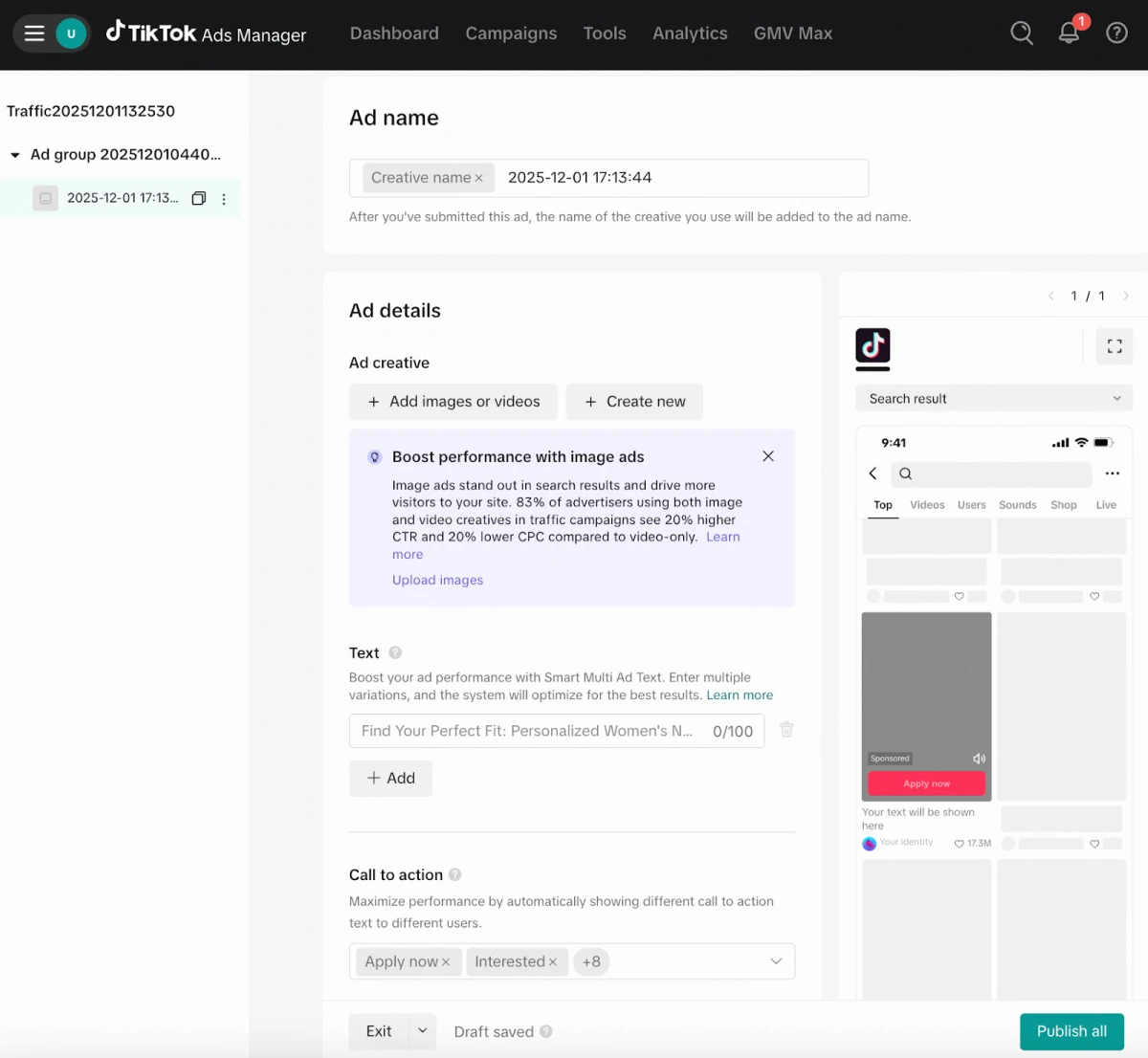
Upload your video, write the ad text and choose a call to action that matches your campaign goal. For product-focused campaigns, options such as Shop Now can make the next step clear.
Review your campaign settings, destination URL and tracking configuration before submitting the ads for approval.