How to Build a Shopify SMS Marketing Strategy That Actually Pays Off (2026 Guide)


Table of Contents
- 1. How Shopify SMS Marketing Works
- 2. How to Set Up SMS Marketing on Shopify
- 3. 5 SMS Campaigns and Automations Worth Setting Up
- 4. Shopify SMS Marketing Best Practices and Compliance
- 5. How Much Should You Spend on Shopify SMS Marketing?
- 6. How to Measure Your SMS Marketing Performance
- 7. Final Thoughts
- 8. FAQs About Shopify SMS Marketing
SMS gives Shopify merchants something email doesn't quite have: a direct line to the customer. That can be incredibly useful for abandoned carts, product launches, promotions, and bringing previous customers back.
The catch is that SMS is easy to overdo. Send too often, target the wrong people, or rely too heavily on discounts, and you can burn through both your budget and your subscriber list.
So in this guide, we'll look at how to build a Shopify SMS marketing strategy that is useful, measurable, and focused on profit.
In this blog:
- 1. How Shopify SMS Marketing Works
- 2. How to Set Up SMS Marketing on Shopify
- 3. 5 SMS Campaigns and Automations Worth Setting Up
- 4. Shopify SMS Marketing Best Practices and Compliance
- 5. How Much Should You Spend on Shopify SMS Marketing?
- 6. How to Measure Your SMS Marketing Performance
- 7. Final Thoughts
- 8. FAQs About Shopify SMS Marketing
How Shopify SMS Marketing Works
Let’s start with the big picture. Here’s how SMS marketing typically works on Shopify: Image (sentence note): https://be.trueprofit.io/uploads/shopify-sms-marketing-1.webp, Alt is Shopify SMS marketing workflow demonstration
The simplest way to think about Shopify SMS marketing is this: you’re using text messages to reach customers who have already given you permission to contact them.
That sounds straightforward, but SMS works a little differently from email. People usually see a text much faster, so you can’t treat your SMS list like another channel for blasting every promotion you have.
So, what does the process actually look like? It usually comes down to five steps:
Get SMS consent → build your subscriber list → segment customers → send campaigns or automated messages → track clicks, sales, and opt-outs.
The first step is also the one you don’t want to get wrong: consent. Someone signing up for your email list doesn’t automatically mean they’ve agreed to receive marketing texts. You need to collect SMS consent separately before sending promotional messages.

How to Set Up SMS Marketing on Shopify
Here's what that setup looks like.
Set up Shopify Messaging or connect an SMS marketing app
If you want to keep things simple, you can start with Shopify Messaging. From your Shopify admin, go to Apps > Messaging, select Create campaign, choose SMS, and then pick a suitable template.

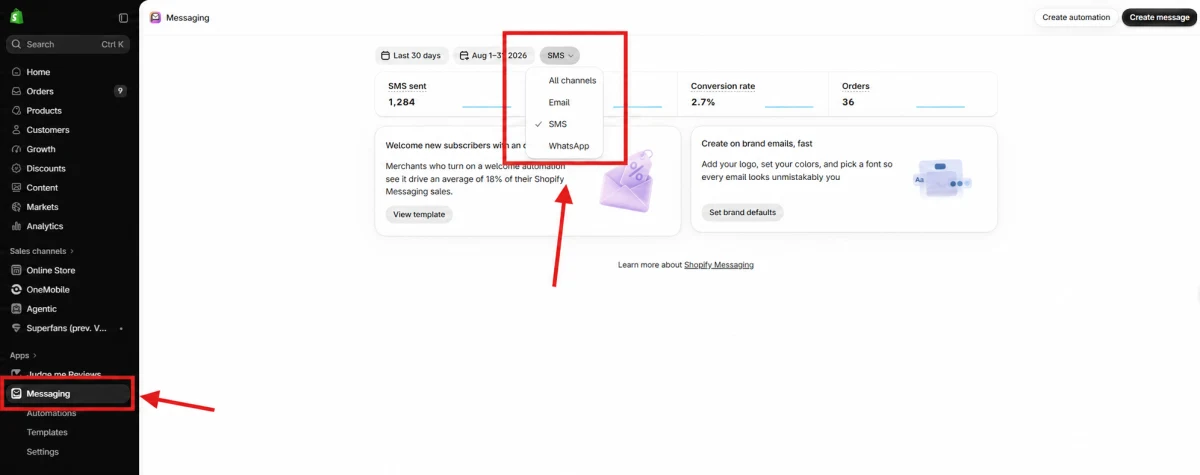
You can also use a third-party SMS marketing app if you need more advanced segmentation, automations, or reporting. In that case, install the app from the Shopify App Store, review its billing terms, and give it the store permissions it needs.
One thing I'd avoid is turning on every automation just because your app gives you the option. Start with one campaign and one high-intent flow first. That gives you a much cleaner picture of how SMS is actually performing before you add more messages to the mix.
Configure sending numbers and supported markets
Next, take a look at where you actually plan to send SMS.
Shopify requires you to configure the countries you want to target, and the available sending numbers, registration requirements, carrier rules, and messaging restrictions can vary by market.
This matters more if you sell internationally. Don't assume that the same sending setup or consent process will work everywhere. Before launching a campaign, check the requirements for each market you're targeting, including things like toll-free number charges, quiet hours, and message restrictions.
It's a small setup step, but it's much easier to sort this out before you've built a large subscriber list.
Collect customer SMS consent
Now comes the part you really don't want to rush: getting permission to send marketing texts.
You can collect SMS opt-ins at places like checkout or through a signup form, but make it clear what customers are actually signing up for. They should understand that they're giving you permission to send marketing messages, not simply providing a phone number for order-related communication.
Your signup copy might mention that subscribers will receive things like product updates, offers, and reminders, along with the relevant disclosures and unsubscribe instructions for your market.
Create customer segments
Once you've got subscribers, don't immediately send the same message to everyone.
Instead, build your first few segments around what you actually want to achieve with SMS. A welcome campaign might target new SMS subscribers, while a win-back campaign could focus on customers who haven't purchased within a certain period.
Some useful starting segments include:
- New SMS subscribers
- Customers with abandoned carts
- Customers who purchased a specific product
- Recent customers
- Customers who haven't purchased recently
You don't need a complicated segmentation system right away. A few clear segments are enough to start learning what different customer groups respond to. You can always make the targeting more sophisticated as you collect more data.
Create, test, and schedule the first SMS campaign
Now you're ready to create your first message.
In Shopify Messaging, choose the segment you want to target, write your SMS, add your link if needed, and send yourself a test before scheduling the campaign.
Before you hit send, I'd run through a quick check:
- Is the offer and expiry date correct?
- Does the link work properly on mobile?
- Are personalization fields showing the right information?
- Is the message within the appropriate character limit?
- Are you sending to the right audience?
- Is the unsubscribe instruction included where required?
- Does the send time comply with the applicable quiet-hour rules?
Shopify also recommends testing a message and sending it to a small percentage of your audience before rolling it out to the full segment. That's a useful habit to keep, especially when you're testing new offers or automations.
5 SMS Campaigns and Automations Worth Setting Up
A good SMS strategy follows the customer lifecycle rather than sending the same type of message to everyone. Each SMS should have one clear purpose and one primary action. That keeps the message easy to understand and makes performance easier to measure.
1. Welcome SMS
A welcome SMS is usually the first chance to turn a new subscriber into a customer. It confirms the subscription, sets expectations, and can introduce a first-order incentive, a best-selling product, or a useful collection.
Send it soon after signup while the customer still remembers opting in. Keep the message focused, too. Trying to squeeze a discount, product education, referral request, and survey into one text usually makes the message less effective.
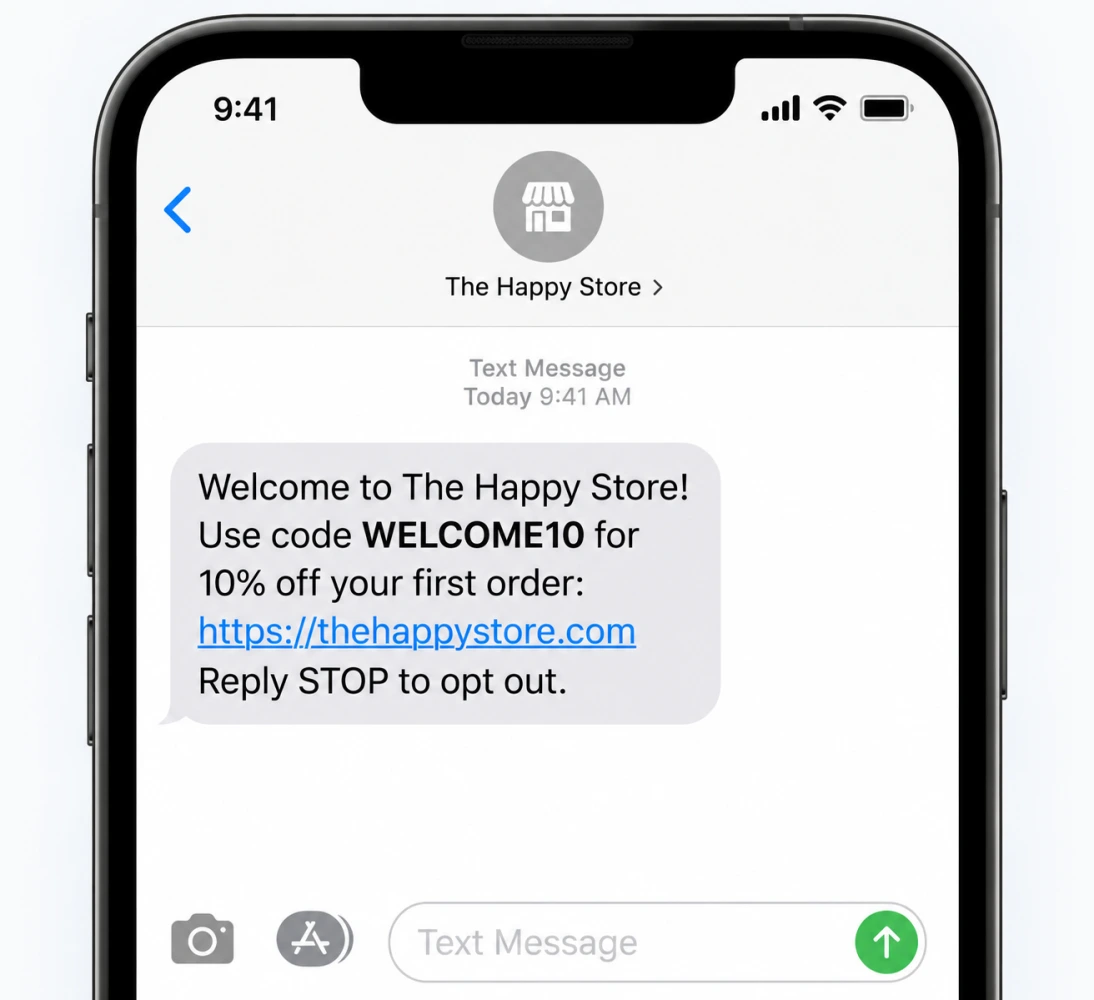
A simple welcome SMS could look like this: “Welcome to [Store]. Use code WELCOME10 for 10% off your first order: [link]. Reply STOP to opt out.”
2. Browse and Cart Abandonment SMS
Browse abandonment and cart abandonment target shoppers at different points in the buying journey. Browse abandonment reminds someone about a product they viewed, while cart abandonment reaches customers who added products but didn't complete checkout.
I'd start with cart abandonment because the purchase intent is usually clearer. Give the customer a reasonable amount of time to complete the purchase before sending a reminder, rather than leading with a discount.
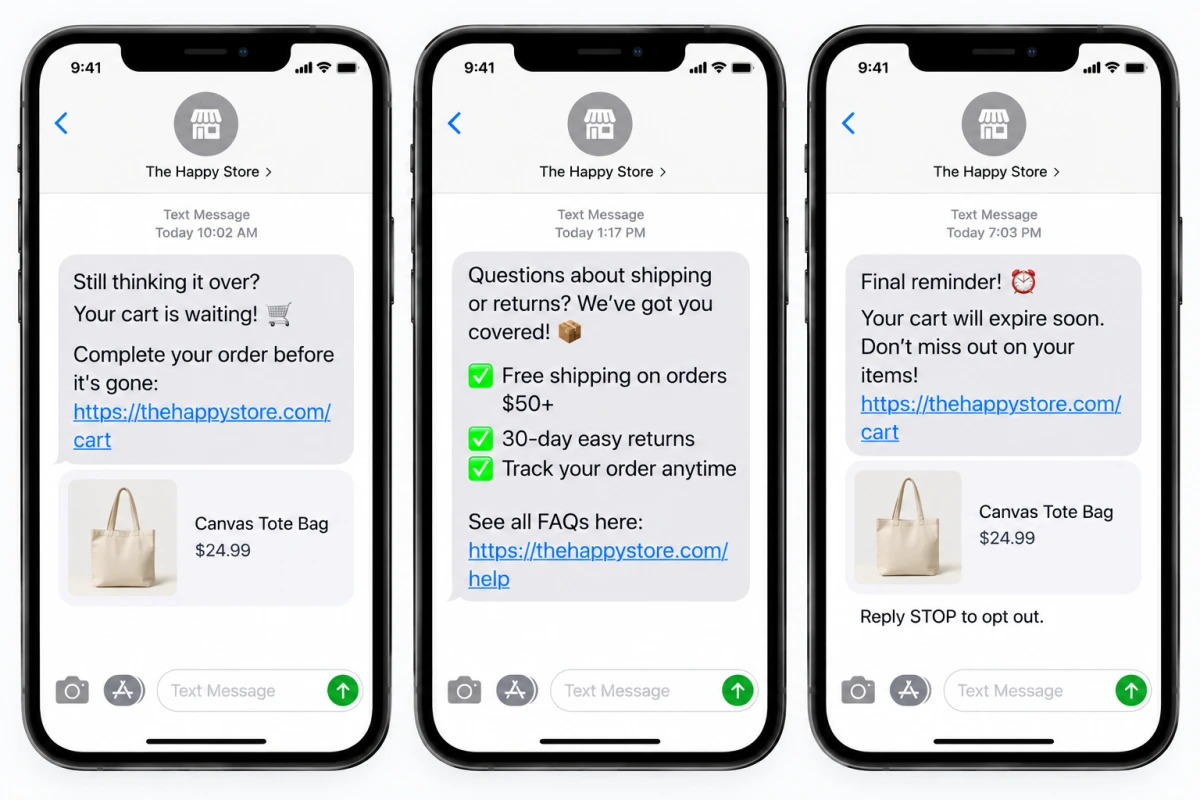
A simple sequence could include:
- A reminder about the product left behind
- A message addressing common shipping or product questions
- A final reminder before the cart expires
There's also no need to automatically offer 10% off just because someone abandoned a cart. Some customers would have purchased without the discount, so you may end up giving away margin without creating additional demand.
3. Promotional and Product Launch SMS
Promotional SMS works best when the offer is immediately clear and the audience has a reason to care. Tell customers what's available, who it's relevant to, and when the offer ends.
Product launches give you another opportunity to make SMS feel more exclusive. You could target customers who bought related products, joined a waitlist, or showed interest in the category. Early access can be more compelling than another generic storewide promotion.
I'd also avoid sending every promotion to your entire subscriber list. Too many messages can lead to more opt-outs and make future campaigns less effective.
4. Post-Purchase and Replenishment SMS
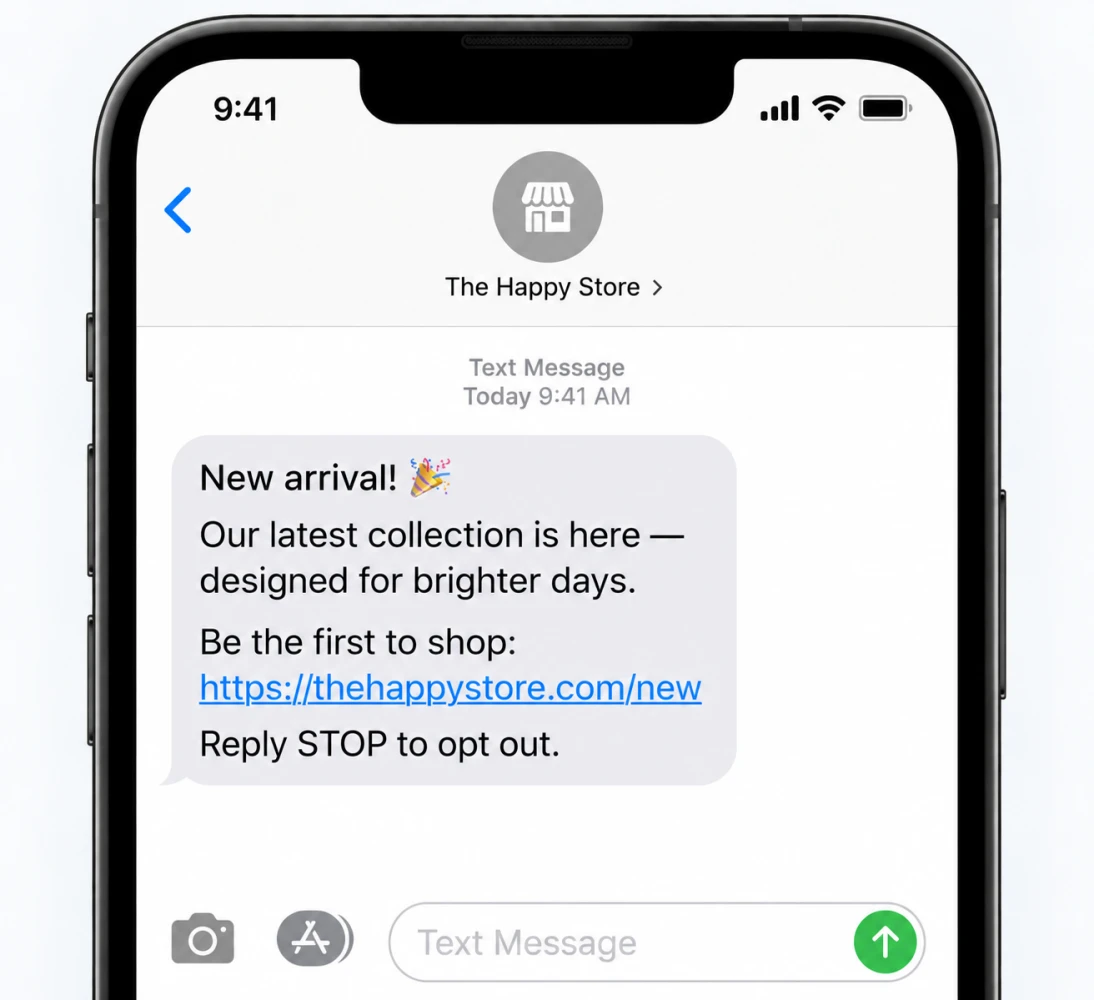
SMS doesn't have to stop once the order is placed. Post-purchase messages can help customers get more value from what they bought by sharing usage tips, care instructions, delivery information, or a review request.
Replenishment messages take that a step further by reminding customers when it may be time to buy again. The important part is timing. Base the reminder on actual product usage and purchase history rather than an arbitrary calendar schedule.
For example, a skincare product may have a very different reorder cycle from a supplement or household product. Your customer data can help you estimate when someone is likely to need another order.
5. Win-Back SMS
Win-back campaigns target customers who have become inactive, but the right timing depends on your normal purchase cycle. A customer who typically buys every 30 days should not be treated the same way as someone who only purchases once or twice a year.
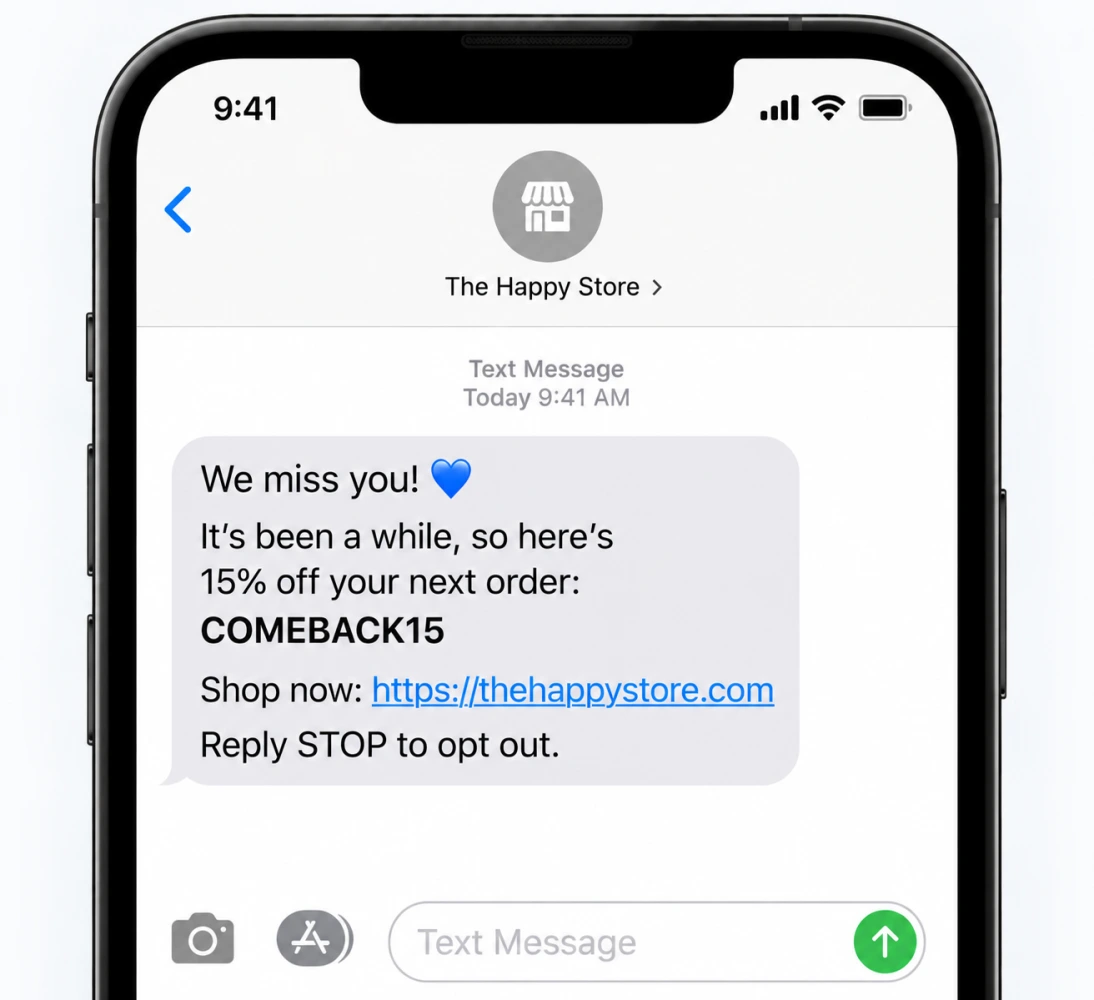
Start with something useful: a reminder, a new product, relevant product education, or a personalized recommendation. Only introduce an incentive when there's a reason to believe the customer needs one.
It's also worth separating different types of inactive customers. A loyal repeat customer who suddenly stops buying may deserve a different message from a low-margin first-time buyer who has never returned.
For a broader look at customer retention, see our guide to Shopify retention rate and benchmarks.
Shopify SMS Marketing Best Practices and Compliance
SMS is a direct channel, so relevance matters. You don't need to send more messages to get better results. You need to send the right message to the right customer at the right time.
1. Segment Before You Send
Start with simple segments based on things like purchase history, product interest, or engagement. A new subscriber, a recent buyer, and a customer who hasn't purchased in six months shouldn't all get the same SMS.
You can make your segments more sophisticated later. In the beginning, keeping them simple makes it much easier to see what's actually working.
2. Keep Every Message Focused
SMS works best when you get to the point. Give customers one clear reason to open the message and one action to take.
Don't try to fit an entire product pitch into 160 characters. If you have more to say, email is probably the better channel.
3. Don't Make Every SMS a Discount
Discounts can drive quick sales, but they're not the only reason someone might want to hear from your store.
Mix promotions with product launches, early access, useful tips, reminders, and personalized recommendations. Then look at the profit each type of message generates, not just the number of orders.
4. Make SMS and Email Work Together
You don't need to send the same campaign through both channels. Give each one a different role.
For example, email can explain the details of a new product, while SMS reminds an interested customer that it's now available. This makes the two channels feel complementary rather than repetitive.
5. Get Clear Consent
Before sending marketing SMS, make sure customers have provided the required consent for the market you're targeting. Your opt-in should clearly explain what they're signing up for and how they can opt out.
Keep in mind that consent and messaging requirements can vary by country, carrier, and message type. Check the rules that apply to your target market before launching.
6. Watch Your Frequency
There's no magic number for how many SMS messages you should send. It depends on your audience, product, and buying cycle.
Start conservatively and watch engagement and unsubscribe rates as you increase frequency. Also make sure your send times follow applicable quiet-hour requirements.
7. Test Before You Scale
Before sending a campaign to your full list, check the basics: the link, personalization, offer, audience, timing, and unsubscribe instructions.
Once everything looks right, test different audiences, offers, and send times. The goal isn't to send more SMS. It's to figure out which messages actually create additional sales.

How Much Should You Spend on Shopify SMS Marketing?
For the US, Shopify currently lists SMS at $0.012 per message, while Canada is listed at $0.025 per message. Rates vary by country and can change over time. Shopify also lists a $2.15 monthly charge for each approved toll-free number used for SMS marketing in the US and Canada.
Third-party SMS apps can have a different pricing structure. Some offer free-to-install plans, while others charge based on usage, require a minimum monthly spend, or add carrier fees.
One thing that can catch merchants off guard is that one message doesn't always equal one billable SMS. Longer messages can be split into multiple segments, while special characters and emojis can also affect how a message is counted. MMS, carrier fees, and destination country can add to the final cost too.
A simple way to estimate your monthly spend is:
SMS cost = messages sent × segments per message × cost per segment + fixed fees
How to Measure Your SMS Marketing Performance
This is where I'd be a little careful with SMS reporting. So rather than looking at attributed revenue alone, I’d keep a few metrics together:
I find revenue per recipient particularly useful when you're comparing campaigns with very different audience sizes. Conversion rate tells you how many people bought, while unsubscribe rate can quickly show when you're pushing your list too hard.
And if you really want to know whether SMS is paying off, I'd go one step further and look at the return after your actual costs:
Net SMS return = (Incremental revenue − variable costs − SMS costs) ÷ SMS costs
The tricky part is figuring out incremental revenue. Don't assume every order attributed to an SMS happened because of that message.
Use unique links, clear campaign names, and consistent attribution windows so you can compare campaigns properly. Even better, when your setup allows it, compare customers who received the SMS with a similar group that didn't. That gives you a much better idea of what the message actually changed.
I'd also break your results down by automation and audience, rather than looking at one big SMS number. Your cart abandonment flow might be generating healthy profit while a frequent promotional campaign is barely breaking even. Looking only at the channel total can easily hide that difference.
For a broader view of your store's performance, see this guide:
Final Thoughts
SMS can be a great channel for Shopify stores, but I wouldn't start by sending more messages to more people. Start with the basics: get proper consent, build one high-intent automation, and test a small campaign.
From there, you can gradually layer in better segmentation, testing, and reporting. And when you're looking at the results, don't stop at clicks, orders, or attributed revenue. What really matters is what the campaign leaves you with after product costs, discounts, fees, shipping, and other expenses.
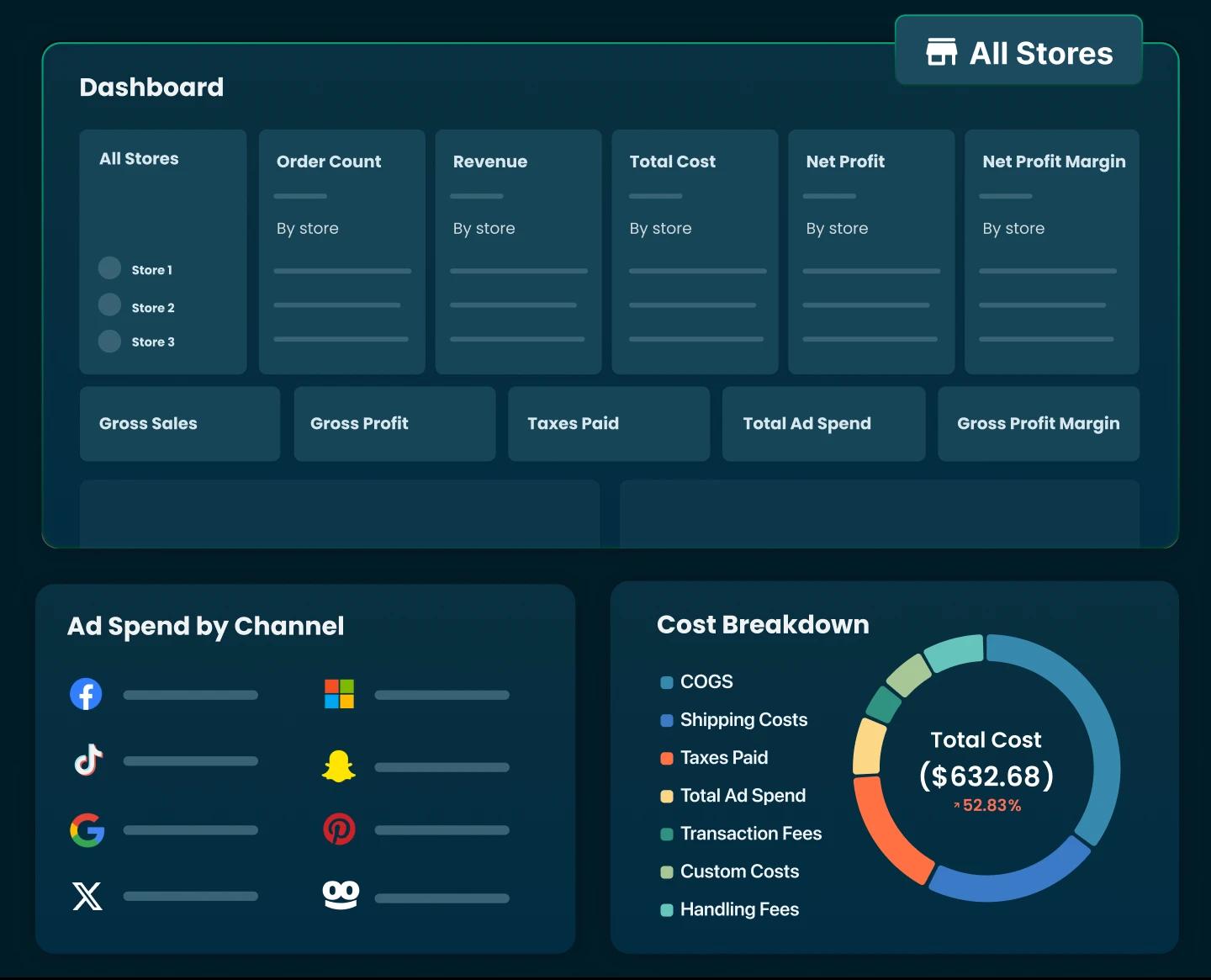
So when you review your SMS results, look beyond what the campaign generated and pay attention to what it actually leaves behind. TrueProfit can help connect your Shopify and marketing data to your overall profitability, giving you a clearer view of your bottom line - net profit.


Irene Le is the Content Manager at TrueProfit, specializing in crafting insightful, data-driven content to help eCommerce merchants scale profitably. With over 5 years of experience in content creation and growth strategy for the eCommerce industry, she is dedicated to producing high-value, actionable content that empowers merchants to make informed financial decisions.