




What is a Good Bounce Rate & How to Reduce It? (2026)


Table of Contents
Bounce rate is one of the most performance metrics in website analytics, showing how many visitors leave a site after viewing only one page.
Understanding what’s considered a “good” bounce rate can help measure website performance and ultimately increase conversions.
In this article, we’ll explore what’s good by industry and actionable strategies to lower the bounce rate.
In this blog:
What is Bounce Rate?
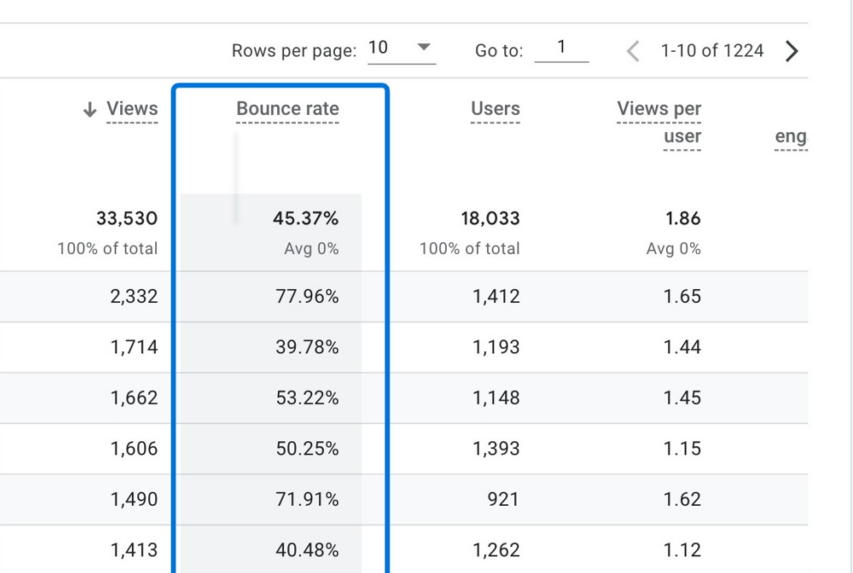
Bounce rate is a key website performance metric that measures the percentage of visitors who land on a page and leave without interacting further. Interactions can include clicking on another page, submitting a form, making a purchase, or engaging with any clickable element on your site.
The formula to calculate bounce rate is simple:
For example, If 200 people visit your site and 50 leave after viewing only one page, your bounce rate would be:
Bounce Rate = (50 ÷ 200) × 100 = 25%


What is a Good Bounce Rate?
A good bounce rate generally falls between 26% and 55%, but the exact “healthy” range depends on the type of website and its purpose.
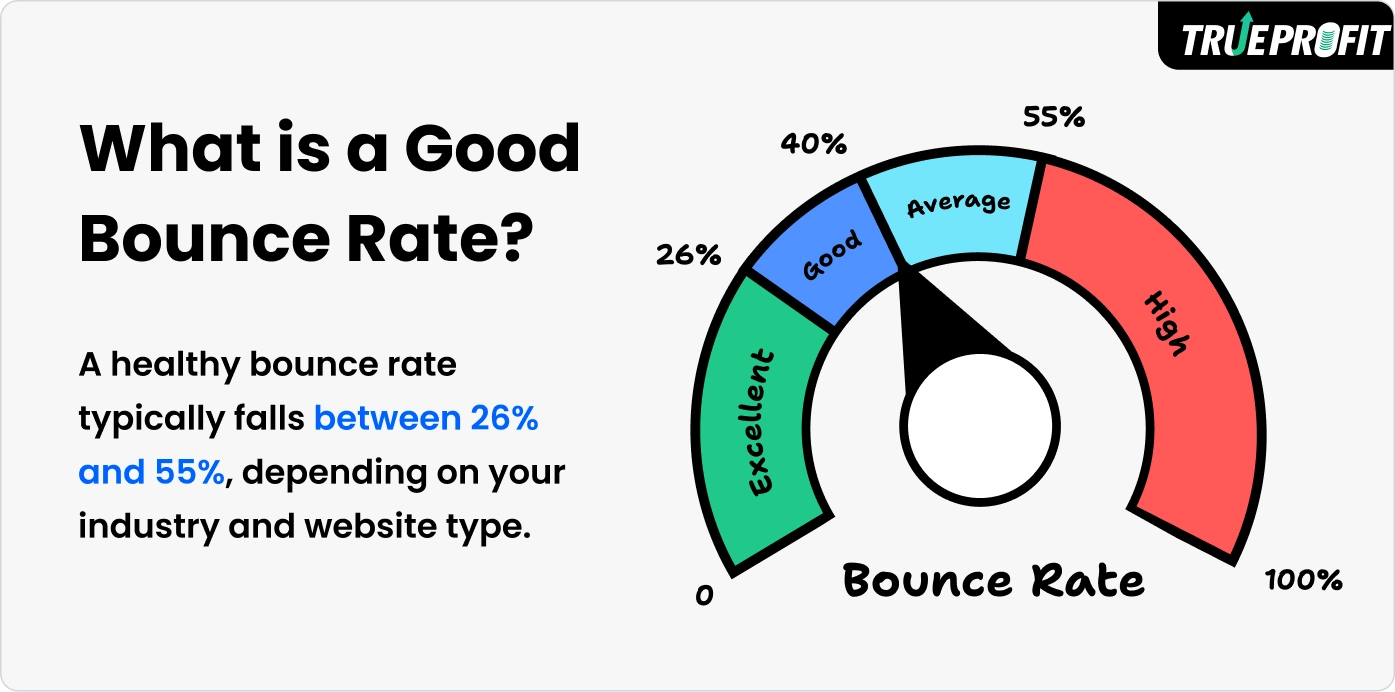
Websites with the lowest bounce rates are typically e-commerce stores and service-oriented sites. On the other hand, websites with the highest bounce rates are usually SaaS blogs, news, or media sites.
Average Bounce Rate by Industry
Bounce rates can vary widely across industries, reflecting differences in user behavior, site purpose, and visitor intent.
Here’s a closer look at average bounce rates across industries:
- Food & drink: 65.50%
- Science: 62.22%
- Reference: 59.47%
- People & society: 58.65%
- Pet & animals: 57.90%
- News: 56.51%
- Arts & entertainment: 56.05%
- Books & literature: 55.85%
- Beauty & fitness: 55.70%
- Home & garden: 55.05%
- Computers & electronics: 55.64%
- Hobbies & leisure: 54.00%
- Internet: 53.69%
- Autos & vehicles: 51.96%
- Finance: 51.61%
- Sports: 51.13%
- Travel: 50.64%
- Business & industrials: 50.69%
- Jobs & education: 49.44%
- Online communities: 46.88%
- Games: 46.75%
- Shopping: 45.67%
- Real estate: 44.55%
Key Factors Affecting Bounce Rate
Several factors can drive your bounce rate up or down:
1. Page Load Speed
Page load speed refers to the time it takes for a webpage to fully display its content. According to Google, 53% of mobile users leave a site that takes more than 3 seconds to load. Even a 1-second delay can reduce conversions by 7%, showing how critical speed is.
2. Content Relevance
Content relevance measures how well your page content matches visitor expectations based on their search intent or referral source. Studies show that misaligned content can increase bounce rate by up to 30%, especially for organic search traffic.
3. User Experience (UX)
Poor UX, such as cluttered layouts, confusing menus, or intrusive pop-ups, can push visitors away. Research indicates that 88% of online consumers are less likely to return to a site after a bad experience, and websites with complicated navigation often see bounce rates increase by 20–50%.
Partnering with a UX design company helps identify and fix these issues through user testing and data-driven redesigns in case you don't have much experience.
4. Traffic Sources
Traffic sources are the channels through which visitors find your website, such as organic search, paid ads, social media, or email campaigns. Visitors from highly targeted campaigns or organic search tend to engage more, while poorly targeted paid ads or irrelevant social traffic often result in higher bounce rates.
5. Device Type
With over 60% of web traffic coming from mobile devices, non-responsive designs can increase bounce rates by over 50%.
6. Call-to-Action (CTA) Clarity
If visitors don’t know what to do next, they may leave. Pages with vague or poorly placed CTAs tend to have bounce rates 20–30% higher than those with clear, visually prominent calls-to-action.

How to Reduce Bounce Rate? 7 Best Practices
1. Improve Page Load Speed
Aim for a page load time under 3 seconds as a benchmark for optimal performance.
To achieve this, you can switch to modern formats like WebP and resizing images to the exact dimensions needed also significantly speeds up loading times. After compressing the images, the page weight dropped to 1.5 MB, and load time improved to just 2.5 seconds, dramatically improving user engagement.
2. Optimize for Mobile
Every page should adjust seamlessly to different screen sizes.
Keep images under 200 KB and in WebP format to reduce loading time.
Navigation menus should be simple, with five to seven primary links, and buttons should meet a minimum size of 44 by 44 pixels for easy tapping.
Body text should be at least 16px, with headings scaling proportionally.
Forms should be limited to three to five fields, and scripts should remain under 50 KB on mobile.
3. Align Content with Visitor Intent
Visitors generally have three types of intent:
Informational, where they seek knowledge through blogs or guides;
Navigational, where they want to find a specific product or page;
and transactional, where they’re ready to buy or sign up.
Make sure your links, ads, and meta titles align precisely with these expectations.
4. Use Clear CTAs
Clear calls-to-action (CTAs) guide visitors to the next step. Phrases like “Buy Now,” “Start Free Trial,” or “Download Guide” communicate immediate action. Avoid vague wording like “Click Here,” which leaves users uncertain.
Placement and design are equally important, CTAs should be visible above the fold so visitors can see them without scrolling.
5. Enhance Content Layout
Most users skim rather than read every word on a page. Structuring your content with headings, subheadings, bullet points, and numbered lists breaks information into digestible sections. This allows visitors to quickly find what they’re looking for without feeling lost. Use these top free Shopify store themes to start well on it.
6. Add Social Proof
Including star ratings, short quotes, or detailed reviews gives potential customers confidence in your offerings. For e-commerce sites, trust badges like SSL certificates, verified payment logos, or official partner seals signal security and credibility.
Final Thoughts
Bounce rate is a signal of user engagement and website effectiveness. Knowing what’s considered a good bounce rate in the industry can help evaluate the overall website performance.
Leah Tran is a Content Specialist at TrueProfit, where she crafts SEO-driven and data-backed content to help eCommerce merchants understand their true profitability. With a strong background in content writing, research, and editorial content, she focuses on making complex financial and business concepts clear, engaging, and actionable for Shopify merchants.