9+ Effective Shopify CRO TacticsThat Work in 2026


Table of Contents
- 1. What is Conversion Rate Optimization for Shopify Store?
- 2. How to Increase Conversion Rate in Shopify (2026)?
- 3. What Advices for Improving Conversion Rate?
- 4. How Long Does CRO Usually Take to Show Results?
- 5. What Are the Best Apps for Increasing Conversion Rate?
- 6. What’s the Next Step After CRO?
- 7. Shopify CRO FAQs
Improving conversions on Shopify is no longer a “nice-to-have” option. In 2026, conversion rate optimization is one of the most reliable ways to grow revenue without increasing ad spend. As traffic gets more expensive and competition gets tougher, brands that win are the ones that convert better, not just attract more visitors.
This guide focuses on what actually works for conversion rate in 2026. It’s built around real user intent: how to improve conversion rate, what’s breaking conversions, where to fix first, and how to know if you’re doing CRO right.
Quick Recap:
In this blog:
- 1. What is Conversion Rate Optimization for Shopify Store?
- 2. How to Increase Conversion Rate in Shopify (2026)?
- 3. What Advices for Improving Conversion Rate?
- 4. How Long Does CRO Usually Take to Show Results?
- 5. What Are the Best Apps for Increasing Conversion Rate?
- 6. What’s the Next Step After CRO?
- 7. Shopify CRO FAQs
What is Conversion Rate Optimization for Shopify Store?
Conversion rate optimization for Shopify stores is the process of optimizing a Shopify store to increase the percentage of visitors who make a purchase. It’s important because CRO helps you increase revenue in Shopify and save more money by cutting your custom acquisition cost.
Most stores convert at 1.4%–5%, while a good Shopify conversion rate is typically 4.7% or higher, depending on the industry and traffic source. Because conversion rate benchmarks vary by Shopify category, price point, and traffic source, understanding the right benchmark for your store is a key in CRO. It helps you evaluate store health first, then closely identify conversion issues, and precisely optimize the store’s ability to convert more traffic into customers.

How to Increase Conversion Rate in Shopify (2026)?
Here are the top CRO tactics for 2026:
1. Put Most Important Information Above-the-Fold
Above-the-fold is the top section of a page that shoppers see immediately after it loads, without scrolling. It’s the space where you put the most important information because if a customer can’t quickly find: What the product is, How much it costs, Why it’s worth buying, and whether they can trust the store, they’ll bounce out and you ‘re losing a traffic.
To decide what’s put in your above-the-fold, here’s proven structure most high-converting Shopify product pages follow:
- Product name and price
- Product image carousel
- A concise, benefit-focused description
- Social proof signals (such as star ratings or review count)
- A clear call-to-action (Add to Cart or Buy Now)
These must-have components stay the same, but how you optimize should adapt to your niche. The best way to optimize actually is studying 3–5 top-performing stores in your niche to find out how they structure content above-the-fold. That structure is your starting blueprint and you can refine it to fit your product and audience

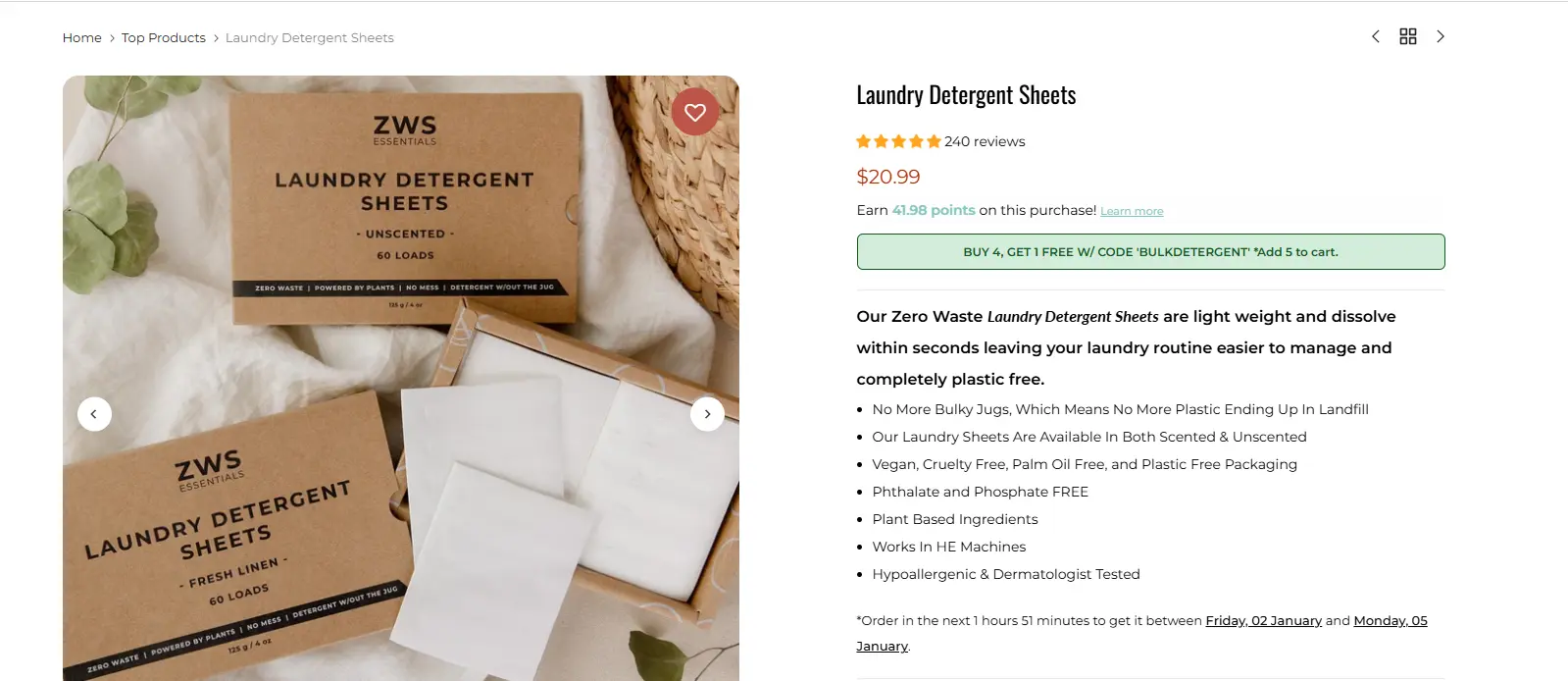
This is a good example of putting the most important things at the top of the page, including what the product is, how much it costs, why it’s worth buying, and whether they can trust the store.
2. Improve Social Proof
Shoppers don’t trust a brand is good just because that brand says so. They trust customer reviews, testimonials, or real photos and videos of people using their products and having a good experience. That's why social proof is critical.
Improving social proof isn’t adding as many reviews as possible, but see whether your social proof matches why people buy from you. If a testimonial doesn’t answer the real question in the shopper’s mind, it won’t convert. For example, if someone is buying running shoes for performance, a review saying “They look great” is useless. A review saying “I’ve been running daily for 12 months with no injuries” directly addresses the buyer’s motivation and converts far better.
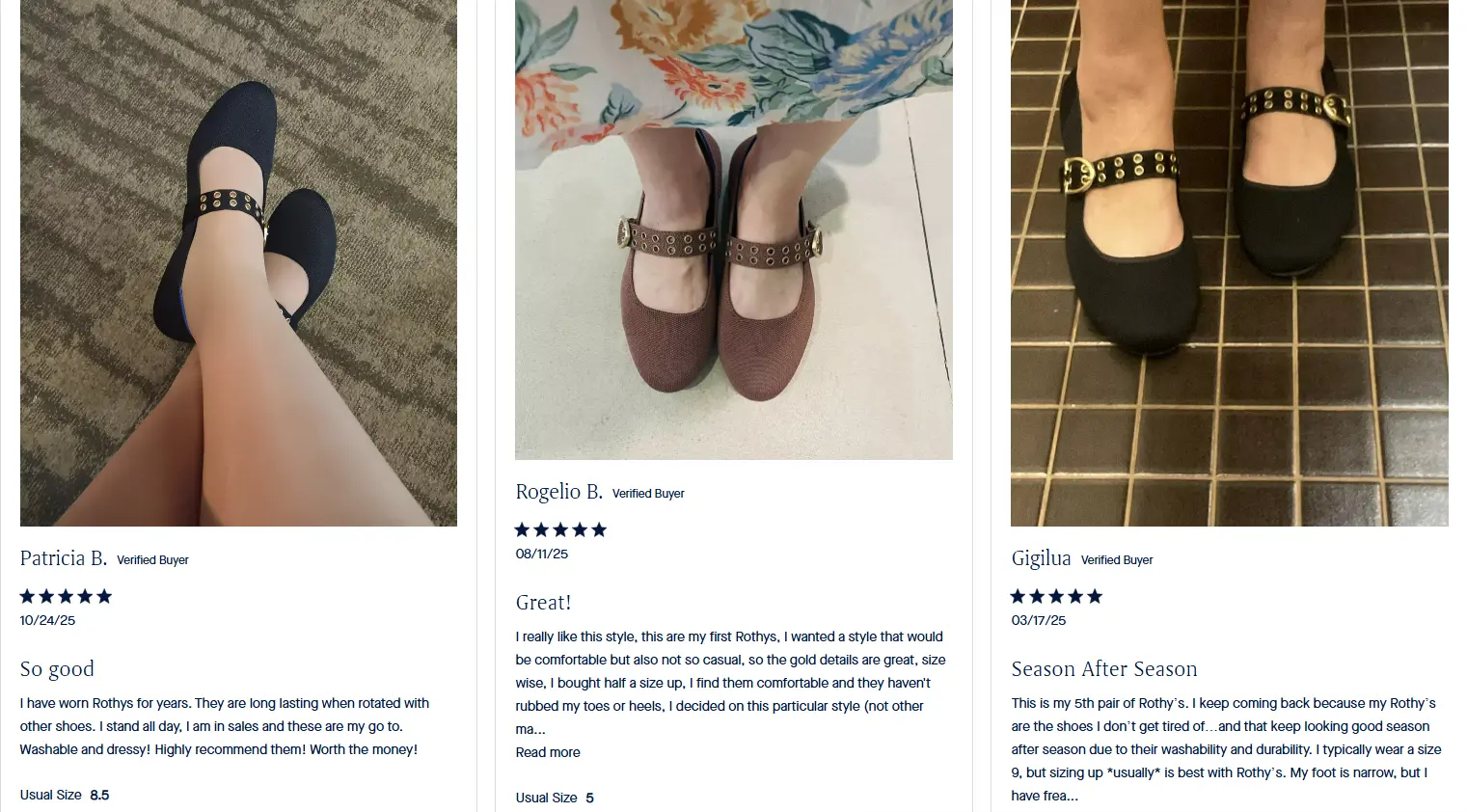
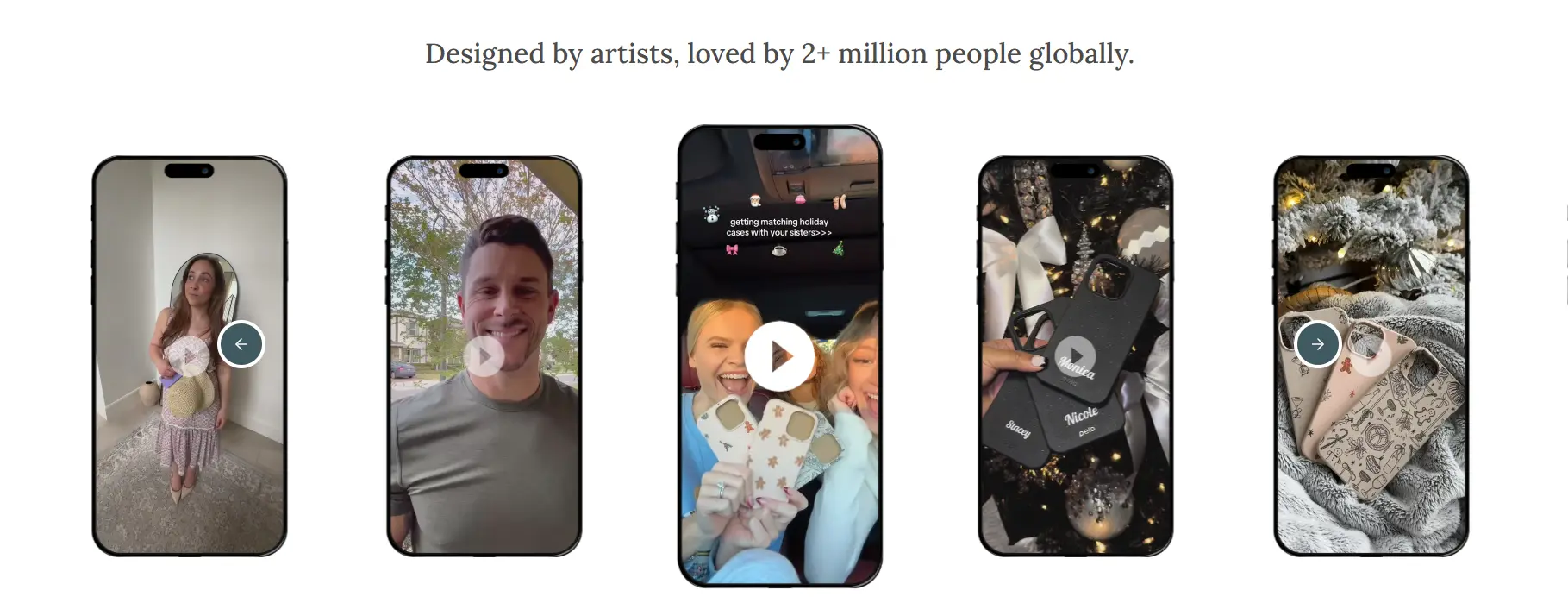
Choosing types of social proof also impacts conversion rate. There are four main types of social proof used on Shopify stores: videos, images, star ratings with reviews, and text-only testimonials. All of them build trust, but they don’t perform equally.
Video is the best because it creates the most trust and keeps people on your site the longest. Images come next, especially an image of a real person using your product.
Review stars + text using the format of "4.8/5 Stars - 'Slept better on night one!' - Mr. Deadpool also works well. The key is always pulling the best line from the full review to show next to the stars.
Text only testimonial is the most common but lowest impact format. If you use it, make sure it should be no more than one or two sentences and directly talks about the main benefit. “Great service” is weak. “My face cleared up in five days” is strong.
3. Improve Message Clarity
If your copy isn’t converting, it’s usually one (or more) of these three problems:
First, audience mismatch. Your message is technically clear, but it’s just talking to the wrong person. To fix this, rewrite just one headline as if you’re speaking to a single person in a specific situation. Name their role. Name what they’re responsible for. If your copy feels generic, that’s the first thing to cut.
Second, your copy doesn't hit the biggest pain. A lot of messages describe a true problem, just not the one that hurts most. Inconvenience isn’t enough. Anchor your message to something they actually fear losing: money, time, health, reputation, growth. If it’s something they can tolerate for a few more weeks, it won’t convert.
Third, weak or copied value prop. If a competitor could swap their logo into your copy and it still works, your value prop isn’t strong enough. Pick three to five values that solve the problem in a meaningfully better way and aren’t easy to copy. That’s a sharp “why you” angle and you should deliver it everywhere.
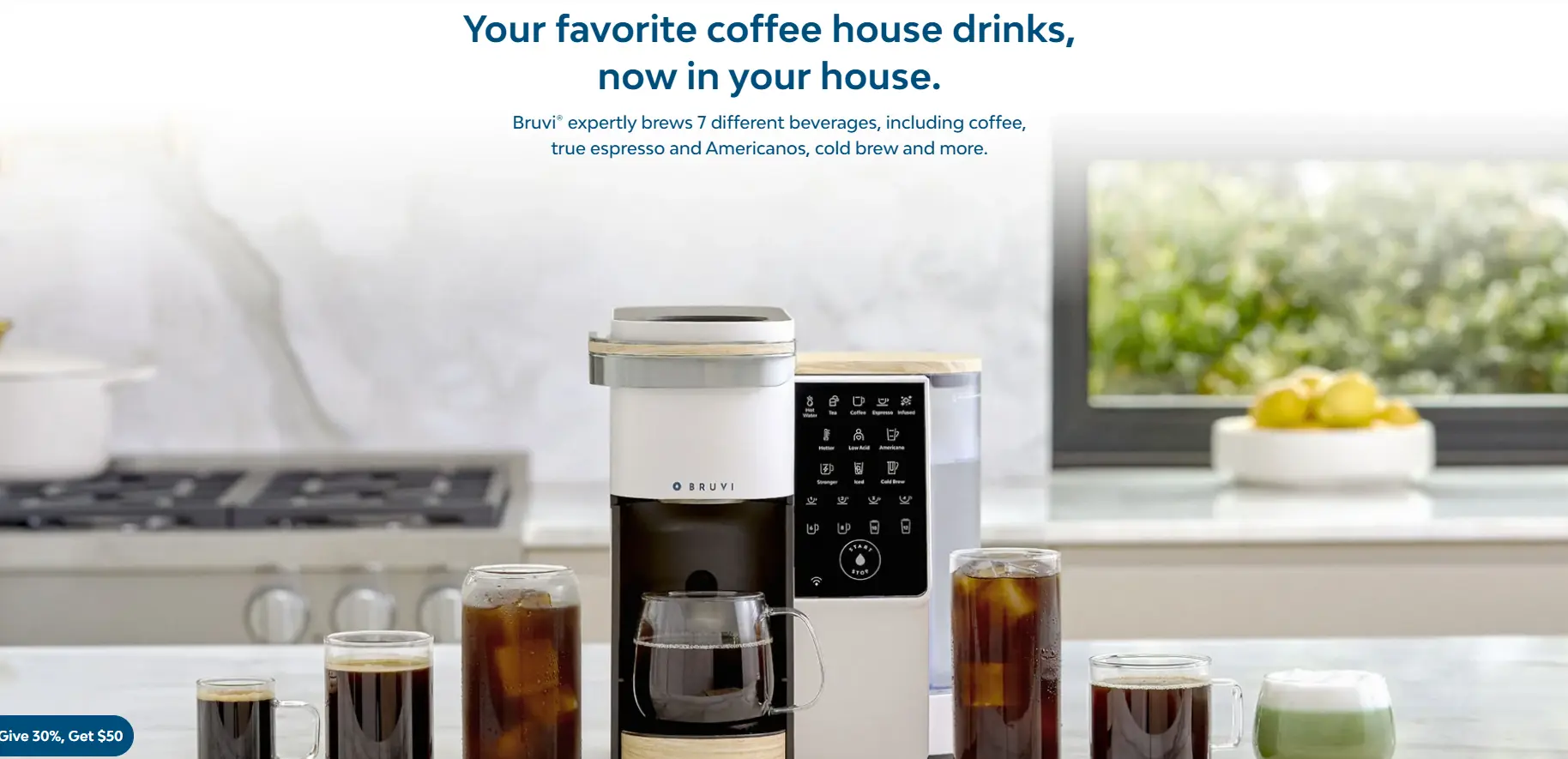
Pick one short sentence that best describes your product and no one can sell it better than you.
4. Align Ad Message vs. Landing Page vs. Checkout
One of the most common CRO killers on Shopify is message mismatch because all shoppers ended up on your site because of a specific promise. If that promise isn’t clearly continued all the way through checkout, trust drops fast.
A quick test: Ask yourself, “If I only read the ad headline, would the landing page feel like the obvious next step?” Then ask the same question from landing page to checkout. If the answer isn’t a clear yes, you have a conversion leak.
To fix this, start by writing down the core promise of your ad in one sentence. That sentence should still feel accurate when someone reaches checkout. If your ad leads with “Free Shipping Today”, that message should be visible above-the-fold on the landing page, and still feel true at checkout.
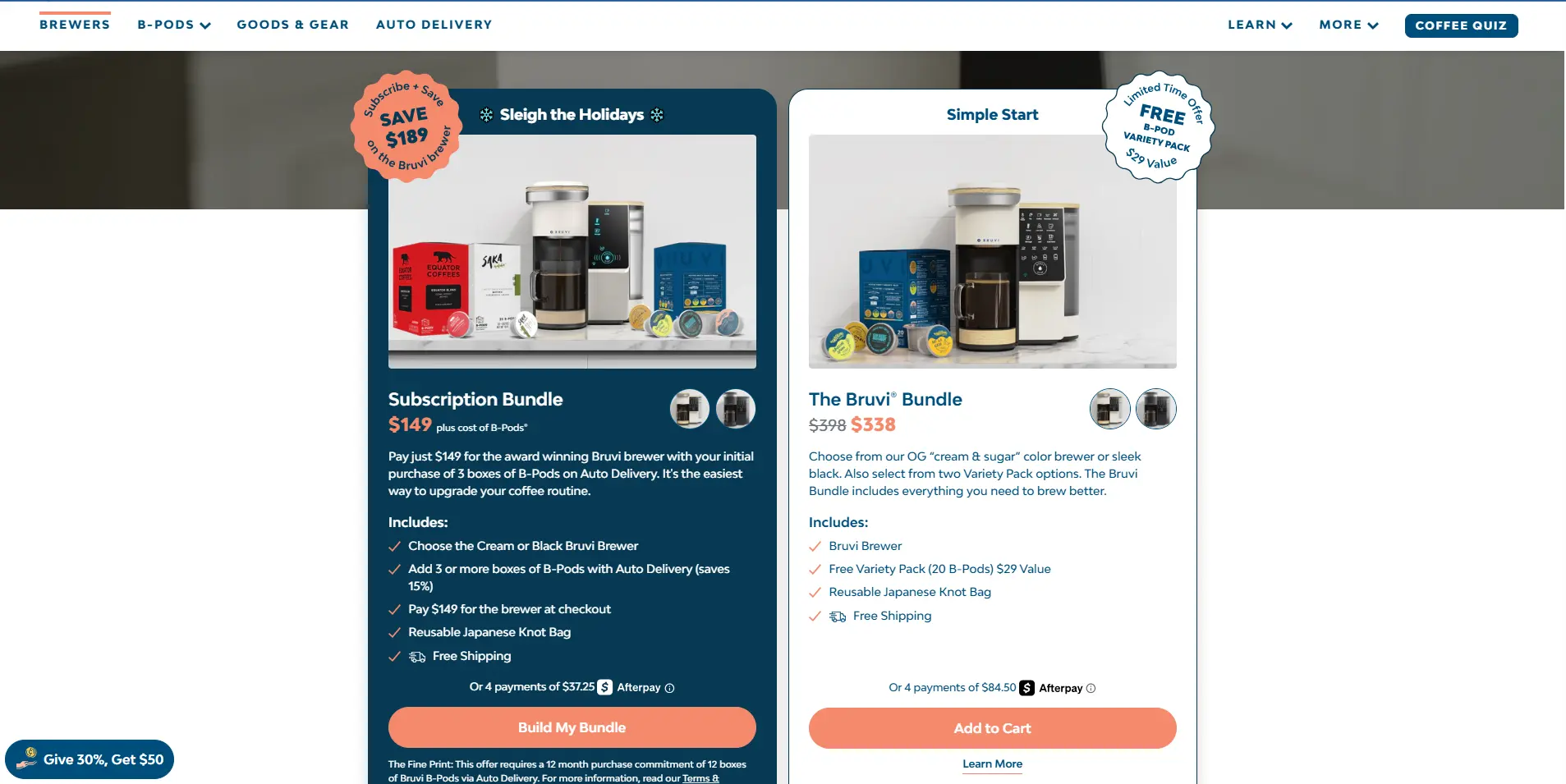
For example, Bruvi promoted $189 savings with the Bruvi subscription bundle via its ad.
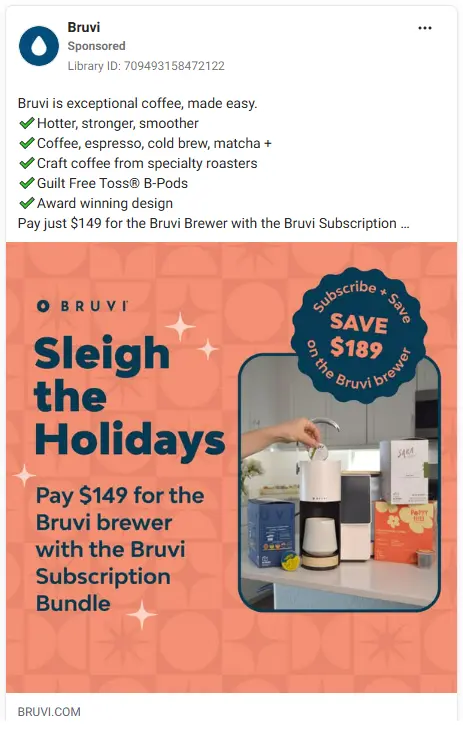
Then, the landing page should focus on the bundle and keep its promise instead of adding some extra costs.
5. Reduce Surprises at Checkout
Checkout is where alignment matters most, however, it’s also where many stores lose trust by adding surprise shipping fees, hidden taxes, long delivery windows, or fine print that was never mentioned earlier. Even small surprises at this stage can undo all the work your ad and landing page did.
If something changes, call it out earlier. If shipping takes longer, mention it before checkout. If pricing varies by option, show that clearly on the product page.
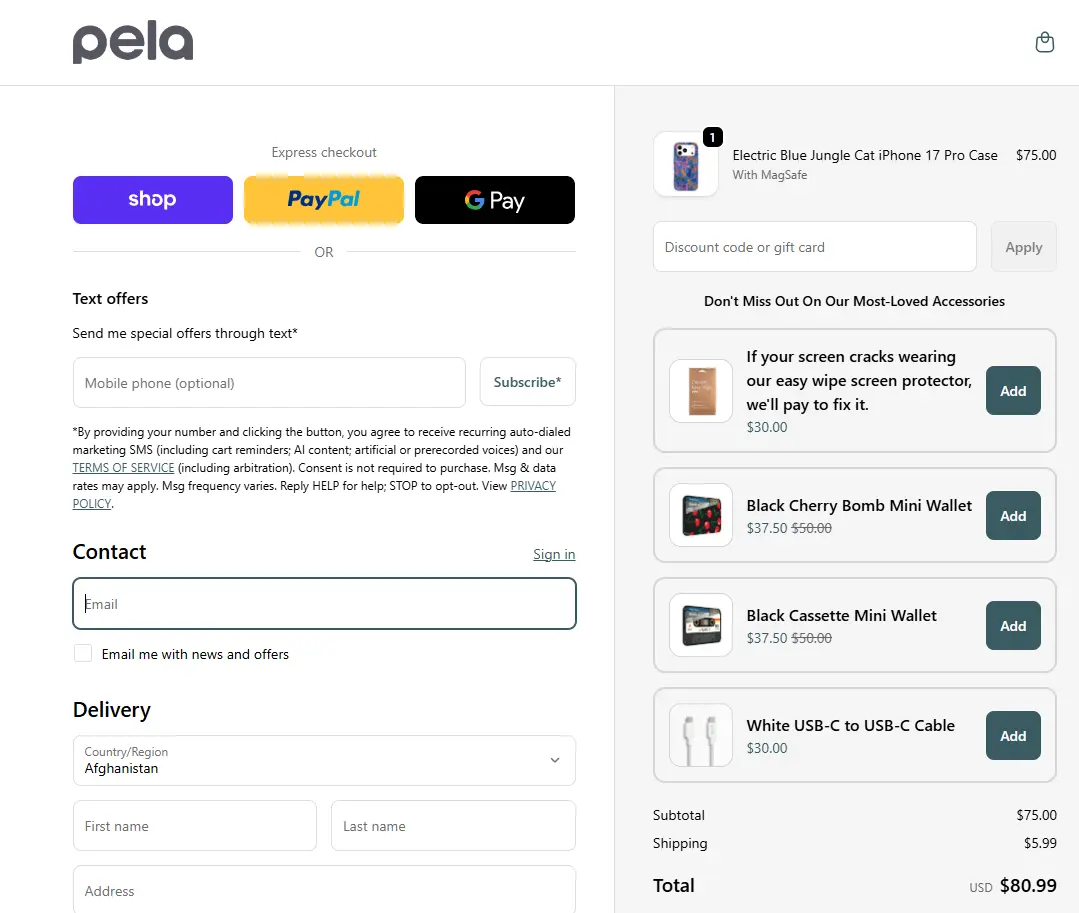
You can make the upsell feel like a favor to the customer like this.
6. Make Your Offer Instantly Understandable
If someone can't tell what your offer is about in one second, then it's too complex.
A lot of Shopify stores confuse their shoppers by trying to look impressive instead of clarity. For example, a beauty brand can show a bottle of acne cream and talk about scientific ingredients, formulas, and lab results. This makes shoppers think, and while thinking is needed in other busines models, in commerce thinking always hurts your conversion.
What customers actually need to convert is often just one main visual, one clear headline, and one testimonial that actually says something, and that “something,” more than anything else, should be the easiest thing to convert on.
That’s why showing a before-and-after of a pimply face turning clear often works better than explaining the science behind the product.

How simple this offer is: We’re just opening up to 50% off select styles.
7. Use Pop-Ups and Banners Strategically
Most Shopify stores use pop-ups and banners as distractions instead of support. They fire too early, ask for too much, or interrupt shoppers before they even understand the product. When that happens, pop-ups feel spammy, and shoppers leave the page.
To fix this, timing matters. Pop-ups work better when they appear after a shopper has shown some intent, such as after they scroll and engage with the page, when they hesitate or show exit intent, or when they add a product to cart but haven’t checked out yet.
What the pop-up says is just as important as when it appears. If a pop-up or banner introduces new information that contradicts or complicates the offer, it hurts conversion. The message should match the shopper’s hesitation. If the concern is price, a discount makes sense. If it’s trust, show reviews or guarantees. If it’s commitment, offer free shipping or easy returns.
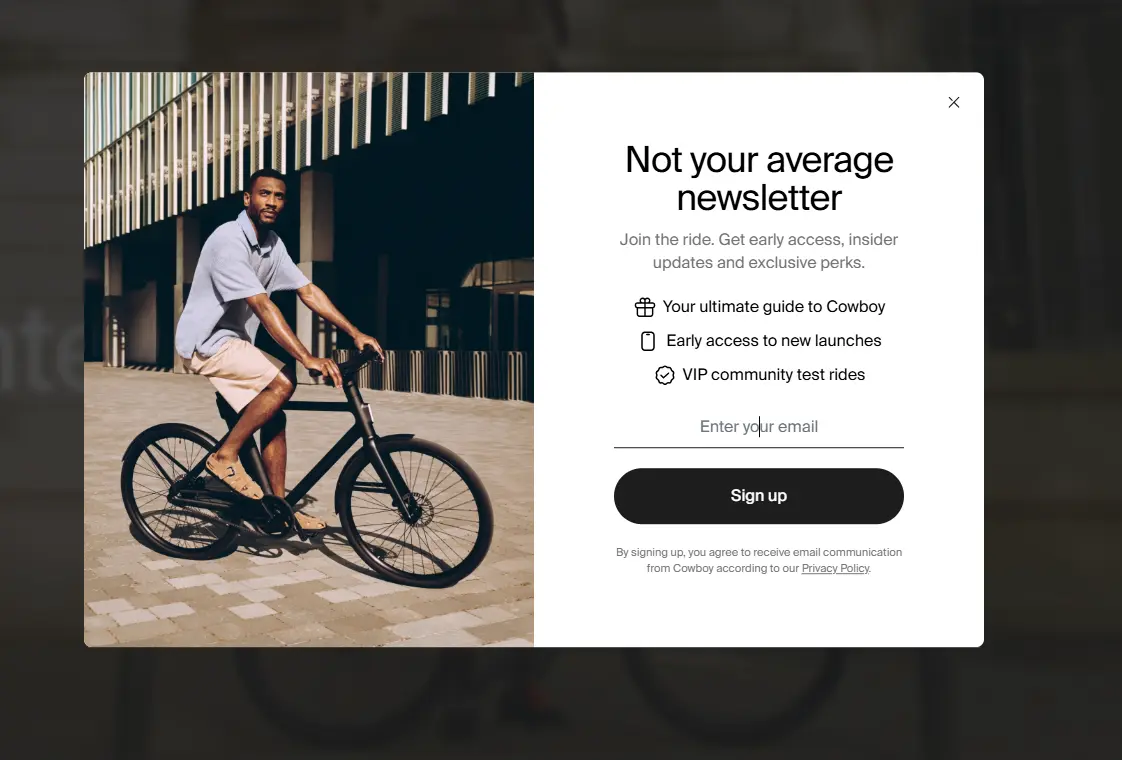
Give them some benefits before forcing them to make a purchase from you.
8. Add Smart Search and Navigation
Visitors who use search or navigation to explore more are usually closer to buying. So if your store makes that hard, you’re losing some of your most valuable traffic.
A good navigation should be simple and predictable. Limit top-level categories to what shoppers care about most. Organize products by how people shop, by use case, problem, or outcome, not by internal product types.
Meanwhile, a good smart search typically helps shoppers get results even when they’re not precise. It handles typos, synonyms, and partial queries. It surfaces popular or relevant products first, not random ones. Autocomplete and suggested results reduce effort and help shoppers move faster.
Most importantly, smart search prioritizes products that are most likely to convert, not just everything that technically matches a keyword.
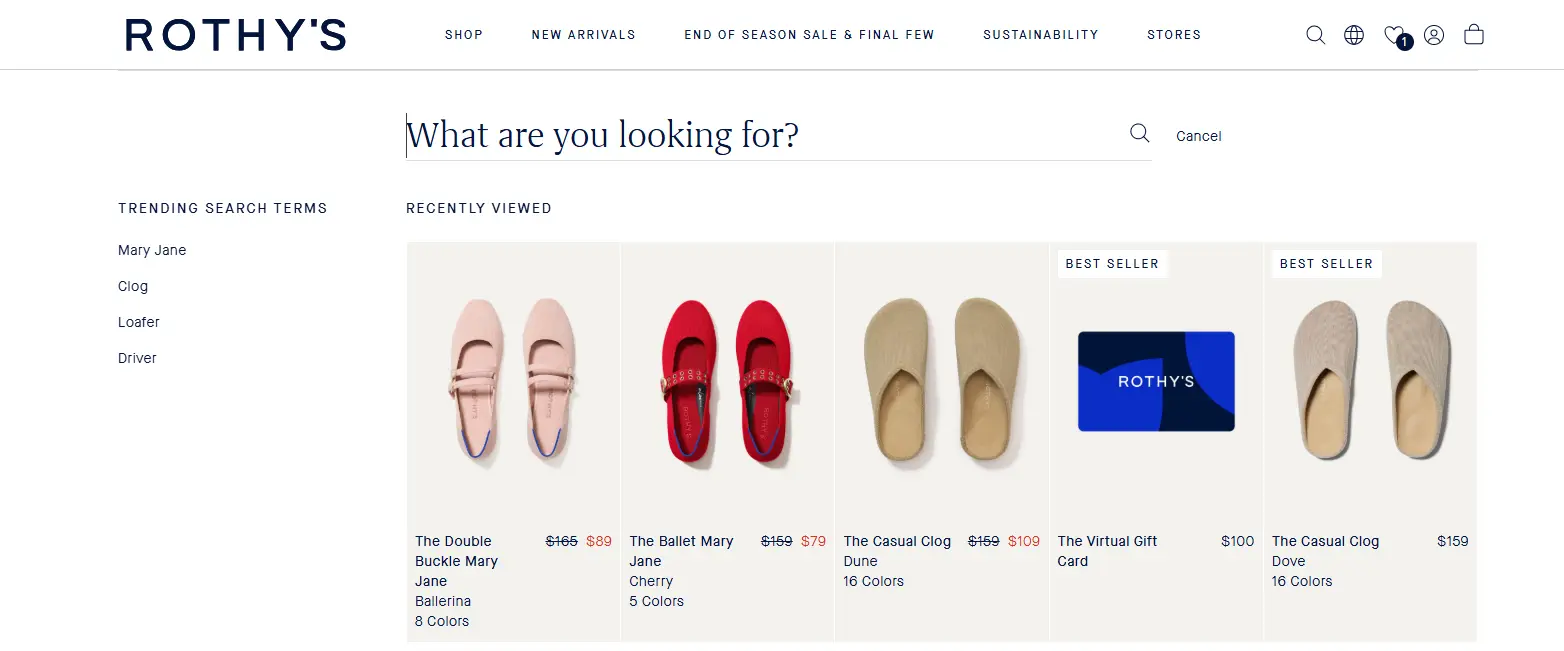
On the search bar, you can promote products that are most likely to convert.
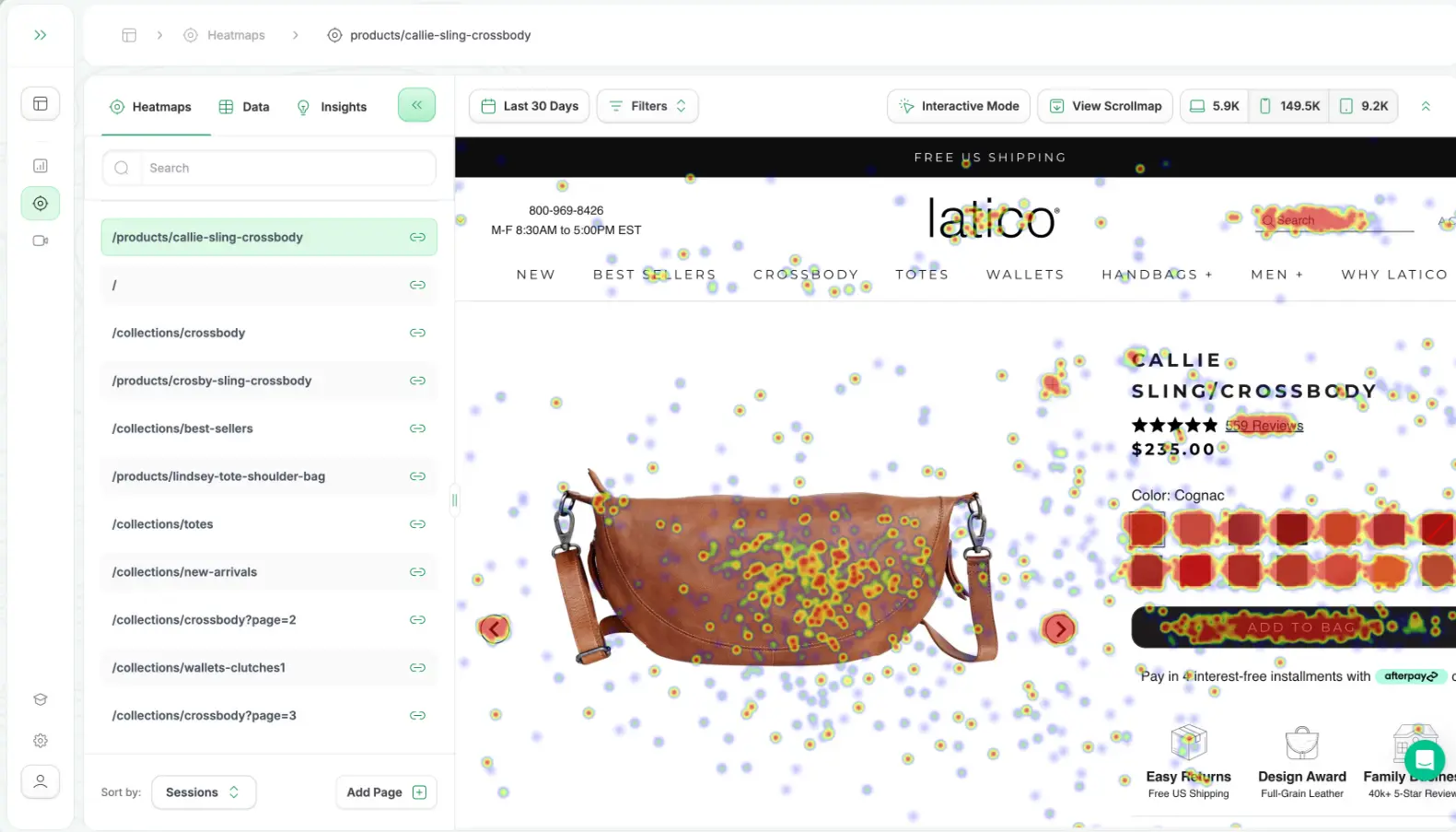
9. Use Heat Maps and Session Recordings
Heat maps and session recordings show you some critical patterns such as shoppers clicking on things that aren’t clickable, important content being skipped or never seen, CTAs placed where no one scrolls, confusion loops where users bounce between pages.
These are conversion problems you can’t spot easily by looking at reports or just scrolling your store again and again.
To make the most of heat maps, brainstorm some questions and use it to answer each specific question. Pick one key page at a time, usually your product page, landing page, or checkout. Ask a simple question first, like: Are people seeing the CTA? Are they engaging with social proof? Where do they drop off? Then open the heat map with that question in mind.
If an important section gets almost no clicks or attention, it’s either in the wrong place, unclear, or not relevant. Heat maps help you spot these “dead zones” so you can simplify or remove them.
10. Improve Site Speed and Mobile Responsiveness
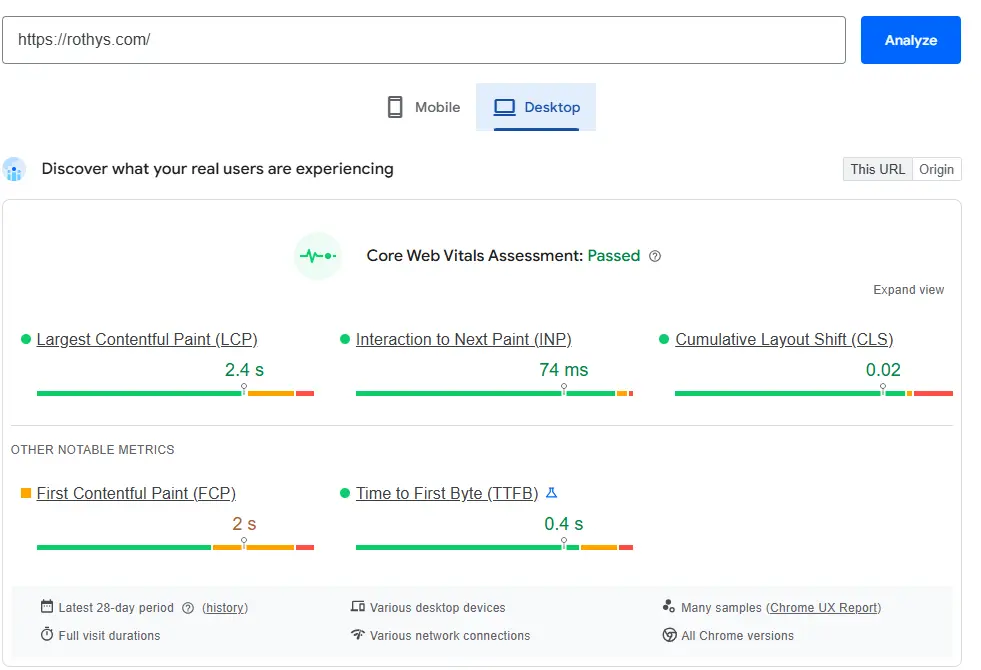
What’s considered “fast” for ecommerce? As a general benchmark:
Under 2 seconds load time is good; 2–3 seconds is acceptable but already leaking conversions; and over 3 seconds is where drop-offs increase sharply. For mobile, expectations are even higher.
Mobile responsiveness matters because most Shopify traffic is mobile-first. On mobile, responsiveness issues often come from:
- Small font sizes
- CTAs placed too far down the page
- Overcrowded layouts
- Elements overlapping or shifting while loading
Run a small test to verify each issue and then start with your highest-impact pages such as homepage, product pages, and checkout.
What Advices for Improving Conversion Rate?
1. Audit Before Optimizing
Auditing is a process of identifying why users aren't converting and creating a roadmap to fix those "leaks." What’s good about auditing is that it forces you to look at your data first. Those data will reveal the “hidden” conversion killers, ensuring you invest your time and budget into the right fixes.
What’s even better is they provide you with a long list of potential fixes and also give you the data to rank them. By doing so, you can identify “low-hanging fruit”, changes that are easy to make but have a massive impact on conversion rate.
2. Identify High-intent Segments First
It simply means separating visitors based on how close they are to purchasing. You shouldn't optimize for everyone at the same time. When window shoppers with zero intent are treated the same as hot leads who are ready to buy, then your optimization efforts will be ineffective. That’s why segmenting users by intent matters.
By optimizing for each intent group separately, you can even uncover the real friction that’s actually blocking conversions and build customized marketing strategies for each group. Low-intent users are still browsing and comparing, so they leave because they’re not convinced yet. High-intent users are already motivated; when they leave, it’s almost never random. It’s a signal that something on your site is making buying feel too hard, confusing, or risky.
3. Test Small Changes
Here’s the idea: If you change the headline, the button color, and the hero image all at once, you’ll never know which one actually moved the needle. That’s why you need to test them one by one so if a change boosts a sudden increase in conversions, you know exactly what boosted it.
Remember prioritizing small changes over the big ones, because they’re easier to do, easier to track and most importantly, easier to convert. The only time you should test "big" changes instead of "small" ones is if your site has very low traffic. In that case, you need a "big bang" to see a noticeable swing in the data. And after all, you have literally nothing to lose.
4. Optimize Mobile Before Desktop
In ecommerce, the discovery and intent phases almost always start on a smartphone with 60-70% of total traffic coming from mobile by 2025. That's why you should optimize mobile first.
Most e-commerce stores see their mobile conversion rate at roughly 40–50% of their desktop rate. If your mobile rate is less than half of your desktop rate, you have a major optimization opportunity.
5. Start Using Profit Analytics Apps
Before running CRO tests, many merchants have already set up their profit tracking system months in advance. It’s because what really matters in conversion rate optimization is whether those conversions are profitable or not.
When you connect profit data to your CRO efforts, you can optimize with confidence. You’ll know which traffic sources bring profitable customers, which products convert but shouldn’t be scaled, and which CRO tests are worth doubling down on.
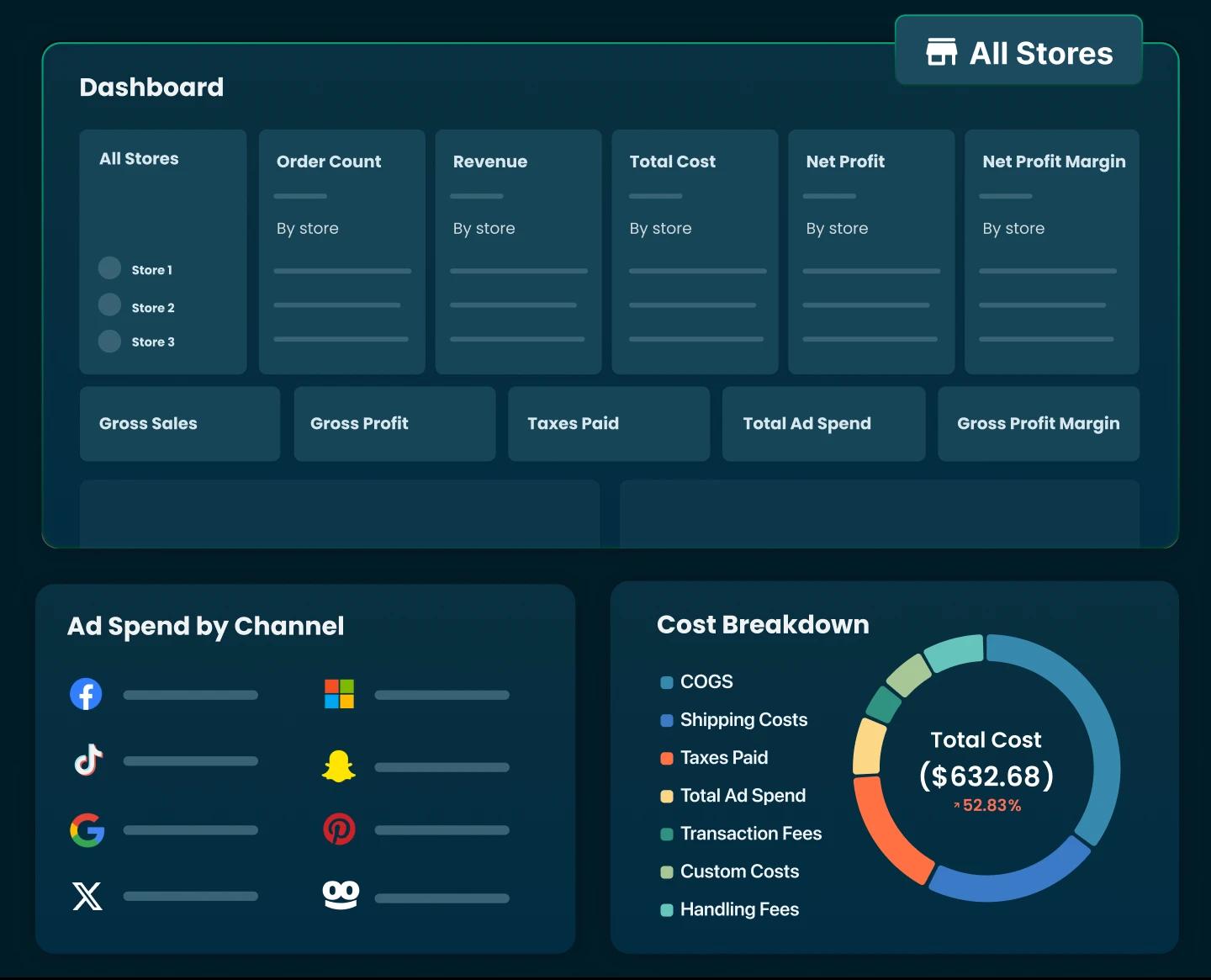
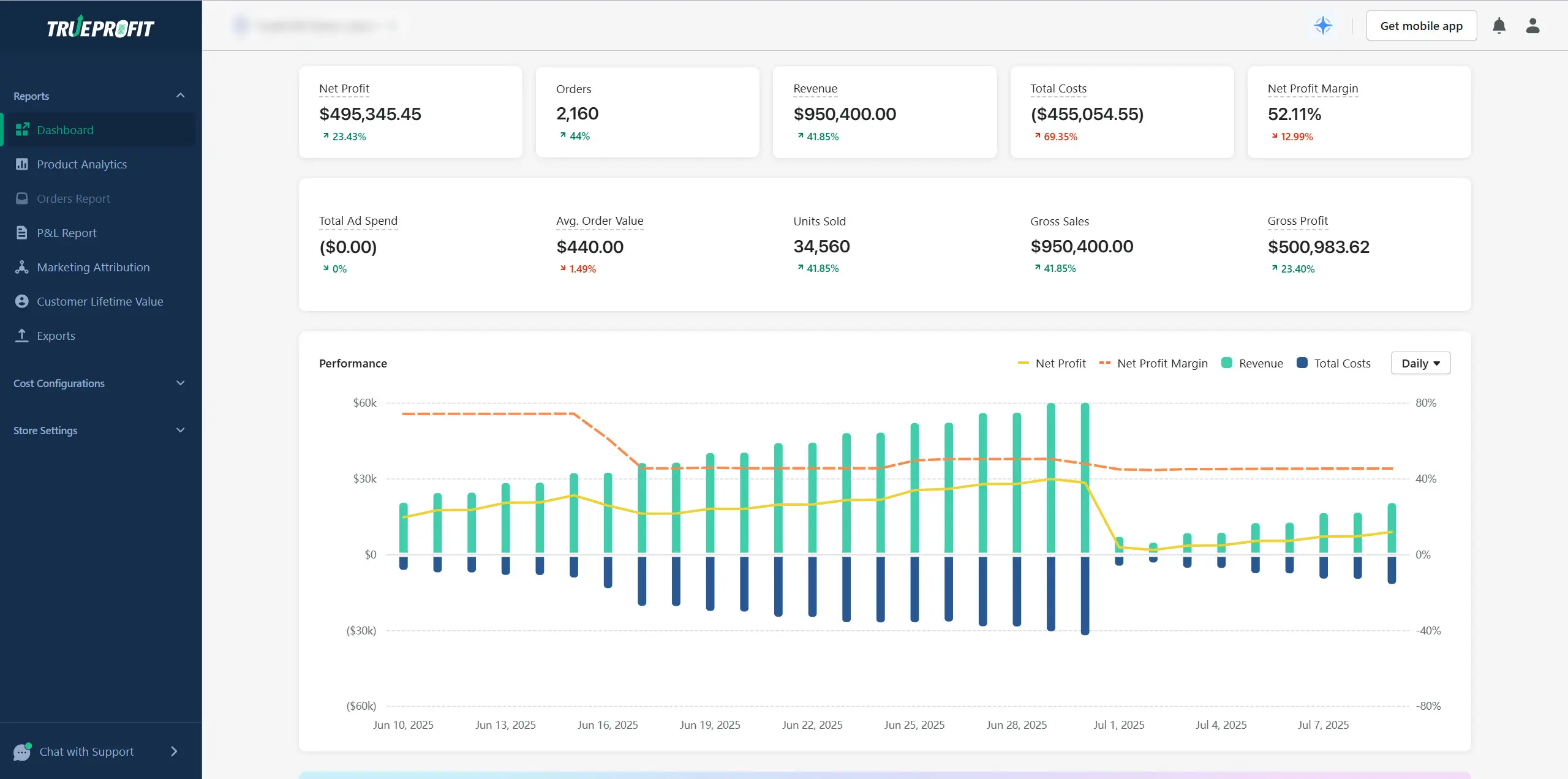
As the #1 net profit analytics platform built for Shopify, TrueProfit is always a part of seller’s CRO strategy nowadays. TrueProfit helps online sellers access real-time, accurate, and automated profit visibility. By connecting revenue, costs, and marketing data in one place, it allows you to measure CRO success based on actual profit impact, not just surface-level metrics like conversion rate or revenue.
How Long Does CRO Usually Take to Show Results?
In most Shopify stores, a CRO test should run for 3–7 days to see meaningful, directional results. This window is usually enough to capture different shopping behaviors across weekdays and weekends without letting external factors dilute the outcome.
How quickly you can spot a “winner” depends almost entirely on traffic volume.
High-traffic stores (10k+ visits/month) can often see clear results in 3–5 days because they generate enough data quickly to confirm whether a change is helping or hurting conversions.
Lower-traffic stores (under ~1000 visits/month) typically need the full 5-7 days to observe a reliable trend. For these stores, testing big changes, such as a new offer, clearer messaging, or a simplified checkout, works far better than small visual tweaks like button colors.
One of the biggest CRO mistakes is stopping a test too early. Seeing little or no change in the first 24–48 hours is normal and doesn’t mean the test failed. The only time results can be trusted in under two days is when you fix a critical issue, such as a broken checkout, missing CTA, or pricing error that was actively blocking purchases.

What Are the Best Apps for Increasing Conversion Rate?
Choosing an app depends entirely on your goal. Every app should solve a specific "leak" in your funnel.
What’s the Next Step After CRO?
Conversion rate optimization works best when net profit in store grows alongside it. Tracking net profit is the must-have step after testing and optimizing conversion rate.
That's where TrueProfit fits in. By tracking all your critical metrics such as revenue, costs, products, and marketing performance into one single dashboard, TrueProfit gives you the most comprehensive picture of your Shopify store performance.

Lila Le is the Marketing Manager at TrueProfit, with a deep understanding of the Shopify ecosystem and a proven track record in dropshipping. She combines hands-on selling experience with marketing expertise to help Shopify merchants scale smarter, through clear positioning, profit-first strategies, and high-converting campaigns.