


What Is a Shopify Balance Account? Full Review & Setup Guide (2026)

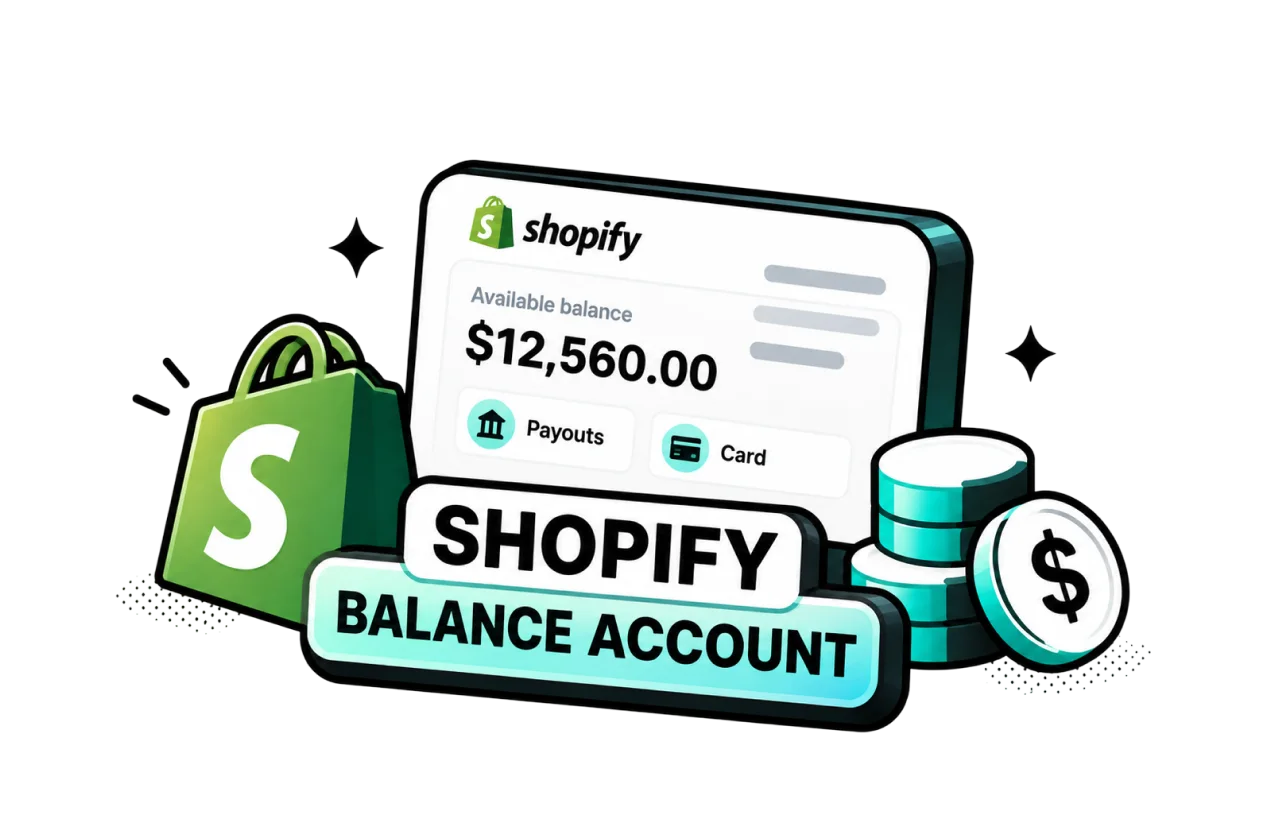

Table of Contents
Shopify Balance is a free business money account built into your Shopify admin. Your Shopify sales get paid into it, you spend from it with a Visa business card, and you can split your cash into separate pots for tax, ads, and inventory. For most US store owners, it is a great day-to-day account, but it should not be the only place you keep your money.
In this guide, I explain what Balance is, what it costs, who can open one, how to set it up, and how to use it to manage your store's cash without surprises.
In this blog:
What Is a Shopify Balance Account?
Shopify Balance is a business account built into Shopify that gives eligible merchants a simple way to manage the money their store makes. You can receive Shopify Payments payouts, keep money aside for upcoming expenses, pay for business costs, and move funds to another bank account without leaving Shopify.
Shopify Balance Pros and Cons
Shopify Balance can be a convenient option if most of your sales run through Shopify and you want to manage payouts and everyday business spending in the same place. It covers many day-to-day needs, but it isn't a complete replacement for every business banking service.
Pros | Cons |
|---|---|
No monthly fee or minimum balance | US and Puerto Rico only |
Shopify Payments payouts go directly into Balance | Requires Shopify Payments |
Create up to 5 additional accounts for budgeting | $5,000 daily card limit for most new accounts |
Earn rewards on eligible balances | International transfers are limited |
Employee cards with spending limits | Not a full-service business bank |
Cashback on eligible purchases, including some ad spend | Rewards and cashback have eligibility rules |
Shopify Balance Fees
The good news is that running the account costs nothing. Fees only appear when you send wires or pay someone overseas.
Here's the breakdown, based on Shopify's Balance transactions and limits page and international transfers guide.
What you do | What it costs |
|---|---|
Open and keep the account | $0 |
Send money by ACH | Free |
Send a US domestic wire | $10 per transfer |
Send money internationally | 0.10-0.50 + 0.75% exchange fee, depending on the country |
Use the Balance card | $0 |
Withdraw cash at an ATM | $0 from Shopify; ATM provider fees may apply |
For example, sending $10,000 to a UK supplier costs $75 in exchange fees plus a $0.10 transfer fee. Shopify charges these fees separately from the transfer amount, so the recipient receives the full transfer amount. Their bank may still charge a separate receiving fee.

Key Features & Benefits of Shopify Balance
The main benefits come down to five areas: getting your sales money faster, separating cash for different expenses, paying suppliers and business costs, earning rewards, and keeping a closer eye on your cash flow.
1. Get your sales money faster
With Balance, your Shopify payouts can reach your account in as little as 1 business day. Most stores receive payouts within 1 to 3 business days, while new stores may take up to 5 business days initially. For Shopify Plus merchants, next-day payouts are the default.
That matters when you’re constantly moving money between ad spend, inventory, shipping, and other operating costs. Getting paid sooner means less time waiting for revenue to become available for your next business expense.
2. Separate money for taxes, ads, and inventory
One of the more practical Balance features for merchants is the ability to create up to 6 accounts: one main account plus five additional "pots" that you can name based on your needs.
For example, you could have separate pots for Sales Tax, Ads, Inventory, or Payroll. You can then set up automatic transfers, such as moving 25% of each Shopify payout into your Ads pot.
If you use Shopify Tax, collected sales tax can also be moved into a dedicated pot automatically. That makes it easier to keep money reserved for taxes instead of accidentally spending it on day-to-day store expenses.
3. Pay suppliers and business expenses
You can also use Balance to handle many of the payments that come with running a Shopify store.
- Balance Visa card: Get a free virtual card immediately and order a free physical card with your business name. Both support Apple Pay and Google Pay.
- Staff cards: Eligible merchants can give team members their own cards with spending limits and end dates.
- US vendor payments: Send ACH payments to US suppliers and vendors for free, or use a $10 wire transfer.
- International supplier payments: Send payments to suppliers in 12 supported countries, including the UK, Canada, Mexico, Australia, Hong Kong, and major EU countries. Transfers typically arrive within 1 to 3 business days. Mainland China isn't currently supported.
- Other ways to receive money: Besides Shopify payouts, you can receive bank transfers and PayPal payouts, as well as deposit checks from your phone and cash through supported services.
Keep in mind that some features, including staff cards and international payments, may not be available to every merchant yet.
4. Earn rewards on your Shopify spending
Balance can also give you some extra value on money sitting in the account and purchases you make through Shopify.
- Earnings on your balance: As of October 2, 2026, Shopify pays 2.52% annually on non-Plus plans and 3.54% on Plus plans. Earnings accrue daily and are paid monthly. This is a Shopify reward, not bank interest, and the rate can change.
- 2% cashback: You can earn up to $2,000 per year on eligible Shopify purchases, including your Shopify bill, apps, themes, domains, Shopify Shipping labels, and Shopify Email. You need to use your Balance card as the payment method.
One thing to be clear about: you don't get Balance cashback on Meta, Google, TikTok, or other external ad spend. So if you're looking at Balance mainly as a way to reduce your advertising costs, this isn't where the savings come from.
5. Keep better control of your store's cash flow
Balance also gives you a few tools to keep your business spending under control. You can lock a card instantly, confirm or reject suspicious transactions by text, and set alerts when your balance drops below a certain amount.
For bookkeeping, you can connect Balance to QuickBooks Online or export your transactions as a spreadsheet for your accountant.
The bigger advantage for merchants is convenience: your Shopify payouts, business spending, cash allocation, and transaction history can all be managed from the Shopify ecosystem instead of being spread across several different tools.
This is the part many reviews get wrong: your Facebook, Google, and TikTok ad spend does not earn cashback from Balance.
6. Stay in control
Balance includes the safety tools you'd expect from a bank. You can lock a card instantly if its number leaks, confirm or reject suspicious payments by text, and get an email when your balance drops below an amount you choose.
For bookkeeping, it syncs with QuickBooks Online, or you can download your transactions as a spreadsheet for your accountant. And all of it is available in the Balance mobile app, so you can manage your money away from your desk.
Shopify Balance vs. Shopify Credit vs. Shopify Capital: Key Differences
These three products sit next to each other in your Finance menu, and they are easy to confuse. Simply put: Balance holds your money, Credit lets you spend now and pay later, and Capital gives you funding that you repay from future sales.
Product | What it is | Best for |
|---|---|---|
Shopify Balance | Free account and card that spend your own money | Getting paid and daily spending |
Shopify Credit | Business credit card you pay off in full; up to 3% cashback on marketing, shipping, or wholesale, per the Shopify Credit rewards page | Ad spend and inventory, for more cashback and a little breathing room |
Funding you repay as a share of your sales, taken from Balance | One-off big costs, like a large inventory order |
A common setup for growing stores: sales land in Balance, ads go on Credit to earn more cashback, and the Credit bill is paid from Balance.
Common Requirements to Open a Shopify Balance Account
You can open Shopify Balance if you live in the US or Puerto Rico, have a US tax ID, and use Shopify Payments. Run through this checklist, based on Shopify's eligibility requirements page:
- You live in the US or Puerto Rico. Other US territories don't qualify.
- Your business has a real physical address. Virtual offices, registered agent addresses, co-working spaces, and mailbox services are not accepted.
- You have an SSN or ITIN. These are US tax ID numbers. Shopify uses them only to confirm who you are, and applying won't affect your credit score.
- Shopify Payments is turned on. Balance only works together with Shopify Payments.
- Two-step login is turned on for your Shopify account.
- You're on a paid Shopify plan. Shopify Plus stores qualify too.
- Your business type is allowed. Some products and services are banned under the Shopify Payments Terms of Service for the US.
If your business has more than one owner: the person opening the account needs their own SSN or ITIN and a US or Puerto Rico home address. Anyone who owns 25% or more must also verify their identity with an SSN, ITIN, or a photo ID such as a passport.
Common blocker: if you formed a US LLC but live outside the US and have no SSN or ITIN, you usually can't open Balance, even if all your customers are American. In that case, connect a regular US business checking account to Shopify Payments instead.
If you qualify and are turning on Shopify Payments for the first time, Shopify opens a Balance account for you automatically. You can start using it once your first payout arrives or your identity is confirmed.

How to Set Up & Activate Shopify Balance (Step-by-Step)
If your Shopify Payments account is already verified, setting up Balance takes about five minutes. Everything happens inside your Shopify admin, and you'll need to be logged in as the store owner.
One thing to sort out first: turn on two-step login for your Shopify account, because Balance won't open without it.
Step 1: Log in to Shopify Admin > Navigate to Finances > Balance
In your Shopify admin, go to Finances > Balance. Depending on your admin version, the menu may simply say Finance. If your store qualifies, you'll see a button to open your account.
Can't find the Balance page at all? That usually means your store is missing one of the requirements above, or Shopify simply hasn't offered Balance to your account yet.
Step 2: Verify your Shopify Payments account details
Because Balance is built on top of Shopify Payments, Shopify checks your Payments details first. Take a moment to confirm that your legal business name, business type, and address are all correct. The address needs to be a real place where your business operates, not a virtual office.
If you're turning on Shopify Payments for the very first time, you can skip ahead a little, since Balance is created as part of that setup.
Step 3: Enter required identity information (SSN/ITIN, phone number, address)
Next, enter your SSN or ITIN, your mobile number, and your home address in the US or Puerto Rico. Use a phone you keep with you, because Shopify texts it to activate your card and to confirm suspicious payments.
If you have business partners, get the ID details of everyone who owns 25% or more ready before you begin.
Step 4: Review and accept terms of service
Tick the box to accept the Shopify Balance Account Agreement and Card Agreement, then click Open account.
From now on, your Shopify sales are paid into Balance automatically. If you'd rather keep getting paid to your regular bank for now, you can switch that on the Balance page.
Step 5: Activate your virtual Balance card immediately or order a physical card
Your virtual card is ready the moment the account opens, so you can use it for online purchases or add it to Apple Pay or Google Pay straight away. If you also want a physical card, request one from your main account's card section, as shown in Shopify's Balance card guide. When it arrives in the mail, activate it like this:
- Go to Finances > Balance and open your main account.
- Under Your Balance cards, click Activate physical card.
- Enter the last 4 digits of the card.
- Choose a 4-digit PIN.
- Enter the code Shopify texts you, then click Activate.
Two things I recommend doing on day one:
- Set your Balance card as the payment method for your Shopify bill. You need this to earn cashback.
- Create a Sales Tax pot, so tax money is never mixed with spending money.
Shopify Balance vs. a Traditional Business Bank Account
So how does Balance compare with the business bank you might already have?
In short, Balance is built around your Shopify money, while a bank is built around your whole business. The bank figures below come from Shopify's own comparison with the three biggest US banks, so it's worth checking your bank's actual fees too.
Shopify Balance | Traditional business bank | |
|---|---|---|
Monthly fee | $0 | Often $10 or more |
Minimum balance | None | Can be up to $5,000 to avoid fees |
How fast Shopify sales arrive | Often next business day | Up to 5 business days, plus bank processing |
How you open it | A few clicks in Shopify | Online or in a branch, can take days or weeks |
Loans and credit lines | Not included | Usually available |
Accepts money from other sales channels | Yes, but built for Shopify | Yes |
Money protection | FDIC-eligible through a partner bank | FDIC-insured directly |
If you run a single Shopify store, Balance can comfortably handle most of your daily money. But if you also sell on Amazon, do wholesale, or need payroll and loans, keeping a regular bank alongside it will save you headaches later.
How Shopify Balance Works for Everyday Ecommerce Cash Flow
Your Shopify payouts come in first
Once Shopify Balance is set as your Shopify Payments payout account, your Shopify Payments earnings are deposited into your main Balance account.
This gives you a central place to see incoming payouts and track your available funds. You can also transfer money between Balance accounts or move it to an external bank account when needed.
For a merchant, the practical benefit is simple: you don't have to wait for money to move from Shopify to one account and then manually distribute it somewhere else before you can start using it.
Then, you can automatically split the money
This is where Balance becomes more useful for day-to-day cash management.
With auto-transfer rules, you can automatically send a percentage of each Shopify Payments payout to different Balance accounts or connected external bank accounts. For example, you might set aside part of every payout for sales tax, inventory, payroll, or marketing.
Transfers between your Balance accounts happen instantly. Transfers to external bank accounts use ACH and typically take 1–3 business days.
There is one important limitation: auto-transfer rules are based on a percentage of each Shopify Payments payout, not a fixed dollar amount or a time-based schedule. They also only apply to Shopify Payments payouts, not payouts from other payment providers.
You can keep tax money out of your operating cash
If you're collecting sales tax, Balance can automatically move the relevant amount from your Shopify Payments payouts into a dedicated Balance account.
That can be helpful because the money you collect in sales tax isn't really operating cash. Separating it as payouts come in reduces the chance of accidentally spending money you'll need later.
Just don't treat this as a replacement for tax filing. Shopify notes that the amount set aside may not cover your full tax obligation, and refunds, chargebacks, third-party tax services, and other factors can affect the amount.
The rest stays available for running your store
After your automatic allocations are made, the remaining money stays in your main Balance account unless you've created additional rules.
That's the money you can use for everyday business needs, such as paying suppliers, covering Shopify expenses, buying inventory, or paying other business bills.
The result is a much simpler cash-flow routine: sales come in, money gets allocated automatically, and you can spend what's left without constantly moving money around manually.
Final Thoughts
Shopify Balance is one of the easiest wins for a US Shopify store owner. It's free, it gets you paid faster, it rewards you for the cash you keep, and it helps you budget without extra tools. Its limits are just as clear: it's US-only, it only works with Shopify Payments, cashback only applies to Shopify purchases, starting limits are low, and international payments reach just 12 countries.
My advice: open Balance if you qualify, get your payouts there, and set up pots for tax, ads, inventory, refunds, and profit from day one. Keep a regular business bank as your safety net. And remember that a growing balance doesn't always mean a profitable store, so check your real profit per order before you raise your ad budget.

Harry Chu is the Founder of TrueProfit, a net profit tracking solution designed to help Shopify merchants gain real-time insights into their actual profits. With 11+ years of experience in eCommerce and technology, his expertise in profit analytics, cost tracking, and data-driven decision-making has made him a trusted voice for thousands of Shopify merchants.