5 Proven Ways To Automate Shopify Reports: 3x Productivity


Table of Contents
- 1. Why Bother Automating Your Reports?
- 2. What Types Of Shopify Reports Can You Automate?
- 3. Which Shopify Report Should You Automate First?
- 4. 5 Proven Methods to Automate Shopify Reports
- 5. Common Mistakes I See Merchants Make When Automating Shopify Report
- 6. Best Practices for Report Automation
- 7. Final Thoughts
- 8. Automate Shopify Report FAQs
Every Monday, somewhere, a Shopify store owner is opening five browser tabs, exporting the same three CSVs, and pasting numbers into a spreadsheet before their coffee's even cold. If that's you, I want to save you from that ritual.
Automating Shopify reports means setting up scheduled, automatic delivery of your store data, sales, inventory, customers, or profit, straight to your inbox, Slack, or a Google Sheet, so you're not the one logging in and pulling it manually. Shopify won't do this for you out of the box. But there are five ways to actually get there: native features, Shopify Flow, third-party apps, Google Sheets sync, and custom automation through Zapier or the API.
I'll go through all five, tell you where each one falls short, compare the apps I get asked about most, and help you land on a setup that fits your store instead of someone else's idea of "best practice."
In this blog:
- 1. Why Bother Automating Your Reports?
- 2. What Types Of Shopify Reports Can You Automate?
- 3. Which Shopify Report Should You Automate First?
- 4. 5 Proven Methods to Automate Shopify Reports
- 5. Common Mistakes I See Merchants Make When Automating Shopify Report
- 6. Best Practices for Report Automation
- 7. Final Thoughts
- 8. Automate Shopify Report FAQs
Why Bother Automating Your Reports?
Before looking at the tools, it’s worth understanding why so many growing Shopify stores stop relying on manual reporting in the first place.
The problem with doing it manually
You know the routine. Log into Shopify admin. Open Analytics. Set a date filter. Export a CSV. Open it in a spreadsheet, clean it up, format it so it doesn't look like a data dump. Send it to whoever's asking, an accountant, a co-founder, a VA. Now repeat that next week. And the week after.
Here's the cost that's easy to underestimate: it isn't just the hours. It's the errors that slip in when a human is doing repetitive, slightly boring work under time pressure. A wrong date range. A channel you forgot to include. A copy-paste that shifted a column by one row.
None of these feel dramatic at the moment, but they're exactly the kind of small mistake that quietly feeds a bad decision, an ad budget bumped up on a week that actually underperformed, a reorder placed on inventory numbers that were already a few days stale.
What actually changes once it's automated
- Consistency: Reports show up on schedule whether your week was calm or a complete mess.
- Shared visibility: Partners, accountants, VAs, and your fulfillment team get the same numbers without pinging you for them, which cuts down on a surprising amount of back-and-forth communication.
- Faster decisions: Data reaches you proactively, so you catch a shift in a trend before it becomes a problem instead of after you've already felt the impact.
- Scale without the extra headcount: More SKUs, more sales channels, more order volume. None of that should mean more manual reporting work or more employees hired on your end.

What Types Of Shopify Reports Can You Automate?
Shopify stores generate a wide range of reportable data. Understanding which report types matter most to your operation helps you prioritize what to automate first.
1. Profit Reports
Automate this one first: a real-time net profit report that pulls together revenue, COGS, ad spend, fees, and shipping into a single number. Sales and revenue reports tell you what happened; net profit tells you whether it actually made you money.
2. Sales and Revenue Reports
You'll automate this one most often: daily, weekly, and monthly sales summaries covering total revenue, orders, average order value, and sales by product or channel.
3. Inventory and Product Reports
You need low-stock alerts and inventory snapshots to avoid stockouts. Trigger them by threshold level, or just schedule them straight to your purchasing team.
4. Customer Reports
Automate new-versus-returning breakdowns, customer lifetime value, and cohort analysis, and your marketing team reads audience quality and retention trends without asking you for a pull.
5. Order and Fulfillment Reports
Automate order status tracking, fulfillment timelines, and refund or return summaries, and your ops team stays informed without manual lookups.
6. Marketing and Acquisition Reports
Automate traffic source breakdowns, UTM performance data, and discount code usage, and you can evaluate campaign effectiveness without a manual pull every time.
Which Shopify Report Should You Automate First?
One of the biggest mistakes Shopify merchants make is trying to automate every report from day one.
At first glance, it sounds like the logical approach because if automation saves time, why not automate everything? In practice, however, too many scheduled reports quickly become background noise. When your inbox is flooded with daily sales summaries, inventory updates, customer reports, and marketing dashboards, it’s easy to stop paying attention altogether.
A better strategy is to start with the reports that directly support everyday business decisions. Once those are running reliably, you can gradually expand your reporting setup as your store grows and your operational needs become more complex.
Recommended Reporting Priority
For most stores generating under roughly $100,000 in monthly revenue, these five reports already cover the majority of your day-to-day operational decisions. They’re the reports that owners and operators actually act on, whether that’s adjusting inventory, pausing an ad campaign, or investigating an unexpected drop in profit.
Automating dozens of reports from the beginning rarely delivers additional value. Instead, it often creates information overload and makes it harder to spot the numbers that truly matter. Start with the reports that drive decisions, then expand your automation as your business and your reporting needs become more sophisticated.
5 Proven Methods to Automate Shopify Reports
As your Shopify store grows, manually exporting CSV files and updating spreadsheets quickly becomes unsustainable. Automated reporting not only saves hours of repetitive work each week but also ensures everyone on your team is working from the same up-to-date data.
Whether you want a simple daily sales summary or a real-time executive dashboard, there are several proven ways to automate Shopify reports depending on your business size, reporting needs, and technical resources.
1. Use Shopify’s Built-in Scheduled Reports
If you’re on the Advanced Shopify or Shopify Plus plan, the easiest place to start is Shopify’s native reporting tools. Shopify lets you customize many reports with filters, date ranges, and columns, save those configurations, and schedule supported reports to be delivered automatically by email.

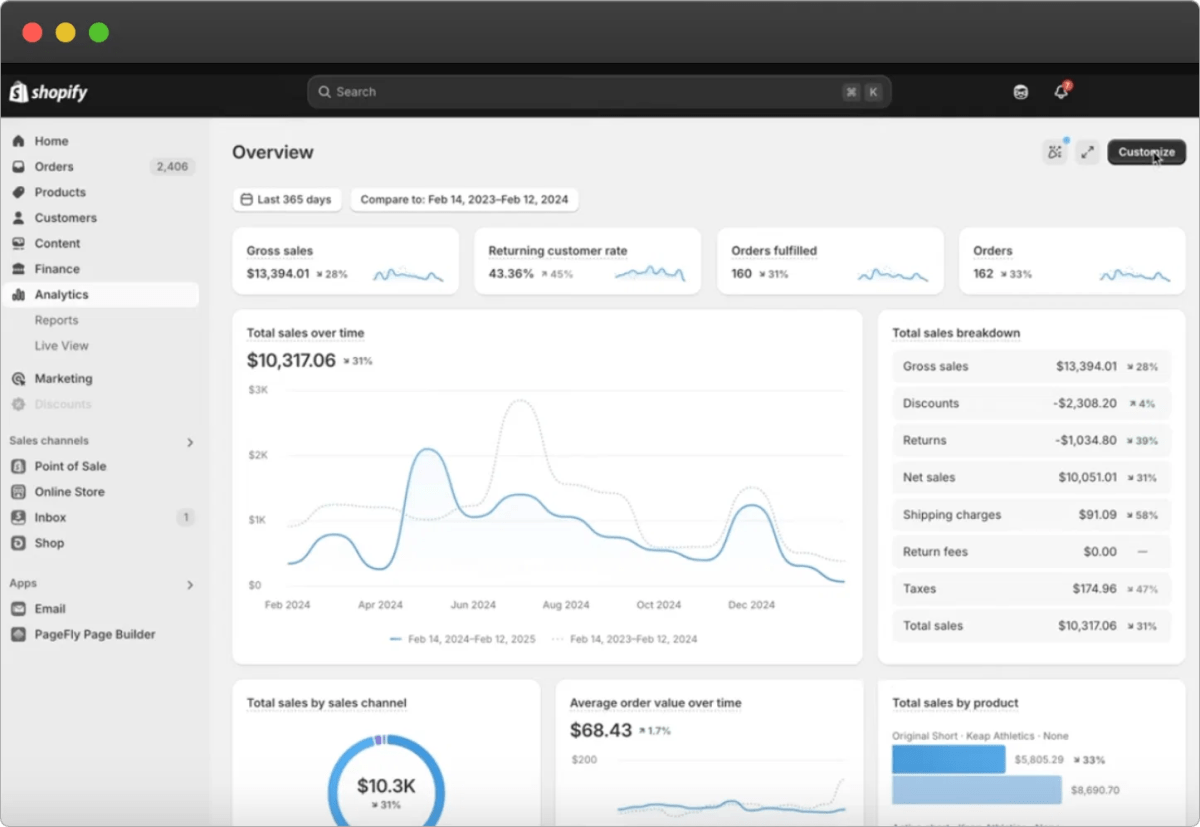
This works well for standard operational reports, including:
- Daily sales reports
- Sales by product
- Sales by channel
- Customer reports
- Inventory reports
Best for: Small to medium-sized stores that primarily rely on Shopify’s built-in analytics.
2. Install a Shopify Reporting or Shopify Analytics App
As reporting requirements become more advanced, many merchants choose a dedicated Shopify reporting app. These apps go beyond Shopify’s native reports by offering greater customization, automated report scheduling, and additional business metrics.
For example, some reporting solutions focus on operational reporting, while others specialize in financial analytics. Apps like TrueProfit focus on net profit, it automatically combines all the store’s ins and outs such as sales, revenue, ad spend, COGS, shipping costs, transaction fees, and any other expenses to generate real-time profit reports. And most importantly, it’s updated in real time.
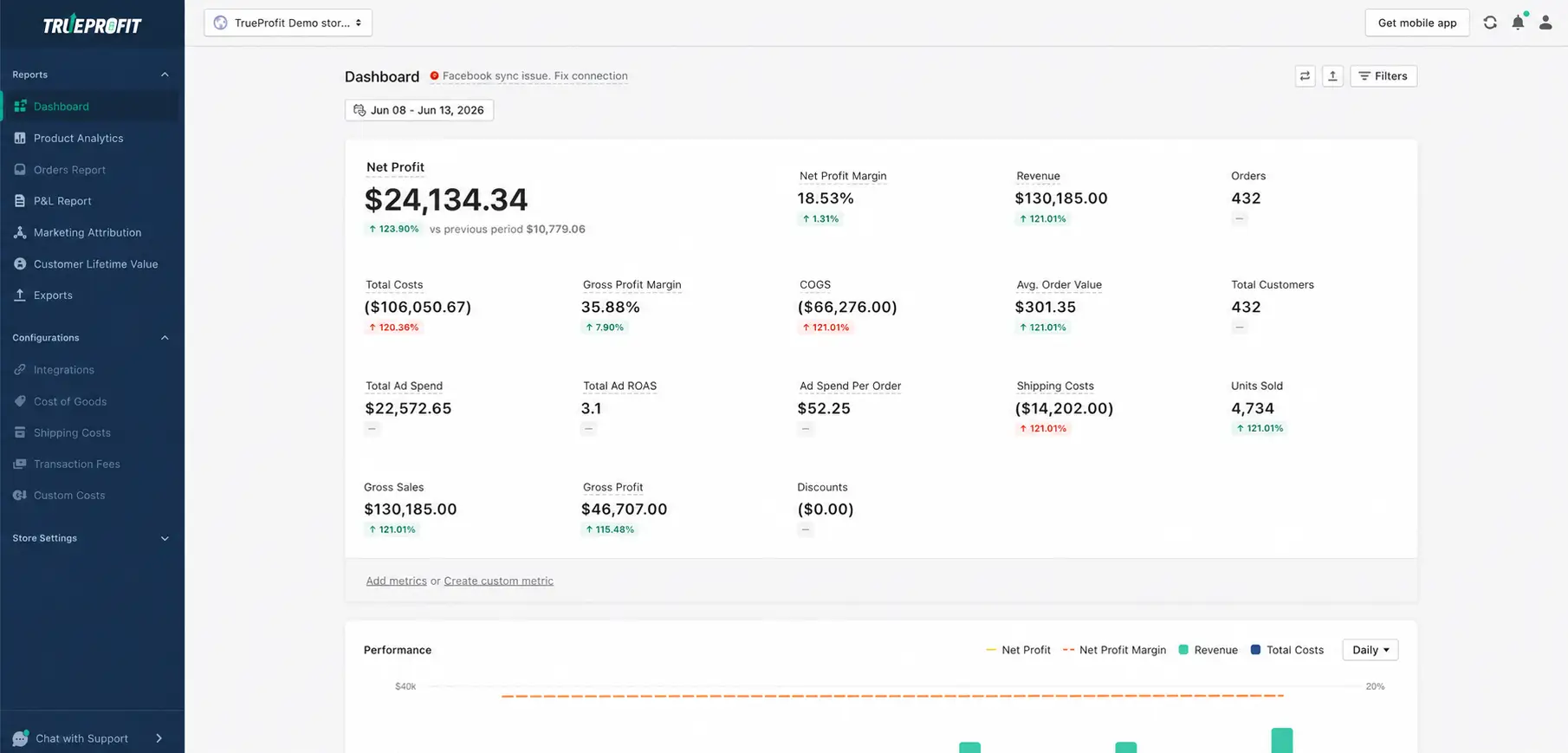
Key capabilities include:
- Real-time profit dashboards
- Product analytics and profitability reports
- Marketing attribution across sales channels
- Automated P&L and financial reporting
- Customer lifetime value (LTV) analysis
- Expense tracking with all-in-one data integrations
Best for: Growing stores that need accurate and real-time reporting than Shopify’s built-in reporting.
3. Build Business Intelligence Dashboards
As businesses scale, they often outgrow static reports and move toward interactive dashboards powered by business intelligence (BI) platforms.
These dashboards can combine Shopify with data from other business systems, such as:
- Google Analytics 4
- Advertising platforms
- Email marketing tools
- CRM software
- Accounting systems
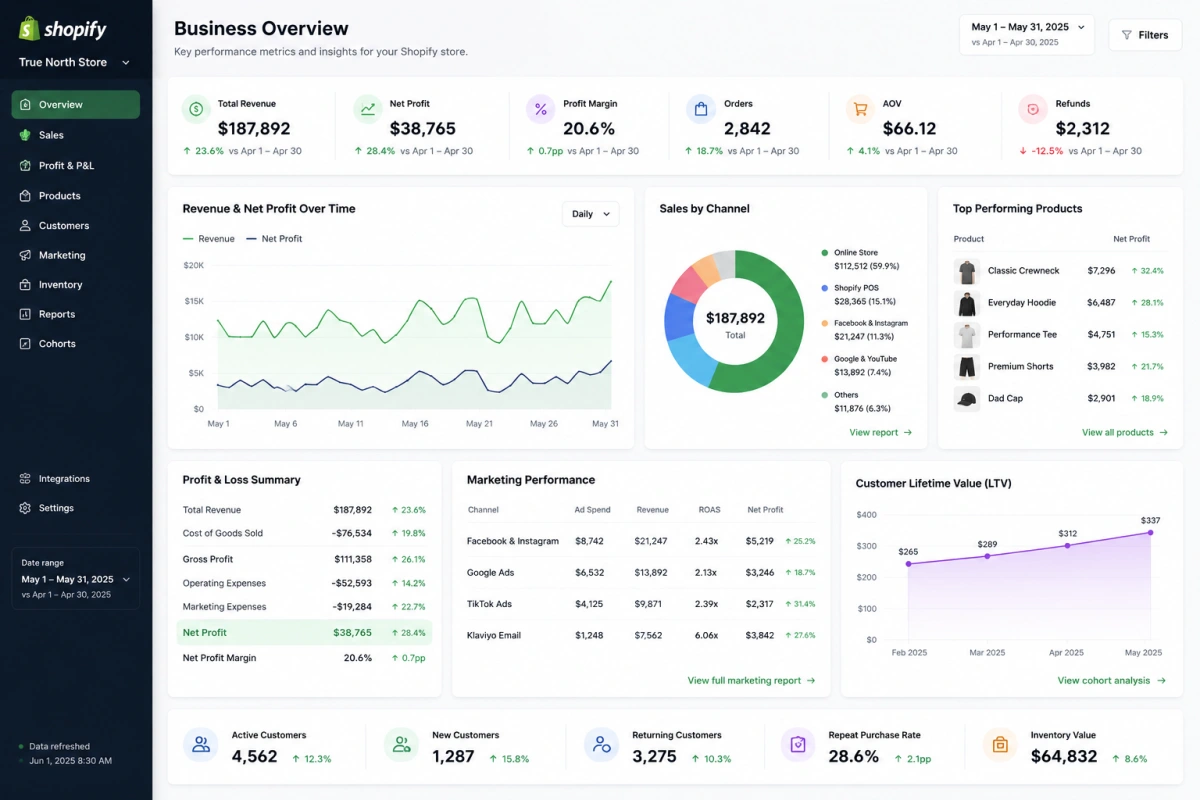
By centralizing multiple data sources, BI dashboards give leadership teams a complete view of revenue, profitability, customer acquisition, inventory, and operational performance.
Best for: Mid-sized and enterprise Shopify businesses managing multiple data sources.
4. Create Automated Reporting Workflows
Automation platforms like Zapier, Make, and n8n can trigger reports whenever important business events occur instead of waiting for a scheduled export.
For example, you can automatically:
- Send yesterday’s sales report to Slack every morning
- Notify your purchasing team when inventory falls below a threshold
- Update a Google Sheet after every new order
- Generate a weekly executive summary for stakeholders
- Create tasks whenever refund volume exceeds a predefined limit
This event-driven approach helps teams respond faster while eliminating repetitive manual work.
Best for: Businesses looking to automate operational workflows alongside reporting.

Common Mistakes I See Merchants Make When Automating Shopify Report
Automating the wrong report first
People often start with something flashy, like a full customer cohort breakdown, instead of the report that's actually costing them the most time every week. Start with whatever you're manually pulling most often, not whatever looks most impressive.
A quick way to find it: track your own time for one week. Whatever report you build or export by hand more than once, that's your first automation, not the one that'll look best in a deck.
Setting up a report and never checking it again
Reports drift. A channel gets added, a currency changes, a formula in a connected sheet quietly breaks. Give any automated report a quick sanity check every month or so, especially in the first few weeks after you set it up.
Put the check on your actual calendar. "I'll remember to look at it" is exactly how a broken report runs silently for three months before someone notices the numbers stopped making sense.
Confusing "automated" with "accurate"
Automation removes manual error, but it can also automate a mistake at scale if the setup was wrong to begin with. Check the first few deliveries closely before you trust the tenth one.
This matters most right after any change: a new sales channel, a currency switch, a pricing update. That's when a bad assumption baked into the setup is most likely to surface, and it'll keep repeating every cycle until someone catches it.
Sending everything to everyone
Just because you can add ten recipients to a report doesn't mean you should. Send people the two or three numbers they actually act on, not the full dataset.
If you're not sure what someone actually needs, ask them directly: "What number do you check first when this lands in your inbox?" Build the report around that answer, not around what's technically available to include.
Best Practices for Report Automation
Match frequency to the decision, not the calendar
Sales summaries usually work fine weekly. Inventory alerts need to be closer to real-time. Tax and financial summaries are typically a monthly job. If everything arrives daily, you're just training people to stop opening it.
Ask yourself, for each report: "If this showed up an hour later, would anyone's decision change?" If the answer is no, you've picked the wrong frequency.
Don't over-automate
Report fatigue is real, and I've watched it happen more than once. Flood stakeholders with reports and they'll tune out every single one, including the ones that actually matter. Start with two or three that drive a real decision - a weekly sales summary and a monthly P&L is a solid baseline - and only add more when there's a clear reason to.
Before adding a new report, ask what decision it's supposed to change. No clear answer means no new report, no matter how easy it is to set up.
Standardize the format across your team
Set up shared templates once so accountants, partners, and fulfillment all read the same numbers the same way, instead of everyone reconciling a slightly different format every cycle.
This also saves you from the classic mismatch: your VA's spreadsheet defines "revenue" one way, your accountant defines it another, and nobody notices until the two numbers don't match at quarter-end.
Pair scheduled reports with a live dashboard
Scheduled reports are great for periodic review, but some numbers deserve always-on visibility. A real-time profit dashboard, for example, tells you between reporting cycles whether your conversion rate gains are actually turning into real money, instead of waiting until next Monday to find out.
Treat scheduled reports as your rearview mirror and a live dashboard as your windshield - you need both, but you shouldn't be steering by the one that only updates once a week.
Be deliberate about who sees what
When reports go to external channels, think about access. Use role-based permissions inside your reporting app, avoid routing sensitive financials to a shared email alias, and check GDPR or local privacy rules before you auto-export customer data anywhere.
A shared inbox or Slack channel isn't access control - anyone with the login can see it, and anyone who leaves the team keeps seeing it until someone remembers to revoke it.
Final Thoughts
Automating Shopify reports is not about building the most complex dashboard possible. It is about making the right numbers show up at the right time, for the right people, without forcing anyone to dig through exports every week.
Start small. Automate the reports you actually use to make decisions: yesterday’s sales, net profit, low inventory, refunds, and marketing performance. Once those are reliable, you can layer in more advanced reporting, BI dashboards, or workflow automation.
For most Shopify stores, the best setup is usually a mix of tools. Shopify’s native reports can cover the basics. Reporting apps can handle custom reports and scheduling. Profit-focused tools like TrueProfit help connect revenue with actual margins. And automation platforms like Zapier, Make, or n8n are useful when reports need to trigger actions across the business.
The goal is simple: spend less time pulling numbers, and more time acting on them.

Harry Chu is the Founder of TrueProfit, a net profit tracking solution designed to help Shopify merchants gain real-time insights into their actual profits. With 11+ years of experience in eCommerce and technology, his expertise in profit analytics, cost tracking, and data-driven decision-making has made him a trusted voice for thousands of Shopify merchants.