15 Best AI Tools for Small Business Owners 2026 (Tested & Categorized)


Table of Contents
- 1. Top AI Solutions for Small Businesses at a Glance
- 2. Category 1: All-in-One AI Assistants
- 3. Category 2: Marketing and Content Creation
- 4. Category 3: Design and Creative
- 5. Category 4: Sales, CRM, and Customer Support
- 6. Category 5: Operations and Automation
- 7. Category 6: Finance and Profit Tracking
- 8. Category 7: Meetings and Productivity
- 9. How to Choose the Right AI Tool That Actually Fits Your Workflow
- 10. Final Thoughts
- 11. Best AI Tools For Small Business FAQs
Meta: A practical 2026 guide to the best AI tools for small business owners, organized by category and real-world applications.
The best AI tools for small businesses should do one thing well: solving a specific problem - like writing product copy faster, tracking real profit margins, automating repetitive customer questions, building a sales pipeline without hiring, that kind of thing.
Instead of overwhelming you with a long list, this guide organizes 20+ AI tools by use case so you can quickly find the right fit for your workflow. I evaluated each tool based on its real-world value for small businesses, with a particular focus on ecommerce. Here's where to start.
In this blog:
- 1. Top AI Solutions for Small Businesses at a Glance
- 2. Category 1: All-in-One AI Assistants
- 3. Category 2: Marketing and Content Creation
- 4. Category 3: Design and Creative
- 5. Category 4: Sales, CRM, and Customer Support
- 6. Category 5: Operations and Automation
- 7. Category 6: Finance and Profit Tracking
- 8. Category 7: Meetings and Productivity
- 9. How to Choose the Right AI Tool That Actually Fits Your Workflow
- 10. Final Thoughts
- 11. Best AI Tools For Small Business FAQs
Top AI Solutions for Small Businesses at a Glance
The AI landscape is crowded, but each tool serves a different purpose. Use the table below as a quick reference to compare their strengths, pricing, and ideal use cases.

Category 1: All-in-One AI Assistants
These tools handle multiple business functions in one place. If you're adopting AI for the first time, start here.
1. ChatGPT (OpenAI)
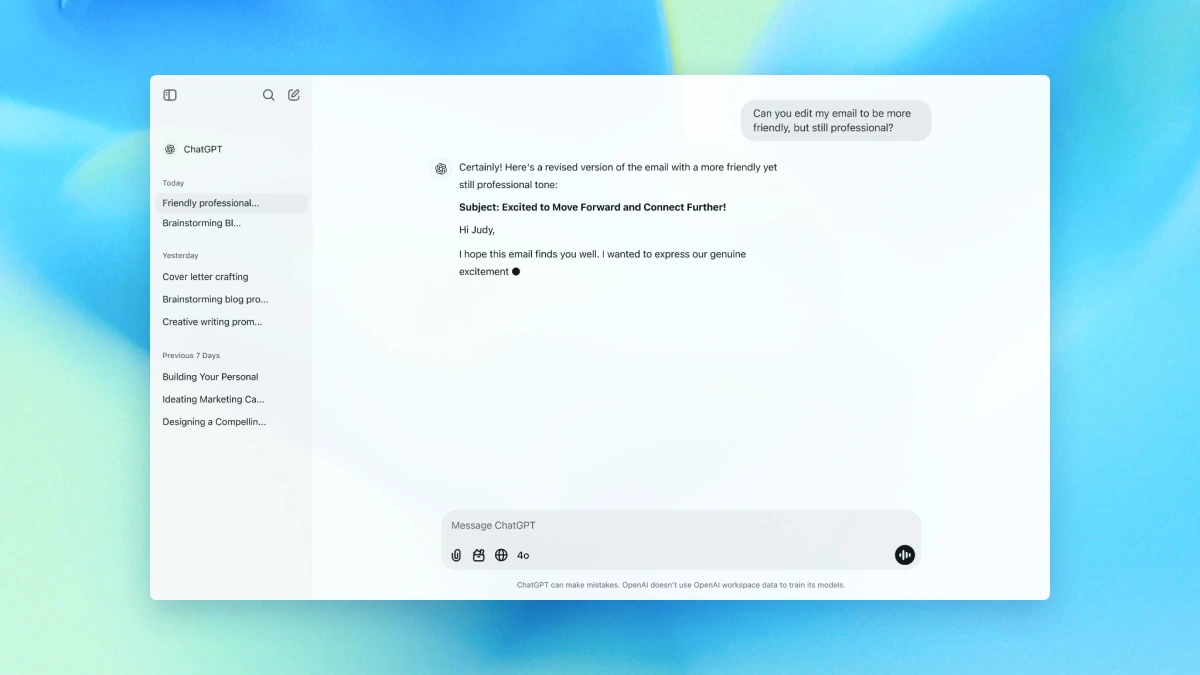
ChatGPT is the Swiss army knife of AI tools for small business owners. It handles email drafts, blog outlines, product descriptions, customer replies, ad copy, and brainstorming, all without switching between apps. For ecommerce brands, it works as a first-pass copywriter, customer email responder, and research assistant rolled into one.

Hero Features
- ChatGPT remembers your business type, audience, and preferred tone from past conversations, so you don't have to repeat yourself every session.
- Handles content creation, research, data analysis, brainstorming, and image generation in one place.
- Creates product descriptions, ad copy, emails, FAQs, and supplier messages from a single prompt.
Pros
- Covers more use cases than any other single tool on the market.
- Features like Projects let you separate different stores or workflows without mixing up context.
- Massive community means plug-and-play prompts and tutorials are easy to find.
Cons
- Output quality still depends heavily on how well you frame your prompt. Garbage in, garbage out.
- On the basic plan, you can't easily upload a spreadsheet of 500 products and get 500 descriptions back. Specialized ecommerce tools handle that better.
- Free tier gets throttled during peak hours, limiting access to the best models.
Pricing
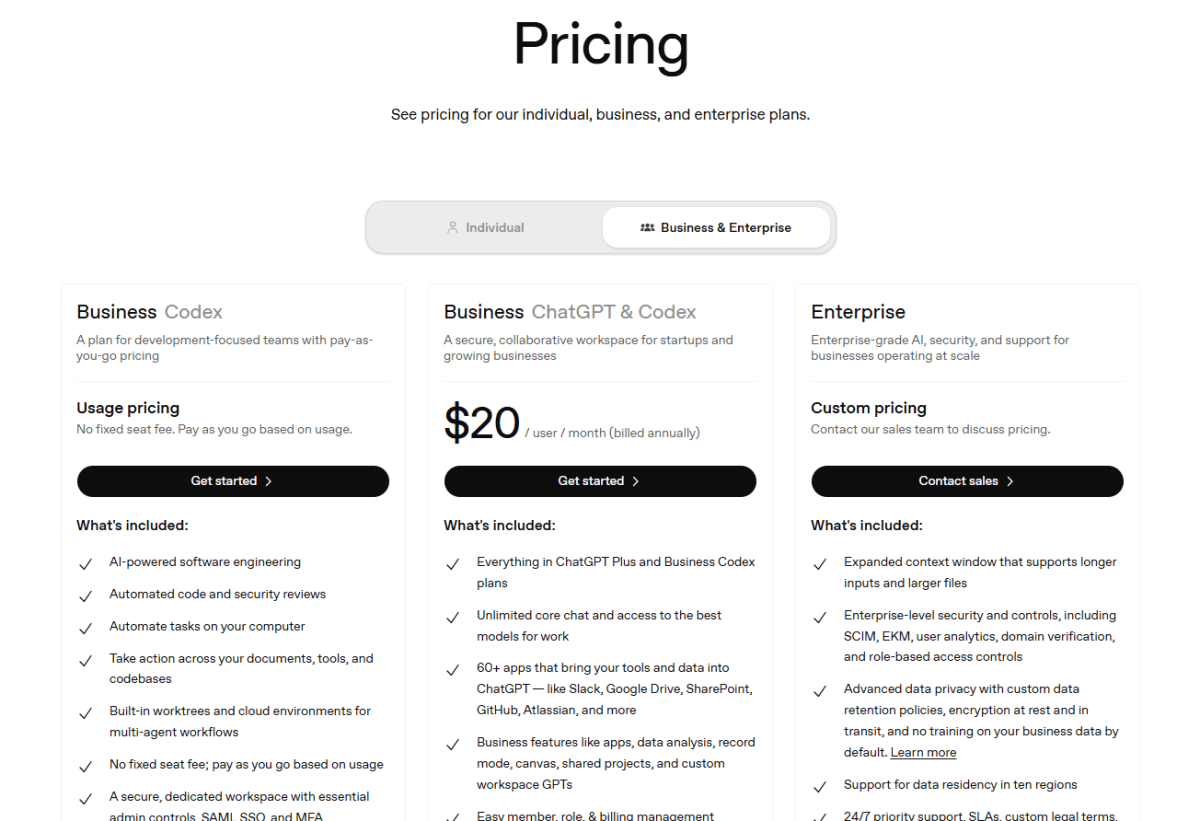
The Free plan works fine for basic daily text drafting. Upgrading to ChatGPT Plus at $20/month is the sweet spot for solo owners or small teams.
2. Notion AI
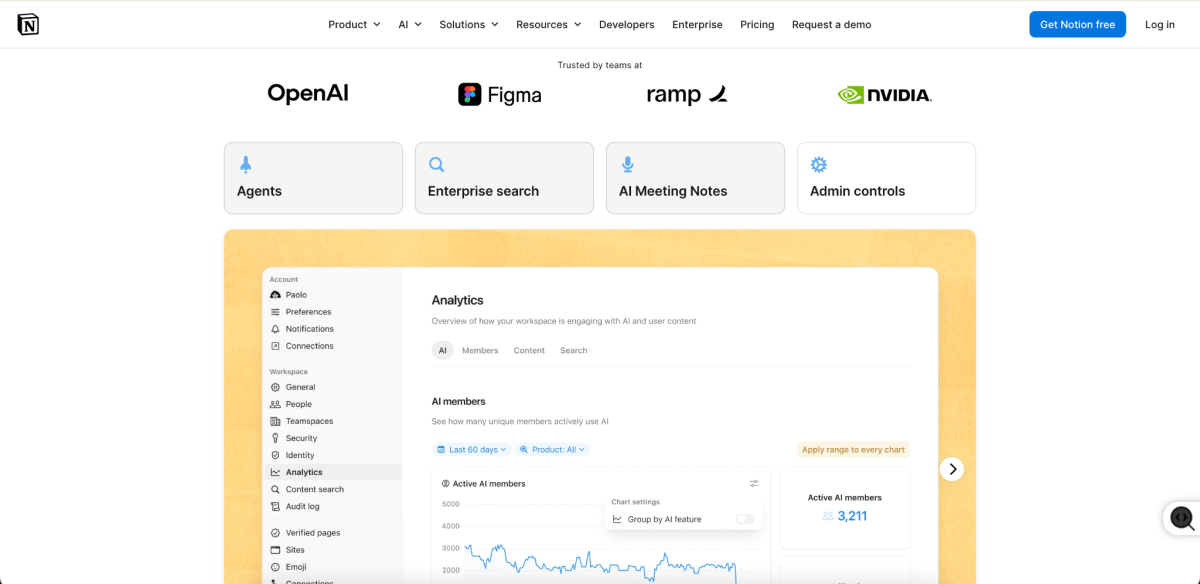
Notion AI adds writing assistance and summarization to an already solid project management platform. Small ecommerce teams use it to centralize SOPs, draft product briefs, summarize vendor meeting notes, and manage inventory workflows in one shared workspace.
Hero Features
- Automatically fills in spreadsheet cells, generating product descriptions, translating tags, or summarizing supplier specs right inside your inventory tables.
- Condenses long supplier email threads, manufacturing quotes, or Zoom transcripts into clear, actionable bullet points.
- Uses your existing workspace data to draft launch checklists, return policies, and employee onboarding manuals.
Pros
- Kills app fatigue by combining project management, internal wikis, and AI writing in one place.
- The AI assistant can search across your entire workspace to answer questions (e.g., "What was our Q1 shipping policy for fragile items?").
- Very low learning curve for non-technical team members.
Cons
- For creative, long-form sales copy or ad angles, standalone tools like ChatGPT or Claude still produce better results.
- If your team doesn't keep things organized, the workspace quickly turns into a digital junk drawer.
Pricing
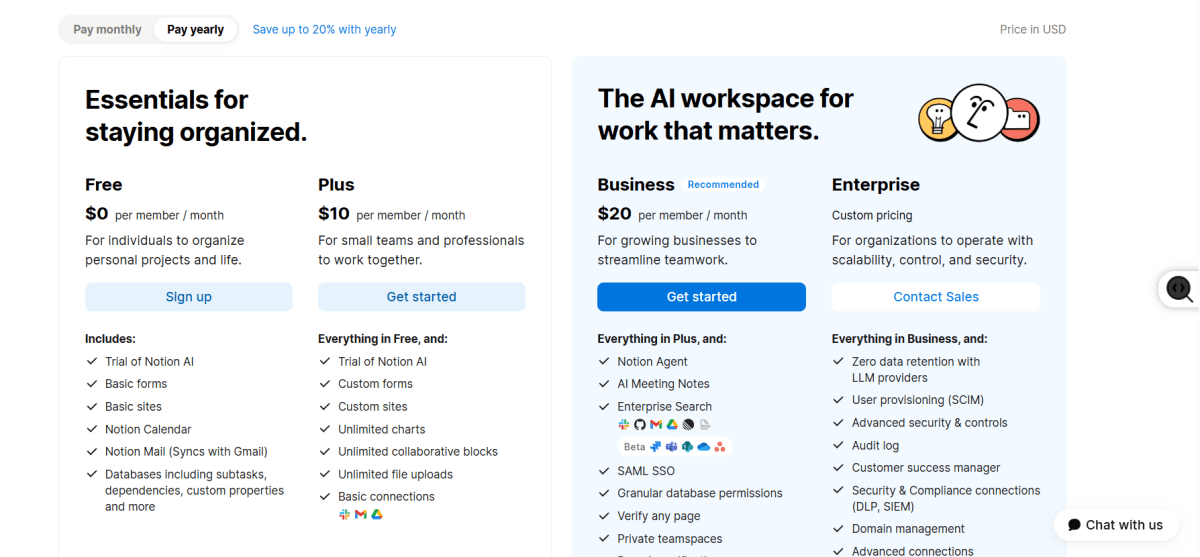
If you’re already using Notion, Notion AI is available as an integrated feature. For new users, access requires a paid Notion subscription starting at around $12–$24 per user/month (billed monthly), with AI built directly into the workspace. It’s also free for individuals.
3. Google Workspace Gemini
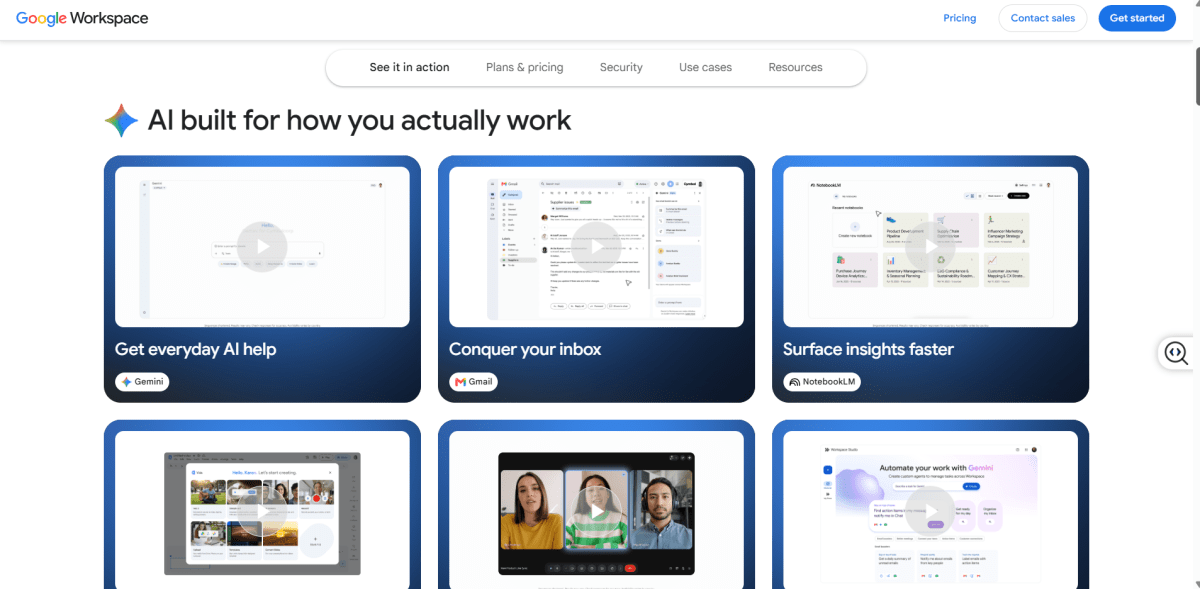
Google Workspace Gemini is a web-first AI assistant built directly into Gmail, Google Docs, Sheets, Slides, and Drive. It shines at pulling information across files and speeding up marketing copy workflows.
Hero Features
- Drafts marketing emails, product docs, and internal SOPs directly inside Google Docs and Gmail.
- Turns information from Gmail, Drive, and Sheets into reports, presentations, and planning documents with minimal manual work.
- Acts as an AI layer across your existing Google Workspace instead of requiring a separate chatbot or workflow.
Pros
- Feels lightweight and responsive when jumping between browser tabs.
- Produces conversational copy that needs less editing for client-facing emails and marketing pitches.
- Extremely easy to pick up, high adoption rates even among non-technical teams.
Cons
- Spreadsheet capabilities in Google Sheets lag behind Copilot's deeper programming and macro features in Excel.
- Heavily cloud-dependent, so it's less useful during offline work.
- Advanced team workflows and asset generation features are locked behind higher pricing tiers.
Pricing
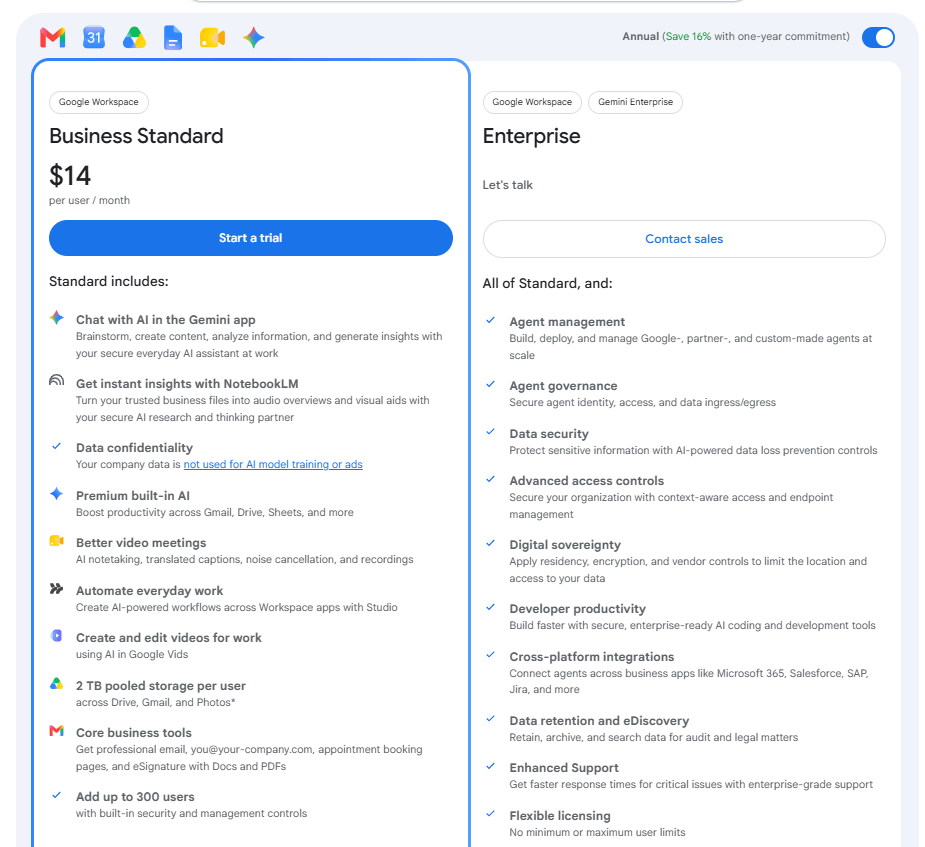
If you’re already using Google Workspace, Gemini is included in supported plans at no additional cost. For new users, access comes as part of Google Workspace subscriptions starting from around $14/user/month.
Category 2: Marketing and Content Creation
These tools help you produce marketing content faster without sacrificing quality. For ecommerce brands, content directly drives traffic and conversions.
4. Jasper
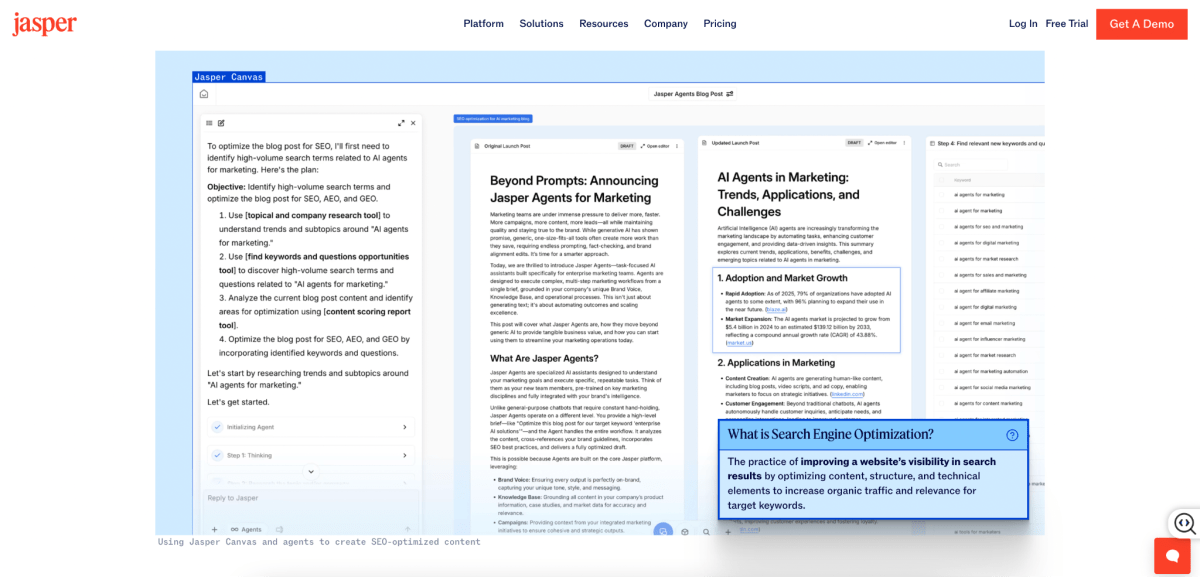
Jasper is purpose-built for marketing teams that publish content regularly. It learns your brand voice and generates blog posts, ad copy, landing pages, and email campaigns that actually sound like your business. For ecommerce brands putting out weekly content, Jasper cuts editing time significantly because first drafts already match your tone.
Hero Features
- Learn your tone, style guidelines, and forbidden words by analyzing your website or top-performing ad copy.
- Pre-built frameworks for product launches, Amazon listings, seasonal promos, and high-converting ad variations.
- Generate a complete multi-channel launch package (Facebook ad, email sequence, landing page) from a single brief.
Pros
- Best-in-class for keeping multiple freelancers or VAs on-brand. Nobody writes off-tone.
- Turns a 2-week campaign prep cycle into an afternoon task.
- Built-in marketing frameworks (AIDA, PAS) give the AI structured output, not just freeform text.
Cons
- No permanent free tier, and the entry price is steep for bootstrapped, pre-revenue businesses.
- Week one requires real effort to upload assets and train the brand memory.
- Output is accurate on product specs but occasionally needs a human touch for local slang, humor, or cultural nuance.
Pricing
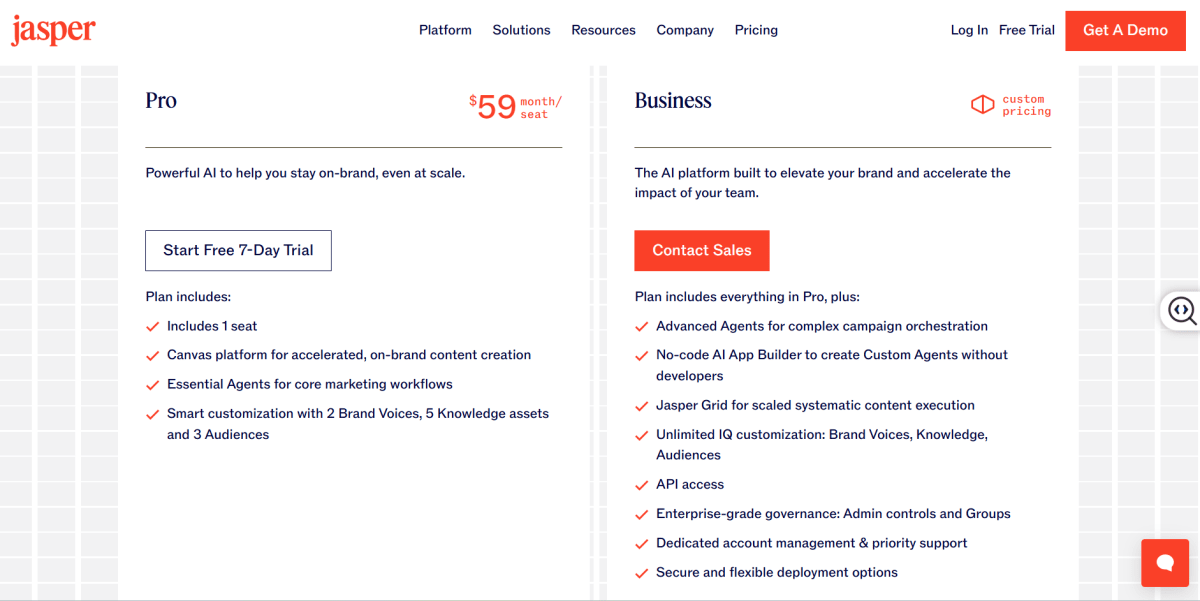
Pro plan at $59/mo adds collaboration. For an ecommerce brand spending 10+ hours/week on content, the time savings justify the cost quickly.
5. Surfer SEO
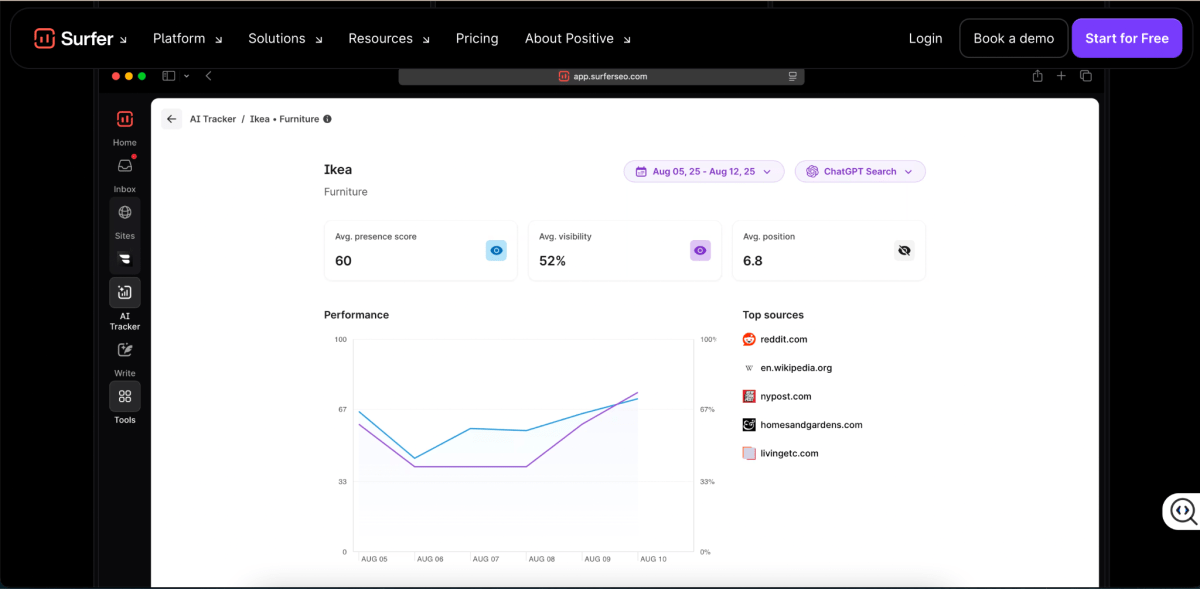
Surfer SEO is an on-page optimization platform that reverse-engineers search results and models your content structure after top-ranking competitors.
Hero Features
- Grades your drafts for visibility on both traditional Google search and AI Overview citations.
- Automatically fills in missing semantic keywords, adjusts header layouts, and fixes keyword density gaps with one click.
- Multi-store owners can isolate brand kits, target audiences, and internal link strategies per domain.
Pros
- Ensures your content is structured the way search engines want to read it.
- Gives precise guidelines for word counts and semantic terms based on live competitor data.
- Plugs directly into Google Docs and WordPress, no manual copy-pasting.
Cons
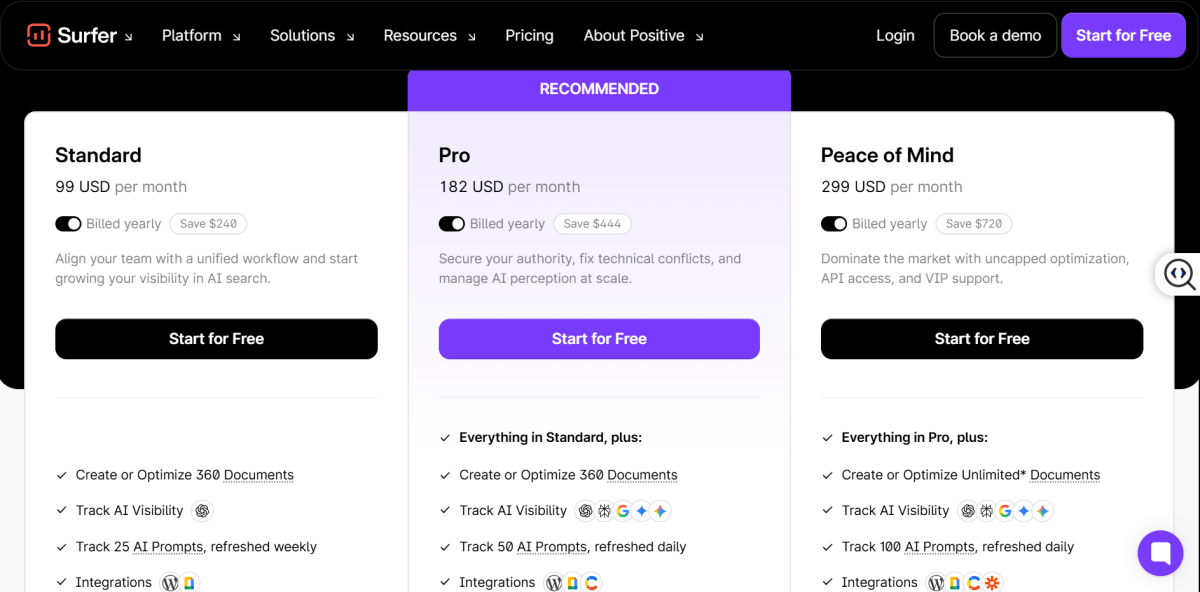
- No free tier and starts near $100/mo, which is a tough pill for bootstrapping brands.
- Chasing a perfect 100/100 Surfer SEO content score can make content feel robotic if you're not careful.
- Can't fix underlying technical SEO issues or close massive domain authority gaps from competitor backlinks.
Pricing
The Essential Plan runs between $99 and $182/month. The Scale plan goes for $299/month.
Category 3: Design and Creative
From product photos to social media graphics, AI can speed up almost every part of the creative workflow.
6. Canva Magic Studio
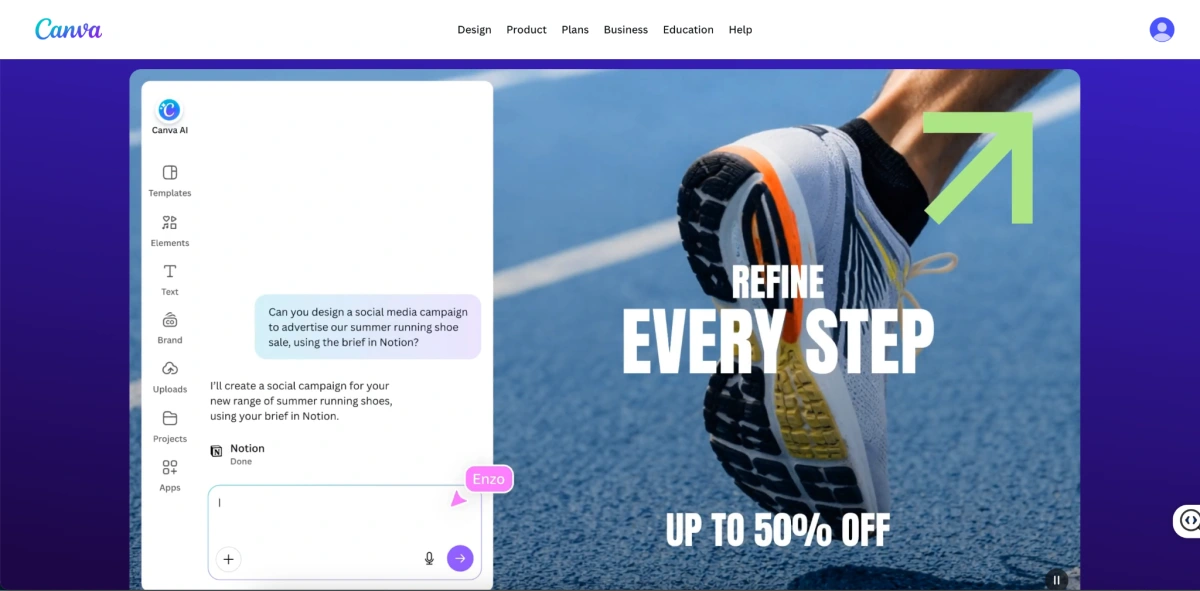
Canva Magic Studio is an AI-powered design tool that lets small ecommerce businesses create product images, social media graphics, email banners, and ad creatives without hiring a designer.
Hero Features
- Converts text prompts into fully layered, editable graphic layouts - you can rearrange backgrounds, text, and graphics manually after the AI builds it.
- Removes subjects from photos cleanly, so you can reposition products, resize items, or swap backgrounds.
- Instantly reformats a finished design (e.g., a square Instagram post) into a TikTok banner, email header, or multi-language asset with one click.
Pros
- Free plan covers most basic design needs
- No design skills required for professional-looking output
- Massive template library covers social posts, ads, emails, and packaging
Cons
- Monthly limits on advanced AI generation features, with tracking that downgrades tools during heavy use.
- AI image generation quality is decent but not best-in-class
- Limited advanced editing compared to tools like Photoshop
Pricing
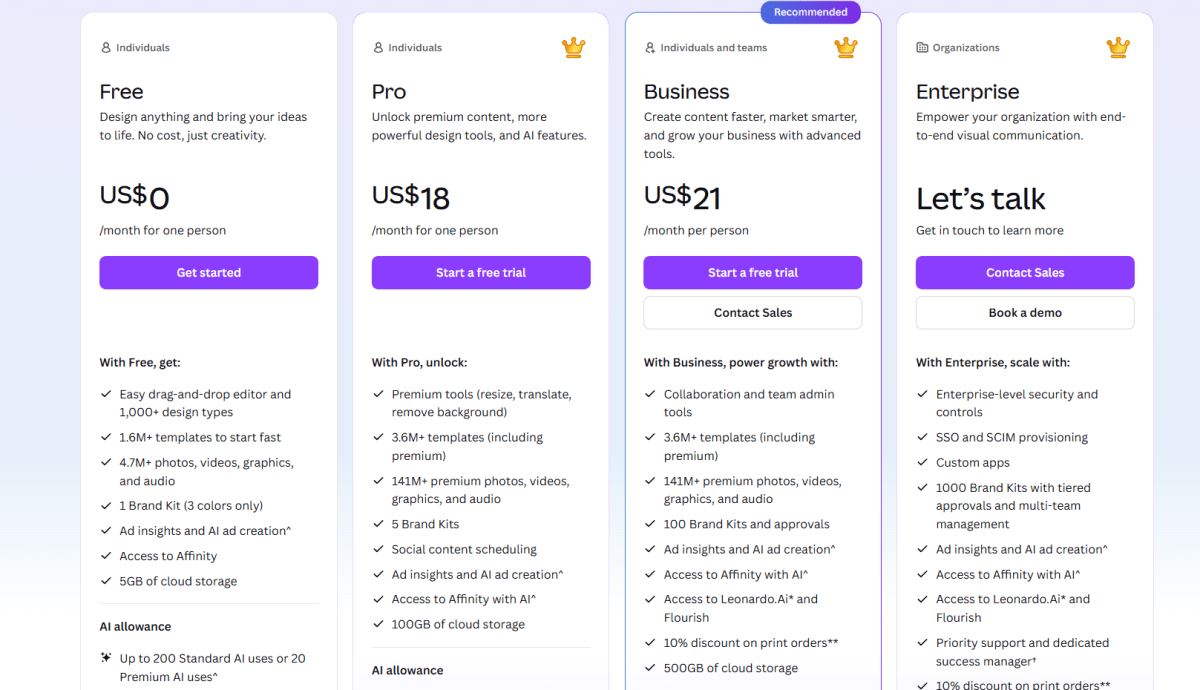
AI Canvas is included in your current Canva plan and available directly inside the platform with no separate setup required. For new users, the Free plan is enough for basic social media graphics and simple product images, while Canva Pro and Business plans, starting at around $18–$21/month.

Category 4: Sales, CRM, and Customer Support
These tools help you find leads, close deals, and keep customers happy without a large team.
7. HubSpot AI
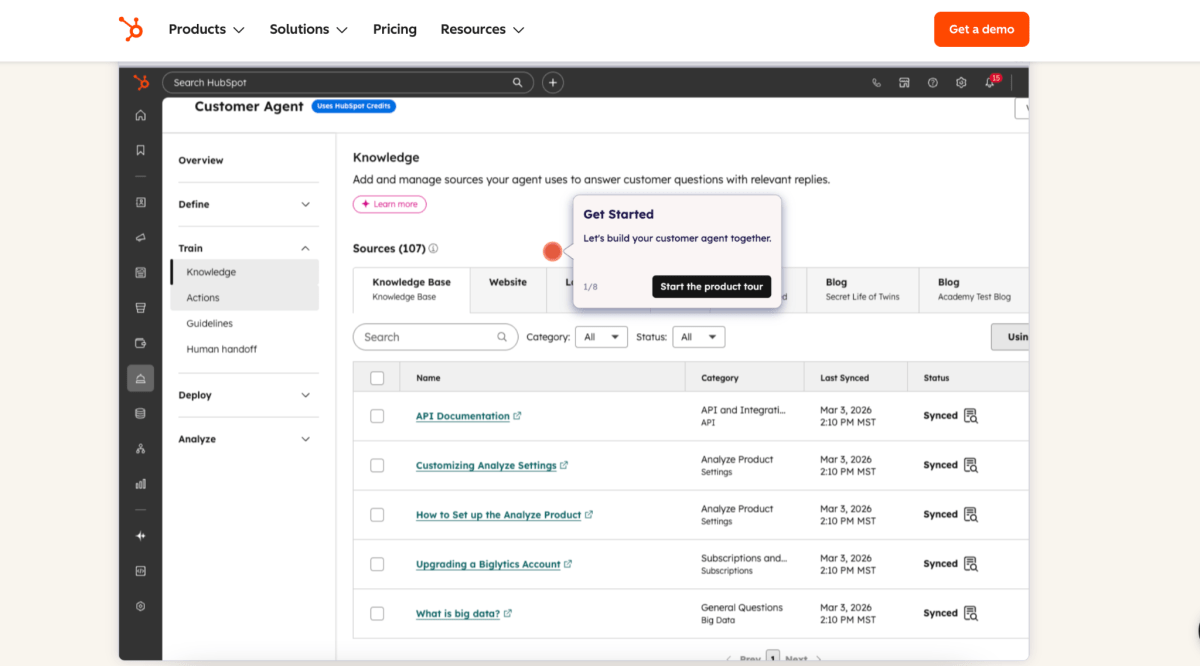
HubSpot CRM is one of the best starting points for small businesses building a structured sales process. AI features handle lead scoring, email personalization, and follow-up reminders. For ecommerce brands doing B2B wholesale or high-ticket DTC sales, it organizes your pipeline without the complexity of enterprise tools.
Hero Features
- Scans past interactions to identify which prospects are most likely to convert.
- Smart email templates adapt messaging dynamically, with send-time optimization to hit inboxes when leads are active.
- Free tier includes contact management, deal tracking, and basic pipeline reporting.
Pros
- One of the most feature-rich free CRMs available.
- Clean, intuitive dashboard with a minimal learning curve.
- Scales smoothly from 1 to 50+ users without forcing you to switch platforms.
Cons
- Advanced automation and reporting require paid plans that get expensive fast
- Marketing Hub add-ons escalate pricing significantly at higher tiers
- Ecommerce-specific features are limited compared to dedicated ecommerce CRMs
Pricing
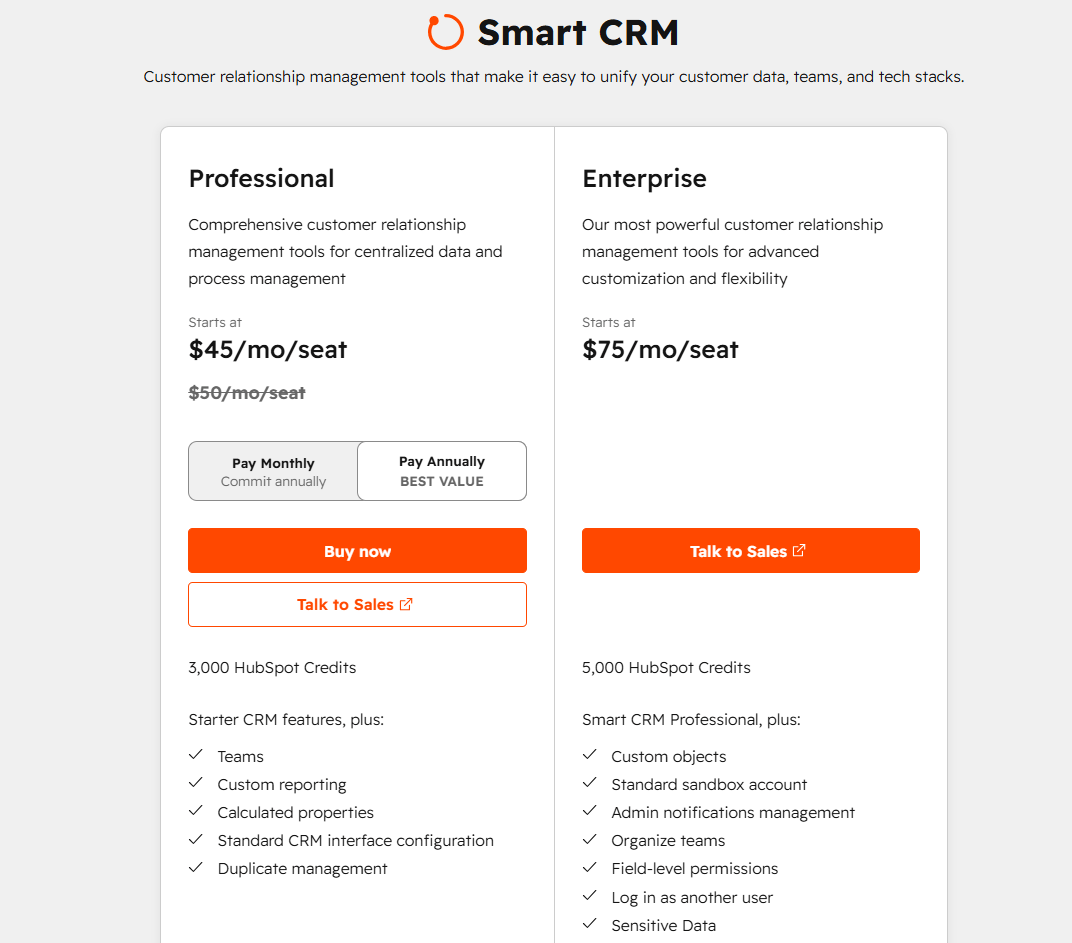
Pro plan at $45/seat/mo adds automation and removes HubSpot branding. Enterprise tier goes for $75/seat/mo.
8. Salesforce
Best for: AI-powered CRM, customer engagement, and business automation
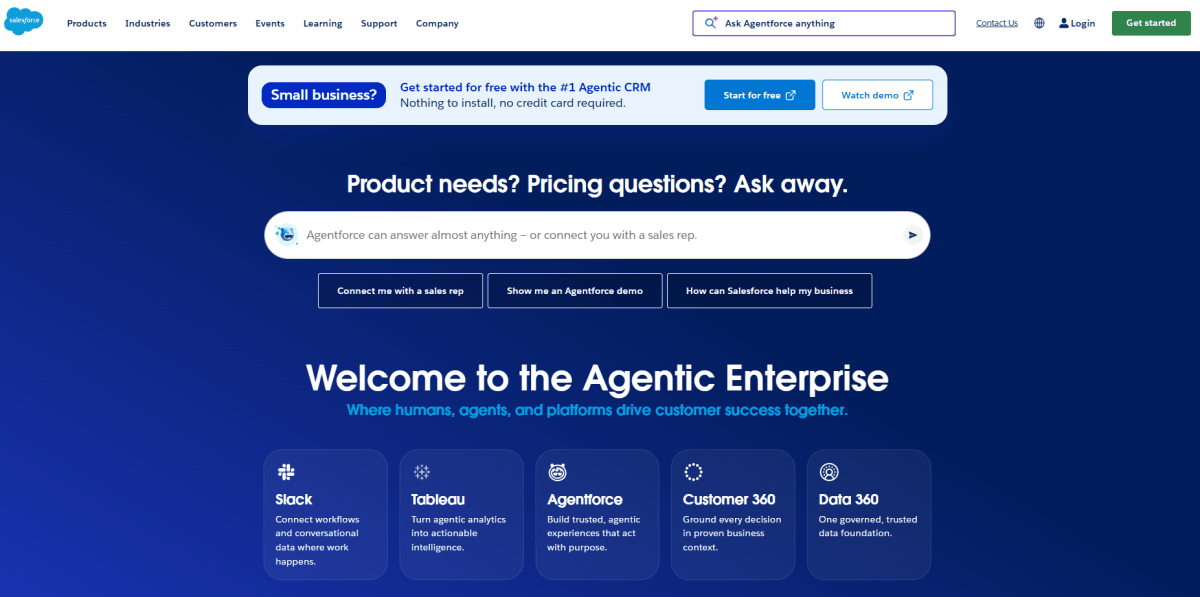
Salesforce is a cloud-based CRM platform that helps businesses unify sales, service, marketing, and commerce in one place. With AI-powered tools like Agentforce, businesses can automate customer interactions, streamline workflows, and gain real-time insights to improve productivity, strengthen customer relationships, and deliver personalized experiences across every stage of the customer journey.
Hero Features
- Agentforce uses autonomous AI agents to assist with customer service, sales, and business workflows.
- Customer 360 provides a unified view of customer data across sales, service, marketing, and commerce.
- Flow Automation enables teams to automate repetitive business processes using low-code workflow tools.
Pros
- Comprehensive CRM platform with built-in AI and automation.
- Scalable solution suitable for growing businesses and enterprises.
- Extensive integration ecosystem through AppExchange.
Cons
- Higher-tier plans are required for many advanced AI features.
- Initial setup and customization can take time.
- Learning curve is steeper than many entry-level CRM platforms.
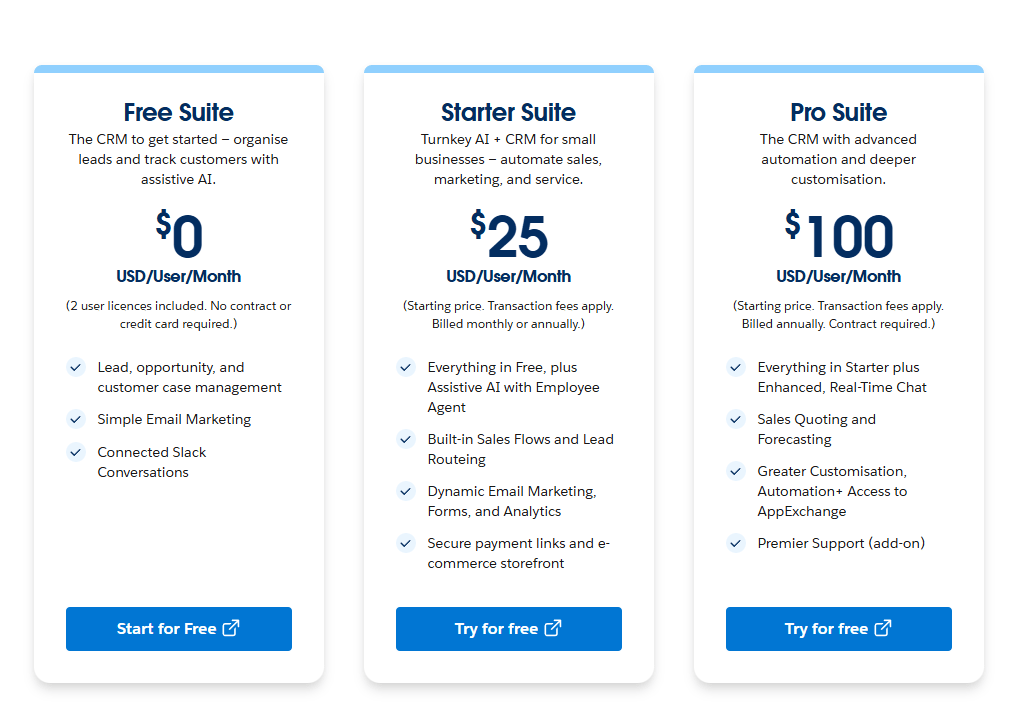
- While the entry plan is affordable, small businesses should budget carefully since Agentforce and other advanced AI features require a paid add-on ($125+ per user/month) or a higher-tier edition.
Pricing
Starter Suite starts at USD $25 per user/month (billed annually). Higher-tier plans unlock advanced AI, automation, analytics, and enterprise capabilities.
9. Tidio
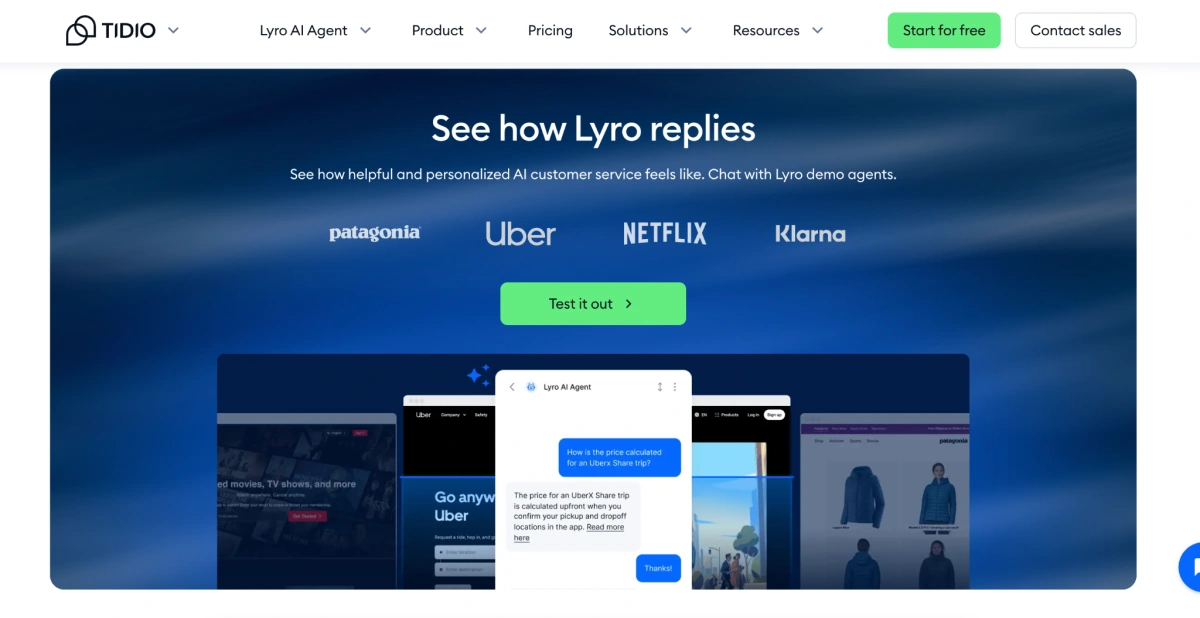
Tidio is a customer service platform that combines live chat, ticketing, and AI automation in a single widget designed to capture leads and resolve buyer questions on ecommerce storefronts.
Hero Features
- An AI support bot (Lyro) that trains directly on your store's FAQ pages, Shopify catalog, or PDF policies to handle up to 70% of tickets without human involvement.
- Merges live chat, email tickets, Instagram DMs, WhatsApp, and Facebook Messenger into one workspace for agents.
Pros
- Reduces support workload significantly for stores with repetitive inquiries
- Drag-and-drop automation builder requires zero coding to deploy
Cons
- Lyro AI accuracy depends on the quality of your FAQ and knowledge base content
- Advanced automation features require the $29/mo paid plan
- Per-conversation pricing on Lyro can add up for high-volume stores
Pricing
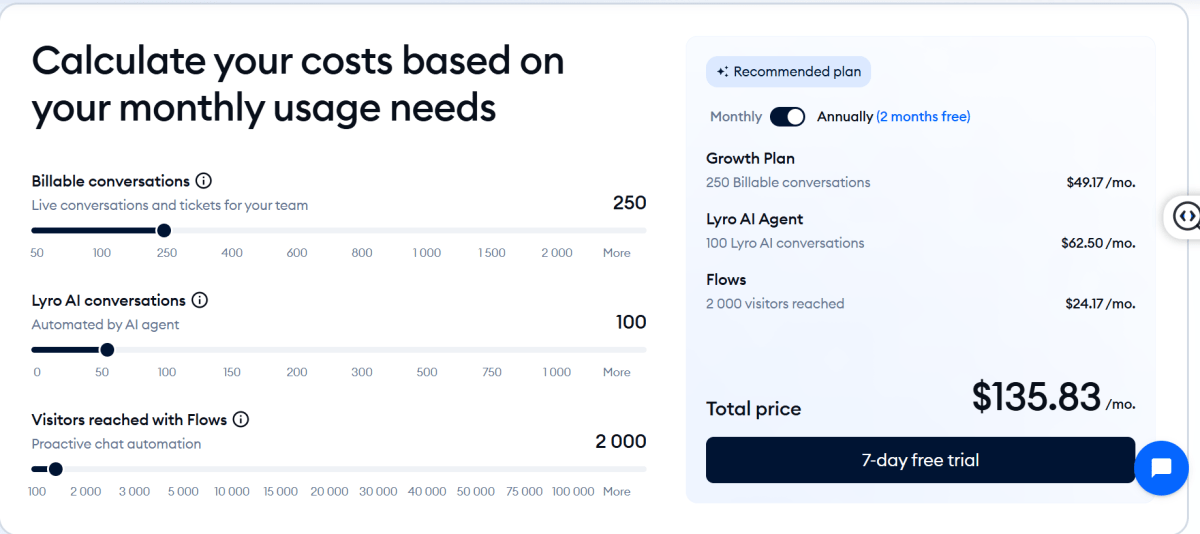
Tidio charges primarily by monthly conversation volume and feature add-ons rather than per-seat.
Category 5: Operations and Automation
Tools built specifically for online sellers, covering product copy, email capture, reviews, and workflow automation.
10. Copy.ai
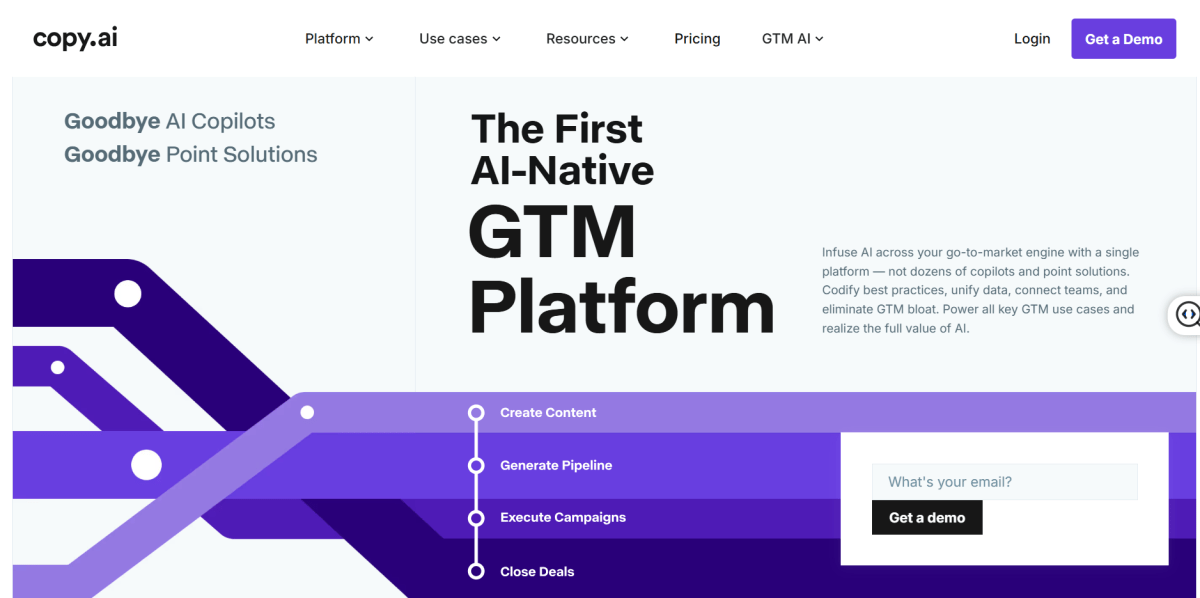
Copy.ai has evolved from a basic copywriting assistant into a workflow automation platform built for high-volume marketing tasks and ecommerce catalog management at scale.
Hero Features
- Upload a CSV of hundreds of raw product specs, and the AI outputs structured SEO descriptions, meta tags, and ad copy into an exportable sheet.
- A central repository for your brand guidelines, product catalogs, and audience personas so the AI never loses context.
- Build a workflow where inputting a single product URL automatically generates a Facebook ad, email blast, and Twitter/X post in one go.
Pros
- Best option on the market for dropshipping stores, print-on-demand brands, or storefronts with thousands of seasonal SKUs that need rapid deployment.
- Gives you access to top-tier reasoning engines (including OpenAI's o3-mini and Anthropic's Claude Sonnet) inside a single subscription.
- Solid multi-language engines for translating and adapting technical product details for international storefronts.
Cons
- Multi-step workflows require a basic grasp of logic strings and variables, a barrier for non-technical users.
- Optimized for conversion copy and short-form content; falls behind ChatGPT for long-form narrative writing.
- The interface can feel complex if you only need a quick paragraph.
Pricing
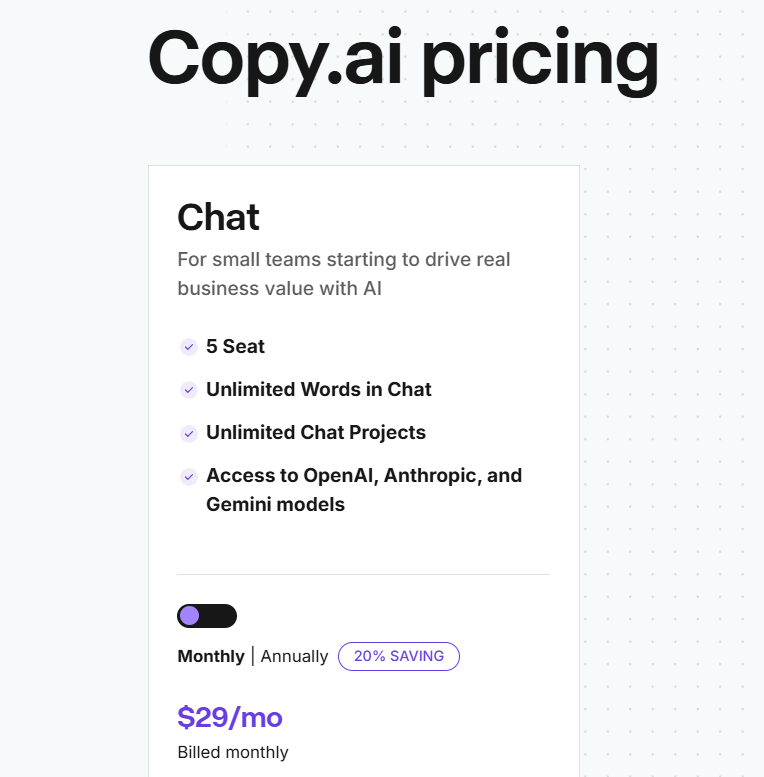
Copy.ai offers a paid plan starting at $29/month (annual vs. monthly billing).
11. Shopify Magic
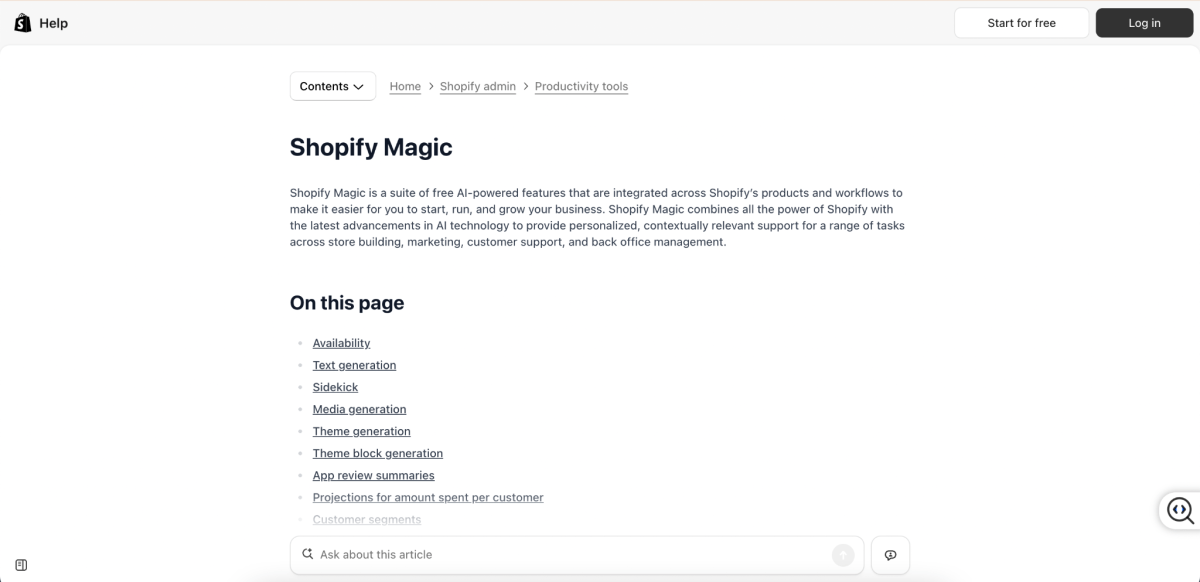
Shopify Magic is a free suite of built-in AI tools inside the Shopify admin. It handles copywriting, image editing, and basic customer support without needing external apps.
Hero Features
- Drafts search-optimized product descriptions, email subject lines, and blog post outlines right inside the text editors you already use.
- Sidekick chat assistant answers store management questions inside your admin.
Pros
- Free if you already use Shopify. No extra cost.
- Zero setup. Works inside the Shopify admin you already use.
- Product description quality is solid for standard catalog items.
Cons
- Limited customization compared to dedicated AI writing tools
- Can't handle long-form content like blog posts or landing pages
- Quality drops for complex or technical products that need nuanced descriptions
Pricing
Shopify Magic is free for all active Shopify merchants. No per-prompt costs or usage limits. You just need an active paid Shopify plan.
12. Zapier AI
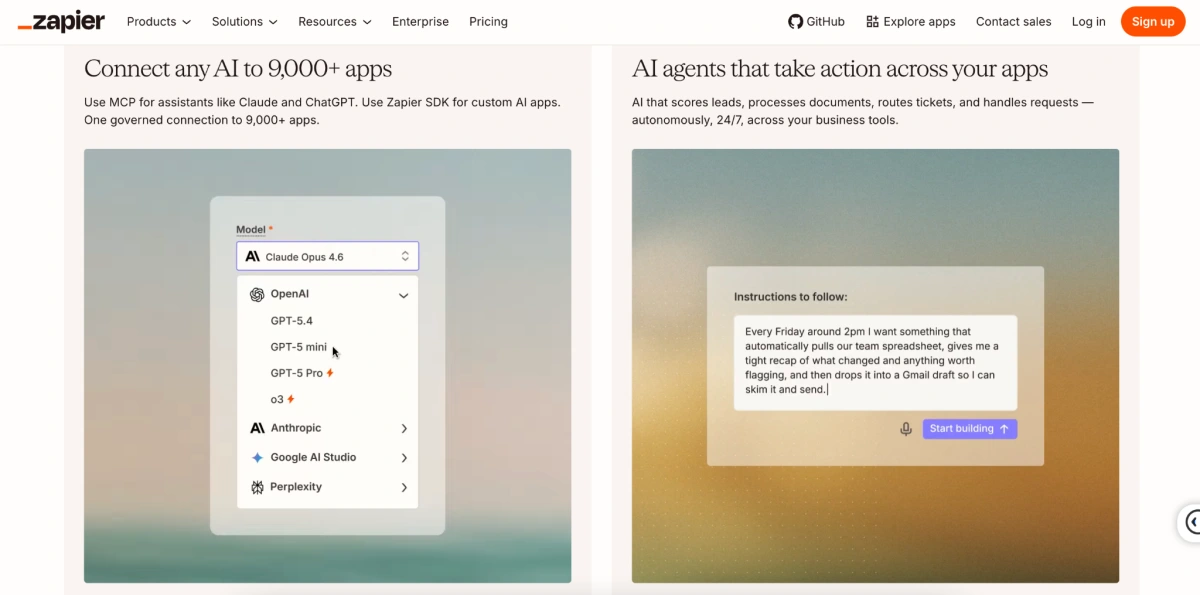
Zapier is a no-code automation platform that connects 7,000+ apps like Shopify, Gmail, Slack, Google Sheets. You can automate repetitive workflows with a simple text prompt in Zapier, no coding required. For ecommerce businesses, it eliminates manual data entry between your store, email platform, accounting software, and shipping tools.
Hero Features
- Connects Shopify, WooCommerce, Klaviyo, QuickBooks, and thousands more
- AI-powered builder lets you describe workflows in plain English
- Multi-step Zaps handle complex sequences like "new order > update inventory > send Slack notification > log in spreadsheet"
Pros
- Connects to 7,000+ platforms, so virtually no ecommerce tool is left out.
- Plain-English AI builder lets non-technical store owners deploy automations in minutes.
- Free plan is a good sandbox to test integrations before paying.
Cons
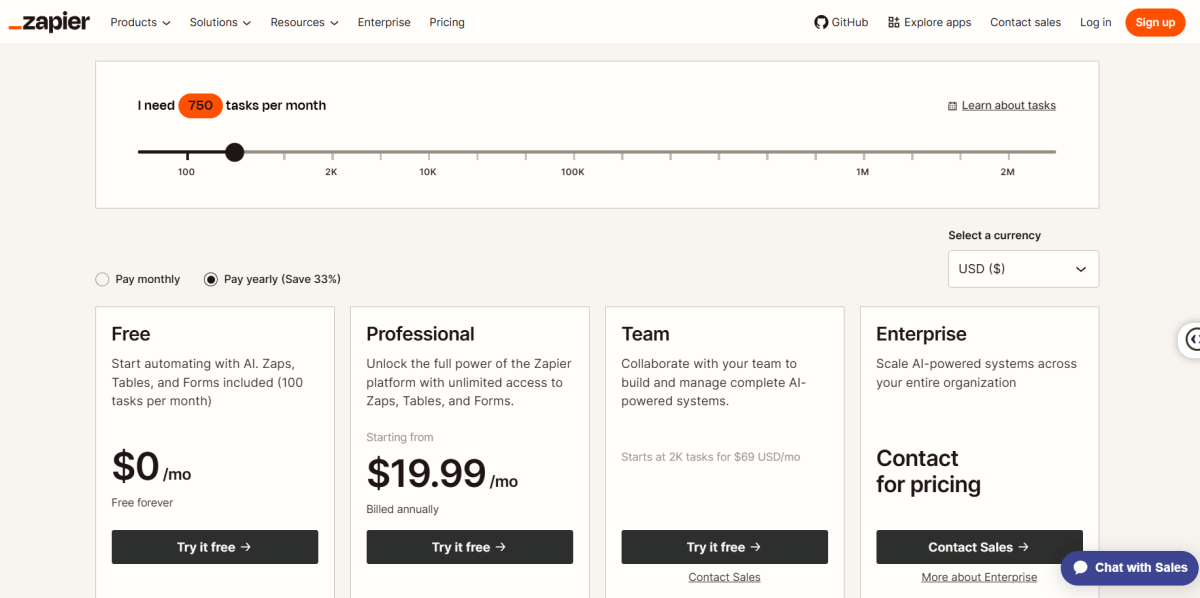
- The free tier's 100 tasks/mo cap and 2-step limit get outgrown by active stores within days.
- Pricing tracks task usage, so multi-step flows compound costs quickly during peak sales events.
- Entry-level plans use a 15-minute polling interval, which creates small delays for time-sensitive fulfillment tasks.
Pricing
Zapier uses usage-based pricing around tasks (each action a workflow executes). On paid plans, if you exceed your limit, pay-per-task billing kicks in automatically so operations never pause.
Category 6: Finance and Profit Tracking
Financial clarity separates growing businesses from those bleeding money without knowing it.
13. TrueProfit MCP
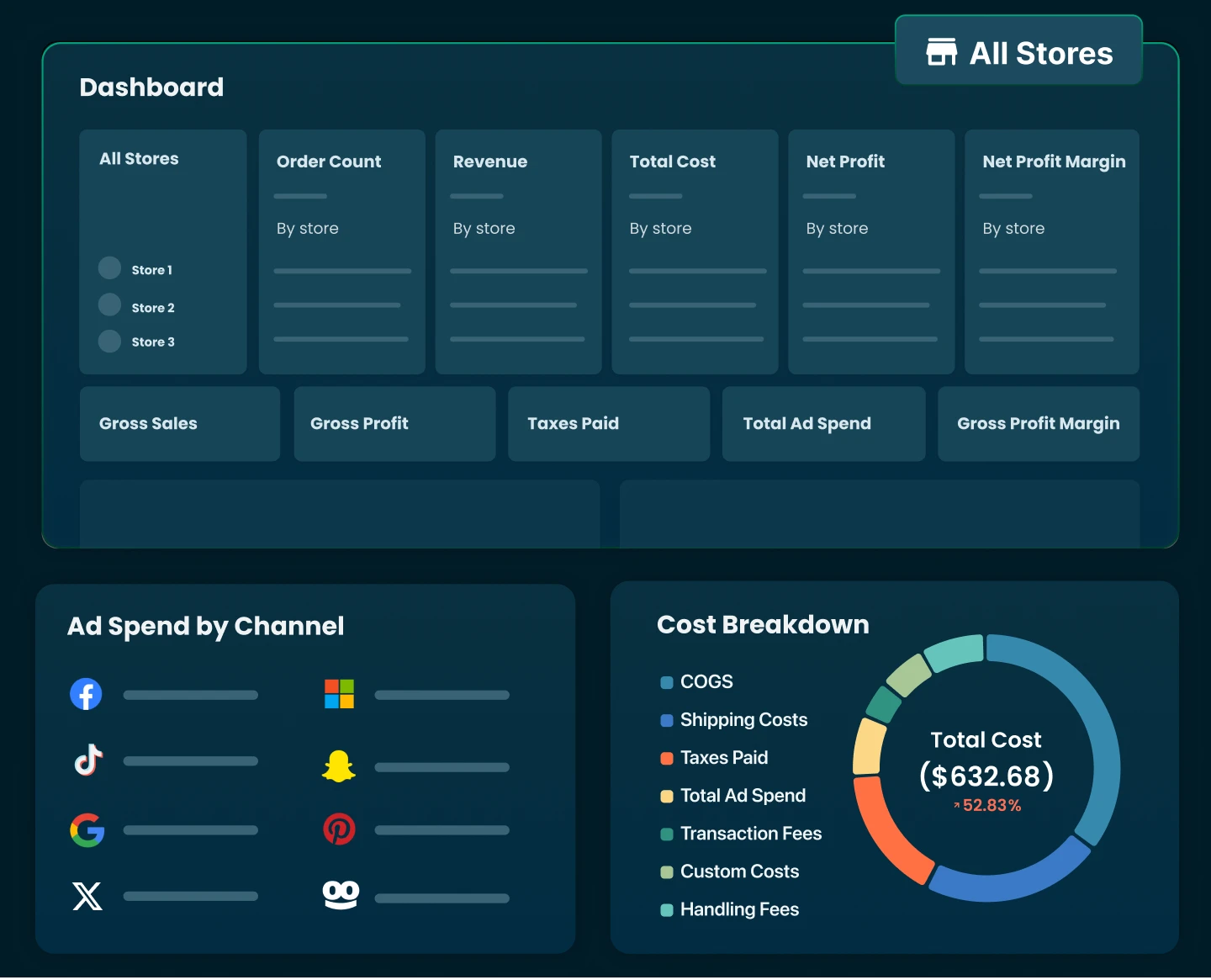
TrueProfit is a net profit analytics platform built for Shopify merchants that delivers real-time, accurate net profit tracking for your clearest financial visibility.
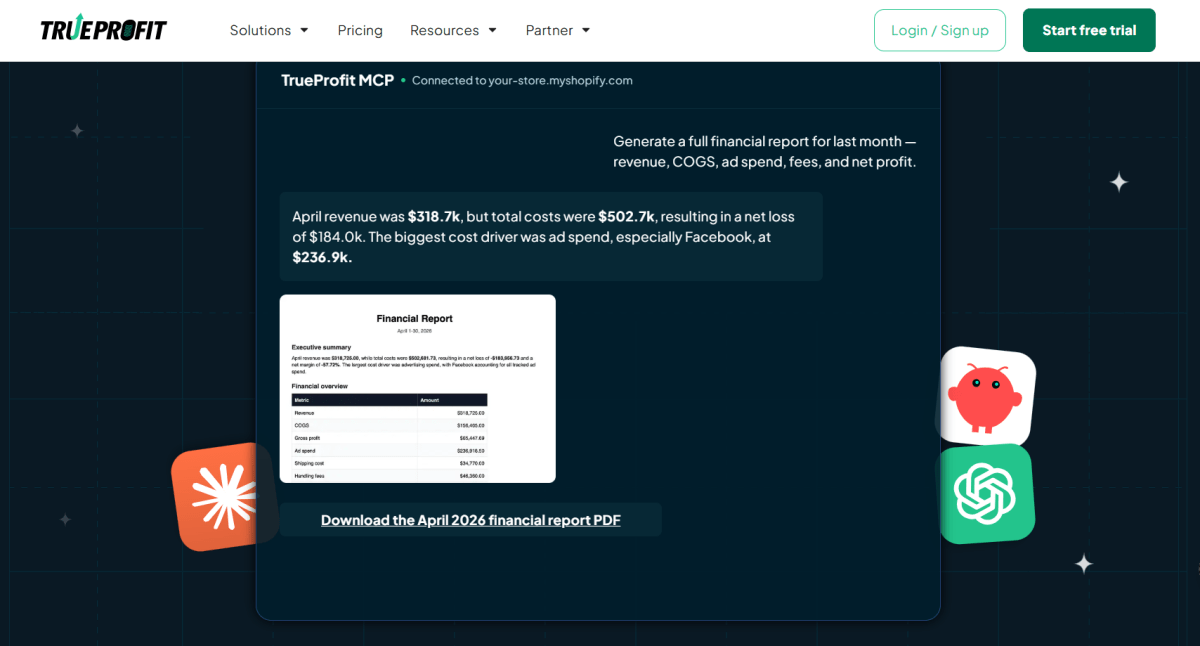
With MCP integration, TrueProfit connects directly with Claude, ChatGPT and Openclaw, allowing merchants to ask questions about profit, ads, orders, and customers and get instant, data-backed answers without using dashboards.
Hero Features
- Get instant answers about profit & loss, costs, ad performance, and orders without digging through dashboards or reports.
- AI-driven profit intelligence that goes beyond metrics, helping merchants identify what’s impacting profit across products, ads, and channels.
- Root-cause analysis for profit changes, where AI cross-references revenue, COGS, ad spend, and fees to explain why profit went up or down.
Pros
- Natural-language profit analysis via MCP integration with ChatGPT and Claude,
- Real-time profit visibility across ads, orders, fees, and COGS
- Stronger decision-making layer, not just reporting, with AI helping identify drivers behind profit changes
- Reduces manual reporting work significantly, replacing spreadsheet-based analysis with conversational queries.
Cons
- AI insights depend heavily on data quality and setup accuracy, especially COGS and ad tracking
- MCP + AI features are still evolving, so advanced analytical depth may not fully replace dedicated BI tools for complex finance teams.
- Primarily optimized for Shopify ecosystem
Pricing
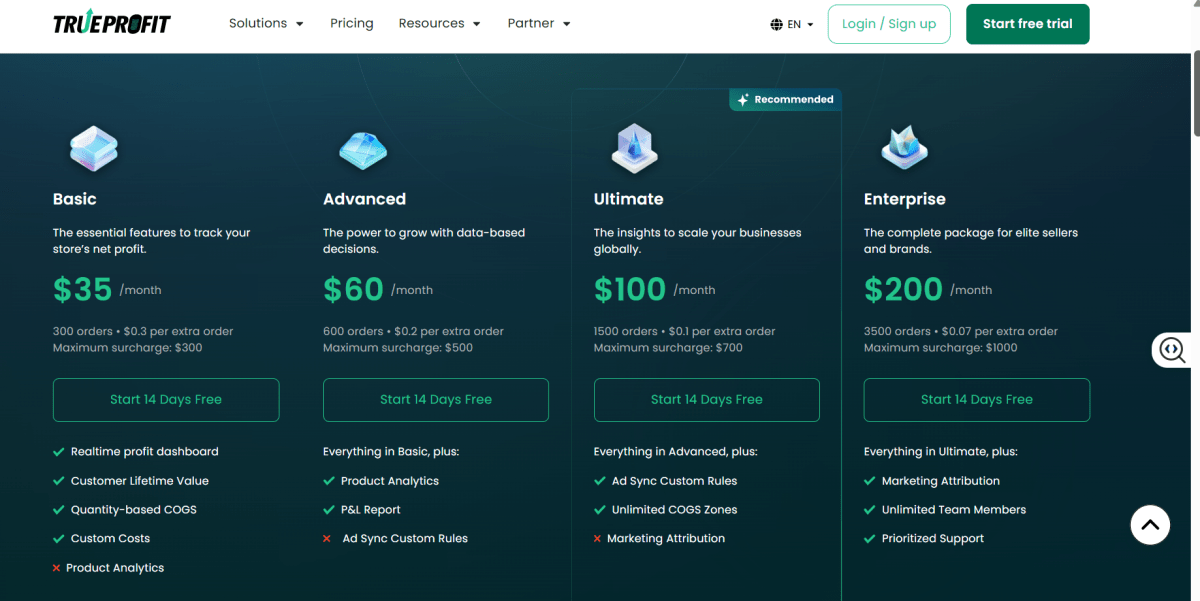
For existing TrueProfit users, MCP integration is included for free. New users need to subscribe to a paid plan starting at $35/month to access the platform. Higher-tier plans (ranging from $69–$200/month) unlock full ad integrations and advanced analytics features.
14. QuickBooks AI
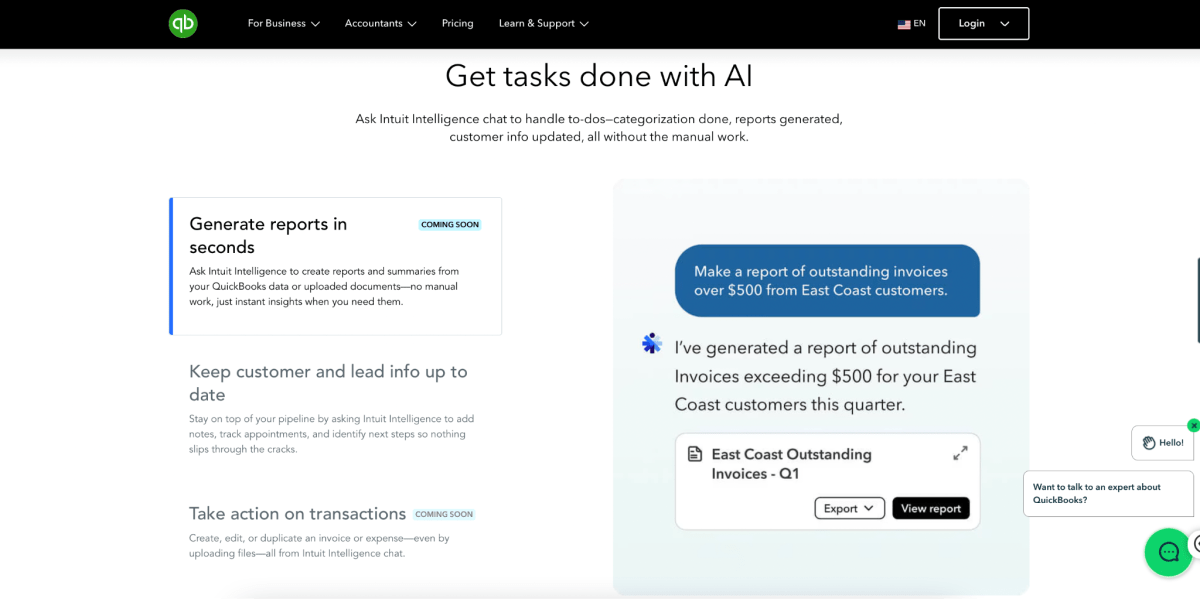
QuickBooks is the most widely used accounting software for small businesses. Its AI features handle expense categorization, invoice generation, and cash flow forecasting automatically. For ecommerce brands, it provides the bookkeeping foundation every business needs.
Hero Features
- Auto-categorizes expenses and matches them to bank transactions
- AI-powered cash flow forecasting helps plan inventory purchases and ad spend
- Invoice generation and payment tracking reduce manual accounting work
Pros
- Industry standard, compatible with virtually any accountant or bookkeeper
- Strong mobile app for on-the-go expense tracking
- Integrates with most ecommerce platforms and payment processors
Cons
- No permanent free plan (only 30-day trial)
- Interface can feel overwhelming for first-time users
- Doesn't track ecommerce-specific metrics like ROAS, net profit per order, or true margins
Pricing
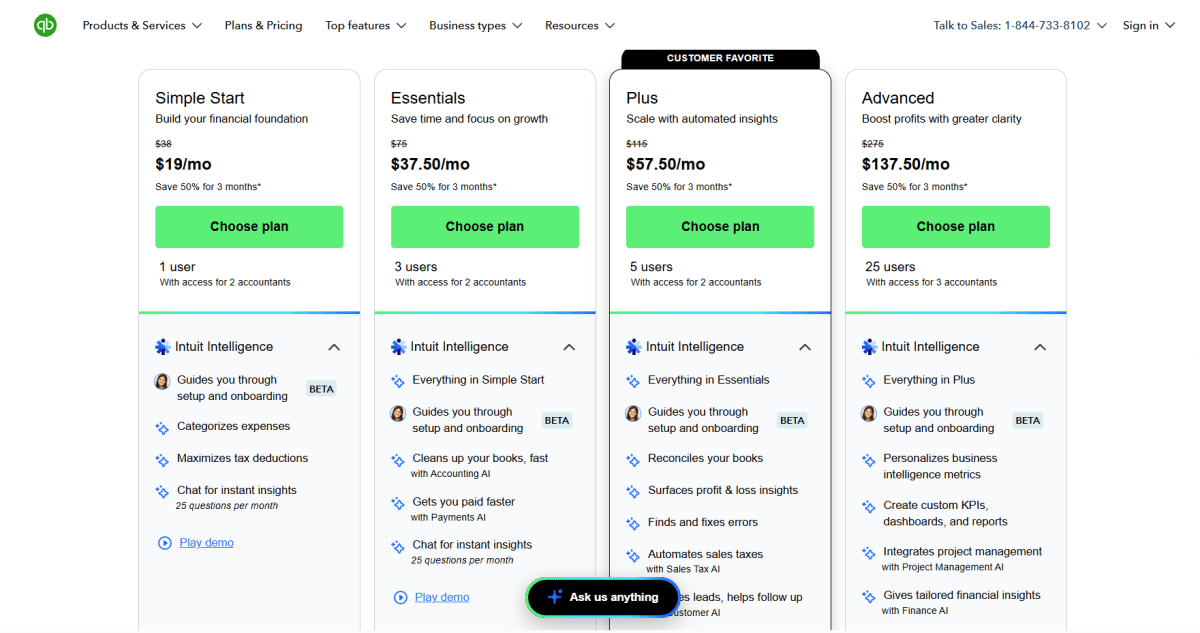
QuickBooks Online uses flat-rate monthly pricing ranging from $19 to $137.5/month, frequently discounted by 50% for your first 3 months.
Category 7: Meetings and Productivity
If meetings and admin work eat up too much of your day, this AI tool can help you stay organized and save hours each week.
15. Fathom
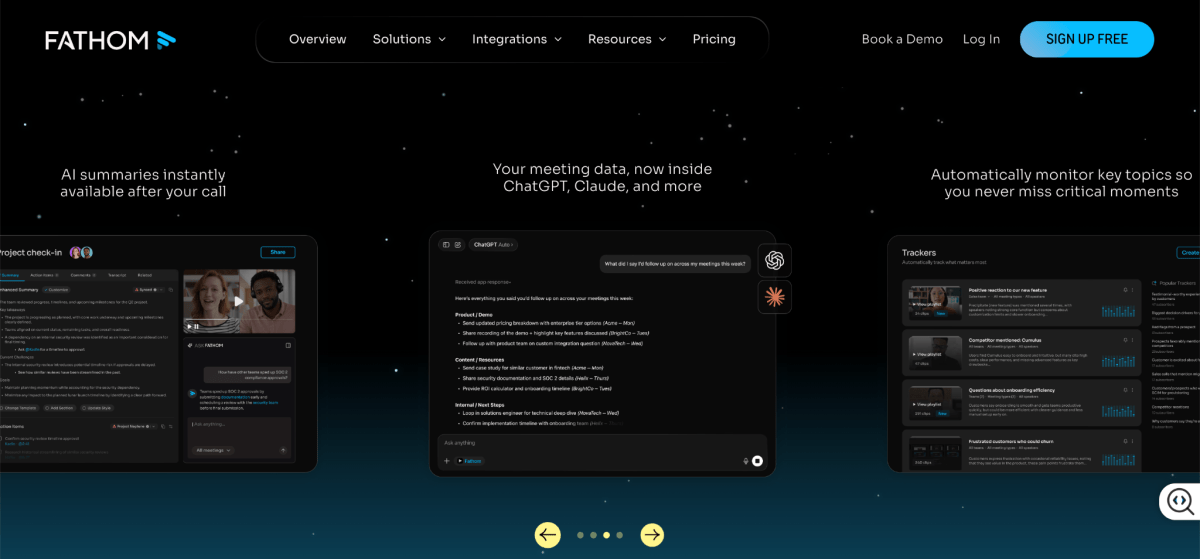
Fathom is an AI meeting assistant that automatically records, transcribes, and summarizes video calls across Zoom, Google Meet, and Microsoft Teams, so you can actually focus on the conversation instead of scrambling for notes.
Hero Features
- Delivers accurate transcripts and bulleted action items within 30 seconds of your call ending.
- Drops meeting summaries and key talking points directly into connected CRM cards in HubSpot, Salesforce, or Close.
- Conversational search bar lets you query your entire meeting history.
Pros
- Truly unlimited recording, transcription, and video storage on the free plan, forever.
- Click a button during a live call to instantly clip a shareable video snippet of that moment.
- Supports 38 languages for transcription and translation.
Cons
- A visible bot joins the call to record, which can feel awkward in casual client conversations.
- Team collaboration features (shared folders, central search) require a 2-seat minimum purchase.
Pricing
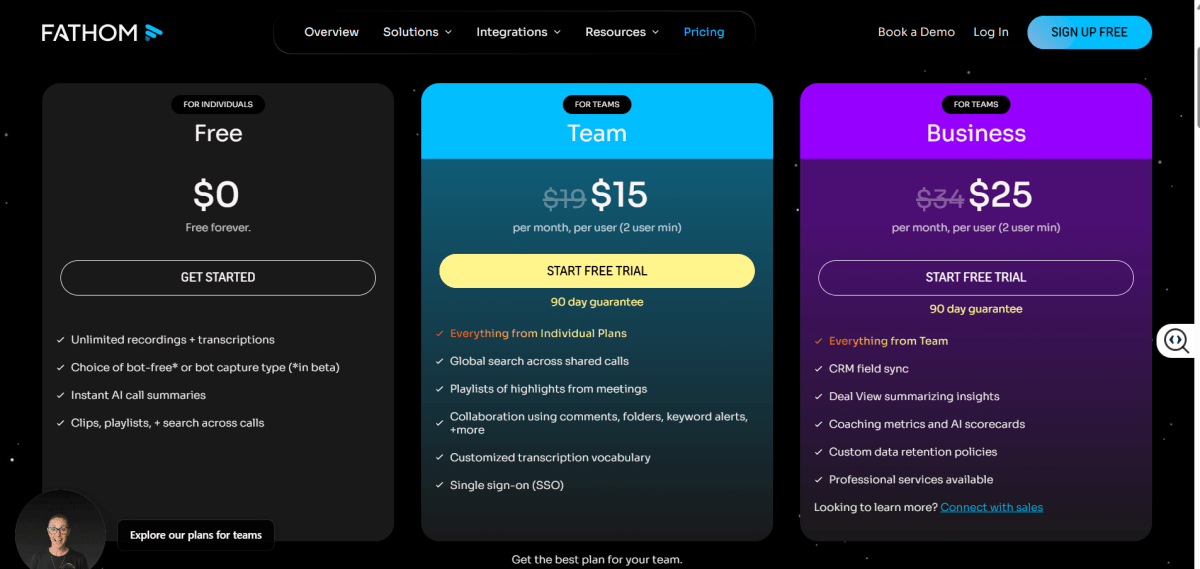
Fathom offers a free plan with unlimited recording, transcription, and storage for individuals. Paid plans add team collaboration features and advanced sharing controls, with pricing starting at around $15–$19 per user/month depending on the plan.
How to Choose the Right AI Tool That Actually Fits Your Workflow
With so many AI tools available, it's easy to get overwhelmed or end up paying for features you don't actually need. Follow these four steps to find an AI tool that fits your workflow, budget, and business goals.
Step 1. Define the Problem First
Write down the task that eats the most time each week. That's where AI delivers the fastest return. Don't start by browsing tools.
Step 2: Set a Realistic Budget
A clear budget makes it much easier to narrow down your options. Free and low-cost tools are often enough to automate everyday tasks, while specialized AI tools become more valuable as your business grows.
- $0–50/month: A solid foundation with tools like ChatGPT, Canva, and HubSpot.
- $50–200/month: Specialized tools such as Surfer SEO, Tidio, or TrueProfit.
- $200+/month: Best suited for businesses that have already proven ROI with their existing AI stack.
Step 3: Check Integrations
An AI tool is only useful if it works with the software you already rely on. Integrations with platforms like Shopify, QuickBooks, and Google Workspace reduce manual work and make automation much more effective.
Step 4: Protect Your Data
Not every AI tool handles data the same way. Privacy policies, data storage, and AI training practices should be reviewed before customer or financial information is uploaded.
Final Thoughts
You don’t need a stack of AI tools to make your business smarter. Most of the impact comes from fixing one bottleneck that consistently eats your time.
Pick that one thing, choose a tool that genuinely solves it, and commit to using it for 30 days without overthinking the rest.
Over time, those small improvements don’t just save hours, they change how you work. And when you stack them intentionally, they compound into a real operational advantage, not just convenience.

Harry Chu is the Founder of TrueProfit, a net profit tracking solution designed to help Shopify merchants gain real-time insights into their actual profits. With 11+ years of experience in eCommerce and technology, his expertise in profit analytics, cost tracking, and data-driven decision-making has made him a trusted voice for thousands of Shopify merchants.