How to Run Profitable Paid Search (PPC) for Shopify Campaigns


Table of Contents
- 1. What Is Paid Search for Shopify?
- 2. Which Paid Search Channel Is Right for Your Shopify Store?
- 3. How to Set Up Paid Search Campaigns for Your Shopify Store
- 4. How to Measure Whether Shopify Paid Search Is Actually Profitable
- 5. How to Make Your Shopify Search Ads Convert Better
- 6. Final Thoughts
- 7. FAQs About Paid Search For Shopify
Running paid search campaigns on Shopify takes more than driving clicks and tracking ROAS. In this article, you'll learn how to choose the right ad channels, set up campaigns correctly, measure actual profitability, and optimize your budget for sustainable growth.
In this blog:
- 1. What Is Paid Search for Shopify?
- 2. Which Paid Search Channel Is Right for Your Shopify Store?
- 3. How to Set Up Paid Search Campaigns for Your Shopify Store
- 4. How to Measure Whether Shopify Paid Search Is Actually Profitable
- 5. How to Make Your Shopify Search Ads Convert Better
- 6. Final Thoughts
- 7. FAQs About Paid Search For Shopify
What Is Paid Search for Shopify?
Paid search for Shopify is a form of pay-per-click (PPC) advertising that allows merchants to promote their products in search results and other relevant placements.
For your Shopify store, that usually means running ads through Google Ads or Microsoft Advertising. Depending on your goals and products, you can show text ads for specific search terms, display product listings with prices and images, or use automated campaigns that reach shoppers across multiple channels.

Which Paid Search Channel Is Right for Your Shopify Store?
The right paid search channel depends on what you're selling, how shoppers search for it, and how much control you need over targeting. For most Shopify stores, Google is the natural starting point because it offers several campaign types, while Microsoft Advertising can provide an additional source of search traffic.
The main options you'll come across are:
So, which channel should you start with?
- Selling products people actively search for? Start with Google Search or Shopping, depending on whether keyword control or product-led ads better fit your needs.
- Have a broad product catalog and reliable conversion tracking? Consider Performance Max to expand reach beyond traditional search placements.
- Already getting results from Google? Test Microsoft Advertising with proven keywords and compare acquisition costs and profitability before increasing spend.
How to Set Up Paid Search Campaigns for Your Shopify Store
Before launching a campaign, we need to get three things right: the store's product data, conversion tracking, and the economics behind each sale.
1. Connect Your Shopify Store to Your Ad Platform

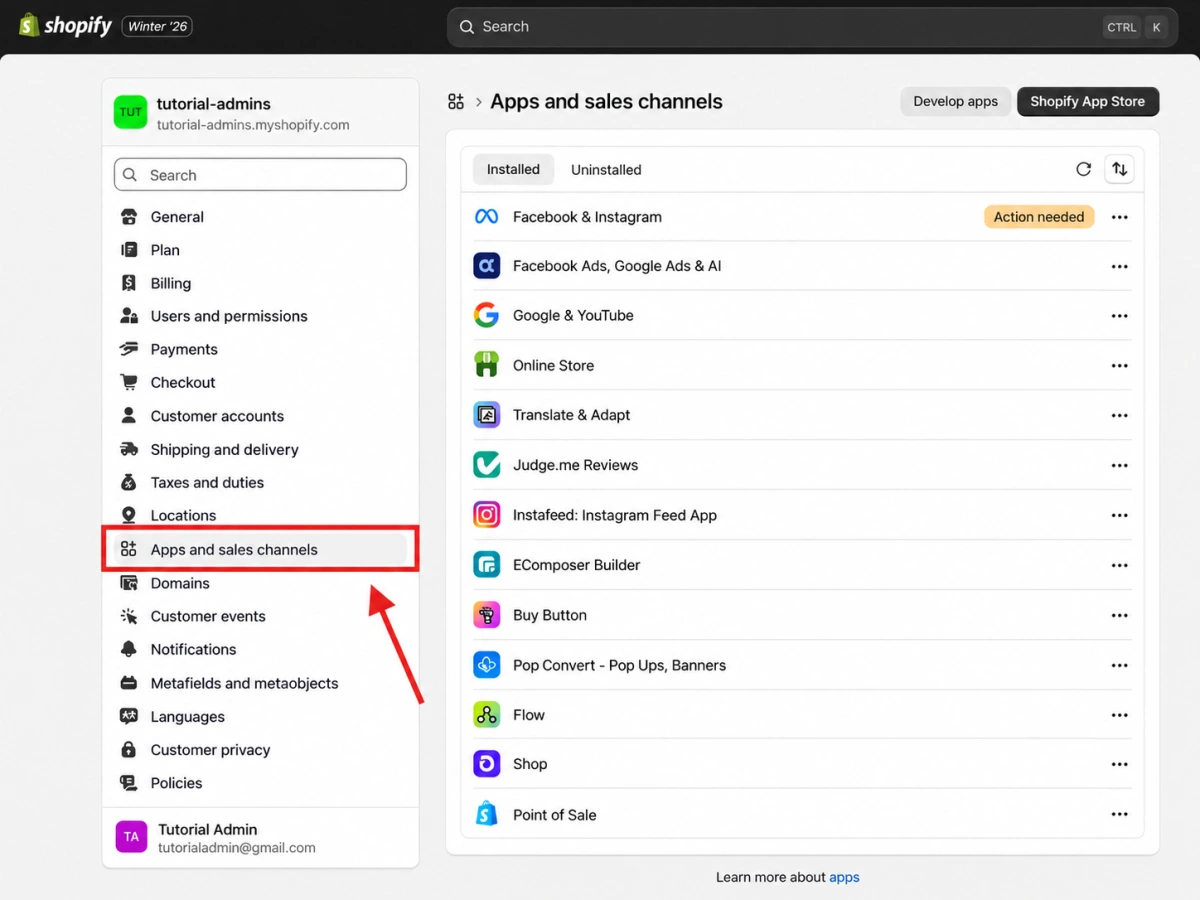
If you're starting with Google Ads, install the Google & YouTube app from Shopify and connect your Google account. You can link Google Ads for conversion measurement and Google Merchant Center to sync your products if you plan to run Shopping or Performance Max campaigns.
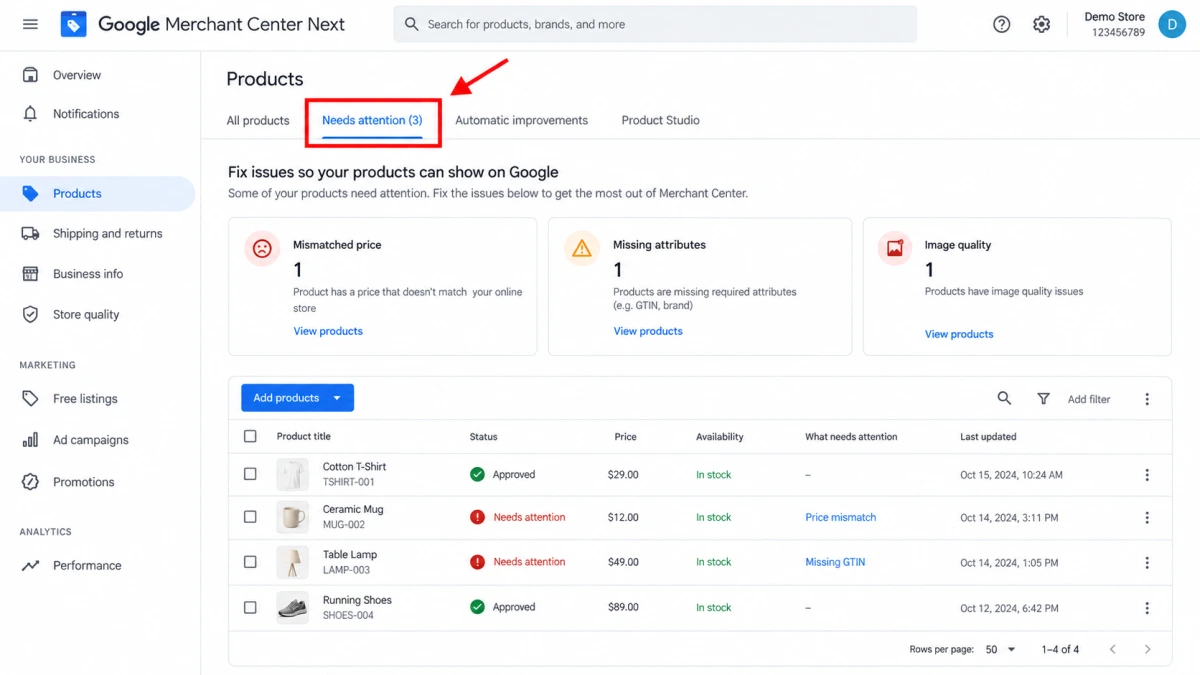
If you're running Shopping campaigns, check your product status in the Merchant Center before launching. Products must meet Google's requirements and be approved to serve in the relevant placements. Syncing your catalog doesn't automatically mean every product is eligible to advertise.
For Microsoft Advertising, set up conversion tracking through its Universal Event Tracking (UET) tag. Microsoft's Shopify setup documentation explains how to install the tag and track events such as product views, add-to-cart actions, and purchases.
2. Make Sure Purchase Tracking Is Working Correctly
This is one setup step you don't want to skip.
For Shopify, Google's documented integration lets you map Shopify events to Google Ads conversion actions. Purchase, add-to-cart, and checkout-started events are among the suggested defaults when connecting an account.
Before launching, verify that the purchase action is configured correctly and that your campaigns use the intended conversion goal.
Pay particular attention to duplicate purchase tracking. If you have the Google & YouTube app sending purchase events and an older Google tag or custom pixel tracking the same orders, you could count conversions twice. Google specifically recommends checking for duplicate tags and removing legacy tracking where appropriate.
What to check before launch:
- A test order triggers the expected purchase event.
- The conversion action records the correct order value and currency.
- The campaign uses the intended purchase conversion action for bidding.
- Existing tags or pixels aren't duplicating the same event.
3. Get Your Product Feed and Landing Pages Ready
For Shopping and Performance Max, your product feed is part of the campaign setup, not an afterthought. Google uses product information from Merchant Center to understand what you're selling and match products to relevant opportunities.
Review product titles, images, prices, availability, and required product attributes. Make sure the information submitted to the Merchant Center matches the product details shoppers see on your Shopify store. Fix disapprovals before increasing your budget.
4. Set a ROAS Target That Covers Your Costs
Before setting a ROAS target, work out how much revenue you need to generate for every dollar spent on ads.
Suppose your average order value is $80 and your non-ad costs are $48 per order. That leaves $32 to cover advertising and any remaining expenses.
Break-even ROAS=Average Order Value/(Average Order Value − Non-ad Costs) = 80/32=2.5
You need a 2.5x ROAS to cover the costs included in this example. To make a profit, your target must also account for any remaining expenses and your desired margin.
5. Start Small With a Focused Campaign Strategy
Don't spread a small budget across every campaign type at once. Start with the option that fits your store:
- Google Search: Target shoppers searching for specific products or solutions.
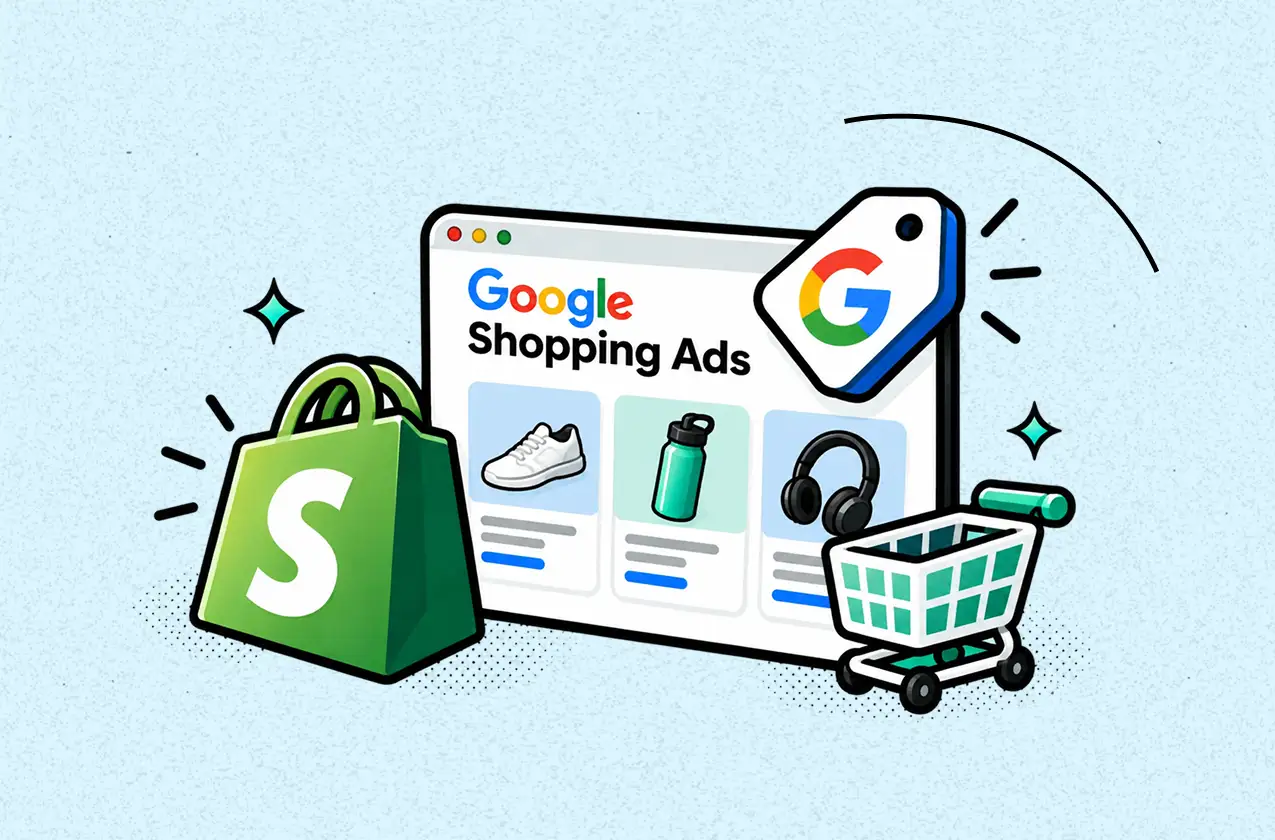
- Google Shopping: Showcase products, images, and prices to shoppers comparing options.
- Performance Max: Expand across Google's advertising channels when automation fits your goals and tracking is reliable.
Keep your initial setup simple enough that you can identify which products, searches, and campaigns are generating results. You can expand once the tracking is reliable and you have evidence that the additional spend is worthwhile.
How to Measure Whether Shopify Paid Search Is Actually Profitable
Key Metrics to Measure Paid Search Success
When evaluating paid search, don't just ask which campaign has the highest ROAS. Look at how much you can afford to pay to acquire a customer and what remains after each order is fulfilled.
ROAS is useful for measuring advertising efficiency, but it can be misleading when you compare products with different margins. A campaign selling low-margin products might generate more revenue per ad dollar yet contribute less profit than a campaign with lower ROAS.
These metrics help you understand how effectively your ads capture search demand, turn clicks into customers, and generate profitable sales.
Monitor impressions and impression share to assess visibility, CTR and CPC to evaluate traffic acquisition, and conversion rate and CPA to measure how efficiently that traffic converts.
Then use ROAS, break-even ROAS, POAS, contribution margin, and net profit to determine whether your campaigns are financially sustainable and where to allocate your budget.
Look Beyond the Ad Platform's Dashboard
Google Ads tells you which conversions it attributes to your campaigns and uses that data to optimize delivery. But it doesn't show the full financial picture of your Shopify store.
Three checks can help you make that distinction:
- Investigate conversion-value discrepancies. Google Ads and Shopify may report different revenue because of attribution windows, reporting rules, and conversion tracking. Before assuming something is broken, compare the date ranges and definitions, and check for duplicate purchase events or incorrect order values.
- Compare campaigns on the same financial basis. Account for product costs, shipping, payment fees, discounts, refunds, and other relevant variable expenses. Otherwise, you're comparing campaigns without considering how much each sale actually contributes.
- Distinguish attributed sales from incremental growth. A campaign can receive credit for purchases that might have happened anyway, particularly with branded search. If your budget allows, use experiments or geographic tests to estimate whether ads are generating additional sales rather than capturing existing demand.
Even when you combine Google Ads data with your Shopify dashboard, you still won't see the full picture of your actual profit. Running a Shopify store involves more than ad spend. Product costs, shipping fees, transaction fees, refunds, and other operating expenses all affect how much money your business actually makes.
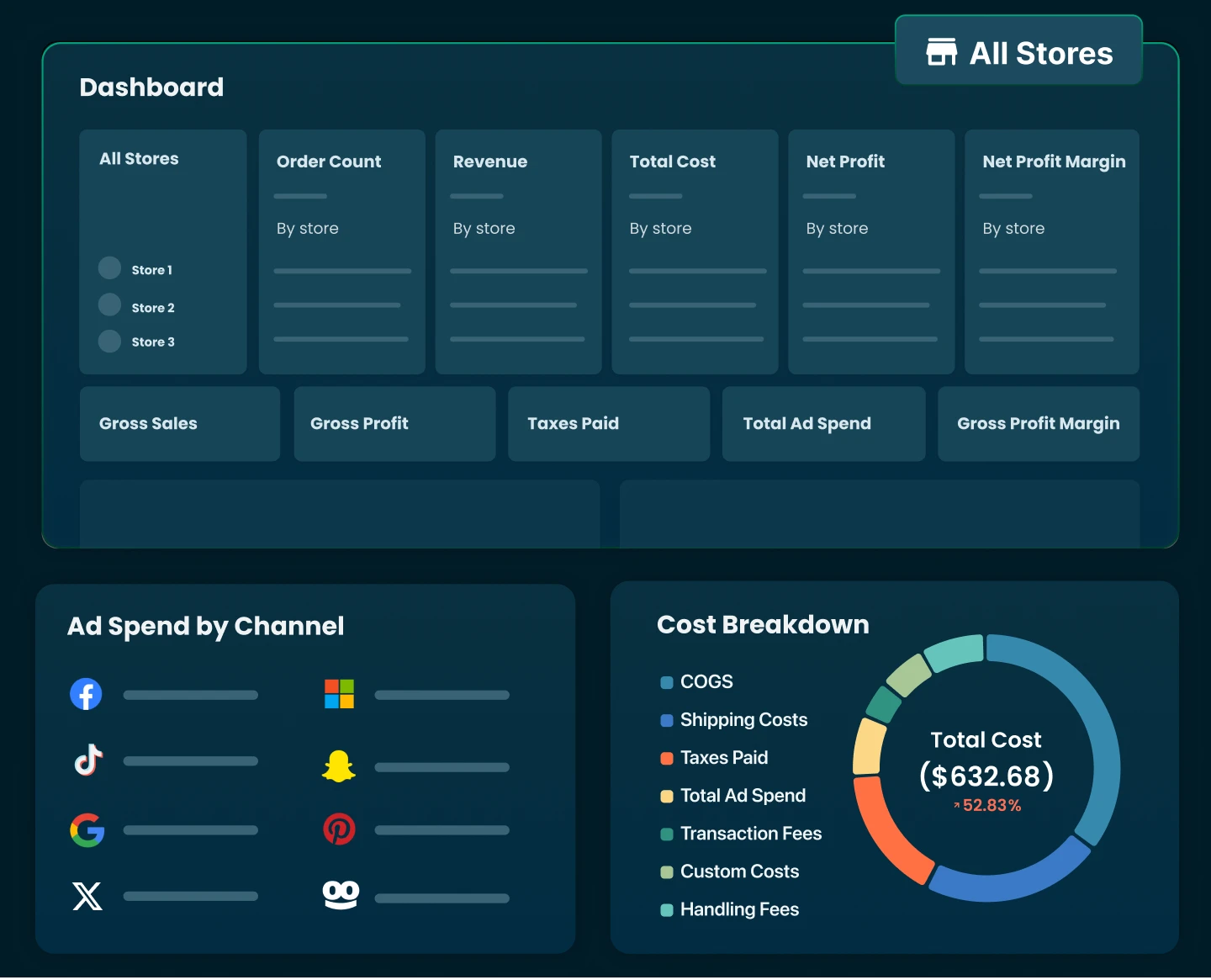
That's why using a profit tracking tool like TrueProfit matters. It’s a real-time net profit analytics platform for Shopify, brings your store's revenue, ad spend, COGS, shipping costs, transaction fees, and other expenses into one view.
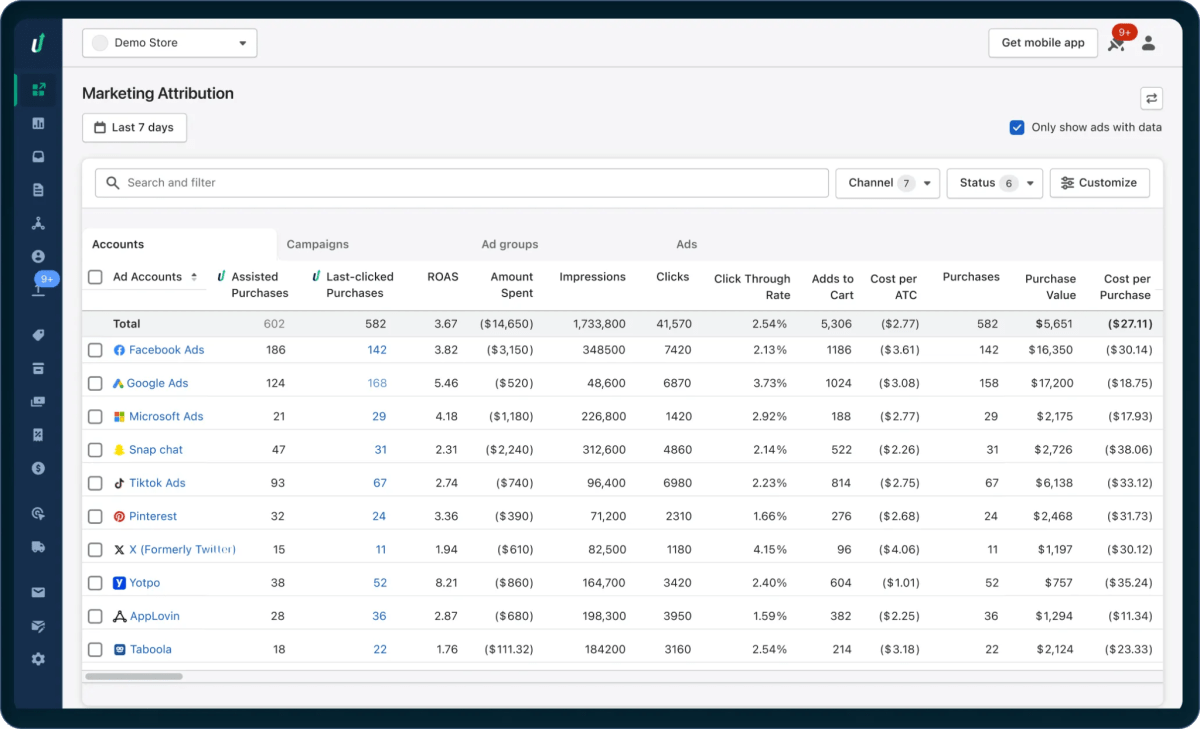
Its marketing attribution feature uses a proprietary tracking system to connect paid search ads with the orders they drive, helping you understand which campaigns contribute to actual sales and whether those orders actually contribute to your store's profit.
Unlike relying on Google Ads attribution or Shopify sales reports alone, you can evaluate campaign performance alongside your store's real financial data.

How to Make Your Shopify Search Ads Convert Better
Focus on these four areas to improve conversion performance without sacrificing margins.
1. Separate Branded and Non-Branded Search
People searching for your store by name already know your brand, while non-branded searches help you reach shoppers who are still comparing options. Keep these campaigns separate so branded conversions don't inflate the apparent performance of your customer acquisition campaigns. Review search terms regularly and exclude irrelevant queries before they drain your budget.
2. Fix the Gap Between Search Intent and Landing Pages
If someone searches for a specific product, send them to that product page, not your homepage or a broad collection. Make sure the page answers the questions that can stop a purchase, especially price, product fit, shipping costs, delivery estimates, and return policies. For Shopping campaigns, check that the product feed matches the live product page, including price and availability.
3. Set Bids Around What Each Order Can Afford
Don't set a target ROAS based solely on what competitors claim or what Google recommends. Calculate your break-even point using your margins and relevant variable costs. For example, a product with a 30% contribution margin before ads needs at least 3.33x ROAS to cover those costs and ad spend. Your actual target must be higher if you want to contribute toward overhead and profit.
4. Diagnose the Bottleneck Before Changing the Campaign
Use performance data to identify what needs fixing:
- High impressions, low CTR: Your keywords, product offer, or ad message may not match what shoppers want.
- High clicks, few purchases: Check search-term relevance, landing-page experience, pricing, and checkout friction.
- Orders coming in, but CPA is too high: Review keyword and product-level performance before raising bids or scaling spend.
- ROAS looks strong, but profit is weak: Check product margins and costs that aren't reflected in the ad platform's reported return.
Make changes based on the specific problem rather than changing bids, targeting, and landing pages simultaneously. Once a campaign meets your acquisition and profitability targets consistently, increase spend gradually and monitor whether those economics hold.
Final Thoughts
One mistake Shopify merchants can make with paid search is optimizing everything around the ad platform's numbers. ROAS and conversions are useful, but they don't tell you the full story when product margins and operating costs vary across your catalog.
Look at campaign performance alongside your actual costs, then adjust your budget accordingly. The goal isn't simply to get more conversions. It's to acquire customers efficiently and grow sales without squeezing your margins.

Lila Le is the Marketing Manager at TrueProfit, with a deep understanding of the Shopify ecosystem and a proven track record in dropshipping. She combines hands-on selling experience with marketing expertise to help Shopify merchants scale smarter, through clear positioning, profit-first strategies, and high-converting campaigns.