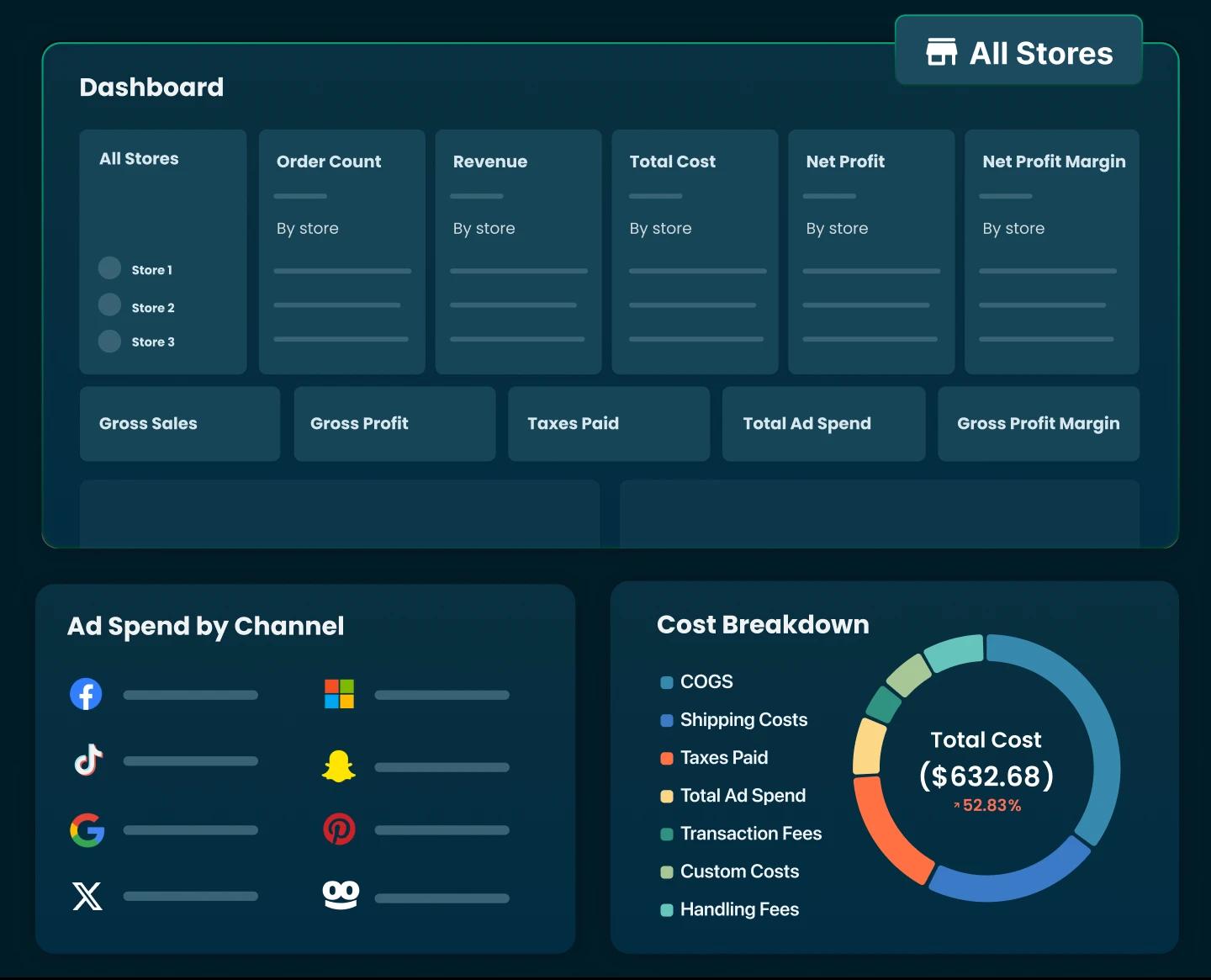
Shopify Accounting 101: How It Works & Best Tools


Table of Contents
- 1. What Is Shopify Accounting?
- 2. How Shopify Accounting Works?
- 3. What Are the Different Types of Shopify Accounting?
- 4. What Should a Shopify Store Owner Keep Track Of?
- 5. Accounting Methods for Shopify Merchants
- 6. Shopify Accounting Best Practices
- 7. How to Set Up Shopify Accounting Step by Step
- 8. Best Shopify Accounting Software for 2026
- 9. How to Choose the Right Shopify Accounting Software
- 10. Accounting vs. Profit Analytics: What’s the Difference for Shopify Stores?
- 11. Shopify Accounting FAQs
Running an online store in Shopify involves more than just adding products and generating sales. One of the most crucial aspects of maintaining a profitable business is Shopify accounting. Proper accounting helps you understand cash flow, track profits, stay compliant with tax laws, and make informed business decisions.
In this guide, we’ll cover what Shopify accounting is, how it works, what to track, best practices, and the top tools for 2026.
In this blog:
- 1. What Is Shopify Accounting?
- 2. How Shopify Accounting Works?
- 3. What Are the Different Types of Shopify Accounting?
- 4. What Should a Shopify Store Owner Keep Track Of?
- 5. Accounting Methods for Shopify Merchants
- 6. Shopify Accounting Best Practices
- 7. How to Set Up Shopify Accounting Step by Step
- 8. Best Shopify Accounting Software for 2026
- 9. How to Choose the Right Shopify Accounting Software
- 10. Accounting vs. Profit Analytics: What’s the Difference for Shopify Stores?
- 11. Shopify Accounting FAQs
What Is Shopify Accounting?
Shopify accounting refers to the process of systematically recording and managing all financial transactions related to your Shopify store. The core of Shopify's accounting process is tracking sales and expenses accurately, reconciling Shopify payouts, and reviewing financial paperwork reports to ensure records are correct and compliant.
In essence, a proper Shopify accounting will keep your store’s books accurate, organized, and ready for reporting, so you can ensure your financial records comply with legal and regulatory standards.

How Shopify Accounting Works?
It typically works like this:
First, all Shopify transaction data is collected, including orders, refunds, discounts, Shopify payout reports, payment processor fees, bank statements, invoices, and expense receipts such as apps, shipping, marketing, and inventory purchases.
Next, these transactions are recorded in the accounting system. Sales, fees, refunds, and expenses are posted to the general ledger and reconciled with external records like bank statements and Shopify payout summaries to ensure accuracy.
Once transactions are recorded, an initial review is done to confirm balances make sense. This step helps catch missing entries, duplicate records, or categorization errors before final reporting.
At the end of the accounting period, adjustments are made if needed. These adjustments account for items like unpaid expenses, inventory changes, depreciation, or taxes that apply to the period but were not yet fully recorded.
After adjustments, balances are reviewed again to confirm everything is accurate. This ensures income, expenses, assets, and liabilities are correctly stated.
Finally, financial reports are prepared. These include the income statement, balance sheet, and cash flow statement, which summarize your Shopify store’s financial performance and position for the period. These reports are used for tax filing, compliance, and evaluating how the business is performing over time.
The process will repeat every reporting period (monthly, quarterly, or annually).
What Are the Different Types of Shopify Accounting?
Just like in general business accounting, Shopify store owners can use different types of accounting. Each type has a specific purpose and provides insights for different aspects of your store:
1. Financial Accounting

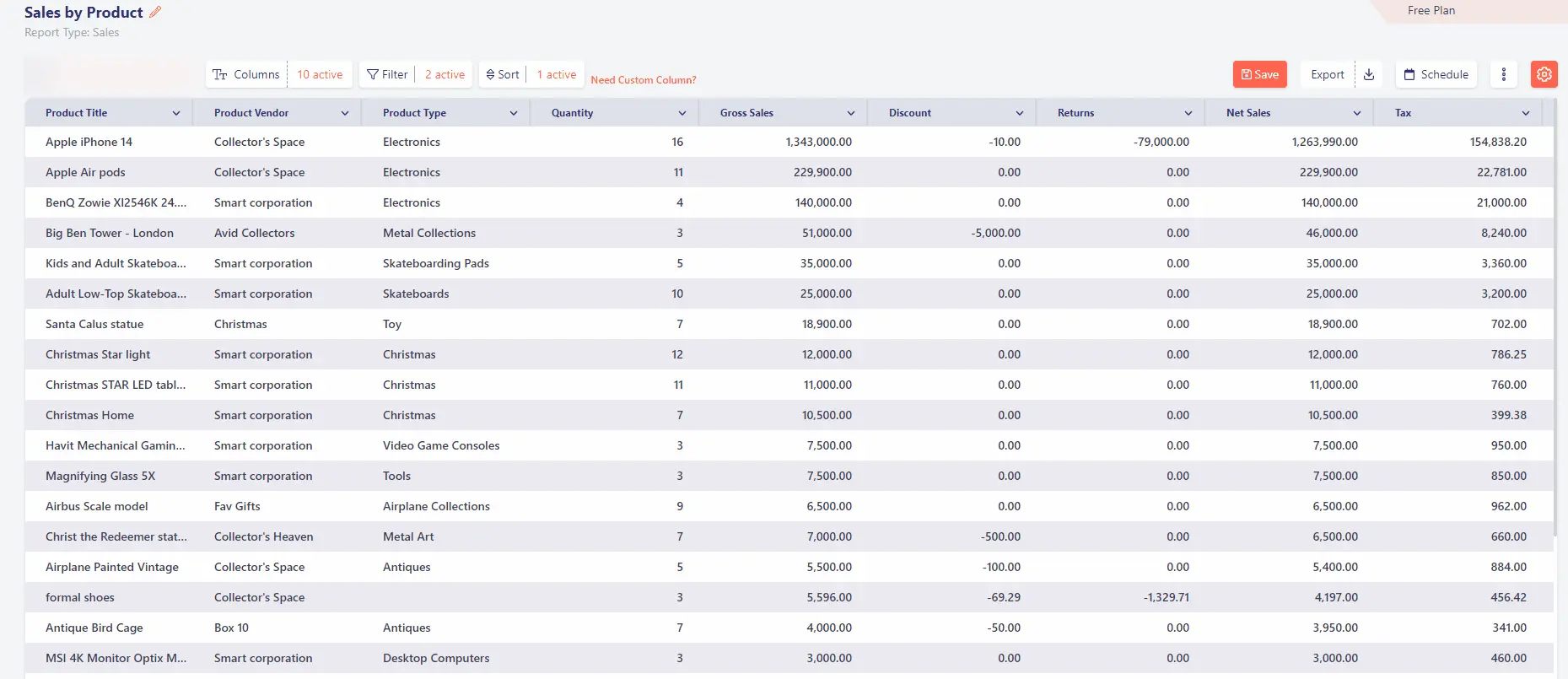
Financial accounting tracks and summarizes all Shopify transactions, including sales, refunds, expenses, and payouts, over a given period. The results are presented in reports like the balance sheet, income statement, and cash flow statement.
These reports help you and external parties, such as banks or investors, understand your store’s overall financial position. While Shopify stores may not require formal audits like publicly traded companies, accurate financial accounting is essential for tax reporting, loan applications, or preparing for potential audits.
2. Managerial Accounting
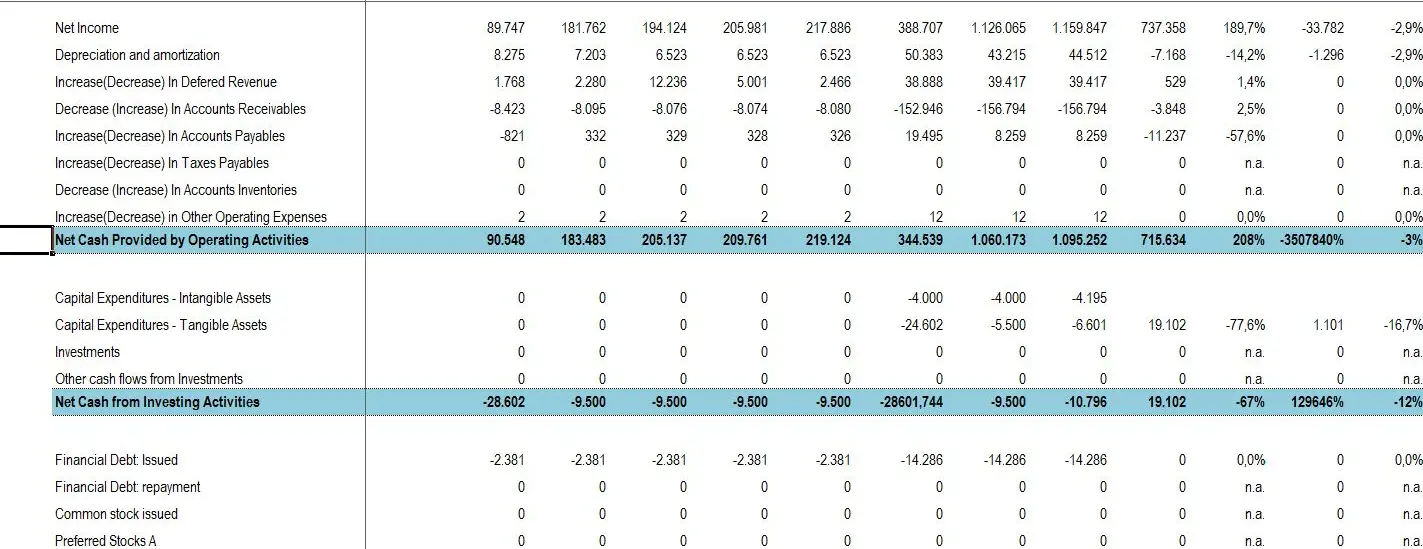
Managerial accounting takes Shopify financial data and organizes it for internal decision-making. This could include monthly or quarterly reports that help you understand which products, marketing campaigns, or sales channels are performing best.
It also includes budgeting, forecasting, and performance analysis, giving store owners actionable insights to optimize operations and plan for growth. Managerial accounting focuses on using financial data to make strategic business decisions rather than just reporting past results.
3. Cost Accounting
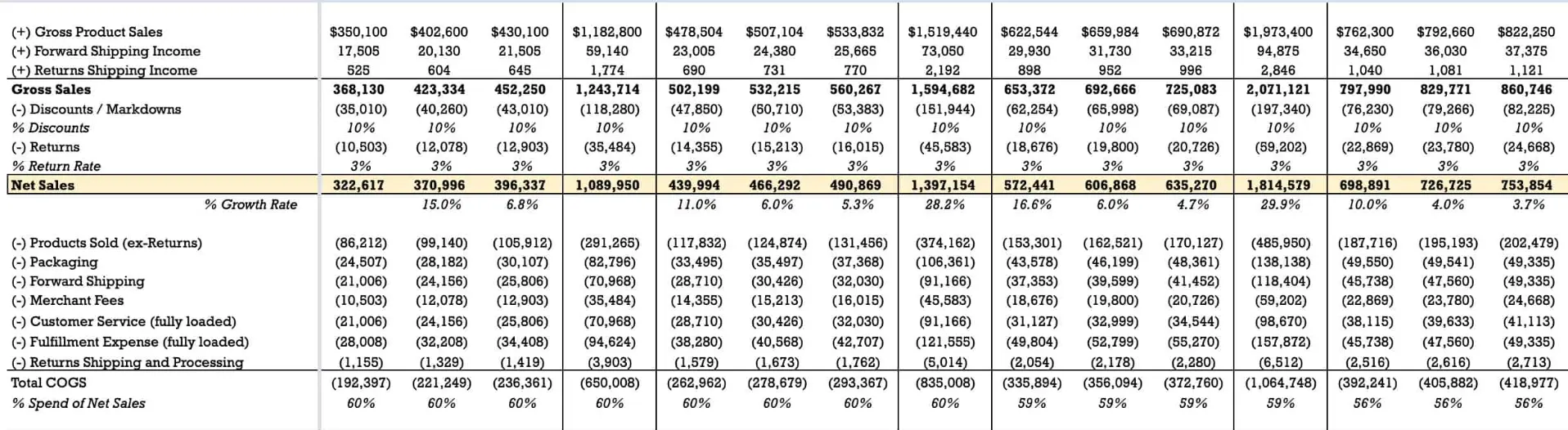
Cost accounting helps you see the costs behind each product and how those costs affect your profit. This includes product costs, shipping, packaging, and other operational expenses. By analyzing costs, store owners can determine product pricing strategies, profit margins per product, and how to reduce costs while maintaining quality.
4. Tax Accounting

Tax accounting ensures your Shopify store complies with federal, state, and local tax regulations. This includes sales tax, VAT, income tax, and other applicable taxes.
Tax accountants focus on minimizing tax liabilities while maintaining compliance. For Shopify merchants, this means correctly collecting and remitting sales taxes, ensuring all deductions and expenses are properly documented, and planning for quarterly or annual tax filings.
Remember, tax accounting differs from financial accounting because it follows specific tax rules rather than general accounting principles.
What Should a Shopify Store Owner Keep Track Of?
Here’s what Shopify accounting usually keeps track of:
Cash flow: Shopify accounting monitors the money coming into your business from sales and the money going out for expenses. Tracking cash flow helps ensure you can cover operating costs, pay suppliers, and avoid cash shortages caused by delayed payouts or unexpected expenses.
Revenue and gross profit: All sales made through Shopify are recorded as revenue. From there, accounting subtracts the cost of goods sold (COGS) to calculate gross profit, which shows how much you earn after covering product costs.
Gross margins: Gross margin expresses gross profit as a percentage of revenue. This metric helps Shopify merchants understand how efficiently they are selling products and whether pricing or product costs need adjustment.
Inventory and cost of goods sold (COGS): Shopify accounting tracks inventory purchases, inventory value on hand, and the cost of products sold. Accurate inventory tracking ensures COGS is correct, which directly affects profit calculations.
Expenses: All operating costs are recorded, including marketing spend, shipping fees, app subscriptions, payment processing fees, payroll, and overhead. These expenses are essential for calculating true profitability. 👉 Get a clear picture of your Shopify fees in 2026.
Balance sheet data: A balance sheet summarizes what your Shopify business owns and owes at a specific point in time. This includes assets like cash, accounts receivable, and inventory, as well as liabilities such as accounts payable, wages, and taxes owed.
Profit and loss (P&L) statements: The P&L statement shows whether your Shopify store made a profit or loss over a given period by subtracting all expenses from total revenue. It provides a clear snapshot of overall business performance.

Accounting Methods for Shopify Merchants
Shopify merchants generally use the same two accounting methods as other businesses: cash basis accounting and accrual basis accounting. The difference between these methods lies in when income and expenses are recorded in your books.
1. Cash Basis Accounting
Under the cash method, transactions are recorded only when money actually changes hands. Income is recognized when you receive a Shopify payout, and expenses are recorded when you pay for them.
For example, if you purchase inventory today but pay the supplier 30 days later, the expense is recorded only when the payment is made. This method is simple and easy to manage, which is why many small Shopify stores and solo founders use it.
Cash basis accounting is best suited for:
- Small Shopify businesses
- New stores with low transaction volume
- Merchants who want a straightforward way to track cash flow
However, it may not reflect your true profitability for a specific period, especially if you have unpaid bills or inventory on hand.
2. Accrual Basis Accounting
Under the accrual method, transactions are recorded when they occur, regardless of when cash is received or paid. Revenue is recorded when a sale is made, and expenses are recorded when they are incurred.
For example, if you buy $1,000 worth of inventory on credit, the inventory and liability are recorded immediately, even though the cash payment happens later. This method gives a more accurate picture of your store’s financial performance.
Accrual accounting is commonly used by:
- Growing or high-volume Shopify stores
- Businesses managing inventory and supplier credit
- Merchants working with accountants, investors, or lenders
Shopify Accounting Best Practices
Proper bookkeeping is more than just recording transactions. Here’s what Shopify store owners should do:
1. Separate Business and Personal Finances
Always keep your business and personal finances separate. Use a dedicated business bank account and credit card for your Shopify store. This makes bookkeeping cleaner, reduces errors, and simplifies tax filing and financial reviews.
2. Record Expenses Consistently
Every expense should be recorded, no matter how small. This includes product costs, shipping fees, app subscriptions, marketing spend, and transaction fees. Consistent expense tracking ensures your financial reports reflect the true cost of running your store.
3. Reconcile Shopify Payouts Regularly
Shopify payouts often differ from gross sales due to refunds, fees, and chargebacks. Regularly reconciling payouts with your bank deposits helps you confirm that all income is accurately recorded and quickly spot discrepancies.
4. Track Profit, Not Just Revenue
Profit vs. revenue is two different metrics revealing two different layers of your Shopify financial performance. Revenue shows how much you sell, but profit shows how much you keep. Good Shopify accounting focuses on net profit by factoring in cost of goods sold, operating expenses, and taxes. This provides a more realistic view of business performance.
5. Automate Where Possible
Manual bookkeeping can be time-consuming and prone to errors. Using accounting software or integrations to automate sales, expenses, and payouts helps maintain accuracy and saves valuable time.
6. Stay Compliant with Sales Tax and VAT
Sales tax and VAT rules vary by region and can change over time. Ensure you collect, report, and remit taxes correctly by setting up tax rules properly and keeping clear records of tax collected and owed.
7. Use Your Numbers to Plan for Growth
Using your numbers to plan for growth means turning accounting data into direction, not just records. When your Shopify accounting is accurate, your financial reports show clear patterns in revenue, costs, and cash flow. These patterns help you understand what’s working, what’s draining resources, and where growth is actually sustainable, not just possible.
How to Set Up Shopify Accounting Step by Step
Setting up Shopify accounting correctly from the start helps you avoid errors, stay compliant, and understand your store’s financial performance. Below is a simple, practical step-by-step process that aligns with standard accounting practices.
What Are Common Accounting Issues for Shopify Stores?
Before setting things up, it’s important to understand common challenges Shopify store owners face. These often include:
- Missing or miscategorized expenses. When expenses aren’t recorded correctly, profit calculations become inaccurate and financial reports can’t be trusted.
- Inaccurate tax tracking. Sales tax and VAT are collected but not properly tracked across regions, leading to reporting and compliance errors.
- Discrepancies between sales and payouts. Gross sales don’t match actual payouts due to fees, refunds, and chargebacks that aren’t regularly reconciled.
- Difficulty reconciling multi-channel revenue. Revenue from multiple sales channels is hard to combine and track accurately in one accounting system.
- Poor inventory and COGS tracking. Incorrect inventory records or outdated product costs distort gross profit and margin calculations.
- Lack of regular financial review. Accounting reports are not reviewed consistently, allowing errors and issues to go unnoticed.
Each step below is designed to prevent those issues and keep your financial data reliable.
Step 1: Organize Your Financial Accounts
Start by separating business and personal finances. Set up a dedicated business bank account, credit card, and payment gateways for your Shopify store. This prevents missing or miscategorized expenses and makes it easier to track all transactions in one place.
Step 2: Choose an Accounting Method
Decide whether to use cash or accrual accounting based on your store’s size and complexity. Choosing the right method early helps ensure inventory costs, expenses, and revenue are recorded consistently, reducing errors in profit and margin calculations.
Step 3: Decide Between Shopify or Third-Party Tools
Shopify’s built-in reports show sales activity but do not provide full accounting functionality. Using third-party accounting software allows you to correctly record expenses, manage inventory and COGS, and handle revenue from multiple sales channels in one system.
Step 4: Automate Sales, Expenses, and Tax Tracking
Automation helps prevent missed entries and tax errors. Integrate Shopify with accounting tools to automatically sync sales, fees, refunds, expenses, and sales tax or VAT, ensuring your records stay complete and accurate.
Step 5: Reconcile Shopify Payouts and Sales Regularly
Regular reconciliation ensures that gross sales match net payouts after fees, refunds, and chargebacks. This step helps you quickly identify discrepancies between Shopify reports and actual bank deposits.
Step 6: Track Inventory and Cost of Goods Sold Correctly
Record inventory purchases and update product costs consistently. Accurate inventory and COGS tracking prevents distorted gross profit and margin figures, especially as product costs change over time.
Step 7: Review Financial Reports on a Regular Schedule
Review profit and loss statements, balance sheets, and tax summaries weekly or monthly. Regular reviews help catch errors early, ensure tax compliance, and give you reliable numbers for decision-making.
Best Shopify Accounting Software for 2026
Here’s a roundup of the most recommended accounting tools that work well for Shopify merchants in 2026, whether you’re a small shop owner or a growing eCommerce business:
How to Choose the Right Shopify Accounting Software
Choosing the right Shopify accounting software depends on how your business operates today and how you plan to grow. Here are the key factors to consider when selecting the right tool.
1. Based on Store Size
Smaller or newer Shopify stores often need simple bookkeeping tools that track income, expenses, and basic reports without complexity. As your store grows and transaction volume increases, you may need more robust software that supports full accounting, inventory tracking, and detailed financial statements.
2. Based on Sales Channels
If you sell only through Shopify, basic integrations may be enough. However, if you sell across multiple channels such as marketplaces, social commerce platforms, or multiple payment gateways, choose software that can consolidate revenue and fees from all sources into one system.
3. Based on Profit Tracking Needs
Some tools focus on reporting and data export, while others provide full profit and loss tracking. If you need detailed insight into product costs, margins, and overall profitability, select software that supports cost of goods sold and structured financial reporting.
4. Based on Automation vs Manual Control
Automation reduces errors and saves time by syncing sales, payouts, expenses, and taxes automatically. If you prefer hands-off bookkeeping, look for tools with strong automation. If you want more control, choose software that allows manual adjustments and custom reporting.
5. Based on Tax and Compliance Requirements
Sales tax and VAT rules vary by location. If your store operates across regions, choose accounting software or tax tools that support accurate tax tracking and reporting to help you stay compliant.
6. Based on Budget and Long-Term Growth
Free or low-cost tools may work early on, but consider whether the software can scale with your business. Switching accounting systems later can be time-consuming, so it’s worth choosing a solution that supports your long-term plans.
Accounting vs. Profit Analytics: What’s the Difference for Shopify Stores?
For Shopify stores, accounting and profit analytics serve different roles, even though they both work with financial data.
Accounting is about recording and reporting.
It tracks all financial transactions such as sales, expenses, inventory, fees, and taxes, then organizes them into formal reports like profit & loss statements, balance sheets, and cash flow reports.
The goal of accounting is accuracy and compliance, making sure your books are correct, your taxes are handled properly, and your financial records meet legal and regulatory standards.
Profit analytics is about tracking and analyzing profit-related metrics for profit clarity.
It tracks all critical metrics such as revenue, cost, ad spend, shipping fees, customer lifetime value, cost of goods sold, average order value, customer acquisition costs, etc and breaks it down to ultimately calculate the true profit. Instead of just total revenue or total expenses, profit analytics shows profit by product, order, channel, or ad campaign.
The goal is profit clarity, helping you see what’s truly profitable, what’s draining money, and where to focus to grow sustainably.
TrueProfit is the #1 Net Profit Analytics Platform built for Shopify merchants who want real-time, accurate, and automated profit visibility. With TrueProfit, you can turn any complex data into simple profit-focused insight that you can easily act on to grow Shopify business.


Harry Chu is the Founder of TrueProfit, a net profit tracking solution designed to help Shopify merchants gain real-time insights into their actual profits. With 11+ years of experience in eCommerce and technology, his expertise in profit analytics, cost tracking, and data-driven decision-making has made him a trusted voice for thousands of Shopify merchants.