How to Track Black Friday Performance & Make Smarter Q4 Decisions for Ecommerce


Running successful Black Friday and Cyber Monday campaigns is important, but tracking their performance is just as crucial. Without the right data, it's hard to tell which campaigns are working, where you need to make adjustments, and whether higher sales are actually translating into more profit.
In this guide, we'll walk you through how to prepare your tracking before BFCM, which key metrics to monitor during the sale, and how to accurately analyze your results afterward for your ecommerce store.
What to Set Up Before Tracking BFCM Performance
Before Black Friday and Cyber Monday (BFCM) begin, make sure your store’s tracking is working properly and decide which numbers you’ll use to measure success. Otherwise, you may end up with incomplete data or spend the busiest shopping weekend trying to figure out why your reports don’t match.
You don’t need a complicated dashboard to get started. Focus on a few essentials:
- Set performance targets. Establish targets for revenue, orders, conversion rate, AOV, ad spend, and profit. Use historical performance and your current campaign budget to set realistic expectations.
- Verify your tracking setup. Test purchase events, check that campaign URLs contain consistent UTM parameters, and confirm that Shopify and your advertising platforms are recording conversions.
- Create a central dashboard. Bring store sales, marketing performance, inventory, and profitability into one view so you can identify issues without switching between multiple platforms.
- Set alert thresholds. Decide which changes warrant investigation, such as a sudden drop in checkout completion, unusually high CPA, or a best-selling product approaching a stockout.

Which Key Metrics Should You Track During BFCM?
With so many numbers changing during BFCM, focusing on the metrics that directly influence your decisions can help you respond faster without getting lost in data. Start with these five essentials, then dig deeper into each area to understand what's driving your results and where adjustments may be needed.
1. Profitability Performance
BFCM can increase order volume while reducing the profit earned from each sale. Discounts lower the revenue retained per order, and higher advertising, fulfillment, and payment costs can further narrow margins.
Track profitability metrics to determine whether your promotions are generating worthwhile growth, not just more sales.
What to do with these numbers: Compare results with your pre-BFCM baseline and the same promotional period where comparable data is available. If net sales increase but net profit does not, break down the change in discounting, ad spend, fulfillment costs, refunds, and fees. If gross margin falls, review product-level margins and discount depth before extending a promotion or putting more budget behind low-margin products.
2. Sales and Conversion Performance
Sales figures show whether customers are buying, but they don’t always tell you how well your store is performing. During BFCM, discounts can reduce margins, while increased ad spend and fulfillment costs can eat into the money you earn from each order.
Track sales and conversion metrics alongside profitability to get a more complete picture.
What to do with these numbers: If traffic grows but orders remain flat, segment CVR by marketing channel, device, and landing page to find where conversion is weakening. If AOV rises while orders fall, check whether higher spending per order is offset by a decline in purchase volume. Before expanding discounts, compare the resulting sales lift with its effect on gross margin and net profit.
3. Marketing Channel Performance
BFCM often brings higher advertising costs and more competition for shoppers. Merchants need to understand not just which channels generate sales, but which ones acquire customers efficiently.
What to do with these numbers: Don’t increase a channel’s budget just because its ROAS looks high. Check how much it costs to acquire customers, whether conversion rates are holding up, and how much profit remains after other expenses. A campaign with lower ROAS may still be valuable if it brings in profitable orders or assists conversions that happen later.
3. Inventory and Product Performance
Track inventory alongside sales performance so you can adjust promotions before availability becomes a bottleneck.
What to do with these numbers: Keep a close eye on bestsellers with limited stock and coordinate with your fulfillment team before promoting them more heavily. If a product attracts plenty of visits but few purchases, review its price, product page, shipping offer, and available customer information before assuming demand is weak.
You can also use product-level performance to decide where to focus bundles or promotions. For example, pairing a slower-moving product with a popular item may help increase sales, but check the combined margin first so the offer doesn’t sacrifice too much profit.
5. Website and Checkout Performance
During peak shopping periods, technical issues, slow-loading pages, confusing offers, or payment failures can interrupt purchases at the moment shoppers are ready to buy.
Keep an eye on:
What to do with these numbers: Look for sudden changes compared with your normal performance. If traffic remains steady but completed orders drop, check the path from product page to checkout. If checkout starts remain stable but purchases fall, test payment methods, shipping costs, discount codes, and the checkout experience.
Make Every BFCM Metric Count With These Tools
1. Shopify Analytics: Shopify Analytics helps you monitor store performance, including sales, orders, average order value (AOV), conversion rate, and customer behavior. During BFCM, use it to track sales trends, identify popular products, and see whether more store visitors are turning into buyers.
2. Meta Ads Manager: For Facebook and Instagram campaigns, Meta Ads Manager provides data on ad spend, impressions, clicks, conversions, and ROAS. Use these metrics to monitor campaign performance and identify where you may need to adjust your budget.
3. Google Ads: Google Ads helps you track paid search and other Google advertising campaigns through metrics such as spend, clicks, conversions, conversion value, and ROAS. During BFCM, these numbers can help you assess whether your campaigns are capturing purchase demand efficiently and which campaigns may deserve closer attention.
4. Email and SMS Marketing Platforms: Tools such as Klaviyo can help you measure the performance of BFCM email and SMS campaigns. Track clicks, attributed orders, revenue, and campaign engagement to understand whether your promotions are bringing customers back to your store.
5. Profit Tracking App
Shopify Analytics and advertising platforms help you monitor different parts of your BFCM performance, from store sales to ad campaign results. However, these metrics alone don't show the full financial impact of your promotions. Discounts, rising ad spend, fulfillment expenses, and other hidden costs can eat into your margins even when sales are strong.
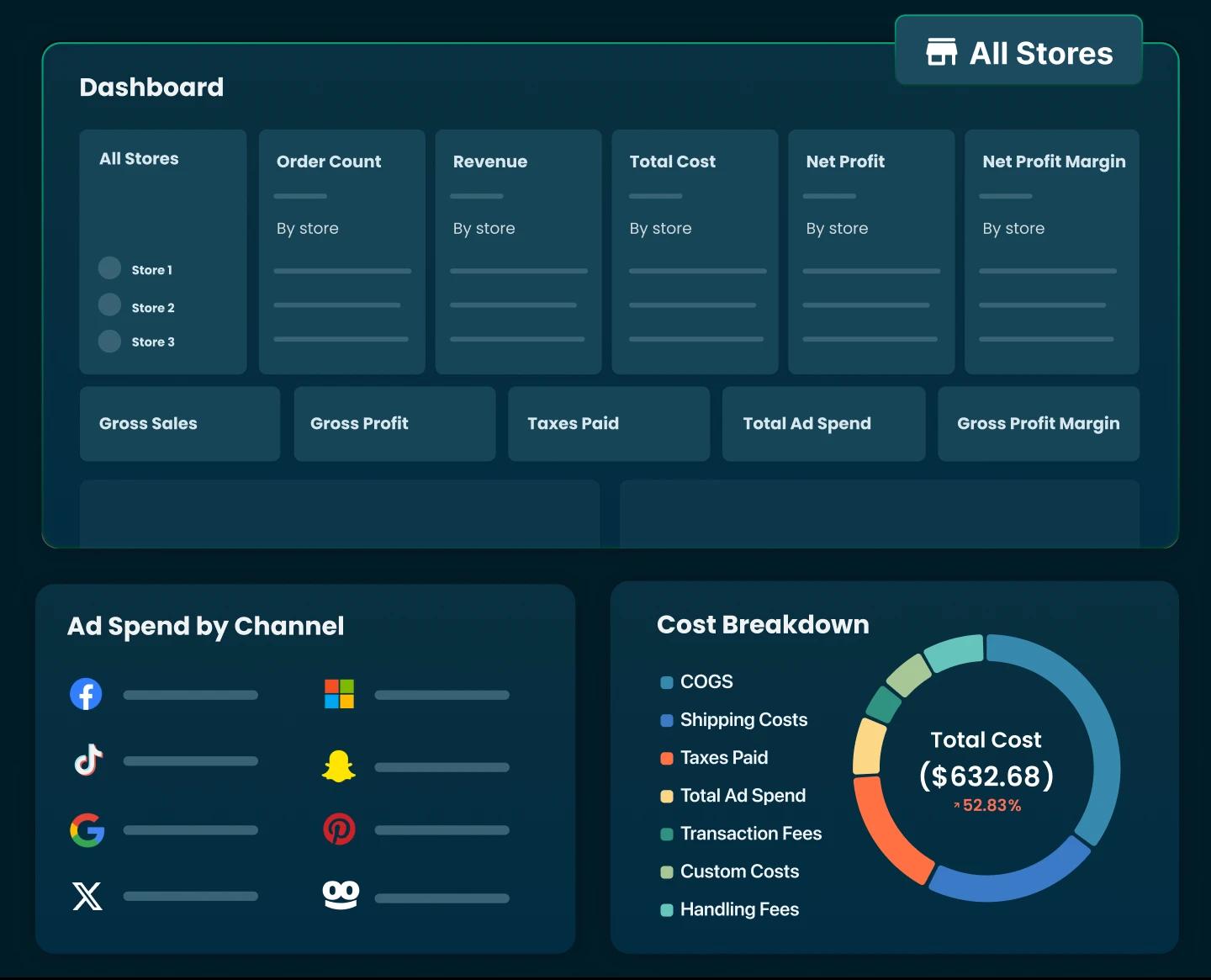
TrueProfit brings your store's sales data and expenses together in one dashboard, including COGS, ad spend from supported advertising platforms, shipping costs, transaction fees, refunds, and other business expenses.

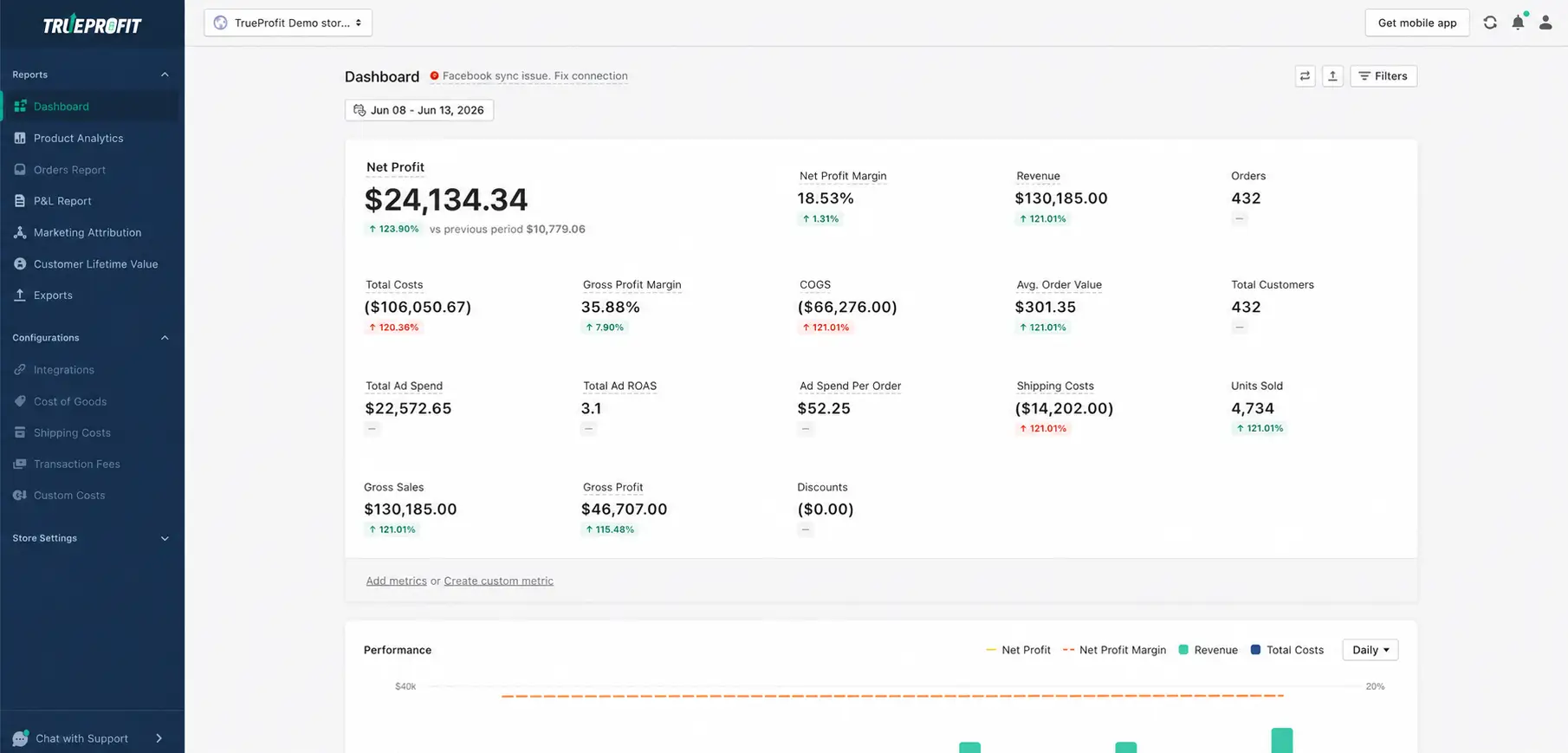
It tracks your true net profit in real time, helping you see whether your BFCM campaigns are generating profitable growth, identify costs that are eroding your margins, and make better decisions about ad spend, discounts, and inventory throughout the season.

Final Thoughts
The real value of BFCM performance tracking lies in the decisions it helps you make. During the event, timely data helps you adjust budgets, respond to changes in demand, and avoid inventory or checkout issues. Afterward, a deeper analysis reveals whether your promotions generated profitable growth and attracted customers worth retaining. Use both views to make more informed decisions throughout the holiday season and beyond.


Harry Chu is the Founder of TrueProfit, a net profit tracking solution designed to help Shopify merchants gain real-time insights into their actual profits. With 11+ years of experience in eCommerce and technology, his expertise in profit analytics, cost tracking, and data-driven decision-making has made him a trusted voice for thousands of Shopify merchants.