How the Shopify Free Trial Works in 2026 and How to Make the Most of It


Table of Contents
Choosing an ecommerce platform isn't just about how quickly you can get a storefront online. It also comes down to whether the platform fits the way you plan to sell, operate, and grow.
That's what makes the Shopify free trial useful. Instead of treating it as a short-term demo, you can use the trial to build your actual store, test key workflows, evaluate the customer experience, and understand what you'll need before committing to a paid plan.
This guide breaks down the Shopify free trial so you can use the trial period to evaluate Shopify as a real selling platform, not just experiment with its features.
In this blog:
How Does the Shopify Free Trial Work?
As of 2026, Shopify offers a 3-day free trial, followed by promotional pricing for eligible merchants. At the time of writing, Shopify is offering $1/month for the first 3 months after the trial, although the offer can vary depending on your store and eligibility.
And what about your credit card? You don't need one to start the Shopify free trial. You can create your account and start building your store without entering payment details for your Shopify subscription.
When the trial ends, you'll need to choose a paid plan and provide the payment information required to continue using Shopify. Until then, you can use those three days to build your store, explore the platform, and decide whether it's a good fit for your business.
So, there's no need to worry about being charged for a Shopify subscription from day one. You can start building first and decide whether you want to continue when the trial is over.

How to Start a Shopify Free Trial in 4 Steps
Alright, if you're ready to build your Shopify store, let's get the free trial started. Here's how I'd approach it as a merchant.
Step 1. Start your Shopify free trial
Go to Shopify's official free trial page and enter your email address to get started. Shopify may ask you a few questions about your business and what you're planning to sell. These help personalize your setup, but you don't need to have every detail figured out before signing up.

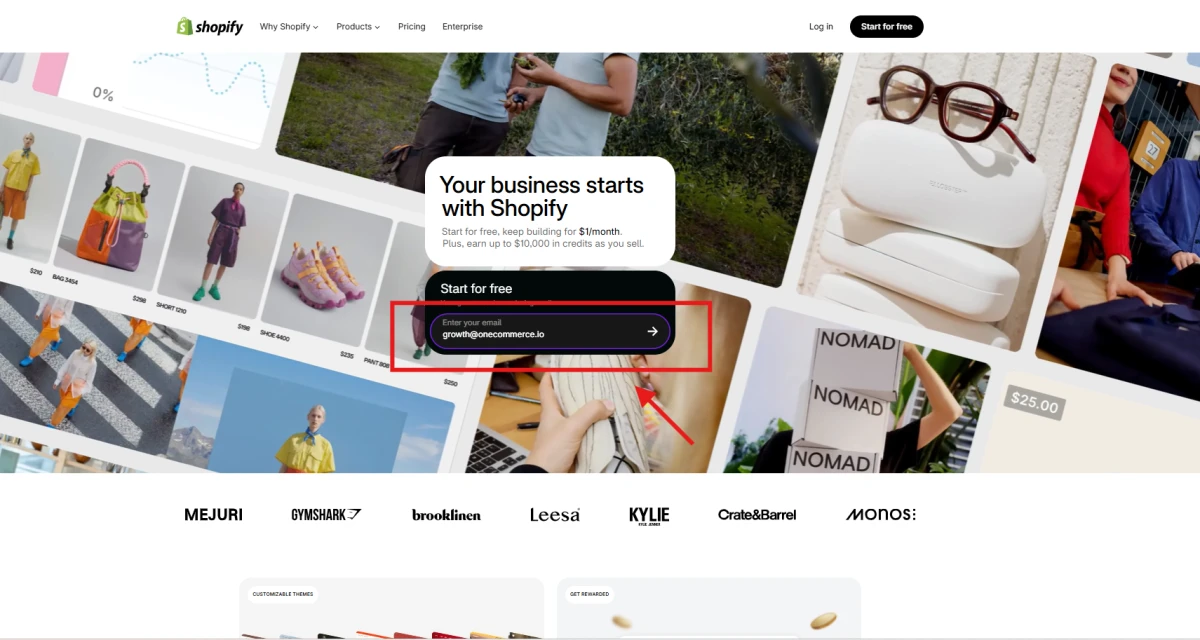
Once you finish the initial setup, you'll land in your Shopify admin and can start building your store.
And that's when I'd stop thinking of the trial as just a demo. Your trial clock is already running, so start building.
Step 2. Tell Shopify a little about your business
Next, Shopify will ask you a few questions about your business and what you're planning to do with your store.
Nothing too complicated here. These questions are mainly there to tailor your setup experience. And if you don't feel like answering them all, you can choose Skip All and move on.
Step 3. Add your business location
Shopify will then ask where your business is located.
I'd make sure this is accurate rather than just picking something to get through the signup. Your business location can affect things like available payment options, taxes, and other settings you'll work with later.
Step 4. Create your Shopify account
Finally, create your Shopify account using the sign-in option Shopify gives you.
Once you're done, you'll land in your Shopify admin. That's your starting point for actually building the store.
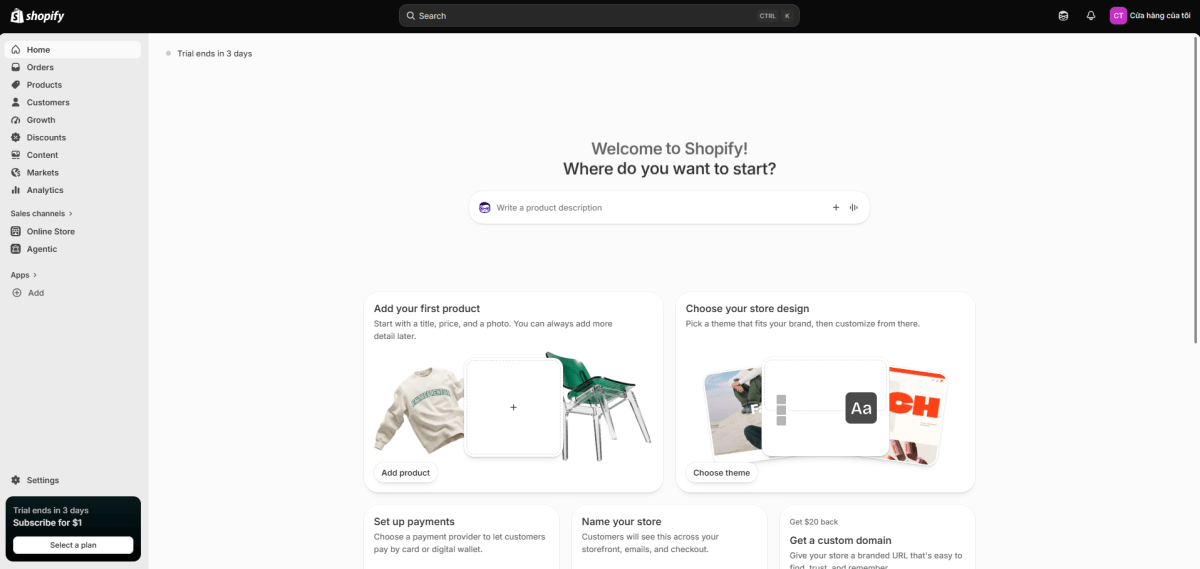
And one small thing to remember: your free trial starts when you sign up. So once you're inside, I'd jump straight into the store setup instead of letting a few trial days disappear while you're still deciding what to do.
From here, you can start adding products, customizing your storefront, setting up your store operations, and getting everything ready for launch.
What Can You Do During the Shopify Free Trial?
Okay, now you're inside the Shopify admin. This is where the free trial becomes useful.
Rather than treating it as a quick product demo, use the trial to build the store you actually intend to run. You can work on the storefront, add products, set up your selling operations, use Shopify's AI tools, and test the customer experience before committing to a paid plan.
1. Build and Customize Your Store
Start by turning the default store into something that actually represents your brand.
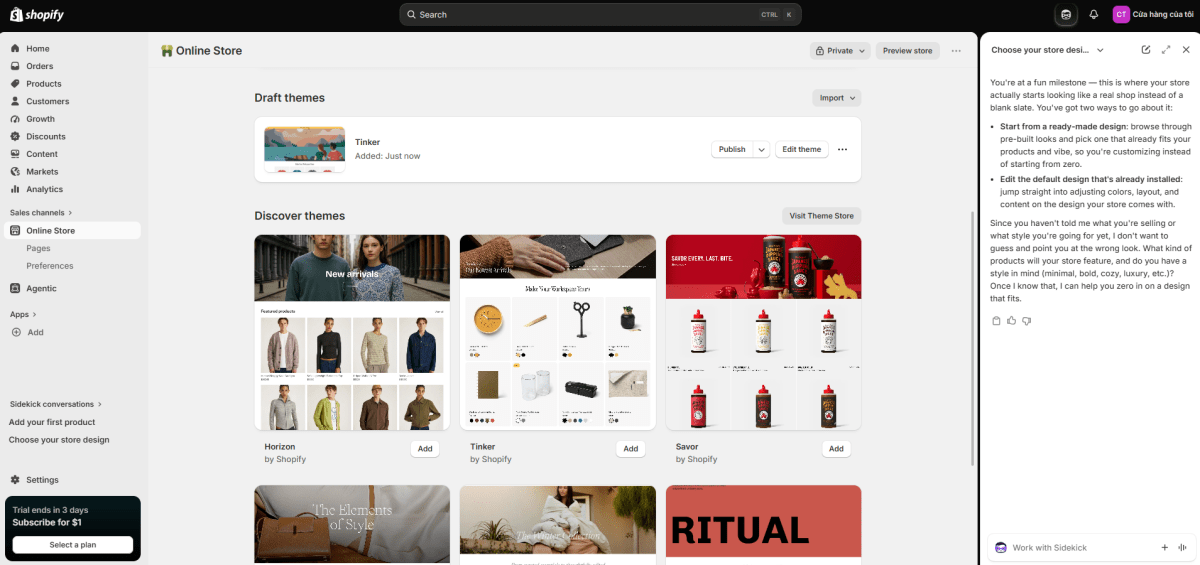
Shopify gives you a range of themes to work with, including free themes developed by Shopify and paid themes from third-party designers. You can add and customize free themes directly in your admin, while paid themes can be previewed and customized before you decide to buy one.
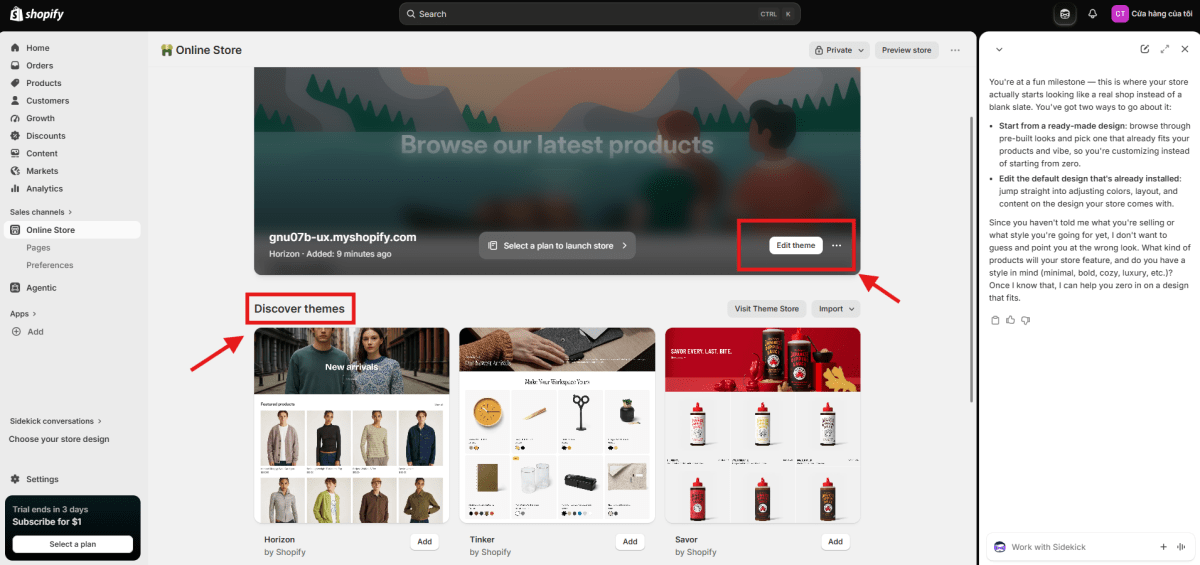
Choose a theme that fits your products, then customize your homepage, add your logo and brand elements, set up your navigation, and arrange the sections shoppers need to see. You can also preview how your storefront looks across different devices before launch.
I'd focus on making the store clear and usable before trying to perfect every design detail.
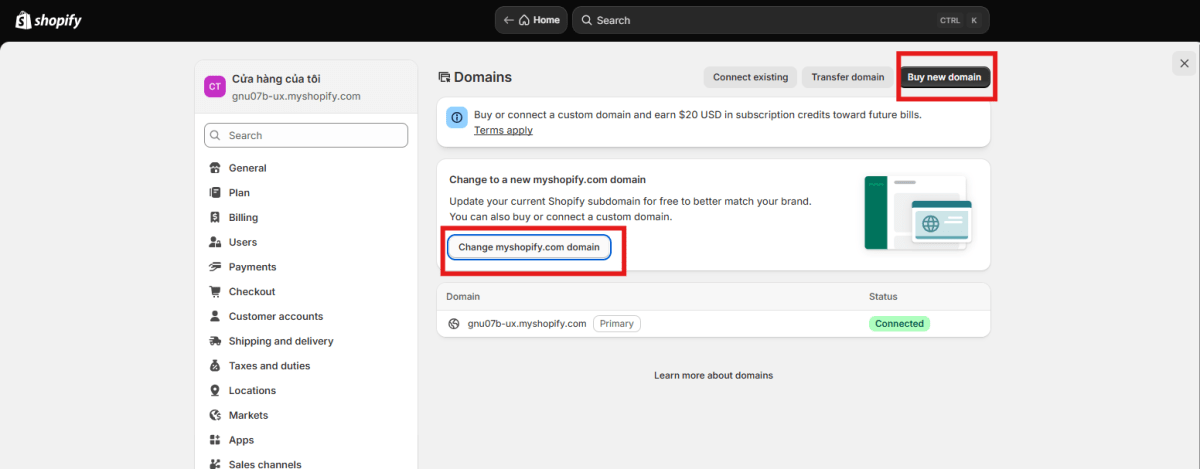
2. Connect Your Custom Domain
If you're serious about launching the store, your trial is also a good time to connect your custom domain.
You can connect a domain you already own or purchase one through Shopify. Using a custom domain gives your storefront a more consistent brand identity and gives you an address you can use across your website, ads, email, and social channels.
I'd get this done before launch rather than changing your domain after you've already started sending traffic to the store.
3. Add Products and Organize Your Store
Next, build out your catalog.
You can add product titles, descriptions, images, prices, variants, and inventory, then organize products into collections to make the catalog easier to browse.
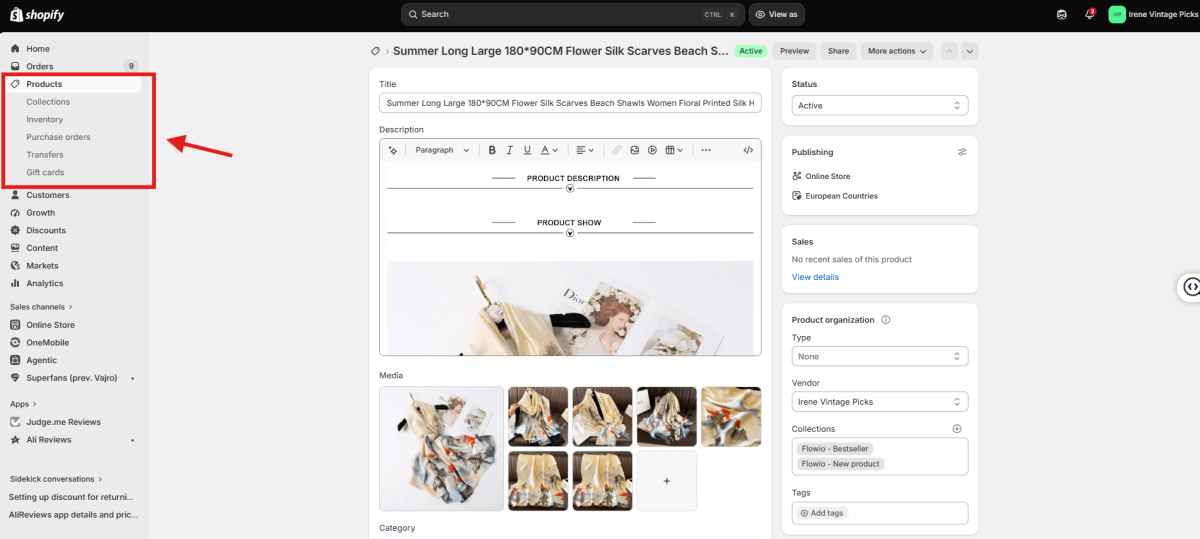
This is also a good opportunity to evaluate your product pages properly. Look at them on both desktop and mobile and check whether a customer has enough information to understand the product, trust the offer, and make a buying decision.
4. Set Up the Essentials for Selling
With the storefront and catalog in place, move on to the operational side.
You can work through settings for payments, shipping and delivery, taxes, and other parts of the checkout experience. The exact options available will depend on your location, plan, and the payment providers supported in your market.
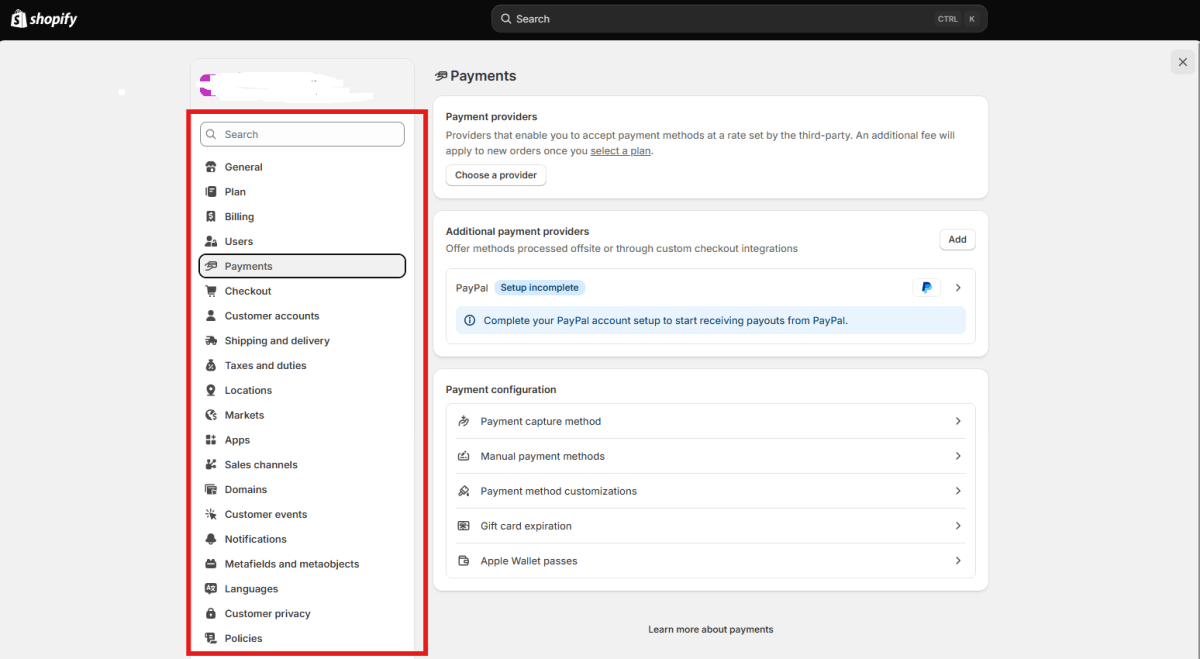
This is one area I'd take seriously during the trial. A polished storefront doesn't mean much if your shipping rates are wrong, your payment method isn't ready, or the checkout doesn't work the way you expect.
5. Use Sidekick to Speed Up Store Setup
Shopify's Sidekick is another tool worth exploring during the trial. It's an AI-powered assistant built into the Shopify admin that can answer questions, guide you through tasks, generate content, and help make changes across your store.
For example, you can ask Sidekick to help create or edit product content, build collections, work with discounts, generate marketing copy, or explain what you're looking at inside Shopify. It can also help with reports and analytics, and can work with supported third-party apps.
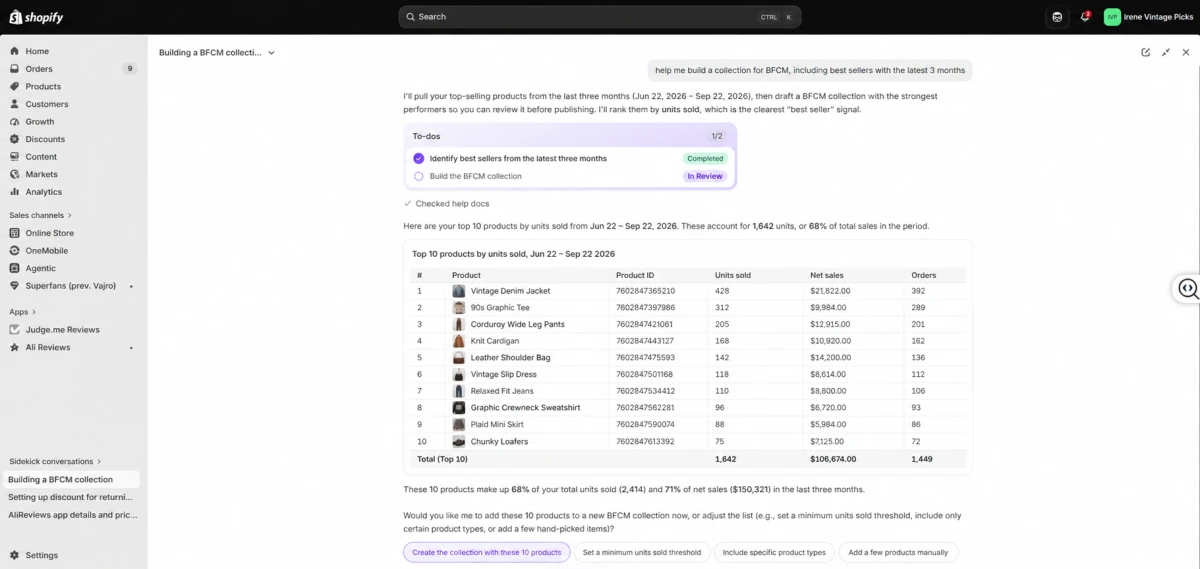
That's particularly useful during a free trial because you can see how much of the day-to-day setup Shopify can help you handle without manually working through every task.
Just don't treat AI-generated work as ready to publish by default. Shopify recommends reviewing AI-generated content and changes before applying them, and Sidekick requires your approval before making changes to your store.
6. Explore Themes and Apps
The trial is also a good time to see which themes and apps actually fit your operation.
You might need product reviews, email marketing, subscriptions, upsells, inventory management, or another capability that isn't part of Shopify's core features. Explore those options before launch, but don't turn your store into an app collection just because something looks useful.
Pay attention to the cost as well. Third-party apps can introduce another recurring expense, so the free trial is a good opportunity to work out which tools genuinely add value before you build them into your operating costs.
7. Create the Essential Store Pages
Start with the pages customers are likely to look for before placing an order. Depending on your business, these may include an About Us, Contact Us, FAQ, Shipping, and Returns & Refunds page.
You don't need to write a novel for each one. Keep the information clear and make sure it reflects how your business actually operates. Your shipping page, for example, should match the delivery times and options you're offering at checkout.
How to Make the Most of Your Shopify Free Trial for Launch
Three days isn't a lot of time, so I wouldn't try to build a perfect Shopify store during the trial.
Instead, use those three days to get the important pieces in place and see whether your store is actually ready to launch.
Day 1: Get the Basics in Place
I'd start with the things that customers will see first.
Pick a theme, add your branding, set up the navigation, and create the main pages your store needs. Then add the products you actually plan to sell, including images, descriptions, prices, variants, and inventory.
Try not to get too caught up in the small design details. You don't need the perfect homepage on your first day. You just want someone visiting the store to understand what you're selling and find their way around without much effort.
Day 2: Make Sure People Can Buy
With the storefront taking shape, spend the second day on the parts that sit behind the shopping experience.
Set up your payment methods, shipping and delivery details, taxes, and other relevant store settings. If you're using a custom domain, this is also a good time to connect it.
Then take a step back and shop your own store. Open a product, add it to the cart, check the shipping information, and go through the checkout flow. Do the same thing on your phone.
This is usually where you'll notice small things that weren't obvious while you were building the store.
Day 3: Test What Matters and Get Ready to Launch
I'd save the last day for testing rather than adding more features.
Go through your store one more time and look for anything that could get in the way of a purchase. Check your product information, navigation, mobile layout, shipping details, discounts, order notifications, and any apps you've connected.
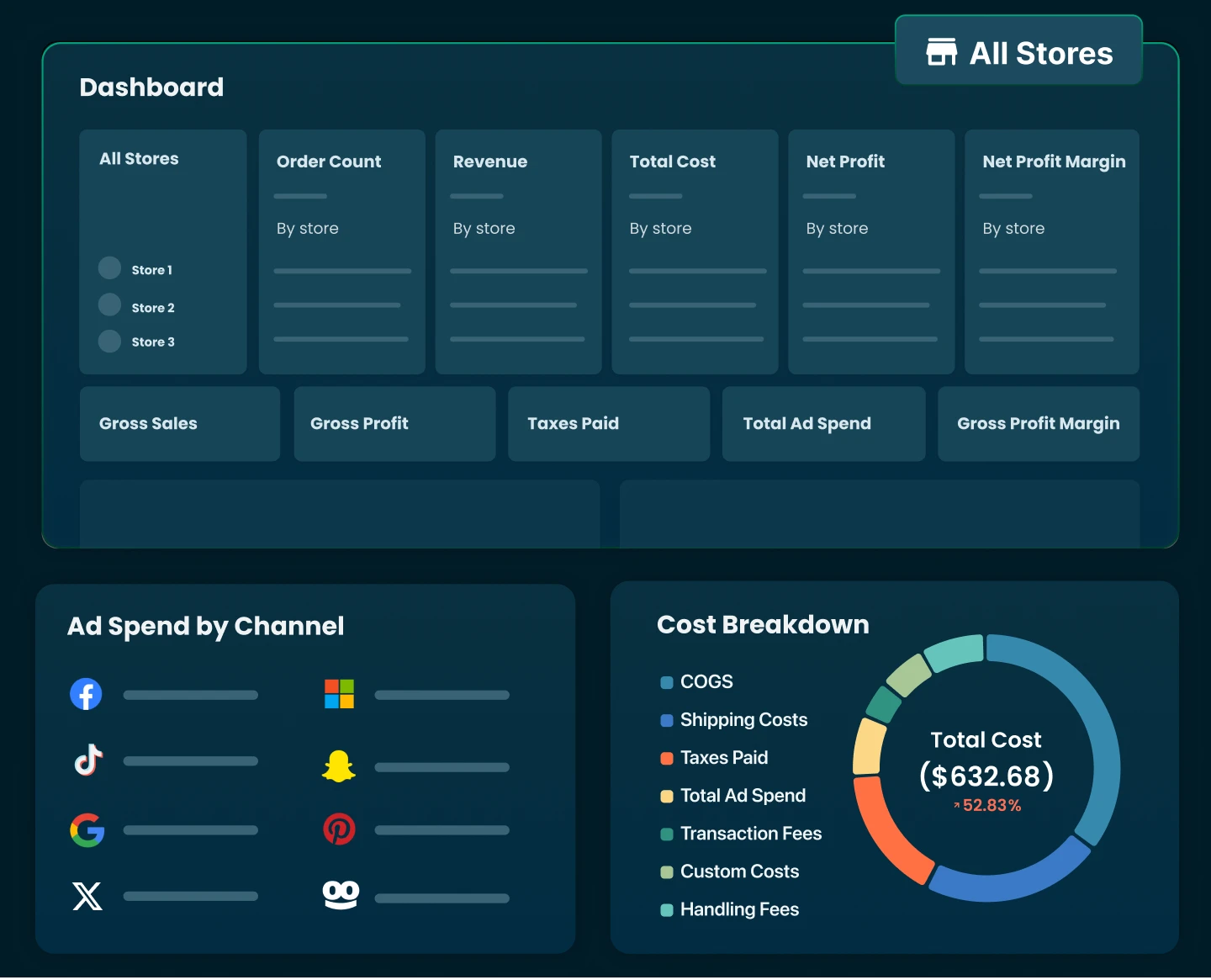
It's also worth looking at your numbers before you start sending traffic. Make sure you know roughly what you're paying for the product, shipping, payment processing, apps, and other costs, and how much you're left with after each sale.
You don't need a perfect profit forecast at this point. You just want to know that the price you're planning to charge gives the business enough room to work.
Don't Try to Finish Everything During the Trial
There will always be something else you can tweak in your Shopify store. Another theme to look at, another app to test, another section to redesign.
I'd leave those things for later.
By the end of the three days, what you really want is a working storefront, a tested buying experience, and a clear idea of what needs to happen next.
If those pieces are in place, you've got something much more useful out of the free trial than simply spending three days exploring Shopify.

What Happens When Your Shopify Free Trial Ends?
The end of the trial doesn't mean your store disappears. It simply brings you to the next decision: continue with a paid plan or leave the store paused for now.
Your Store Is Paused, Not Deleted
When the trial ends without a paid plan, Shopify pauses your store rather than deleting everything you've built.
You can still access your store information and return to it later by selecting a paid plan. That gives you some breathing room if you're still validating your products, working on your branding, or not quite ready to start paying for the store.
The important distinction is that a paused store isn't a live selling store. You need a paid plan before you can start accepting real customer orders.
The Next Step Is Choosing a Paid Plan
If you're ready to launch, Shopify gives you several plans to choose from. The right choice isn't necessarily the cheapest plan or the highest one.
For a new solo store, paying for features you won't use yet can simply add unnecessary overhead. On the other hand, choosing a plan that's too limited can become expensive if you need to upgrade soon after launch.
If you're ready to keep selling, you'll need to choose a paid Shopify plan. The exact price can vary by country, billing cycle, and promotional offer, so check the pricing shown for your market before subscribing. Shopify's current US pricing lists the following standard rates when billed monthly or annually:
Shopify plan | Monthly billing | Annual billing | Designed for |
|---|---|---|---|
Basic | $39/month | $29/month | Solo entrepreneurs |
Grow | $105/month | $79/month | Small teams |
Advanced | $399/month | $299/month | Businesses with more advanced needs |
Plus | From $2,300/month | Contract-based | Complex, high-volume businesses |
What If You're Not Ready to Launch Yet?
You don't necessarily have to rush into launching just because the trial is ending.
If you've built the store but still need more time, Shopify offers options for merchants who aren't ready to launch, including the Pause and Build plan for eligible stores that have already moved onto a paid plan. This keeps the store accessible for continued work while checkout is deactivated.
For a brand-new store still in the free trial, though, the immediate choice is simpler: choose a paid plan to continue, or let the store remain frozen while you decide what to do next.
So when your Shopify free trial ends, think of it less as a deadline and more as a checkpoint. You should have enough information by then to know whether you're ready to launch, need more time to work on the business, or simply don't want to continue with Shopify.
Final Thoughts
Shopify's free trial is a good opportunity to build and test your store before committing to a paid plan. Make the most of it by setting up your products, storefront, essential operations, and customer journey rather than treating the trial as a simple preview of Shopify.
When the trial ends, you'll need to decide whether to activate a paid plan, keep the store paused, or continue working toward a later launch.
Whatever you choose, look beyond the Shopify monthly fee. Your actual ecommerce costs can include apps, payment processing, COGS, shipping, advertising, refunds, and other expenses. Understanding those numbers early can help you choose a Shopify plan with a much clearer view of what it will take to run a profitable store.
Lila Le is the Marketing Manager at TrueProfit, with a deep understanding of the Shopify ecosystem and a proven track record in dropshipping. She combines hands-on selling experience with marketing expertise to help Shopify merchants scale smarter, through clear positioning, profit-first strategies, and high-converting campaigns.