

Shopify With Facebook Ads From First Setup to Profitable Growth 2026
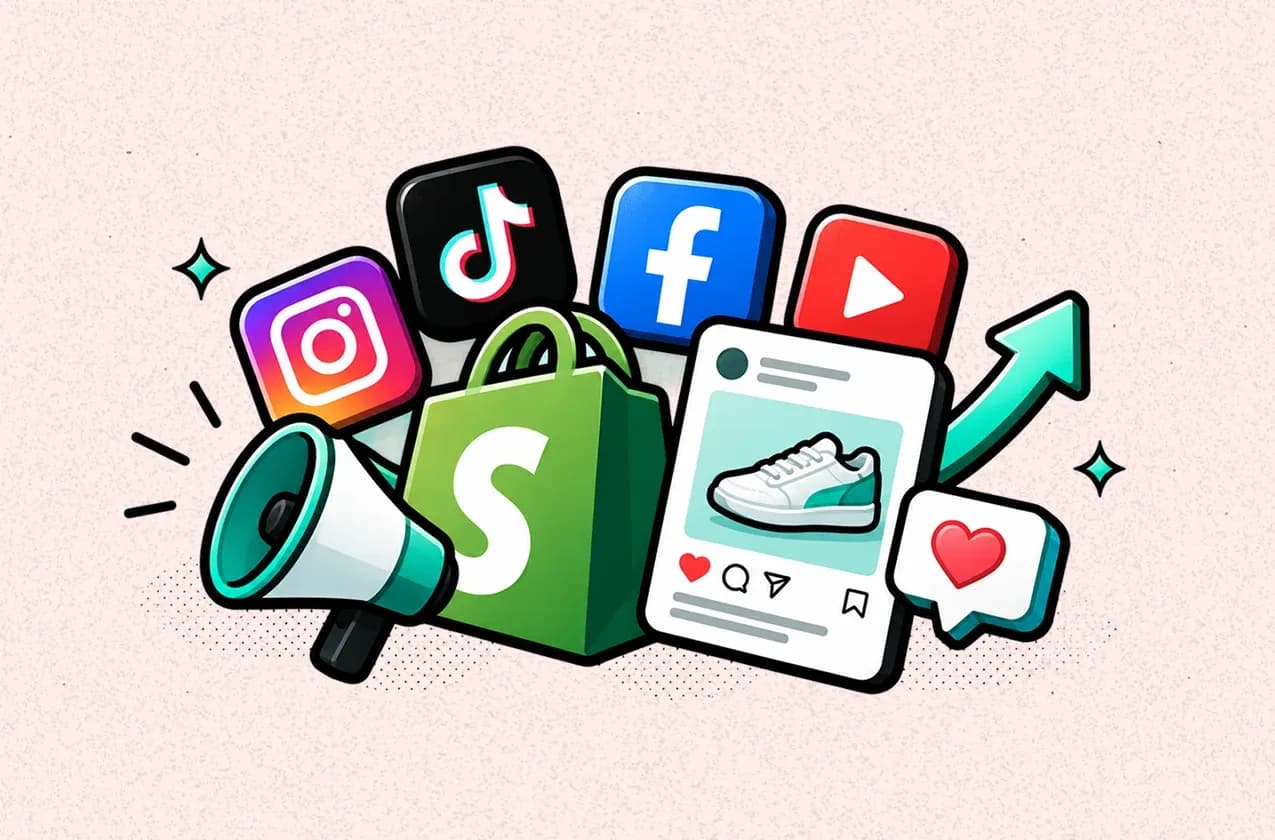
Running Facebook Ads for a Shopify store is one of the fastest ways to bring targeted traffic to your products and turn that traffic into sales.
This guide walks you through the process from connecting Shopify with Facebook Ads to launching campaigns, optimizing your store, and measuring the profit behind your ad spend.
In this blog:
Is Your Shopify Store Ready for Facebook Ads?
Before spending money on Facebook Ads, make sure your Shopify store can actually turn that traffic into sales. You don't need a huge catalog or a perfect storefront, but you should have a product people want, a clear offer, a smooth checkout, and enough margin to support paid acquisition.
I'd check these things first:
- Your product and offer are clear. Visitors should understand what you're selling, why they should care, and what makes the offer worth buying within a few seconds.
- Your product pages are ready for paid traffic. Make sure pricing, product images, descriptions, reviews, shipping information, and return policies are easy to find. Facebook ads can generate the click, but your product page has to close the sale.
- Your checkout works smoothly. Test the buying experience on mobile, since a large share of social traffic will come from phones. Look for unnecessary steps, slow pages, payment issues, or anything that could create friction.
- Your margins can support customer acquisition. This one is easy to overlook. Before setting an ad budget, know how much you can afford to spend to acquire a customer while still making a profit.
- Your tracking is in place. Shopify and Meta need to receive the right events and purchase data so you can evaluate campaigns properly. If your tracking is unreliable, you'll be making optimization decisions based on incomplete numbers.
You also don't need to wait until your store is "perfect." If the basics are working and you have enough margin to test acquisition, you can start with a controlled budget and use the results to identify what needs improving.
The key is not to use Facebook Ads to find out whether your store can sell at all. Ideally, you've already validated the product and offer through organic traffic, existing customers, or smaller tests. Paid traffic should help you scale something that already has a reasonable chance of converting.

Phase 1: How to Connect Shopify With Facebook and Instagram
If you're starting Facebook Ads for a Shopify store, I wouldn't jump straight into Ads Manager. Get the Shopify–Meta connection right first. Your products, tracking, and conversion data all depend on this setup, and a small tracking mistake can make the numbers you're optimizing against unreliable.
Connect Your Shopify Store to Meta
In your Shopify admin:
- Go to Settings → Sales channels and open the Shopify App Store.
- Search for Facebook and Instagram by Meta and add the channel.
- Click Start setup and connect your Facebook account.
- Connect the relevant Meta business assets, including your Facebook Page and business portfolio.
- Follow the setup steps and finish the connection.
One thing to watch here is permissions. The Facebook account you're using needs the appropriate control over the business portfolio and Facebook Page. If the Page belongs to a different business portfolio, for example, it may not appear as an option during setup.
Once connected, Shopify uses the Facebook and Instagram by Meta channel to sync your products to a shared Meta catalog. You can then choose which products are available to the channel and check for any catalog errors directly in Shopify.
Set Up Meta Pixel and Conversions API
Next, get your tracking in place before you start spending on ads.
In Shopify, go to Sales channels → Facebook & Instagram → Settings → Share data settings, enable customer data sharing, and connect an existing Meta Pixel or create a new one.
Shopify currently offers Standard, Enhanced, and Maximum data-sharing levels. Enhanced and Maximum use the Meta Pixel together with the Facebook Conversions API, which sends certain events from Shopify's server to Meta rather than relying only on browser-based tracking.
And if you've previously installed a Meta Pixel manually in your Shopify theme, remove the old code after connecting the pixel through the Meta sales channel. Running both can result in duplicate or incorrect data.
Sync Your Shopify Product Catalog
Your products can sync from Shopify to the Meta catalog after you set up the channel. Product details such as images, titles, and prices can also be updated from Shopify and synced to Meta.
Before launching your first campaign, check the Product status section in Shopify. If products are missing or showing errors, fix those issues first. There's not much point sending ad traffic to a product that Meta can't properly identify or use in your campaign.
At this stage, you ideally have three things working together: Shopify for your store and product data, Meta for your ads, and reliable conversion tracking connecting the two. That's the foundation you'll need before worrying about campaign structure or scaling spend.
Phase 2: How to Create Facebook Ads for Your Shopify Store
Once your Shopify and Meta setup is ready, you can start building the campaigns. At this stage, I'd keep one principle in mind: you're not trying to get the most clicks or engagement. You're trying to get purchases.
Choose the Right Objective
I know it can be tempting to choose Traffic or Engagement when you're starting out, especially if those campaigns give you cheaper clicks or more interactions. But if your goal is to sell products through Shopify, Sales is the objective you want to build around.
Set the conversion event to Purchase so Meta can optimize toward people who are more likely to complete an order, rather than simply finding people who tend to click ads or engage with content.
This becomes especially important once you start spending more. You want the conversion data coming back to Meta to reflect the business outcome you actually care about.
Build Your Funnel Around Where the Customer Is
You don't need a complicated funnel with a different campaign for every possible audience. But it helps to think about the difference between someone discovering your brand for the first time and someone who has already shown buying intent.
- For cold traffic, broad targeting or Meta's Advantage+ shopping/sales approach can give the system room to find potential buyers. The creative does more of the heavy lifting here, so problem-solution videos, UGC, unboxings, and clear product benefits are worth testing.
- For retargeting, you're talking to people who already know you. Website visitors, people who added to cart, or users who engaged with your Instagram or Facebook content don't necessarily need the same introduction as a completely new shopper.
That gives you three strategies worth keeping in your Shopify Facebook Ads playbook:
Strategy | What it helps you do | Where it fits |
|---|---|---|
Advantage+ Shopping | Let Meta use its automation to find and reach potential buyers | Cold / prospecting |
Dynamic retargeting | Bring shoppers back with products they've already viewed or interacted with | Retargeting |
Creative-led campaigns | Use different hooks, formats, and angles to find what gets people to buy | Across the funnel |
The exact campaign options Meta gives you can change over time, so I wouldn't build your entire strategy around a particular button or campaign type. The bigger idea is to combine Meta's automated delivery with strong first-party product data and creativity that gives people a reason to buy.
Make the First Few Seconds Count
For Facebook and Instagram, you don't have much time to earn attention. I’d treat the first three seconds of a video as the make-or-break moment.
Start with the product in action, a strong visual, a problem your customer immediately recognizes, or a statement that makes them curious enough to keep watching.
Then make the next step obvious. If the goal is to sell, your CTA should make it clear what you want the shopper to do, whether that's Shop Now, viewing the product, or taking advantage of a specific offer.
And don't assume a highly polished commercial will automatically perform better. Native-looking, smartphone-shot content and UGC can work extremely well because they feel more like the content people are already consuming on the platform.
That distinction becomes important later when you're evaluating the campaign. A creative that gets cheap clicks isn't necessarily the winner if another one brings fewer clicks but significantly more profitable customers.
Phase 3: Optimize Your Shopify Store for Conversions (CRO)
You can go back to the checklist to make sure your store is ready for paid traffic. Now, I'm looking at something different: how to get more sales from the traffic you're already paying for.
This is where CRO comes in. When Facebook Ads are generating clicks but the conversion rate isn't where you want it to be, don't automatically assume the problem is the campaign. Your Shopify store may be losing customers somewhere between the first click and the completed purchase.
Align the Landing Page With the Ad
The first thing I'd check is whether the landing experience matches what the shopper saw in the ad.
If your ad promotes a specific product, send people directly to that product page. If you're advertising a particular offer or benefit, make sure it's immediately visible when they arrive.
You don't want to pay for a click and then make the shopper figure out where to go next.
The ad creates the expectation. The landing page needs to continue the story.
Remove Friction From the Buying Journey
When shoppers are interested but don't complete the purchase, look for unnecessary friction before redesigning the entire store.
Slow-loading pages, confusing navigation, limited payment options, unexpected shipping costs, or a checkout that feels cumbersome can all create another reason to leave.
Mobile deserves particular attention here. A large portion of social commerce activity happens on mobile, so test the complete journey on a phone: click the ad, open the product page, add the product to cart, and complete checkout.
Don't just check whether the page looks good. Actually go through the buying process like a customer would.
Use Trust to Close the Gap
Someone clicking a Facebook ad may be discovering your brand for the first time. They don't have the same trust as an existing customer, so your store needs to answer the questions that might stop them from buying.
Customer reviews, ratings, UGC, product photos, shipping expectations, and a straightforward return policy can all help remove that hesitation.
The goal isn't to add as many trust badges as possible. It's to make the important information easy to find when the shopper is deciding whether to buy.
Recover the Traffic That Doesn't Convert
Not every visitor will purchase on the first session, especially when you're paying to reach people who may be discovering your brand for the first time.
This is where abandoned-cart and abandoned-checkout flows can help you recover some of the demand you've already paid to generate. Email, SMS, and Meta retargeting can bring shoppers back based on what they actually did in your store.
I'd also avoid giving everyone the same discount. Someone who only viewed a product hasn't shown the same intent as someone who added it to cart or started checkout. Your recovery strategy should reflect that difference in intent.
Ultimately, CRO isn't about making your Shopify store look prettier. It's about finding where potential customers are dropping out of the buying journey and fixing the friction that's costing you sales.

Phase 4: How to Tell Whether Your Shopify Facebook Ads Are Actually Profitable
Don't Judge the Campaign by ROAS Alone
I know ROAS is one of the key metrics for Facebook Ads, and it's probably one of the numbers most merchants focus on when checking a campaign. You launch an ad, see a 3x, 4x, or 5x ROAS, and that's usually a pretty good sign that things are working.
But ROAS is ultimately an attributed revenue metric, not a profit metric.
I'd look at ROAS as a campaign optimization metric, not the final answer to whether you should keep scaling.
Know Your Break-Even ROAS and Allowable CAC
This is where your own numbers become more useful than a generic "good ROAS" benchmark.
Start with your break-even ROAS, which tells you roughly how efficiently your ads need to convert revenue into order contribution before you start losing money on acquisition.
A simple formula is:
Break-Even ROAS = 1 ÷ Contribution Margin
For example, if your contribution margin before advertising is 40%:
1 ÷ 0.40 = 2.5x
So you'd need roughly a 2.5x ROAS to cover the contribution costs and ad spend, before considering fixed overhead and other expenses outside that calculation.
I'd also look at allowable CAC alongside ROAS.
If a new customer generates $100 in revenue and leaves you with $40 in contribution profit before acquisition, spending $20 to acquire that customer may work. Spending $45 may not work on the first order unless you have enough repeat purchases and customer value to justify that acquisition cost.
Measure Store-Level Efficiency With Blended Metrics
Once you've looked at individual campaigns, zoom out.
A Facebook campaign doesn't operate in isolation. Customers might discover you through Facebook, come back through Google, purchase through direct traffic, or return later through email. Looking at one platform's attributed revenue can make the business look more or less efficient than it really is.
This is where blended metrics become useful.
I'd look at:
Metric | What it tells you |
|---|---|
Blended CAC | How much you're spending across marketing to acquire customers |
MER | How much total revenue you're generating for your total marketing spend |
How much revenue each order generates | |
New vs. returning customers | Whether growth is coming from acquisition or your existing customer base |
Contribution margin | How much revenue remains after relevant variable costs |
One metric worth knowing is MER (Marketing Efficiency Ratio):
MER = Total Store Revenue ÷ Total Marketing Spend
I wouldn't replace ROAS with MER, though. They answer different questions.
ROAS helps you optimize the campaign. MER helps you understand the efficiency of your overall marketing spend.
Track the Profit Behind Your Facebook Ads
At this point, you've got a few useful numbers: campaign ROAS, break-even ROAS, CAC, and blended efficiency. But there's still a gap.
How much profit did those sales actually leave behind?
That's harder to answer when your ad spend sits in Meta, sales sit in Shopify, and costs such as COGS, shipping, transaction fees, refunds, and discounts are tracked elsewhere.
This is where I prefer to bring everything into a profit view rather than trying to calculate it manually across different dashboards.
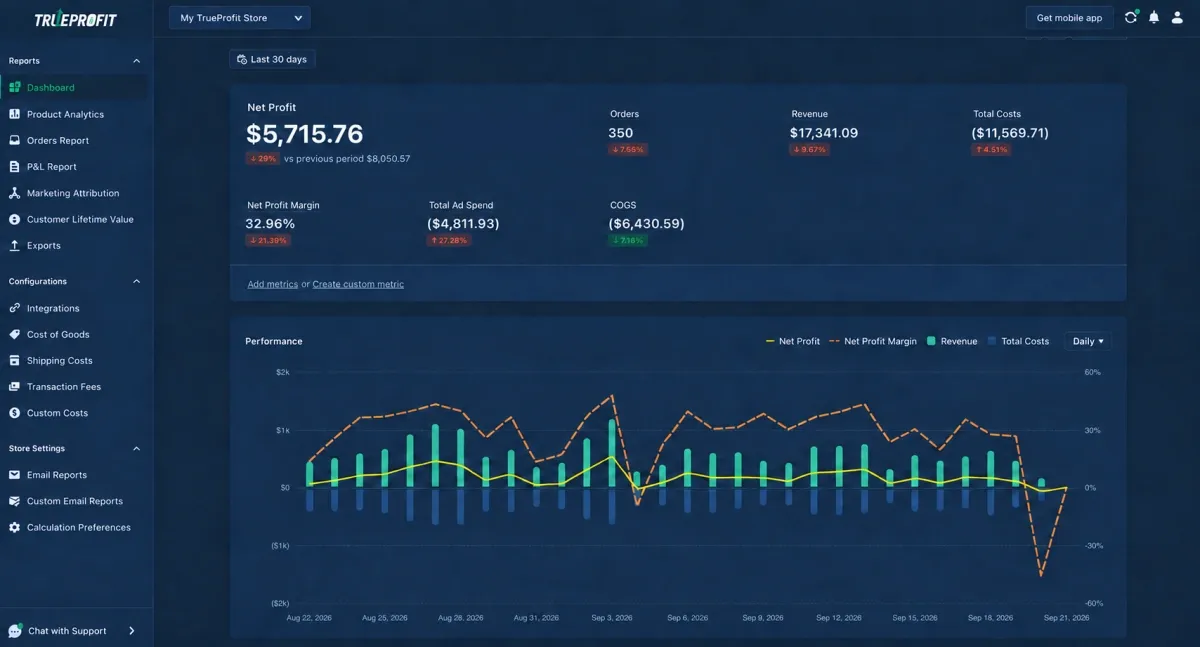
For Shopify merchants, TrueProfit connects Shopify sales and costs with advertising data so you can track P&L and net profit alongside your marketing performance.
More importantly, with TrueProfit's marketing attribution feature, you can drill down to individual Facebook ad campaigns and see metrics such as attributed revenue, total costs, net profit, and net profit margin. Instead of judging a campaign by ROAS alone, you can see how much profit it generates after accounting for the costs associated with those sales.
That makes it easier to identify which campaigns are actually profitable, which ones need optimization, and where your next advertising dollar is more likely to pay off.


You can also drill into product profitability, which becomes especially useful when you're running Facebook Ads for products with very different margins. A campaign can look profitable overall while the specific products you're scaling are contributing much less profit than expected.
Understand Why Meta and Shopify Revenue Don't Match
One last thing before you start comparing dashboards: don't expect Meta and Shopify to report exactly the same revenue or conversion numbers.
They're not necessarily measuring attribution in the same way. Meta attributes conversions based on its own ad reporting and attribution settings, while Shopify provides its own marketing attribution models for analyzing orders and sales.
That means the same order can receive different marketing credit depending on the platform and attribution model you're looking at.
There are also practical reasons numbers can differ, including reporting windows, customer journeys across devices and channels, privacy limitations, and refunds or cancellations that may be reflected differently in different reports.
Final Thoughts
Running Facebook Ads for a Shopify store isn't just about connecting Meta, launching a campaign, and watching the ROAS climb.
The real work is making sure the entire path works together. Your ads need to attract the right shoppers, your Shopify store needs to convert them, and your numbers need to show whether those sales are actually profitable.
Once you start measuring Facebook Ads this way, scaling becomes less about chasing the biggest revenue number and more about putting your budget behind the campaigns, products, and customers that actually make you money.
Irene Le is the Content Manager at TrueProfit, specializing in crafting insightful, data-driven content to help eCommerce merchants scale profitably. With over 5 years of experience in content creation and growth strategy for the eCommerce industry, she is dedicated to producing high-value, actionable content that empowers merchants to make informed financial decisions.