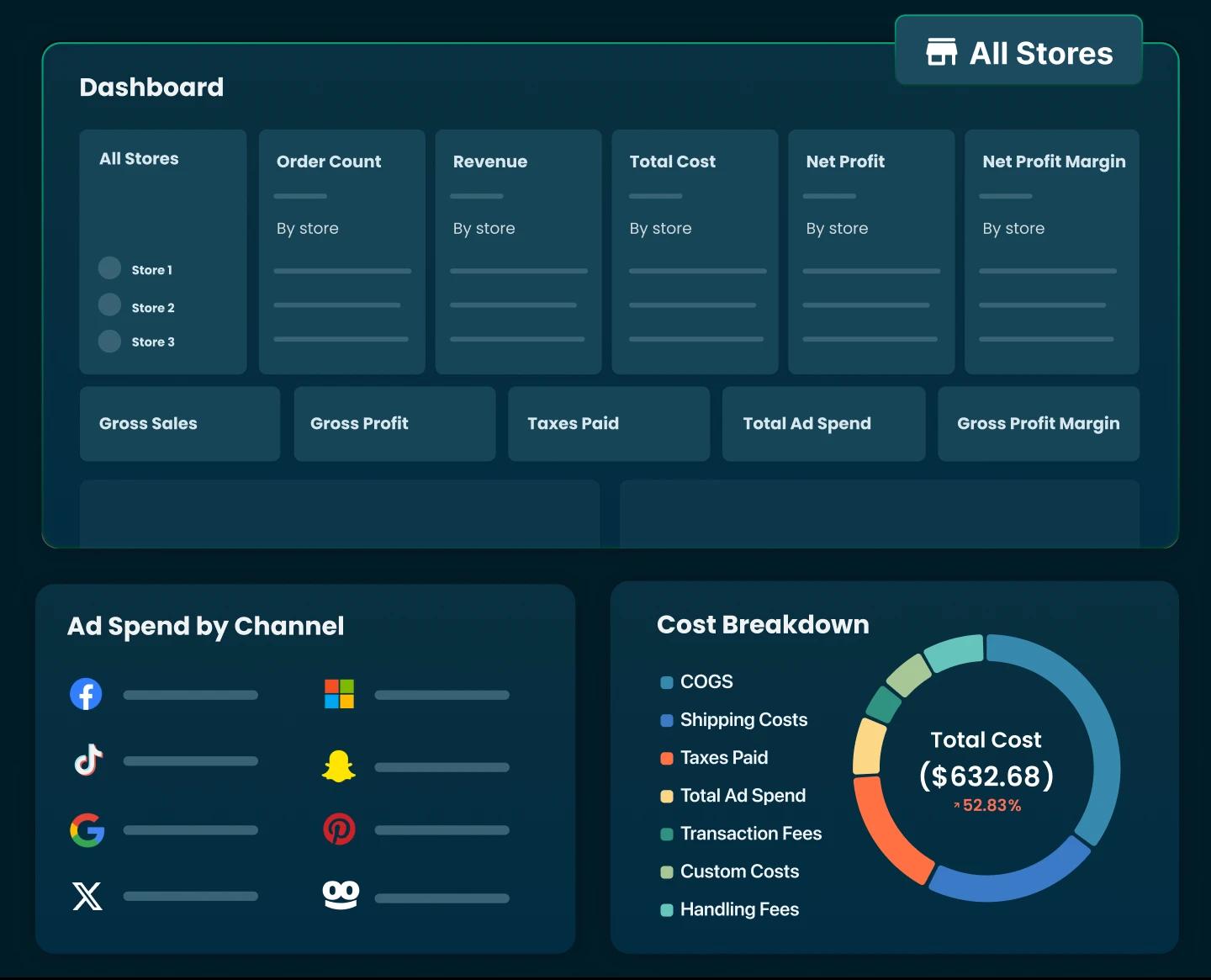
How to Sell Internationally on Shopify in 2026 (A Practical Step-by-Step Guide)


Table of Contents
- 1. How Selling Internationally on Shopify Actually Works
- 2. Before You Expand: Choose the Right International Markets
- 3. Step-by-Step: How to Set Up International Selling on Shopify
- 4. Shopify Markets vs. Managed Markets: What’s the Difference?
- 5. How to Track Whether Your International Shopify Sales Are Working
- 6. Final Thoughts
- 7. FAQs About Selling Internationally On Shopify
Turning on international selling in Shopify takes a few clicks. Making it profitable takes a lot more planning. Before you start shipping orders halfway around the world, let’s break down how international selling on Shopify actually works and what you’ll want to get right from the start.
In this blog:
- 1. How Selling Internationally on Shopify Actually Works
- 2. Before You Expand: Choose the Right International Markets
- 3. Step-by-Step: How to Set Up International Selling on Shopify
- 4. Shopify Markets vs. Managed Markets: What’s the Difference?
- 5. How to Track Whether Your International Shopify Sales Are Working
- 6. Final Thoughts
- 7. FAQs About Selling Internationally On Shopify
How Selling Internationally on Shopify Actually Works
Selling internationally on Shopify works through Shopify Markets, a built-in feature that lets one store sell to many countries.
You don't need a separate store for each country. If you're still getting to grips with what Shopify is and how the admin fits together, think of a market as a set of rules that tells your store how to behave for shoppers in a specific country or group of countries.
What stays the same across every market is the back end. You keep one product catalog, one inventory, one order list, and one set of apps. What changes is what the shopper sees and pays.
Before you configure anything, though, you need to decide which countries are actually worth setting up.

Before You Expand: Choose the Right International Markets
Before you start changing currencies, domains, or shipping settings, take a step back and decide where you actually want to sell first.
Look for Existing International Demand
The first place to look is your own store.
Before spending money on market research or international ads, check whether customers in other countries are already finding and buying from you. That gives you real behavior to work with instead of relying entirely on assumptions.
Here are a few places worth checking:
- Sales by location: In Shopify Analytics, look at sales and sessions by country. Compare sessions, conversion rate, revenue, and average order value. You want to see which countries are already buying and which ones are sending traffic without much conversion.
- Abandoned checkouts: Pay attention to shoppers who make it as far as checkout but don't complete the order. High abandonment in a particular country can point to friction around shipping costs, currency, or payment options.
- Support inbox: Are customers regularly asking, “Do you ship to my country?” or “Can I buy this from [country]?” Those questions are worth paying attention to because they're coming from people who are already interested in the product.
- Google Search Console: Check where your organic impressions and clicks are coming from. A country that sends relevant search traffic but few sales may be worth investigating rather than dismissing.
- Social and wholesale: Your social audience, distributor inquiries, and wholesale requests can also reveal interest that isn't showing up clearly in your Shopify data yet.
Put these signals together and you can usually build a reasonable shortlist without immediately paying for a large market research project.
Evaluate the Market Beyond Demand
Now, suppose you've found a country that's already sending traffic or orders. Is that enough to expand there?
Not quite.
The next question is whether you can serve that demand without turning every international order into a margin problem.
Before activating a market, run it through these five checks:
Unit economics deserves particular attention. It's easy to look at a country and think, “We're getting orders from there, so this must be working.” But revenue doesn't tell you what you actually keep.
Language is another practical consideration. If your store is currently English-only, markets such as Canada, the UK, Australia, and Ireland can be simpler to test because you can avoid a major translation project at the beginning. That doesn't automatically make them the right markets, though. Shipping, competition, regulations, taxes, and customer expectations still need to work.
Once you've narrowed that down to one or two markets, you're in a much better position to start setting them up in Shopify.
Step-by-Step: How to Set Up International Selling on Shopify
So, you've picked the first market you want to test. What do you actually do inside Shopify?
Let's walk through the setup.
Step 1: Enable Multi-Currency & Localized Pricing
Once you've chosen a market, make the price feel local.
Shopify Markets lets you assign a currency to each market. Depending on your payment setup, you can use automatic or manual exchange rates, and you can apply rounding to make converted prices cleaner.

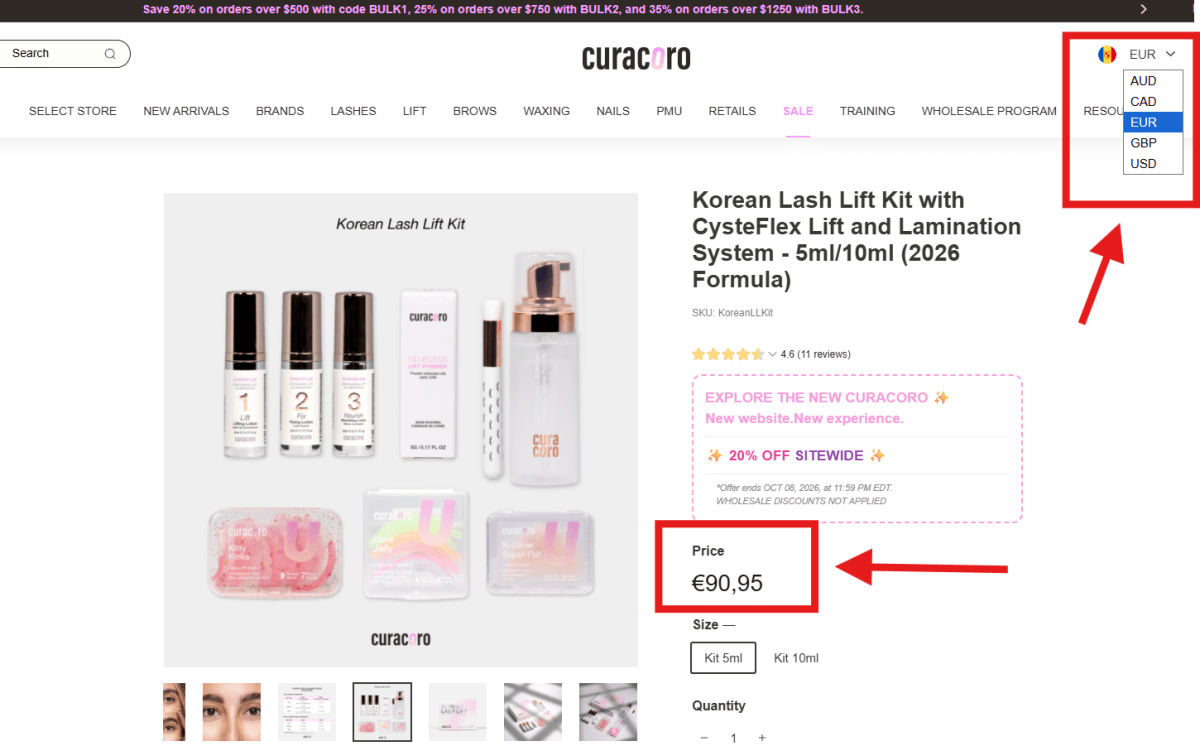
For example, instead of showing a converted price such as €47.83, you can use a rounded local price that is easier for shoppers to process.
Your payment setup matters here. To actually process payments in multiple currencies through Shopify, Shopify says your store needs to use Shopify Payments or Adyen. With other payment providers, customers may still see local-currency pricing in some configurations, but payments are processed in the store's default currency.
Step 2: Translate & Localize Store Content
Translation is only part of localization.
For markets where English isn't the main shopping language, translate the parts of the store that directly affect the buying decision first: product titles and descriptions, navigation, shipping and returns information, FAQs, and checkout-related content.
Shopify's Translate & Adapt or third-party apps like Transcy can automatically translate store content, while also allowing you to review and manually adjust translations. It can also be used to create market-specific content rather than simply translating the same copy word for word.
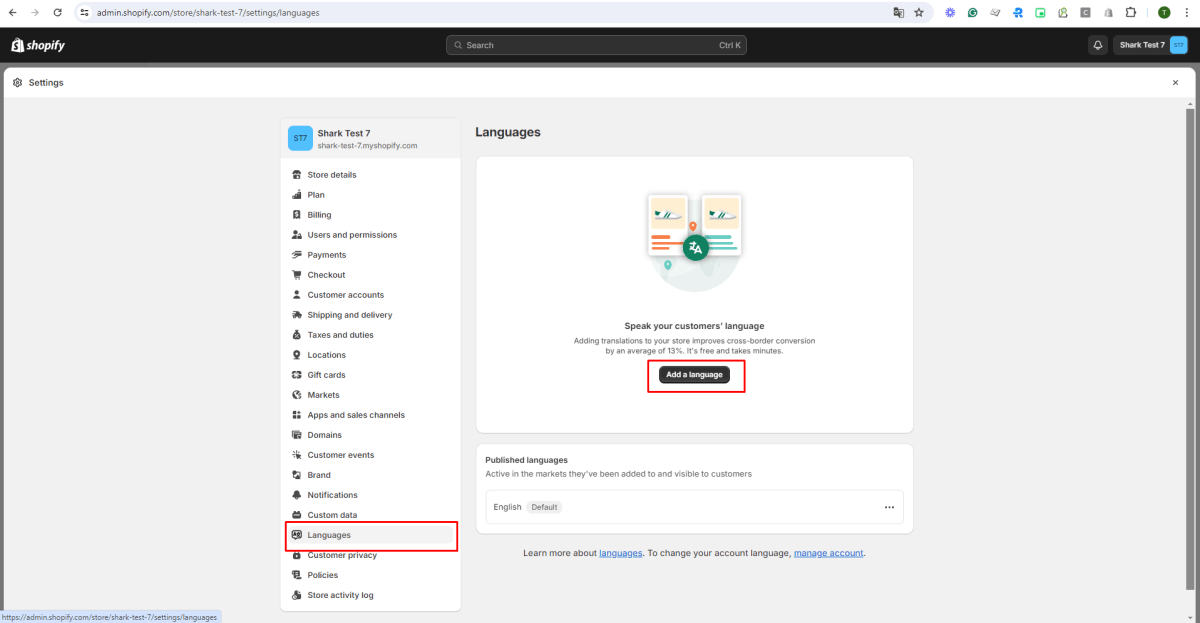
You should also adapt details that aren't really translation issues. That includes sizing systems, units of measurement, spelling, currency formats, seasonal references, and promotional messaging.
Step 3: Configure International Domains & Subfolders
Next, give each market the right URL structure.
Shopify supports subfolders, subdomains, and country-specific top-level domains for international markets. For example:
- yourstore.com/en-ca for Canada
- fr.yourstore.com for a French market
- yourstore.de for Germany
For most stores starting with international selling, subfolders are the simplest option because they are easier to manage and share the authority of your primary domain. Shopify also automatically generates the relevant hreflang tags when you configure distinct international URLs and languages.
You can also enable automatic country/region redirection so Shopify directs shoppers toward the market experience that matches their location. But don't rely on IP detection alone. Shopify notes that IP-based geolocation isn't always accurate, so keeping a visible country and language selector gives shoppers a way to correct their market manually.
There's also an important SEO distinction: dedicated market URLs can be indexed, while markets sharing the same URL don't create separate indexable versions. So if organic traffic is part of your international strategy, your URL structure deserves more thought than simply redirecting visitors to different currencies.
Step 4: Set Up Global Shipping & Duty Calculation
Finally, make sure you can actually deliver orders to the market at a cost customers will accept.
Set up the relevant shipping zones and rates for each market, then define the delivery options and estimated transit times you can realistically support.
You'll also need accurate customs information for your products, including the HS code and country of origin, when you're using Shopify's duties and import tax features.
Shopify Markets can be configured to display taxes as included in product prices or added separately at checkout, depending on the market. You can also configure duties and import taxes to be collected at checkout for eligible international orders.
This is worth getting right before you start driving traffic. A customer who sees one price on the product page and then discovers significant shipping, tax, or import charges at checkout has a very different buying experience.
So before activating the market, place a test order and check the final checkout amount, shipping rate, taxes, duties, currency, and payment method from the customer's perspective.
Shopify Markets vs. Managed Markets: What’s the Difference?
This is one part of international selling I’d spend a little more time on, because the choice you make here can affect both how much control you have and how much work your team has to handle.
If you're selling internationally, there's one decision that's easy to overlook: how much of the cross-border work do you actually want to handle yourself?
That's the main difference between Shopify Markets and Managed Markets. Here's how they compare:
The right choice depends on your order volume, team resources, and tolerance for compliance work. Many stores begin with Shopify Markets and move to Managed Markets when international sales become complex enough to justify the additional cost.

How to Track Whether Your International Shopify Sales Are Working
From Knowing the Right Metrics to Track…
If you want to know whether selling internationally on Shopify is actually working, start by tracking the right metrics.
Revenue and order volume are useful, but they don’t give you the full picture. You also need to look at metrics like conversion rate, AOV, CAC, gross profit margin, and especially net profit to understand what you’re really getting from each market.
Here are the key metrics you should prioritize tracking:
- Revenue: See how much each market is generating.
- Orders: Track demand and sales volume over time.
- Conversion rate: Understand how effectively your store turns international traffic into customers.
- AOV: See how much customers are spending per order.
- CAC: Measure how much it costs to acquire a customer in each market.
- Gross profit margin: See what remains after product costs.
- Net profit: Understand what you actually keep after all relevant costs. This is the number you should be checking most closely.
…To Measuring Profit Accurately
Which brings us to the part most merchants overlook: you can't manage profit by market if you can't measure it accurately.
International selling makes that harder than it sounds. Your sales live in Shopify, ad spend is spread across Meta, Google, and TikTok, shipping costs come from your fulfillment provider, and payment fees vary by gateway. Layer on refunds, chargebacks, and discounts, and your spreadsheet is out of date the moment you finish updating it.
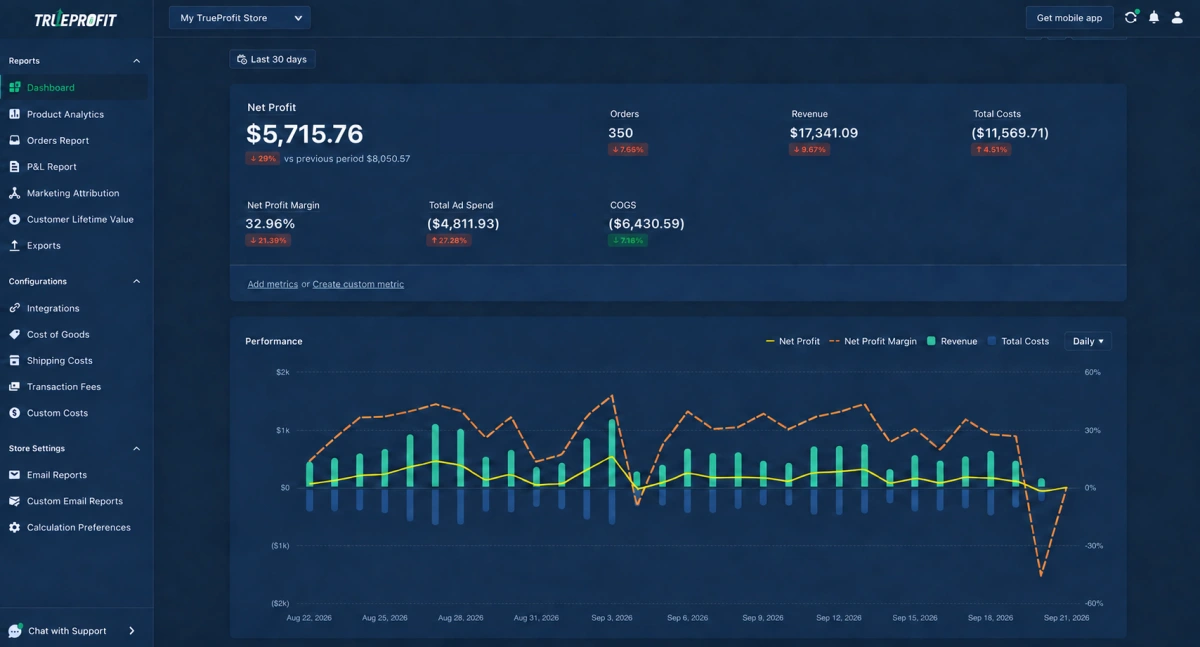
That's where automated profit tracking pays for itself. A tool like TrueProfit pulls your sales and costs into one place and keeps your profit updated in real time, covering COGS, ad spend, shipping, transaction fees, refunds, chargebacks, and discounts.
From there, you get a clear P&L view, product and marketing profitability breakdowns, CLV and cohort tracking, and side-by-side performance across markets. So instead of guessing, you can see exactly where shipping, acquisition, or market-specific costs are eating into your margins, then make decisions based on net profit rather than top-line sales.
Final Thoughts
Selling internationally on Shopify can be a strong growth opportunity, but expanding into a new market is more than just turning on international selling. You need to make sure the economics work after shipping, taxes, duties, payment fees, marketing, and other costs are taken into account.
Start small, test a few markets, and give yourself enough data to understand how each one performs. Most importantly, keep an eye on net profit, not just revenue or order volume.
Once you know where the numbers work, you can put more resources behind those markets and scale with much more confidence.

Harry Chu is the Founder of TrueProfit, a net profit tracking solution designed to help Shopify merchants gain real-time insights into their actual profits. With 11+ years of experience in eCommerce and technology, his expertise in profit analytics, cost tracking, and data-driven decision-making has made him a trusted voice for thousands of Shopify merchants.