Shopify A/B Testing: A Practical Guide to Higher Conversions (2026)

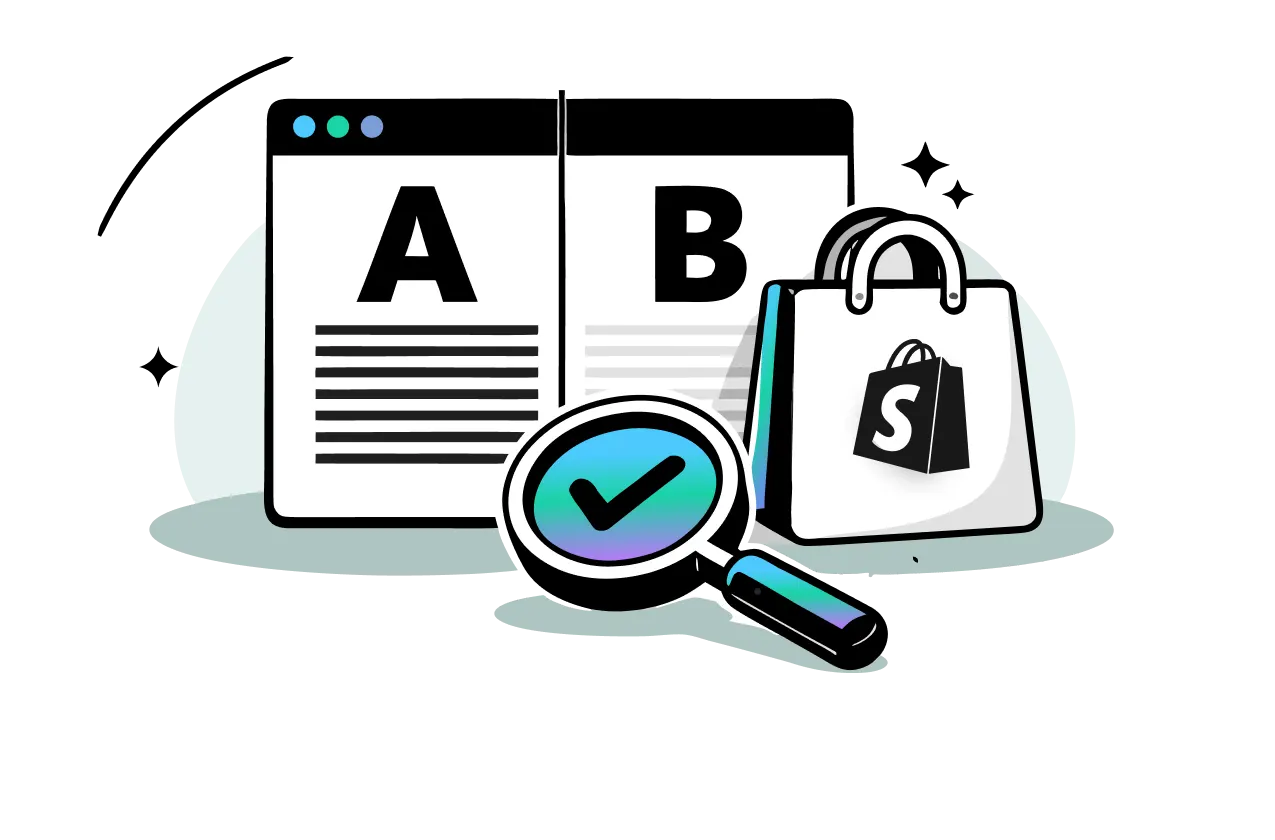

Table of Contents
- 1. What Is Shopify A/B Testing and Why It Matters
- 2. How to Run a Shopify A/B Test: Step-by-Step
- 3. What to A/B Test on Your Shopify Store
- 4. App vs. Manual: How to Actually Set Up Tests on Shopify
- 5. Top Shopify A/B Testing Tools
- 6. A/B Testing Best Practices To Level Up Your Game
- 7. Analyzing Results and Scaling What Works
- 8. Final Thoughts
- 9. Shopify AB Testing FAQs
A/B testing on Shopify means showing two versions of a page element to different visitors simultaneously, then measuring which version drives more of the outcome you want: purchases, add-to-cart clicks, or sign-ups. It replaces guesswork with data, letting you make changes that reliably lift revenue.
This guide covers everything: how to build a testing hypothesis, what to test, which tools to use, and how to read your results. By the end, you'll have a repeatable system for improving your store's performance.
In this blog:
- 1. What Is Shopify A/B Testing and Why It Matters
- 2. How to Run a Shopify A/B Test: Step-by-Step
- 3. What to A/B Test on Your Shopify Store
- 4. App vs. Manual: How to Actually Set Up Tests on Shopify
- 5. Top Shopify A/B Testing Tools
- 6. A/B Testing Best Practices To Level Up Your Game
- 7. Analyzing Results and Scaling What Works
- 8. Final Thoughts
- 9. Shopify AB Testing FAQs
What Is Shopify A/B Testing and Why It Matters
A/B testing is the fastest, lowest-risk way to improve your store. Instead of redesigning your entire site and hoping it performs better, you test one change on a fraction of your traffic and let the data decide.
How A/B Testing Works
You split your visitors into two groups. Group A sees the original version (the control). Group B sees a modified version (the variant). Both groups shop normally. After enough data accumulates, you compare the results and implement the winner. On Shopify, this applies to product pages, homepages, collection pages, cart pages, and more.
If you're new to the platform, check out this article to understand how Shopify works before diving into A/B testing or optimization.
Why A/B Testing Beats Guessing
Most store changes are made on instinct. A button gets moved because it looks better. A headline gets rewritten because someone on the team prefers it. A/B testing removes opinion from the equation.
The business case is direct: a 1% lift in conversions on a store doing $50,000/month adds $500/month with zero extra ad spend. That compounds fast. Beyond raw conversion rate, A/B testing also reduces risk by letting you validate changes on a small slice of traffic before committing site-wide. Every dollar you spend driving traffic to your Shopify store also works harder when your pages convert better.
Before factoring in testing tool costs, it's worth understanding your full Shopify overhead, from domain costs to transaction fees, so you can accurately measure whether any optimization effort is improving actual net profit.

How to Run a Shopify A/B Test: Step-by-Step
Running a good A/B test follows a clear process. Skip steps and your results become unreliable.
1. Start With a Hypothesis
Every test begins with a problem and a proposed solution. A weak hypothesis sounds like "let's try a different button color." A strong hypothesis looks like this:
"Our product page has a 2.1% add-to-cart rate, which is below the 3-4% industry benchmark. Making the CTA button larger and changing the copy from 'Add to Cart' to 'Get Yours Now' will increase add-to-cart clicks by at least 15%."
Strong hypotheses include a specific problem, a specific change, and a measurable prediction.
2. Choose One Variable
Test one element per experiment. If you change both the button color and the headline, you won't know which change caused the result. One variable, one test, clean data.
3. Define Your Success Metric
Decide before launching what winning looks like. Common primary metrics for Shopify include:
- Add-to-cart rate
- Purchase conversion rate
- Revenue per visitor
- Click-through rate on a specific CTA
Also identify secondary metrics you'll monitor, such as average order value or bounce rate.
4. Set Up Traffic Splitting
Your testing tool randomly splits visitors between the control and the variant. A 50/50 split is standard, though some tools allow weighted splits such as 80/20 if you want to limit exposure to a riskier change.
5. Run the Test Long Enough
The biggest mistake in A/B testing is stopping early. Run every test for at least 7 days, ideally 14, to capture weekly traffic patterns. Don't stop because one variant looks like it's winning on day three. Early leads are often statistical noise.
Aim for 95% statistical confidence before declaring a winner. Most dedicated apps calculate this automatically.
6. Analyze, Implement, and Iterate
Once you hit statistical significance, implement the winner or archive the loser and document what you learned. Either outcome feeds your next hypothesis. Testing is a loop, not a one-off project.
What to A/B Test on Your Shopify Store
The best elements to test are the ones with high traffic and direct impact on conversion. Start there, not with footer text or favicon colors.
1. Product Page Tests
Product pages are where purchase decisions happen, so they carry the highest testing leverage.
Things you can test are:
- CTA button: Text ("Add to Cart" vs. "Buy Now"), color, size, and position.
- Product descriptions: Short and punchy vs. long and detailed. Bullet points vs. paragraphs.
- Product images: Lead with a lifestyle shot vs. a plain product shot. Include video vs. images only.
- Pricing presentation: Prominent compare-at price vs. subtle. Urgency timers.
- Social proof placement: Reviews directly below the CTA vs. lower on the page.
- Trust badges: Test which icons, money-back guarantee, secure checkout, free returns, actually move conversions.
Pair your product page tests with research into best-selling products on Shopify to prioritize which pages are worth testing first.
2. Homepage and Landing Page Tests
Your homepage sets the tone. Test:
- Hero section: Image vs. video background. Benefit-driven headline vs. brand-focused headline.
- Primary CTA: "Shop Now" vs. "Explore the Collection" vs. a product-specific prompt.
- Navigation structure: Mega menu vs. simple dropdown. Category naming.
- Value propositions: Which USPs to lead with and how prominently to display them.
If you're running paid campaigns, your landing pages matter just as much as your homepage. A/B testing is one of the most cost-effective ways to promote your Shopify store and get more from traffic you're already paying for.
3. Collection Page Tests
Collection pages filter visitors down to product pages, so small improvements here compound across your whole catalog.
- Product grid layout: Two products per row vs. three. Image size and aspect ratio.
- Product card info: Price plus rating plus quick-add button vs. price only.
- Filter and sort placement: Left sidebar vs. top bar.
Better-structured collection pages also tend to earn lower bounce rates, which feeds directly into your Shopify SEO performance.
4. Cart and Pre-Checkout Tests
Shopify locks down the checkout itself, but the cart page is fully testable.
- Upsell and cross-sell placement: Within the cart vs. on a separate page.
- Shipping threshold messaging: "You're $12 away from free shipping" shown prominently vs. hidden.
- Trust signals on the cart page: Security badges or review snippets before the customer clicks to checkout.
These pre-checkout optimizations are a core part of building a high-converting Shopify sales funnel.
5. Theme-Level and Broader Store Tests
If your store is running on one of the free Shopify themes and you're considering a design upgrade, A/B testing theme layout variants before committing site-wide is a smart move. You can also test:
- Pop-up timing, messaging, and exit-intent offers.
- Shipping and return policy prominence.
- Font choices or color schemes if your theme supports easy variation.
App vs. Manual: How to Actually Set Up Tests on Shopify
Most merchants should use a dedicated app. Manual methods exist but come with serious tradeoffs.
1. Using a Dedicated Shopify A/B Testing App
This is the right approach for the vast majority of merchants.
All you need to do are:
- Install an app from the Shopify App Store (see tool recommendations below).
- Connect it to your store and select the page or element you want to test.
- Create your variant using the visual editor. No code needed for most changes.
- Set your goal metric and traffic split.
- Launch the test. The app handles traffic splitting, tracking, and reporting automatically.
2. Manual Testing With Theme Code and GA4
Manual testing only makes sense if you have a developer on hand and want full control without paying for a tool.
The general approach: duplicate your theme, modify the variant in the cloned version, then use a JavaScript snippet in theme.liquid to route a percentage of visitors to each version. Track outcomes in GA4 using custom events and segments.
The downside is significant. Shopify's theme system wasn't designed for dynamic traffic splitting between themes. Tracking accurate results in GA4 requires advanced setup, and any implementation mistake produces misleading data. For most stores, the developer time costs more than a year's subscription to a dedicated app.

Top Shopify A/B Testing Tools
1. Paid Apps Worth Considering
- Intelligems: Best for price testing and shipping cost experiments. Strong segmentation features with a direct focus on profitability metrics.
- Visually A/B Testing and CRO: User-friendly visual editor, solid reporting, and a lower learning curve than enterprise tools.
- Shogun / Replo: Page builders with built-in A/B testing. A good choice if you're already using one of these to build landing pages.
- VWO / Optimizely: Enterprise-grade options with advanced multivariate testing, suited to Shopify Plus stores running high traffic volumes and complex testing programs.
2. Free and Freemium Options
Most dedicated Shopify A/B testing apps offer freemium plans or 14-30 day free trials. There is no native A/B testing built into Shopify itself. Google Optimize, once the standard free tool for this, was shut down in 2023. If budget is a constraint for you, start with a free trial of any of the paid apps listed above.
A/B Testing Best Practices To Level Up Your Game
1. Setting Tests Up to Succeed
Follow these rules every time:
- Test one variable only: Always. No exceptions.
- Set your success metric before launching: Don't change the goalposts mid-test.
- Run for at least one full weekly cycle: Weekend traffic behaves differently from weekday traffic.
- Ensure enough traffic volume: A page getting 200 visits per month will take months to reach significance. Prioritize high-traffic pages first, and if overall traffic is thin, focus on how to get more sales on Shopify before running tests.
- Document every test: Hypothesis, variants, duration, results. Build a testing log and stick to it.
2. Reading Results Correctly
Interpreting data poorly is as damaging as not testing at all.
- Wait for 95% confidence: Most apps show this clearly. Don't stop at 80% and call it a win.
- Check secondary metrics: A variant might improve add-to-cart rate while hurting average order value. Look at the full picture.
- Segment your results: Mobile visitors often behave differently from desktop users. A variant that wins on desktop might lose on mobile.
- Treat losses as data: A test where the original wins still tells you something. Document it and use it to sharpen your next hypothesis.
Analyzing Results and Scaling What Works
Once a test concludes, three outcomes are possible: the variant wins, the original wins, or there's no significant difference.
1. Interpreting the Data
Look beyond the headline conversion rate when you analyze results.
- Variant wins: Implement it on your live store. Verify the implementation is clean and doesn't introduce new bugs.
- Original wins: Archive the test with notes. You've learned what doesn't work for your audience, which has real value.
- No clear winner: The change didn't matter enough at this scale. Adjust your hypothesis and test something with higher expected impact.
Also compare conversion rate against revenue per visitor. A variant with a slightly lower conversion rate can still generate more revenue if it increases average order value.
2. Scaling Your Testing Program
One successful test isn't a strategy. Winning stores run tests continuously and stack incremental gains.
After implementing a winner, immediately formulate the next hypothesis based on what you learned. If a button color change worked, maybe button placement is next. If a new headline lifted click-through rate, test whether a shorter version performs even better.
This compounding effect is how A/B testing actually scales a Shopify store. Track net profit across your changes, not just conversion rate, to see whether your optimization program is moving the bottom line. To explore the full picture of how to make money on Shopify, a sustained testing practice is one of the highest-leverage habits you can build.
Final Thoughts
A/B testing is one of the highest-leverage activities for any Shopify store. It doesn’t require more traffic or higher ad spend, just better decisions. And over time, those small, validated improvements compound into meaningful revenue growth.
But there’s one thing many stores still get wrong: they optimize for conversion rate without fully understanding profit.
A variant might increase conversions but lower margins through discounts, shipping costs, or upsells that don’t actually pay off. That’s why A/B testing should never stop at surface-level metrics.
For Shopify sellers, tools like TrueProfit help you go beyond conversion data and see the full picture. By tracking real-time net profit across products, channels, and orders, you can evaluate whether your “winning” tests are actually improving your bottom line.
Because at the end of the day, better conversion means nothing if it doesn’t translate into real profit.

Lila Le is the Marketing Manager at TrueProfit, with a deep understanding of the Shopify ecosystem and a proven track record in dropshipping. She combines hands-on selling experience with marketing expertise to help Shopify merchants scale smarter, through clear positioning, profit-first strategies, and high-converting campaigns.